Kuaishou
Kling AI
Kling AI is the video model from Kuaishou, the Chinese short-video company. Kuaishou launched Kling 4.0 on October 15, 2026, and it's available on Klakix: turn text or a photo into a single shot up to 30 seconds long with sound, combine several photos and videos as references, or edit a clip you already have. A 5-second 720p Kling 4.0 clip costs 79 credits, with no subscription required. Kling 3.0 and the Kling effects are here too.
Available on Klakix
Klakix offers Kling 4.0 in Text to Video and, with three modes, in Image to Video: a single photo (with an optional end frame), several photos (up to 10 photos and 5 videos as references), and video editing. It runs 3–30 seconds in 720p or Full HD (1080p), and sound is always on. Kling 3.0 (Standard 720p or Pro 1080p, 3, 5, 8, 10, 15 seconds, sound on or off) and four ready-made Kling effects are here too. The multi-shot storyboard, Kling Avatar, and Kling 4.0's voice cloning aren't available. Kling 3.0 Motion Control has its own page: Kling Motion Control.
| Tool | Model | Credits | About |
|---|---|---|---|
| Text to Video | Kling 4.0 | 79 | $2.87–$5.27 |
| Image to Video | Kling 4.0 | 79 | $2.87–$5.27 |
| Image to Video | Kling 4.0 Reference | 79 | $2.87–$5.27 |
| Image to Video | Kling 4.0 Video Edit | 94 | $3.41–$6.27 |
| Text to Video | Kling 3.0 | 63 | $2.29–$4.20 |
| Image to Video | Kling 3.0 | 63 | $2.29–$4.20 |
| Effects | Kling effects | 28 | $1.02–$1.87 |
Default settings (shortest clip). The dollar range depends on the credit pack or plan you buy.
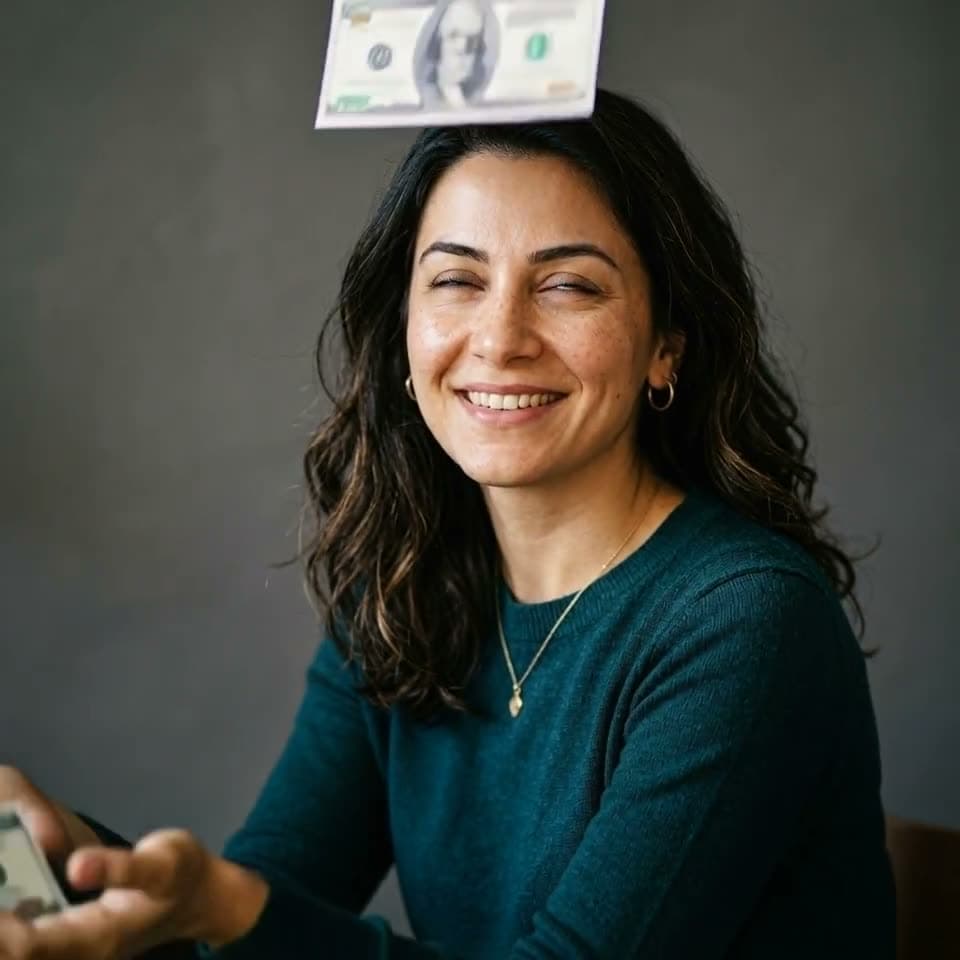
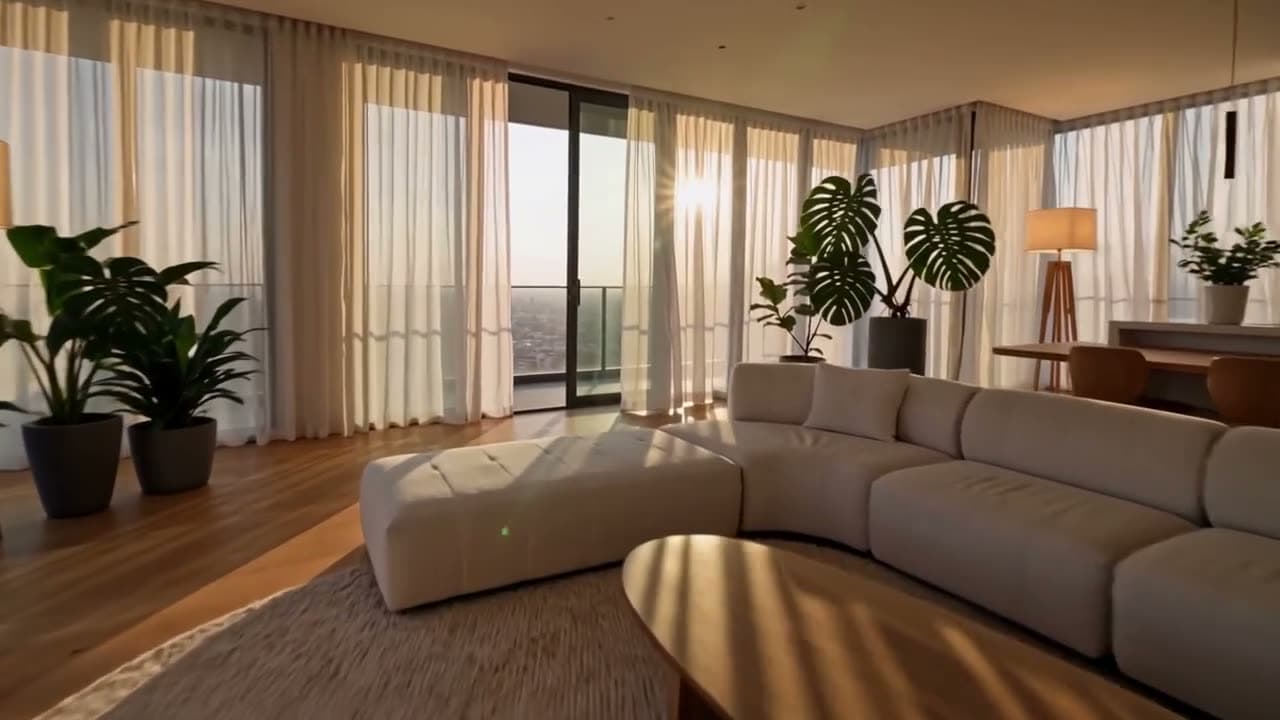
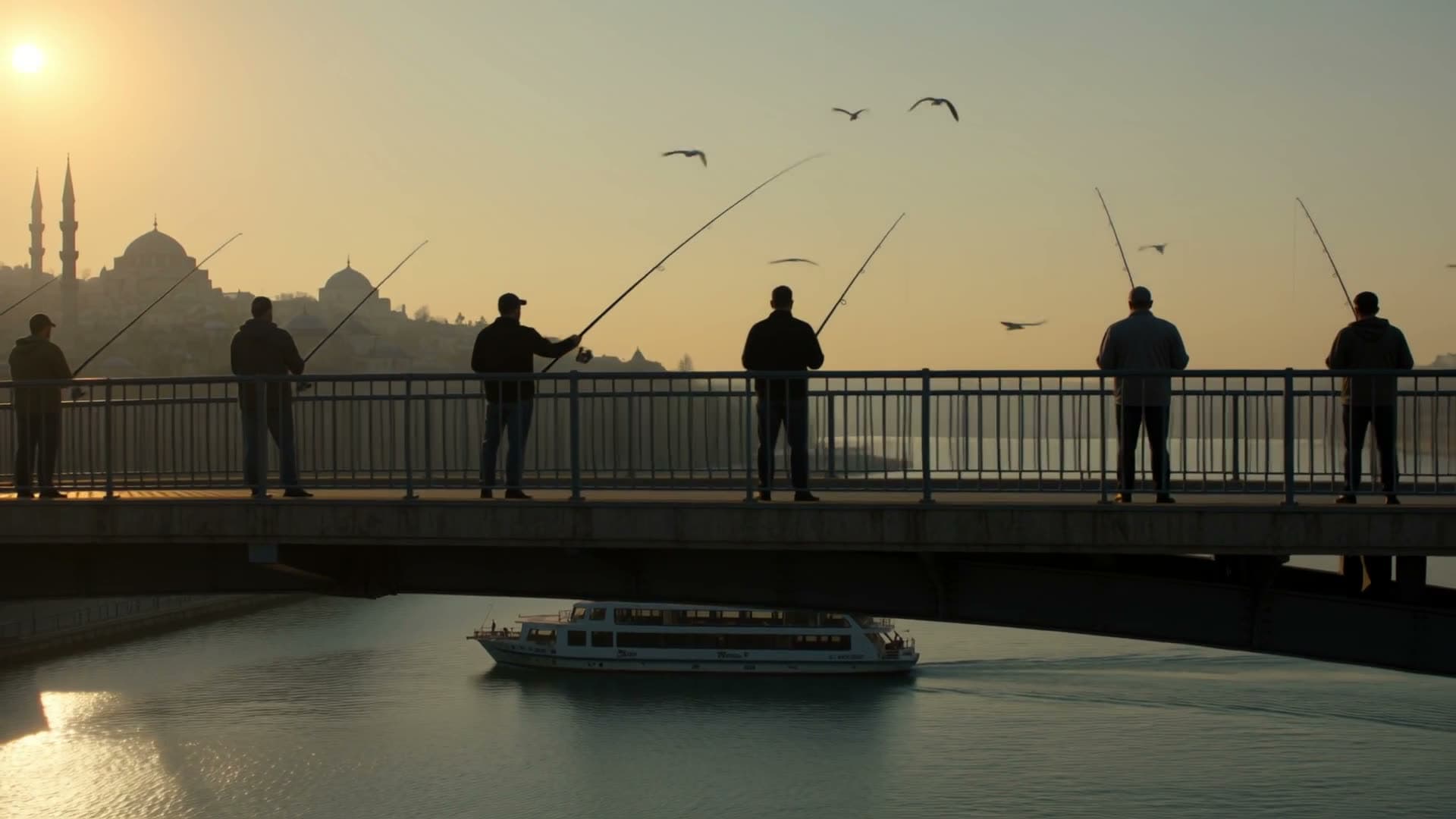
Real outputs
Made with Kling AI
These videos were generated on this site with the model named on each one.






What is Kling AI?
Kling AI is a text-to-video and image-to-video model built by Kuaishou, a Chinese short-video platform company. The first version launched in June 2024. According to Kuaishou's announcement on February 5, 2026, Kling was serving more than 60 million creators worldwide by then, and more than 600 million videos had been made with it.
Kling's own site is kling.ai. Klakix isn't affiliated with Kuaishou; we use Kling 3.0 and the Kling effects model through an API, alongside other video models in the same account.
Dates in the table come from Kuaishou's Kling 3.0 announcement and the Kling AI Wikipedia page, checked in October 2026. Kling 4.0 details come from Kuaishou's statement as reported by Bernama on October 19, 2026.
| Version | Released | Highlights | On Klakix |
|---|---|---|---|
| First release | June 2024 | Public test inside Kuaishou's video editing app | No |
| Kling 1.6 | December 2024 | Better video generation | Powers the effect templates |
| Kling 2.0 | April 2025 | New major version | No |
| Kling 2.1 | May 2025 | Separate quality modes | No |
| Kling 3.0 | Feb 5, 2026 | Videos up to 15 seconds, sound generated with the picture, multi-shot storytelling | Yes: text to video and image to video |
| Kling 4.0 | Oct 15, 2026 | Up to 30 seconds in one pass; Omni Reference with up to 15 reference assets and 10 keyframes | Yes: text and image to video, references, video editing |
What you can do with Kling 4.0
Kling 4.0 brings text, photos, references, and editing into one model. On Klakix it works in Text to Video and, with three modes, in Image to Video; you switch modes with the selector above the photo step. Sound is always on: the model generates stereo ambience and effects with the picture, and there's no silent option or negative prompt.
| Mode | What it does | Credits (720p) |
|---|---|---|
| Text to video | A single 3–30 sec shot; landscape 16:9, vertical 9:16, square 1:1, or cinematic 21:9 | 5 sec 79, 30 sec 471; 5 sec in Full HD 118 |
| Single photo | Brings a photo to life; with an optional end frame, the clip finishes on that frame. Photos of people are fine (with permission, no celebrities). | 5 sec 79 |
| Several photos | Up to 10 photos and 5 videos (3–30 sec each, 30 sec combined) as references, to keep the same character, product, and place in one video; mention them as @Image1, @Video1 | Photos only, 5 sec 79; with video references, the price follows the combined length of the videos and the result |
| Edit video | Changes the background, weather, lighting, colors, outfit, or camera in your 3–30 sec clip; the result is as long as your clip. The video needs to be at least 720p. | A 5 sec clip 94 |
What you can do with Kling 3.0
Kling 3.0 works in two tools: Text to Video and Image to Video. Every setting below shows up in the Studio once you pick the model.
| Setting | Options | Notes |
|---|---|---|
| Quality | Standard (720p), Pro (1080p) | 5 sec with sound: Standard 63, Pro 84 credits |
| Duration | 3, 5, 8, 10, 15 seconds | Credits scale with length |
| Sound | On or off | Silent is cheaper: 5 sec Standard 42, Pro 56 credits |
| Aspect ratio | Landscape 16:9, vertical 9:16, square 1:1 | In Image to Video, the ratio follows your photo |
| End frame | Optional second photo | The video starts on your first photo and ends on the second |
| Negative prompt | In advanced settings | Things you don't want in the video, like text or blur |
How to get good results from the Kling AI video generator
A Kling AI video is a 3 to 15 second clip in 720p or 1080p, with sound if you want it. How clearly you describe the scene matters more than anything else. You can watch unedited Kling 3.0 clips and the prompts behind them on our examples page.
- Write one scene with one main action. In 5 seconds, one person does one thing and the camera makes one move. Packing three events into one clip scatters the shot.
- Name the camera move: "slow push-in", "tracking shot from the side", "locked-off camera". If you leave it out, the model picks one at random.
- If sound is on, describe it too: sizzling grill, waves, a crowd murmuring. A short line of English dialogue can work; for a longer script, see the speech section below.
- For image to video, pick a sharp photo with enough room around the subject, and make sure the part that should move (hands, hair, water) is visible. Add an end frame if you want control over how it ends.
- Start with a 3-second Standard (720p) test, then rerun the prompt you like in Pro (1080p) or at a longer length. That way you don't burn credits on drafts.
Is Kling AI free?
You can open a free account on Kling's own site, but free credits are limited as of October 2026. Under Kling's credit policy, daily login credits go to subscribers during promotional periods; they're added at your first login each day and reset at midnight. 1080p video, watermark removal, and the faster queue are paid-membership features. Subscription credits last one month, purchased credits last two years, and credits come back if a generation fails.
Klakix doesn't require a subscription, but there's no free video trial either: we pay the AI provider for every video we generate. Signing up is free, and the 20 free credits you get after verifying your email work for voiceovers. Kling 4.0, Kling 3.0, and the effects unlock after your first credit purchase. Before you buy, you can watch the samples on this page and on the examples page. The smallest option is the Mini pack, 75 credits for $5, and credits never expire.
Kling AI pricing
Kling 4.0 costs 79 credits for 5 seconds in 720p, 118 in Full HD, and 471 for 30 seconds in 720p; editing a 5-second clip costs 94. Kling 3.0 is billed per second too. A 5-second clip with sound costs 63 credits in Standard (720p) and 84 credits in Pro (1080p). 10 seconds in Standard is 126 credits, and 15 seconds in Pro is 252. The cheapest option is a 3-second silent Standard clip for 26 credits. The price shows on the Generate button before you start, and if a generation doesn't finish, the credits are refunded automatically. Here's roughly what a 5-second Kling 3.0 clip with sound costs in dollars, depending on the pack (taxes calculated at checkout).
Kling's own site also prices in dollars: under its credit policy, the standard rate is 66 credits per $1. Membership plans change often; you'll find the current ones on Kling's membership page.
| Pack | Credits | Price | 5 sec Standard (720p) | 5 sec Pro (1080p) |
|---|---|---|---|---|
| Mini | 75 | $5 | about $4.20 | about $5.60 |
| Standard | 275 | $14 | about $3.21 | about $4.28 |
| Pro | 650 | $29 | about $2.81 | about $3.75 |
| Studio | 1,900 | $69 | about $2.29 | about $3.05 |
Can Kling 3.0 generate speech?
Yes, with limits. According to Kuaishou's announcement, Kling 3.0's own audio supports speech in English, Chinese, Japanese, Korean, and Spanish. Kling's 4.0 comparison says 4.0 adds Portuguese, German, French, Hindi, and more, with stereo sound; the full list isn't published. Through the API we use, it's narrower: speech comes out in English or Chinese, and lines in other languages are translated to English.
That makes Kling 3.0 a good fit for ambient sound, effects, music, and a short spoken line. If you need a person to deliver a specific script in a chosen voice, use Talking Photo, or generate the narration separately with AI voiceover and lay it over the clip.
How to use Kling AI
Here's how to make your first Kling 3.0 video on Klakix:
- Sign up, verify your email, and buy credits. Then open Text to Video or Image to Video.
- In the model step, choose Kling 3.0.
- For image to video, upload your photo and, if you like, a second photo as the end frame. If there's a person in the photo, you need their permission; photos of celebrities aren't accepted.
- Describe the scene: who's doing what, how the camera moves, what the light and sound are like. Short, concrete sentences work best.
- In the settings step, pick the quality (Standard 720p or Pro 1080p), the duration (3, 5, 8, 10, 15 sec), the aspect ratio, and sound. The credit cost updates as you choose.
- Press Generate. Most clips take a few minutes; the finished video lands in your Library as an MP4.
Kling's own site or Klakix?
If you want every Kling feature (Omni, the multi-shot storyboard, avatars, editing), Kling's own site goes further. If you'd rather pay as you go and use other models from the same account, here's how the two compare. Kling details come from its credit policy, October 2026.
| Kling (kling.ai) | Klakix | |
|---|---|---|
| Payment | Subscription or credits, in dollars | Credit packs or optional plans, in dollars; no subscription required |
| Credit lifetime | Subscription credits 1 month, purchased credits 2 years | Never expire |
| 1080p | Paid membership only | Available on every video (Pro quality) |
| Watermark | Removal is a paid-membership feature | No visible watermark added |
| Other models | Kling only | Wan, Seedance, MiniMax, Veo, Gemini Omni, and voiceover in the same account |
| References (Omni) and video editing | Yes | Yes (Kling 4.0) |
| Multi-shot storyboard, avatars, voice cloning | Yes | No |
Is Kling 3.0 any good? Independent rankings
Kling is a well-known name, but it isn't at the top of independent comparisons. On the Artificial Analysis video leaderboard (read on October 15, 2026), Kling 3.0 scores around 1000 in both text to video and image to video, which puts it mid-table. In the same tables, Wan 3.0 (1174) and Seedance 2.5 (1160) lead text to video, and MiniMax H3 (1141) leads image to video.
Kling 4.0 isn't in that leaderboard yet (read on October 30, 2026), so there's no independent score for it. That's why neither Kling 4.0 nor Kling 3.0 is the default pick in our Studio. Choose it if you know and like its look, or if your scene needs fast motion and physics like grill flames, water, or fabric. For the most realistic result, see the comparison further down.
Kling effects on this site
Kling's ready-made effect templates work without a prompt: upload a photo and pick the effect. A 5-second effect costs 28 credits and a 10-second one 56. Kling's two-photo hug template and some of its nostalgia templates were retired on the provider's side in September 2026, so we make the hug effect with PixVerse instead, using one photo of two people standing side by side. Details are on the AI video effects page.
| Effect | Photos | What happens | Model |
|---|---|---|---|
| Heart hands | 2 | The people from both photos make a heart with their hands | Kling |
| Birthday | 1 | A cake and celebration scene | Kling |
| Money rain | 1 | Money rains down on the person | Kling |
| Pet dance | 1 | Your pet dances | Kling |
| Hug | 1 | Two people standing side by side in the photo hug | PixVerse |
Which model for which job?
Kling 3.0 is one option in the lineup. Here's what to pick for each job:
| Job | Recommended model | Why |
|---|---|---|
| A 30-second single shot, cinematic 21:9 | Kling 4.0 | 5 sec in 720p for 79 credits; 30 sec for 471 |
| Keeping the same character or product across several photos | Kling 4.0 (several photos) | Accepts photos of people; Seedance 2.5 Reference doesn't accept human faces |
| Changing something in your own video | Kling 4.0 or Seedance 2.5 Video Edit | A 5 sec clip with Kling 4.0 for 94 credits |
| Short Kling-style scene, fast motion | Kling 3.0 | 5 sec with sound in 720p for 63 credits; 1080p Pro for 84 |
| Heart hands, birthday, money rain | Kling effects | Ready-made template, no prompt needed; 5 seconds for 28 credits |
| Most realistic text to video | Wan 3.0, Seedance 2.5 | Top of the independent rankings; see Wan AI and Seedance |
| Animating a photo with a face | MiniMax H3 Max | Keeps faces and details intact; see Hailuo AI |
| Long single take | Wan 3.0, Seedance 2.5 | Up to 30 seconds in one generation |
| Copying a dance onto a character | Kling 3.0 Motion Control | Takes the moves from a reference clip; see Kling Motion Control |
| A person saying your script | HeyGen Avatar IV, OmniHuman 1.5 | Voiceover plus lip sync; see Talking Photo |
Strengths
What it does well
- Kling 4.0 makes a single shot up to 30 seconds with sound, including cinematic 21:9.
- Kling 4.0 takes up to 10 photos and 5 videos as references to keep a character and product consistent; photos of people are fine.
- Kling 4.0 Video Edit changes the background, weather, or camera in your clip and keeps the rest.
- Kling 3.0: text or photo to video up to 15 seconds, with short 3-second tests too.
- Pick your quality: Standard (720p) is cheaper, Pro (1080p) is sharper, and neither needs a membership.
- Generates sound with the picture (ambience, effects); silent clips cost less.
- End frame in image to video: the clip starts on your first photo and ends on the second.
- Ready-made Kling effects work without writing a prompt.
Limits
What to watch out for
- Mid-table in independent rankings; for the most realistic results, Wan 3.0, Seedance 2.5, or MiniMax H3 do better.
- Speech through the API is English or Chinese only, and fine for short lines rather than full scripts.
- Kling 4.0 can't make silent clips and has no negative prompt; edit and reference videos need to be at least 720p.
- The multi-shot storyboard, Kling Avatar, and voice cloning aren't available here.
- No free video trial: you need to buy credits before your first Kling video.
Use cases
What it's good for
Social clips
Vertical 9:16, 5-second scenes with sound: food, street, product.
Product photo to video
Turn one product shot into a moving promo clip, with an end frame to control the first and last shot.
Celebrations and fun
Heart hands, birthday, and pet dance effects for quick clips without a prompt.
FAQ
Kling AI: common questions
What is Kling AI?
Kling AI is a video model from Kuaishou, first released in June 2024, that turns text or a photo into video. Kuaishou launched Kling 4.0 on October 15, 2026. On Klakix you can use Kling 4.0, Kling 3.0, and the ready-made Kling effects without a subscription.
Is there a Kling 4?
Yes. Kuaishou launched Kling 4.0 on October 15, 2026, with up to 30 seconds in a single pass and Omni Reference, which combines up to 15 reference assets and 10 keyframes, according to its statement reported by Bernama. It's available on Klakix in Text to Video and Image to Video: a 5-second 720p clip costs 79 credits, and the references and video editing modes are open too.
Is Kling AI free?
Kling's own site lets you open a free account; daily login credits go to subscribers during promotional periods, and 1080p and watermark removal are paid features (October 2026). Klakix doesn't require a subscription, but there's no free video trial: our free signup credits work for voiceovers only. A 5-second Kling 3.0 clip with sound costs 63 credits, and the smallest option is the Mini pack, 75 credits for $5.
How much does Kling AI cost?
On Klakix, a 5-second Kling 3.0 clip with sound costs 63 credits in Standard (720p), about $2.29–$4.20 depending on the pack, or 84 credits in Pro (1080p). A Kling effect is 28 credits. On Kling's own site, the standard rate is 66 credits per $1, and membership plans vary.
How do I use Kling AI?
Open Text to Video or Image to Video and choose Kling 3.0. Describe the scene, upload a photo and an optional end frame, pick the quality (720p or 1080p), the duration (3, 5, 8, 10, 15 sec), the aspect ratio, and sound, then press Generate. The finished clip downloads from your Library as an MP4.
How long are Kling AI videos?
Kling 3.0 makes clips from 3 to 15 seconds, in 720p or 1080p, with optional sound. You get the cleanest results when you describe one scene with one main action and name the camera move. A 5-second 720p clip with sound is 63 credits; a 15-second 1080p clip is 252.
Can I use Kling 3.0 for free?
On Kling's own site, free use is limited: under its October 2026 credit policy, daily login credits go to subscribers during promotions, and 1080p and watermark removal need a paid membership. On Klakix, Kling isn't free: Kling 3.0 unlocks after your first credit purchase.
What's the difference between Kling 3.0 and the Kling effects?
With Kling 3.0 you describe the scene yourself: who does what and how the camera moves. Effects are ready-made templates; you upload a photo and pick one, with no prompt. A 5-second Kling 3.0 clip is 63 credits and a 5-second effect is 28.
Is Kling AI safe to use?
Kling is made by Kuaishou, which said in February 2026 that it serves more than 60 million creators. Wherever you use it, only upload photos you own or have permission to use. On Klakix, uploads and prompts are checked before generation, payments are handled by Dodo Payments as merchant of record, and we don't store your card details.
What are some Kling AI alternatives?
Other video models that do the same job include Alibaba Wan, ByteDance Seedance, MiniMax Hailuo, Google Veo, and PixVerse. On Klakix they're all in one account: Wan 3.0 and Seedance 2.5 stand out for text to video, MiniMax H3 Max for photos with faces, and Kling and PixVerse for effects.
Start making with Kling AI
Signing up is free. Video generation unlocks with your first credit purchase; the smallest option is the Mini pack, 75 credits for $5. Before you decide, watch the samples on this page.
Get started