Guide · 10 min read · October 30, 2026
How to make AI videos: a step-by-step guide
This guide walks through the whole process in the Klakix studio, with real videos we made and the exact prompts behind them. The same steps work on most AI video tools; the model names and prices below are Klakix's.
The short version
- Pick your starting point. Start from text, a photo, a template, a talking presenter or a 3D scene, depending on what you already have.
- Write a prompt that moves. Describe the subject, one main action, the setting, the camera move, the light and the sound, in one or two sentences.
- Choose the model. Pick a fast, cheap model for drafts and a cinematic one for the final clip; each model shows its price before you generate.
- Set length, aspect ratio and sound. Choose 5 or 10 seconds, 9:16 for TikTok, Reels and Shorts or 16:9 for YouTube, and turn sound on if the model supports it.
- Generate and review. Generate, watch the result, and keep the prompt if it works. Failed generations are refunded automatically.
- Refine and finish. Make a similar version, upscale the best take to Full HD or 4K, and add a voiceover or music.
Step 1: Pick your starting point
| You have | Start with | Good for |
|---|---|---|
| Just an idea | Text to video | Scenes, places, ads, anything you can describe |
| A photo | Image to video | Products, portraits, old photos; the look stays the same |
| A selfie and a trend in mind | Templates | Ready-made ideas: upload a photo, no prompt to write |
| A script to say | Talking photo or UGC ads | A presenter or portrait speaking your words, lip-synced |
| A camera move in mind | 3D Scene | Exact framing and camera moves, shot by shot |
| Text and numbers to show | Animated video maker | Explainers with voiceover and captions that spell everything right |
Step 2: Write a prompt that moves
A video prompt isn't a photo caption. It needs something to happen. A reliable structure is subject + action + setting + camera + light and style + sound, in one or two sentences:
- Subject: who or what, with one or two details (“a golden retriever in sunglasses”).
- Action: one main thing that happens (“runs a beach DJ booth while the crowd bounces”).
- Setting: where and when (“at sunset on a crowded beach”).
- Camera: one move (“the camera slowly pushes in”, “a drone flies over”, “tracking from the side”).
- Light and style: “golden hour”, “neon reflections”, “anime style”, “tilt-shift macro”.
- Sound (on models that make audio): “waves and muffled bass”.
| Weak prompt | Stronger prompt |
|---|---|
| A cat in a shop | A cat running the register at a corner shop: in its tiny apron, it taps the cash register with a paw |
| Istanbul at night | Istiklal Avenue at dusk in light rain: a red vintage tram rolls in between glowing shop windows |
These three clips were made from exactly the prompts shown under them:
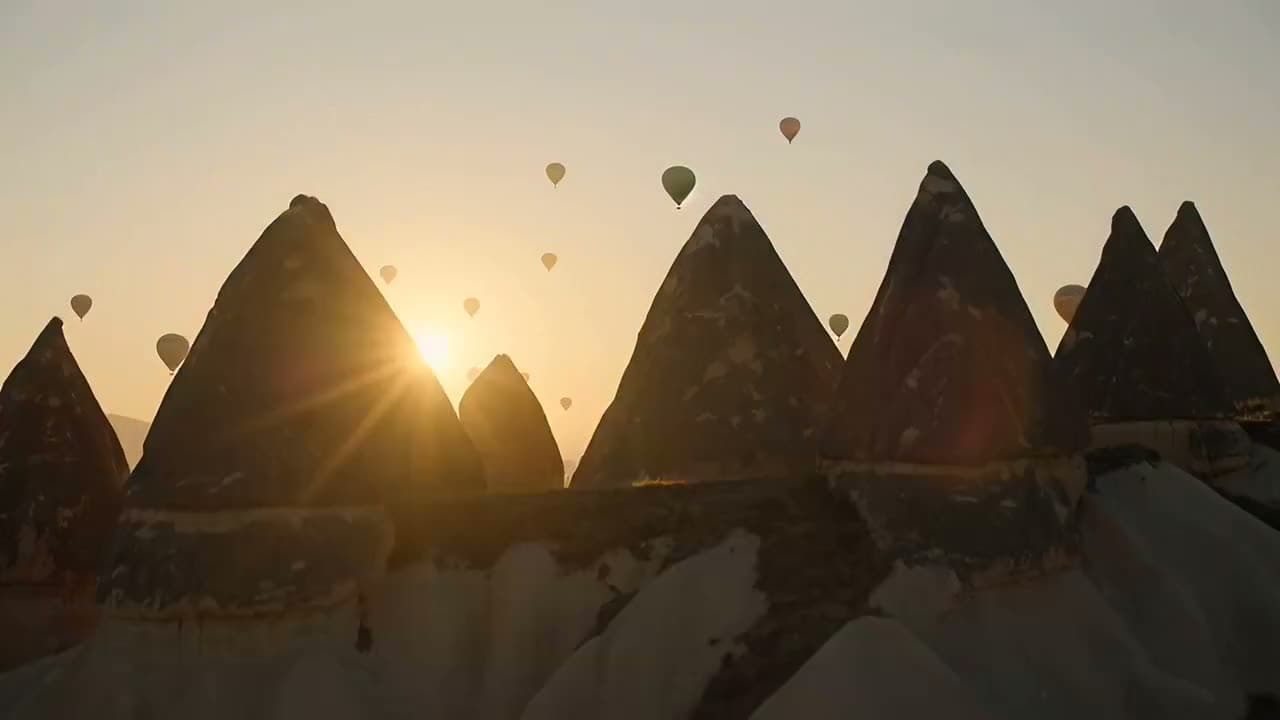
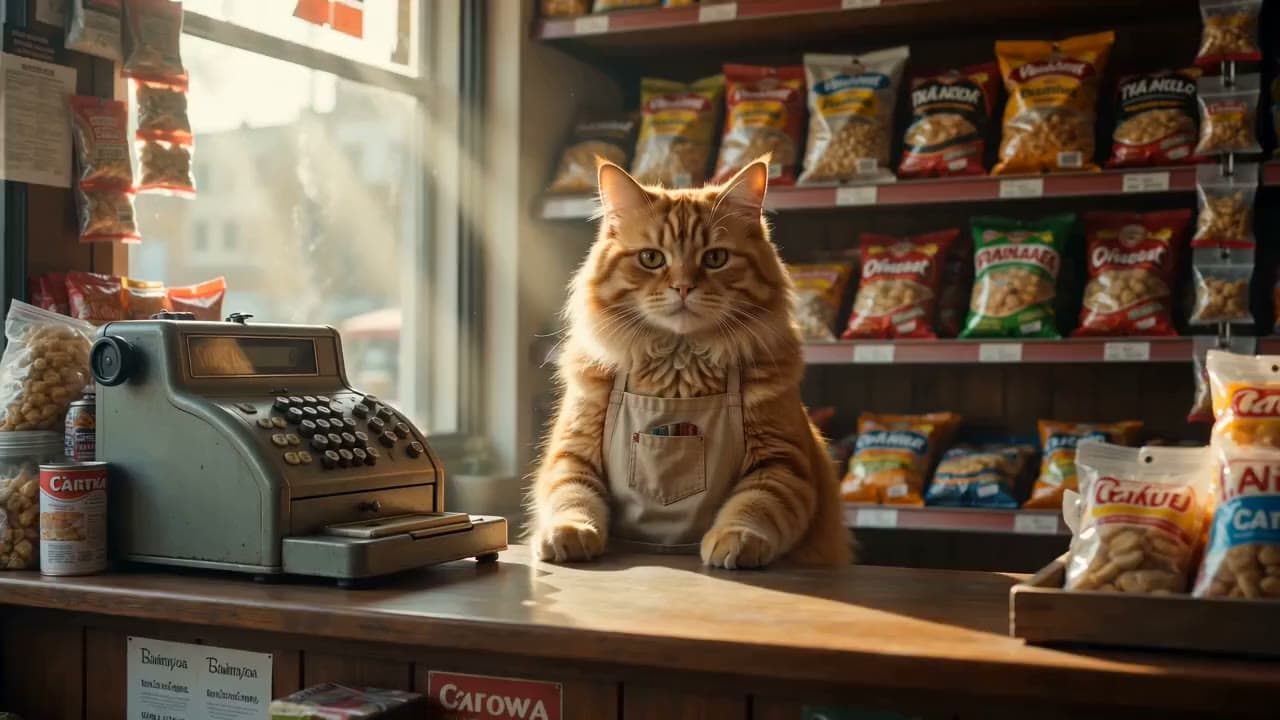
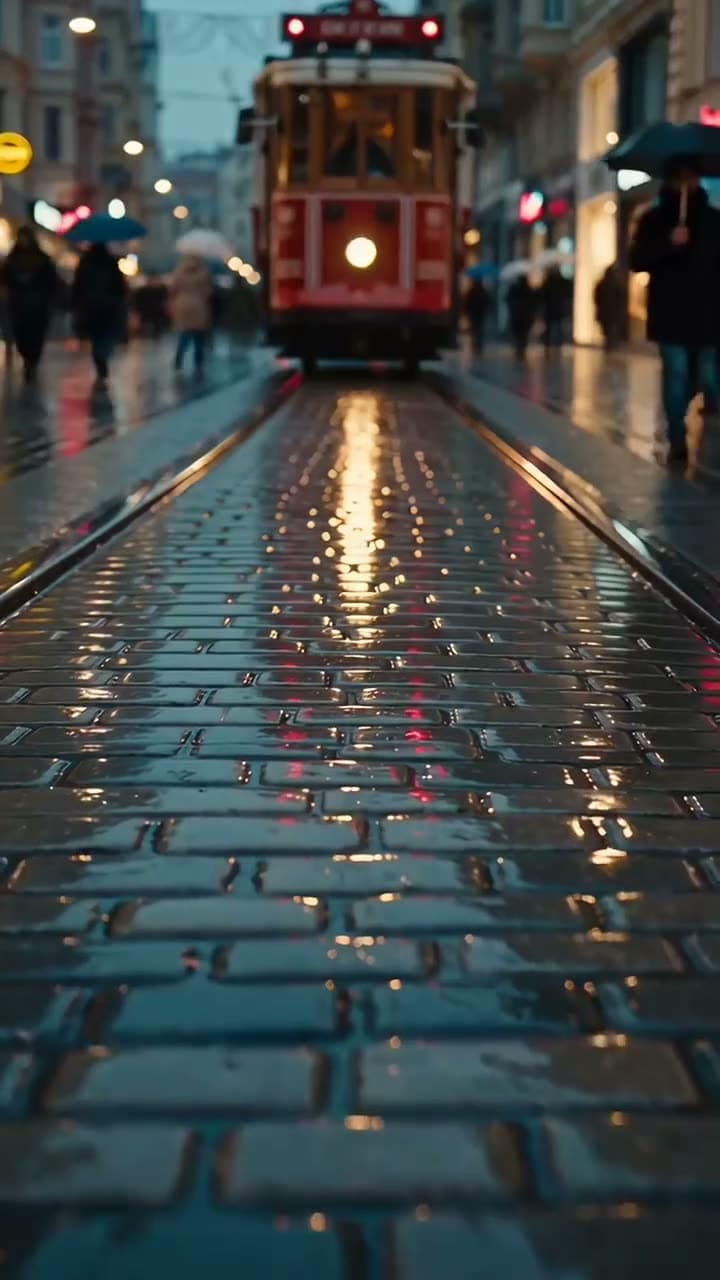
Step 3: Choose the model
Each model has its own look, length limits and price. Prices are for the default setting in the studio; longer clips and higher resolutions cost more.
| Model | Best for | Default | Cost |
|---|---|---|---|
| Seedance 2.5 | Cinematic, long scenes with ad-film quality · makes sound | 720p, 5 s | 147 credits ($5.34–$9.80) |
| Seedance 2.0 | Quality scenes at a fair price; 4K when you need it · makes sound | 720p, 5 s | 95 credits ($3.45–$6.33) |
| Seedance 2.0 Mini | Quick, cheap clips with sound for social media · makes sound | 720p, 5 s | 48 credits ($1.74–$3.20) |
| MiniMax H3 Max Turbo | The cheapest way to try an idea | 768p, 5 s | 20 credits ($0.73–$1.33) |
| MiniMax H3 Max | Smooth motion: dance, sports, action | 768p, 5 s | 40 credits ($1.45–$2.67) |
| Google Gemini Omni Flash | The most realistic picture and speech; ads and promos | 720p, 5 s | 50 credits ($1.82–$3.33) |
| Google Veo 3.1 Lite | Scenes with dialogue and ambient sound, at a fair price · makes sound | 720p, 8 s | 40 credits ($1.45–$2.67) |
| Wan 3.0 | 30-second stories at a fair price · makes sound | 720p, 10 s | 100 credits ($3.63–$6.67) |
| Kling 4.0 | 30-second single shots with sound, in cinematic 21:9 too | 720p, 5 s | 79 credits ($2.87–$5.27) |
| Kling 3.0 | Lively motion; silent or with English speech · makes sound | 720p, 5 s | 63 credits ($2.29–$4.20) |
A good habit: draft on a cheap model such as MiniMax H3 Max Turbo until the idea works, then render the final take on a cinematic one. Real samples of every model are on the models page.
Step 4: Set length, aspect ratio and sound
- Length: 5 seconds is enough for one action; 10 seconds fits a small story. Cost grows with length, so test short.
- Aspect ratio: 9:16 for TikTok, Instagram Reels and YouTube Shorts; 16:9 for YouTube and websites; 1:1 for feeds and product pages.
- Resolution: 480p is fine for testing an idea (a 5-second Seedance 2.5 clip is 69 credits at 480p and 147 at 720p). Render the keeper at 720p or 1080p, or upscale it later.
- Sound: some models generate ambient sound and effects with the video. For music or a voiceover, add them separately.
Step 5: Generate and review
In the studio, the model, the prompt and the settings sit on the left, and the button shows the price before you start. Generation takes one to four minutes; you can leave the page and the video waits in your library. If a generation fails, the credits come back automatically.
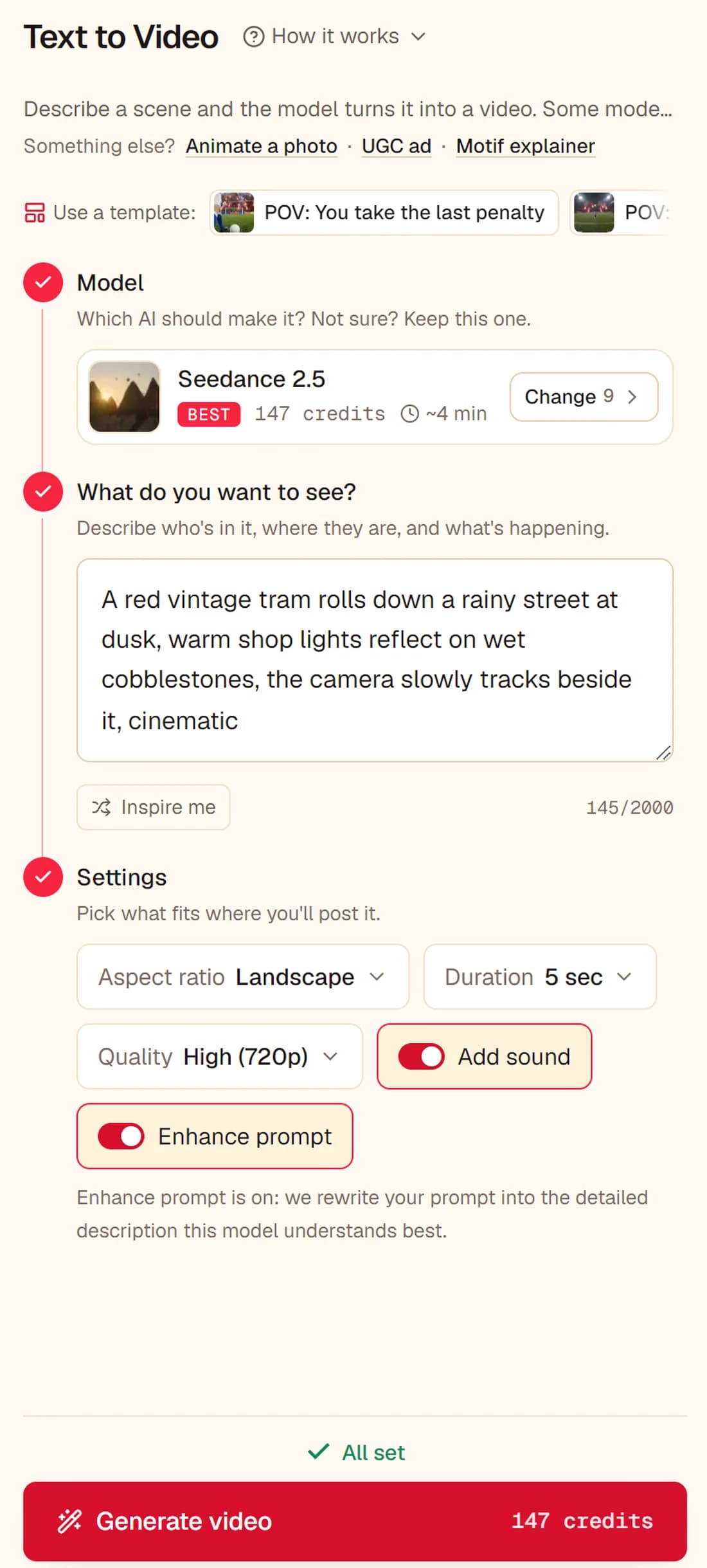
When you review a take, ask three questions: does the main action happen, does the camera do what you asked, and does anything warp or melt? Fix one thing per retry; changing everything at once makes it hard to see what helped.
Step 6: Refine and finish
- Generate similar: rerun the same prompt and settings for another take; AI video varies a lot between runs.
- Upscale: take the best clip to Full HD or 4K and smooth it to 60 fps with the video upscaler.
- Add voice and music: generate a voiceover or a music track in AI voiceover and put it under the clips in your editor.
Making AI videos from a photo
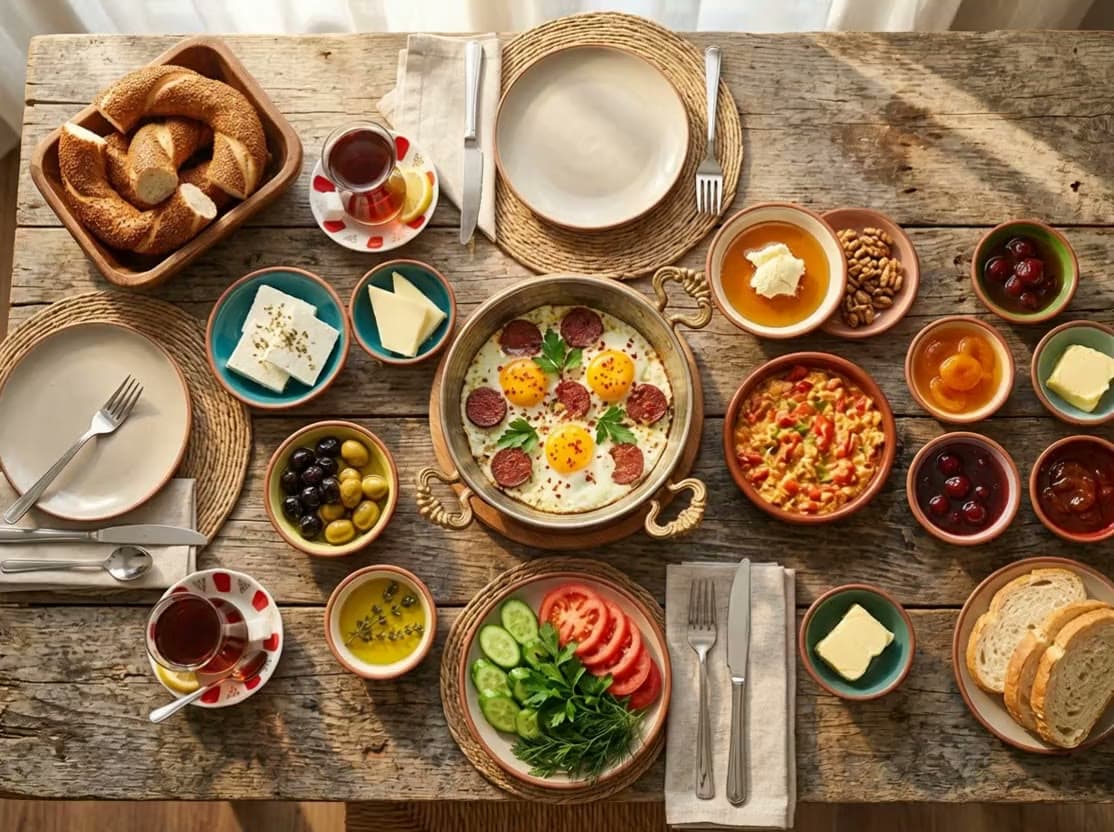
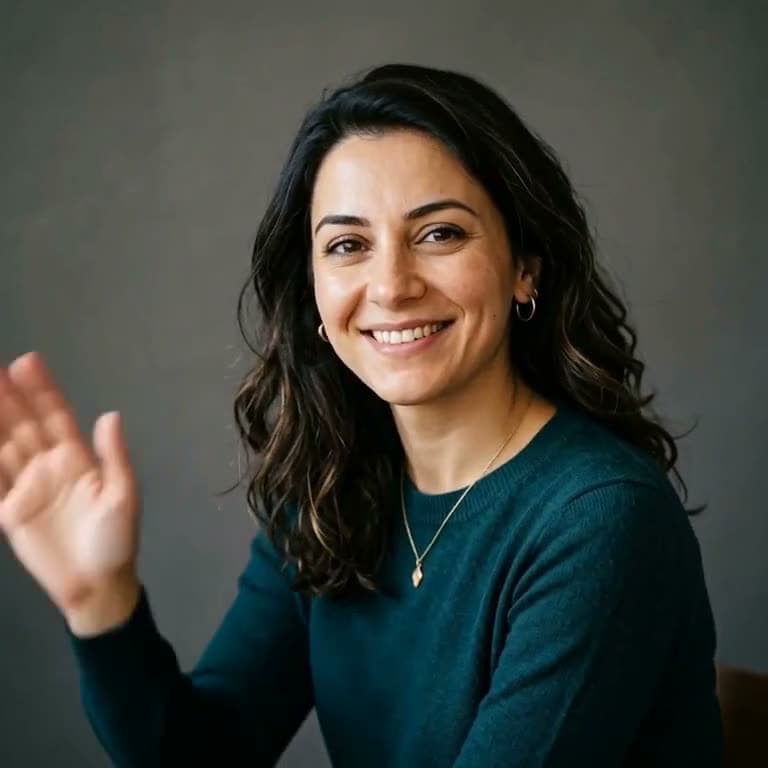
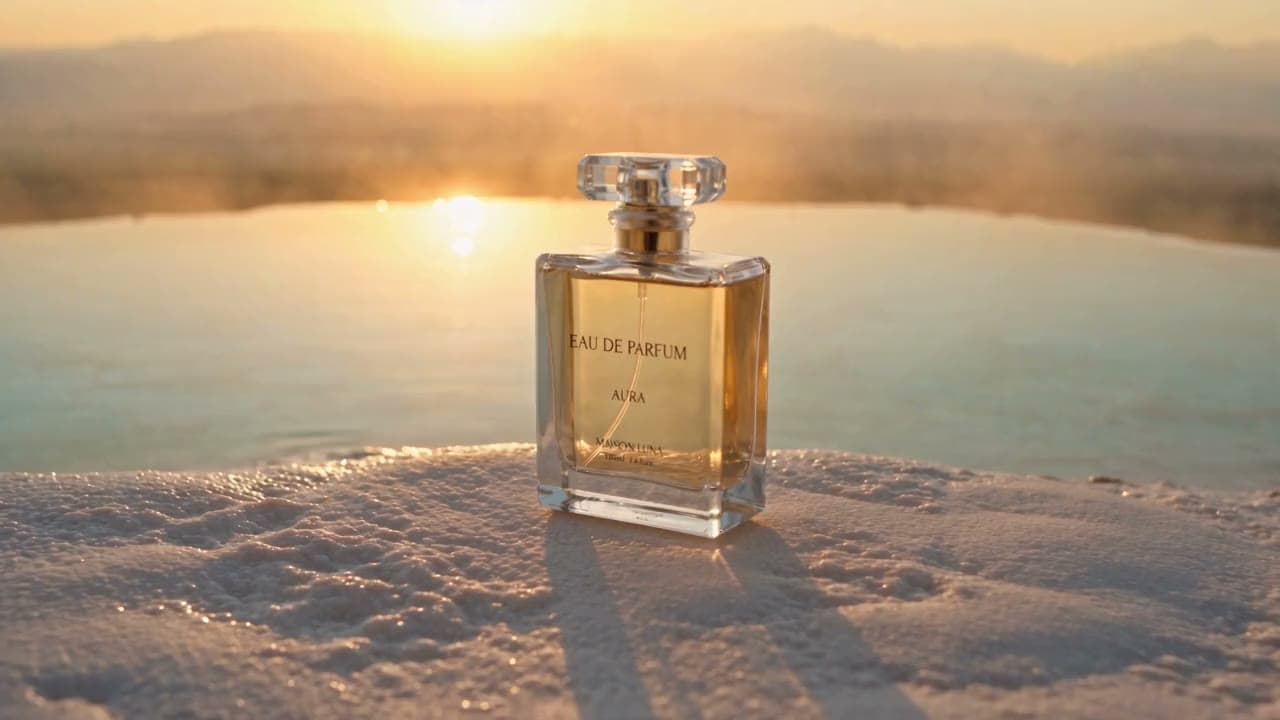
Image to video keeps your photo's look and adds motion, which matters for products and people. Describe only what should move: “steam rises from the tea as the camera glides slowly over the table”. You can also combine a product photo with a location photo in one shot.
Directing the camera with a 3D scene
Prompts describe camera moves, but models don't always follow them. 3D Scene shows the move instead: you describe the scene, the AI builds it as a 3D blockout from simple blocks, you set the camera for each shot, and the blockout video goes to Seedance 2.5 Reference, which copies the same move. Our courier scene, blockout on the left and the final video on the right:
AI videos for TikTok, Reels and YouTube Shorts
- Use 9:16 and keep each clip to one action; put the most striking moment in the first second.
- Make three to five short clips and cut them together rather than asking one clip for a whole story.
- Leave room for captions at the bottom of the frame and don't ask the model for on-screen text; add it in your editor.
- For YouTube, use 16:9 and 10-second clips, and keep the same style words across clips so they match.
Common mistakes and how to fix them
- Too many actions in one clip: the model skips some or blends them. One action per clip.
- No camera instruction: the camera stays still or drifts. Name one move.
- Asking for text or logos: AI video spells badly. Add text in your editor, or use the animated video maker.
- Faces of real people: don't upload someone else's photo without their permission; deepfakes of real people aren't allowed.
- Rendering high-res first: test at 480p or 5 seconds, then render the keeper.
- Changing everything between tries: change one thing at a time so you learn what works.
How much it costs
On Klakix, every video uses credits and the price shows before you generate. The cheapest clip in the studio is 20 credits ($0.73–$1.33) on MiniMax H3 Max Turbo; a 5-second 720p Seedance 2.5 clip is 147 credits ($5.34–$9.80). Credit packs start at $5 for 75 credits, and credits never expire. All packs and plans are on the pricing page.
Common questions
How do I make an AI video?
Pick a starting point (text or a photo), write one or two sentences that describe the subject, the action, the setting and the camera, choose a model, set the length and aspect ratio, and generate. On Klakix this takes a few minutes and the price shows on the button before you start.
Can I make AI videos for free?
Not on Klakix: video models cost money to run, so every video uses credits. Packs start at $5 for 75 credits, they never expire, and the cheapest clip in the studio costs 20 credits ($0.73–$1.33).
How long does it take to make an AI video?
Writing the prompt takes a minute or two. Generation takes about one to four minutes depending on the model and length. Most people need two or three tries to get a clip they like.
How long can an AI video be?
Each generation is a short clip: most models make 5 to 10 seconds, and some go longer (up to 30 seconds on Klakix). For a longer video, generate several clips and cut them together.
Which AI model is best for video?
There isn't one best model. Seedance 2.5: cinematic, long scenes with ad-film quality; Seedance 2.0: quality scenes at a fair price; 4K when you need it; Seedance 2.0 Mini: quick, cheap clips with sound for social media; MiniMax H3 Max Turbo: the cheapest way to try an idea. MiniMax H3 Max Turbo is the cheapest for drafts. Try the idea on a cheap model, then render the final take on a better one.
Learn more: AI video models
How do I make AI videos for TikTok or YouTube Shorts?
Set the aspect ratio to 9:16, keep each clip to 5–10 seconds with one clear action, start with the most striking moment, and put several clips together in your editor. For YouTube, 16:9 works best.
Can I use AI-generated videos commercially?
Yes, videos you make on Klakix can be used in ads and client work, as long as your prompt and any photos you upload don't infringe someone else's rights or show a real person without permission.
Learn more: Terms of service
Why doesn't my AI video follow the prompt?
Usually the prompt asks for too much. Keep one main action per clip, describe the camera move in plain words, avoid on-screen text, and drop details that fight each other. If the camera still won't do what you want, use 3D Scene and show the move instead of describing it.
Learn more: 3D scene to video
Make your first AI video
Write one sentence, pick a model, and see the price before you generate. Packs start at $5.
Open text to video