Nano Banana
Nano Banana is the name of Google's Gemini image models: the original in August 2025, Nano Banana Pro in November 2025, and Nano Banana 2 on February 26, 2026. Nano Banana 2 is Gemini's default image model, known for clean, readable text in images. On Klakix, you can use it with no subscription, from 8 credits per image.
Available on Klakix
Nano Banana 2 is available in the image generator: 1K, 2K, or 4K, in square, landscape, or portrait. It also runs behind the scenes in UGC Ads, where it combines your presenter photo and product photo into a single frame. Nano Banana Pro, Nano Banana 2 Lite, Nano Banana 2.1, and the original Nano Banana aren't available here.
| Tool | Model | Credits | About |
|---|---|---|---|
| Image Generation | Nano Banana 2 | 8 | $0.29–$0.53 |
Default settings. The dollar range depends on the credit pack or plan you buy.
Real outputs
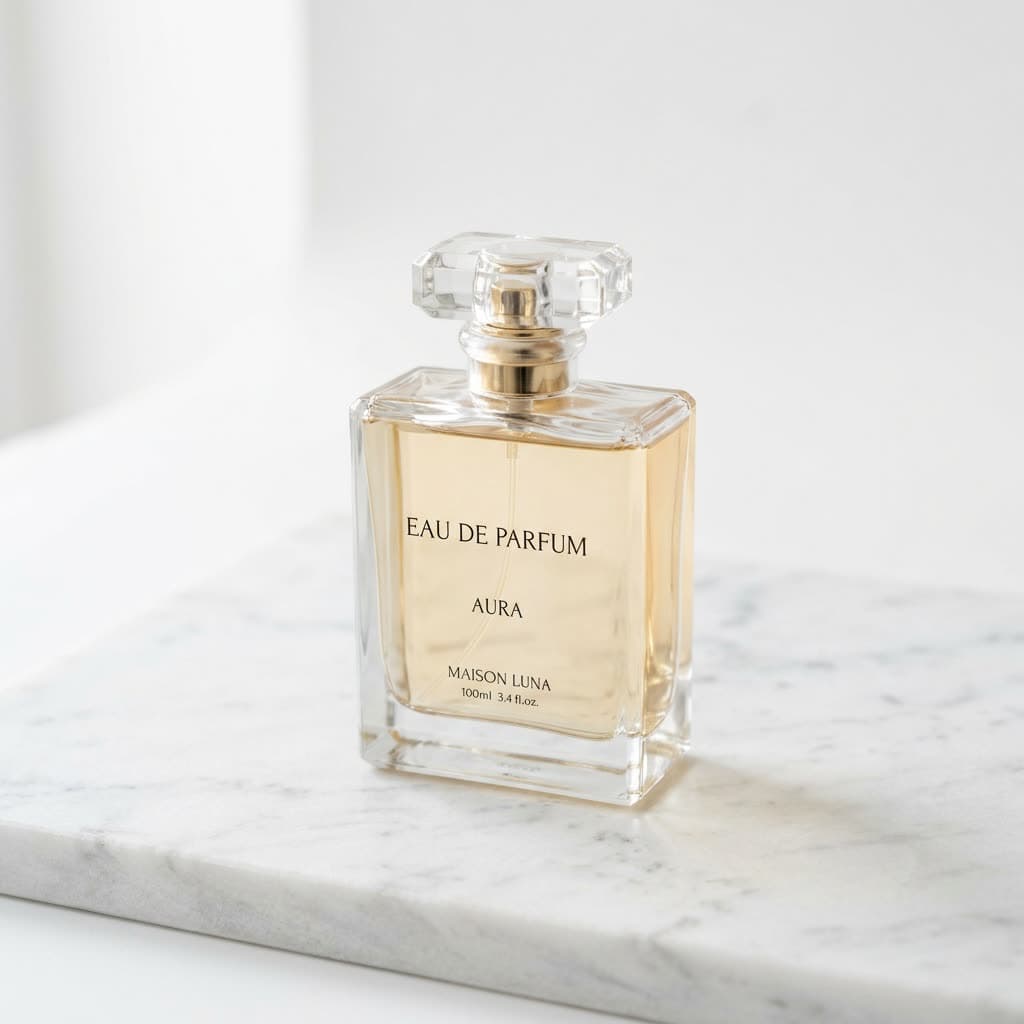
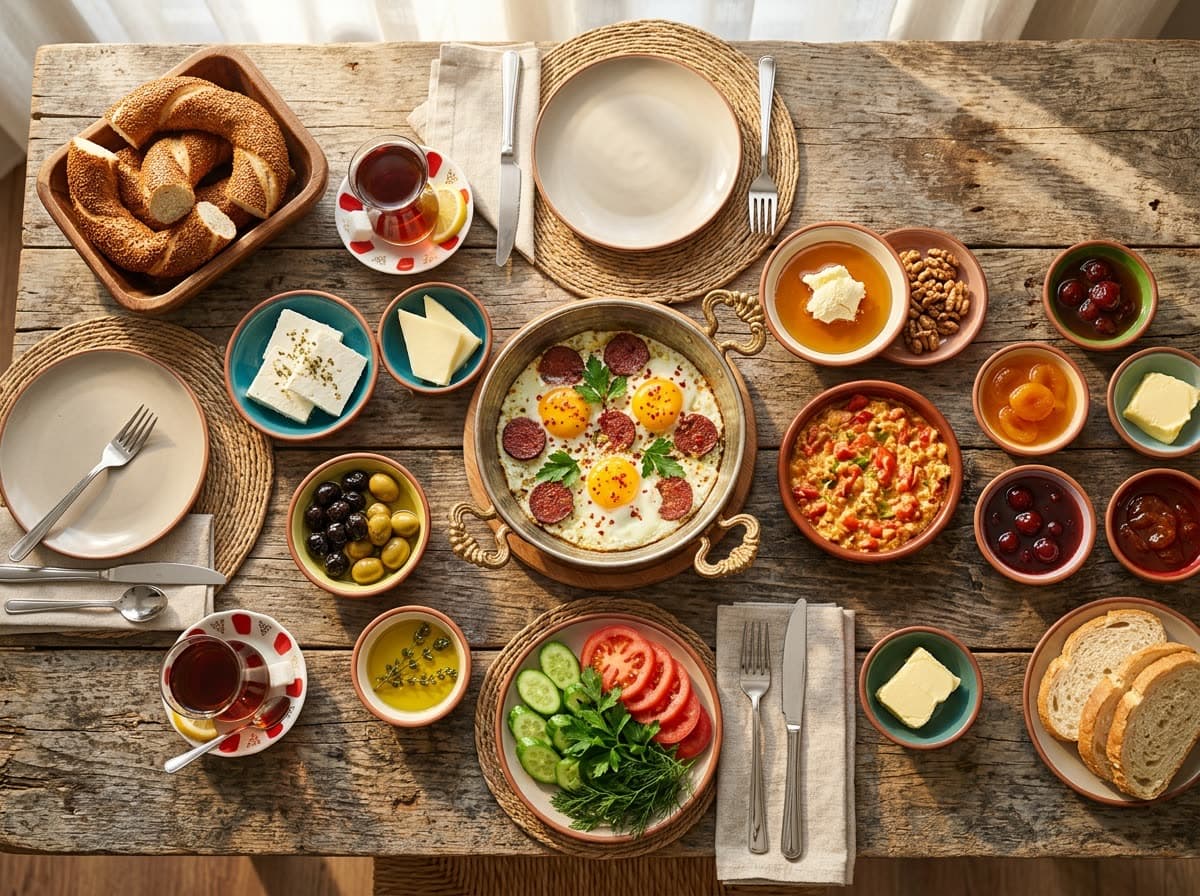
Made with Nano Banana
These images were generated on this site with the model named on each one.
What is Nano Banana?
Nano Banana is the name Google uses for the image generation and editing models in its Gemini family. The official model names are technical (Gemini 3.1 Flash Image, for example), so Google uses Nano Banana in its product pages and announcements instead.
According to Google's Feb 26, 2026 announcement, Nano Banana 2 replaced Nano Banana Pro as the image model in the Gemini app's Fast, Thinking, and Pro modes. Pro stays available on paid plans as an option to redo an image. Google DeepMind's model page lists the model under both names: Gemini 3.1 Flash Image and Nano Banana 2.
Two newer models joined later. Google introduced Nano Banana 2 Lite on Jun 30, 2026 as the fastest, lowest-cost model in the family. In October 2026, Nano Banana 2.1 appeared as a new stable model on Google's Gemini API model list, described as an image generation and editing model with better visual quality, typography, and multi-turn consistency. Neither is available on Klakix; the model here is Nano Banana 2.
| Version | Official name | Released | Status (Oct 2026) |
|---|---|---|---|
| Nano Banana | Gemini 2.5 Flash Image | Aug 2025 | The original; Gemini now uses Nano Banana 2 |
| Nano Banana Pro | Gemini 3 Pro Image | Nov 2025 | “Redo with Pro” option on paid Gemini plans |
| Nano Banana 2 | Gemini 3.1 Flash Image | Feb 26, 2026 | Default image model in Gemini; available on Klakix |
| Nano Banana 2 Lite | Gemini 3.1 Flash Lite Image | Jun 30, 2026 | Fastest, lowest-cost model in the family; not on Klakix |
| Nano Banana 2.1 | gemini-nano-banana-2.1 (API) | Oct 2026 | New stable model in the Gemini API; not on Klakix |
Nano Banana 2 vs Nano Banana Pro
Google describes Nano Banana 2 as bringing Pro's world knowledge, quality, and reasoning at Flash speed, and recommends Pro for specialized work that needs the highest accuracy.
Independent rankings favored Nano Banana 2. On the Artificial Analysis text-to-image leaderboard, built from blind user votes, Nano Banana 2 ranked sixth with 1,122 Elo and Nano Banana Pro tenth with 1,100 Elo (checked Sep 23, 2026; rankings shift as new models arrive).
Klakix offers Nano Banana 2, not Pro. On the same screen you can also pick GPT Image 2.5, which topped that leaderboard, and Meta's Muse Image, which ranked seventh.
Gemini or Klakix?
Details about Gemini come from Google's image generation page, help center, and watermark settings page, checked in September 2026.
Short answer: if you make an image now and then or want to edit your own photos, Gemini's free plan may be enough. If you'd rather pay per image with no daily limit, or compare the same prompt across several models, Klakix is the better fit.
| Feature | Gemini app | Klakix |
|---|---|---|
| Model | Nano Banana 2; redo with Nano Banana Pro on paid plans | Nano Banana 2 |
| Cost | Limited on the free plan; more with paid Google AI plans | No subscription needed; 1K 8, 2K 12, 4K 16 credits |
| Visible watermark | Can be turned off in settings (in India, South Korea, and Vietnam only with AI Ultra) | No visible watermark added |
| Invisible mark (SynthID) | Added to every image, even with the visible watermark off | Not added by Klakix; Google says API outputs carry SynthID too, which we haven't verified on our outputs |
| Upload and edit a photo | Yes | No; text to image only |
| Other models on the same screen | Google's models | GPT Image 2.5 and Muse Image |
| Age requirement | 13 to generate images, 18 to edit photos | 18 |
Is Nano Banana free?
In Gemini, generating images with Nano Banana 2 is open without a paid Google AI plan, but usage is limited, and Google doesn't publish a fixed number. Redoing an image with Nano Banana Pro is only on paid plans, according to Google's help center (September 2026).
On Klakix, there's no subscription: a Nano Banana 2 image costs 8 credits at 1K, 12 at 2K, and 16 at 4K, and the price shows on the button before you generate. Depending on your credit pack, a 1K image works out to about $0.29–$0.53. Current packs are on the pricing page.
There's no free image trial, because we pay the AI provider for every image. The 20 free credits you get after verifying your email work for voiceovers; the image generator unlocks after your first credit purchase. The smallest pack is Mini: 75 credits for $5. Before you buy, you can browse images we made with this model on the examples page. Credits never expire, and failed generations are refunded.
How to use Nano Banana
In Gemini, you pick Create image from the tools menu and type your prompt. On Klakix, it takes four steps:
- Pick the model: open the AI image generator and select Nano Banana 2.
- Describe the image: say what's in it, where it is, the lighting, and the style. If you want text in the image, put the exact words in quotes.
- Choose settings: square, landscape, or portrait, and 1K, 2K, or 4K. With prompt enhancement on, your description is expanded into a more detailed prompt the model follows better.
- Generate and download: the image lands in your Library as a JPG. Not quite right? Generate a variation with the same settings.
Text in images and prompt tips
Text inside the image is Nano Banana 2's strongest point; Google highlights readable typography and in-image translation. In our tests, short, large text like shop signs and poster headlines came out right, while small background text sometimes picked up a wrong letter. Check fine print before you publish.
To get the exact wording, keep the text short, put it in quotes, and say where it goes and what it should look like. Some patterns to start from (the first one made the product sample on our examples page):
- Product shot: “A perfume bottle on a marble surface, minimal product photo”
- Poster: “A square bakery poster with the headline 'Fresh out of the oven' in bold hand-lettered type, warm morning light”
- Food: “A brunch spread on a wooden table, pancakes, berries and coffee, soft window light, overhead shot”
- Social post: “A cozy coffee shop counter with a chalkboard that reads 'Pumpkin spice is back', shallow depth of field”
Editing photos with Nano Banana
The model itself can edit photos: in Gemini, you can upload a picture and ask it to change the background or add an object. Klakix's image generator doesn't take uploads; it makes new images from text only.
Its editing skill is used in one place on the site: in UGC Ads, Nano Banana 2 turns your presenter photo and product photo into a single frame of the presenter holding the product, and the video is made from that frame.
Strengths
What it does well
- Writes short text in images cleanly: signs, posters, and post headlines came out right in our tests.
- Draws real places, food, and objects recognizably; Google says the model draws on Gemini's world knowledge.
- Outputs 1K, 2K, and 4K, enough resolution for print and large screens.
- Ranked sixth on the Artificial Analysis text-to-image leaderboard with 1,122 Elo, ahead of Nano Banana Pro (Sep 23, 2026).
Limits
What to watch out for
- Pricier than Muse Image: a 1K image is 8 credits, Muse Image is 2.
- Small background text can come out with a wrong letter.
- Safety filters kick in for real people and celebrities, so those requests may be refused.
- No photo upload or editing on this site; text to image only.
Use cases
What it's good for
Social posts with text
Posts, posters, and announcements with a headline and a short line of copy.
Product and menu images
Your product in different settings; 4K is sharp enough for print.
First frame for a video
Generate an image, then bring it to life with [Image to video](/image-to-video).
FAQ
Nano Banana: common questions
What is Nano Banana?
It's the name of Google's image generation and editing models in the Gemini family. They make images from text, edit photos, and write readable text inside images. The default version in Gemini is Nano Banana 2, which Klakix uses for text-to-image.
What is Nano Banana 2?
It's Google's Gemini 3.1 Flash Image model, released on February 26, 2026. It was built to deliver Nano Banana Pro's quality faster and became the default image model in the Gemini app.
What's the difference between Nano Banana Pro and Nano Banana 2?
Nano Banana Pro is Gemini 3 Pro Image, released in November 2025; Google recommends it for specialized work that needs the highest accuracy. Nano Banana 2 is newer and faster, and it ranked higher on the Artificial Analysis leaderboard in September 2026. In Gemini, paid plans can redo an image with Pro. Klakix offers Nano Banana 2, not Pro.
What are Nano Banana 2 Lite and Nano Banana 2.1?
Nano Banana 2 Lite (Gemini 3.1 Flash Lite Image) was announced on June 30, 2026 as the family's fastest, lowest-cost model. Nano Banana 2.1 showed up in October 2026 as a new stable model in the Gemini API, with improved visual quality and typography. Neither is available on Klakix; the model here is Nano Banana 2.
Is Nano Banana free?
In Gemini, you can generate images with Nano Banana 2 on the free plan, with limits Google doesn't publish as a fixed number. On Klakix, there's no subscription, but there's no free image trial either: the 20 free credits you get at signup work for voiceovers, and the image generator unlocks after your first credit purchase. Then you pay per image.
Is Nano Banana 2.1 free?
Not in the Gemini API. Google's Gemini API pricing page (updated October 28, 2026) lists no free tier for Nano Banana 2.1 (gemini-nano-banana-2.1): it costs $0.0336 per 1K image and $0.113 per 4K image, about half that in batch mode. Nano Banana 2.1 isn't available on Klakix; the model here is Nano Banana 2.
Is Nano Banana Pro free?
No. In Gemini, redoing an image with Nano Banana Pro is only included in paid Google AI plans, according to Google's help center (checked September 2026).
How much does Nano Banana cost?
Basic use in Gemini is free with limits. On Klakix, a Nano Banana 2 image costs 8 credits at 1K, 12 at 2K, and 16 at 4K. Depending on your credit pack, a 1K image is about $0.29–$0.53.
How do I use Nano Banana in Gemini?
In Gemini, pick Create image from the tools menu and describe what you want; if it's not right, ask for changes in the same chat. On Klakix, open the AI image generator, select Nano Banana 2, type your prompt, choose the aspect ratio and quality, and generate.
Can Nano Banana put text in images?
Yes, and it's one of its strengths. Short headlines and signs usually come out exactly as written. Put the text in quotes in your prompt and keep it short; very small background text can still pick up a wrong letter, so check the result.
Do Nano Banana images have a watermark?
In Gemini, the visible watermark can be turned off in settings; in India, South Korea, and Vietnam that option needs AI Ultra. The invisible SynthID mark is added either way. Klakix doesn't add a visible watermark. Google says images made through the API carry SynthID as well; we haven't separately verified that on our outputs.
Can I edit photos with Nano Banana?
The model can: in Gemini, upload a photo and ask it to swap the background or add an object. Klakix's image generator doesn't take photo uploads; it creates new images from text.
Start making with Nano Banana
Signing up is free. Image generation unlocks with your first credit purchase; the smallest option is the Mini pack, 75 credits for $5. Before you decide, watch the samples on this page.
Get started