Guide · 14 min read · Oct 29, 2026
What is a storyboard? Examples and how to make one
A storyboard is a series of panels, each a rough sketch or image with short notes, that shows the key shots of a film, video or ad in order before anything is made. Disney story man Webb Smith is credited with the pinned-up board in the early 1930s, and Three Little Pigs (1933) had the first complete storyboards.
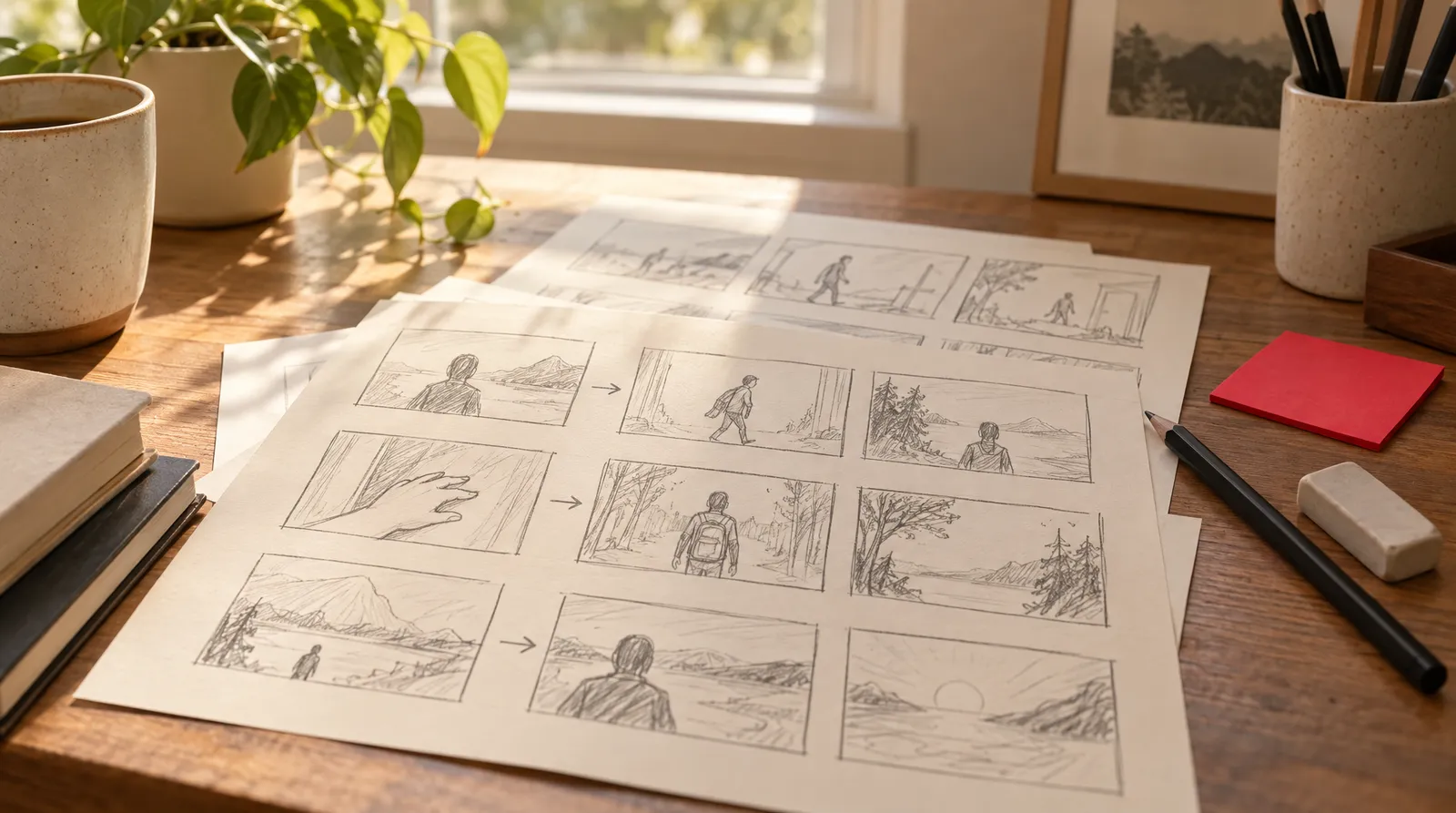
What is a storyboard, in one line? It's a set of sketched panels that maps out a film, video, ad or course before anyone shoots or builds it. Below you'll find a copyable 6-panel example, six steps to make your own, the other meanings (including Epic's "Storyboard") and how to rough out a board with AI images or in 3D Scene.
Facts and Klakix credit costs were checked on October 30, 2026 against the sources linked below; prices may change.
What is a storyboard? Definition and purpose
A storyboard is a sequence of panels, usually sketches with short notes, that shows the important shots of a story in order so a team can plan it before production. Merriam-Webster defines it as "a panel or series of panels on which a set of sketches is arranged depicting consecutively the important changes of scene and action in a series of shots (as for a film, television show, or commercial)." Vancouver Film School adds that it's "usually a working document, not the finished work."
The purpose of a storyboard is to make an idea concrete enough to "evaluate, communicate and revise before production progresses too far," in VFS's words. In practice that breaks into four jobs:
- Explore ideas: try different openings, angles and orders on paper, where changes cost nothing.
- Communicate the plan: the director, client, camera operator and animator all look at the same picture.
- Find problems early: a confusing cut or a missing shot shows up before the shoot day.
- Plan production: characters, locations, props, effects and camera setups can be listed straight from the board.
That's also why directors use storyboards. According to Wikipedia's storyboard entry, boards help directors, cinematographers and TV commercial clients see scenes and spot problems before they happen, and they help estimate production cost. Disney's D23 notes they're used especially for commercials and live-action action sequences.
What goes in a storyboard: the parts of a panel
A storyboard panel holds a picture of the shot plus just enough text to explain it, and VFS stresses there's "no universal checklist." Its list of common elements includes panels, scene or shot numbers, character and object placement, action notes, dialogue, movement arrows, camera information and sound or effects notes. Canva's guide boils it down to three: panels, images (hand-drawn, your own photos, stock images or a mix) and titles or captions.
Common fields on a storyboard panel
| Field | What to write | Example |
|---|---|---|
| Panel number | Shot and panel number so people can refer to it | 3A |
| Image | A sketch, photo or AI draft of the frame | Stick figure at a door |
| Shot type | Wide, full, medium or close-up | Medium shot |
| Action | What moves or changes in the shot | She grabs the mug and turns |
| Dialogue or sound | Lines, voiceover, effects, music cues | VO: "Your morning moves fast." |
| Camera move | Pan, push in or static, drawn with an arrow | Pan left to right |
Sources: Vancouver Film School (Sept 8, 2026) and Canva. Example values are our own.
Shot types are the shorthand that makes a panel readable. According to StoryboardArt, the three basic shots are wide, medium and close-up; a medium shot frames a character roughly from the top of the head to the hips, and a full shot shows them head to toe. To board a pan, Videomaker suggests drawing the frame where the camera starts and where it ends, then adding arrows. Our camera movements guide lists the common moves and their names.
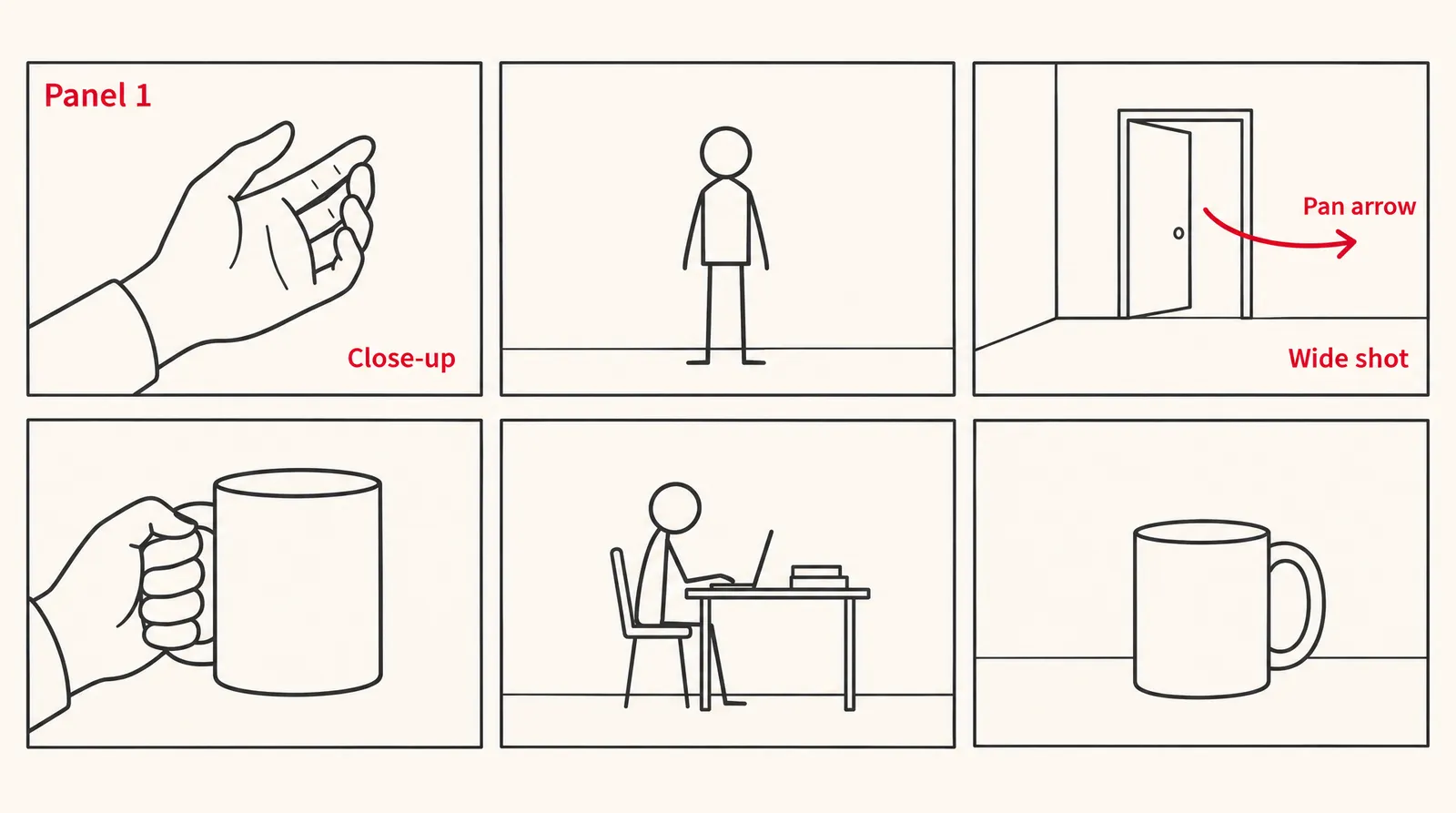
Storyboard example: a 15-second vertical ad in 6 panels
Here's a storyboard example you can copy: a 15-second, 9:16 ad for a made-up leakproof travel mug. It's our own illustration, not a client project, written in the panel format above.
Example storyboard: 15-second travel mug ad (9:16)
| Panel | Time | Shot | Action | Dialogue or sound | Camera |
|---|---|---|---|---|---|
| 1 | 0 to 2 s | Close-up | A hand slaps an alarm clock off the nightstand | Alarm buzz, cut off | Static |
| 2 | 2 to 4 s | Medium shot | She pours coffee into the mug and twists the lid shut | Pour, lid click | Static |
| 3 | 4 to 7 s | Wide shot | She runs out the front door and drops the mug into a tote bag | VO: "Your morning moves fast." | Pan left to right, following her |
| 4 | 7 to 10 s | Close-up | Inside the bag the mug rolls on its side next to a laptop; nothing leaks | VO: "Your coffee doesn't have to." | Slow push in |
| 5 | 10 to 13 s | Medium shot | At her desk she opens the lid and sips as steam rises | Quiet office sound | Static |
| 6 | 13 to 15 s | Close-up | The mug alone on the desk, with space above it for an end card | VO: brand name and tagline | Slow push in |
Our own example for illustration. Shot terms per StoryboardArt.
The order works because it hooks in the first two seconds, shows the problem and then the proof (panel 4) before the product shot, and alternates close, medium and wide shots so each cut feels different. Any on-screen text or logo for panel 6 gets added later in your editing app, so write it in the panel notes where nobody can miss it.
How to make a storyboard in 6 steps
You can make a storyboard with paper, a pencil and stick figures, because VFS says a board "is defined by what it communicates, not by how polished it looks," and some are "little more than rough thumbnails." These steps work for a film scene, a YouTube video or a social ad.
- Write the script: Write or paste the script, including dialogue, voiceover and key sounds, so you know what happens and what's heard.
- List the beats: Break the script into beats: every moment where the picture needs to change gets its own line.
- Pick a format and aspect ratio: Choose 16:9 for YouTube or TV, 9:16 for Reels, TikTok and Shorts, or 1:1, and draw your panel boxes in that shape.
- Sketch thumbnail panels: Draw one rough panel per beat with stick figures and simple boxes for props, and add extra panels when one shot changes a lot.
- Add shot, camera and sound notes: Under each panel, write the shot type, the action, any dialogue or sound, and arrows for camera moves.
- Review and revise: Walk someone through the board out loud, fix confusing cuts and missing shots, then renumber the panels.
Storyboard vs. shot list vs. script vs. animatic
A script, storyboard, shot list and animatic are four different planning tools, and each one answers a different question. VFS frames it like this:
Script, storyboard, shot list and animatic compared
| Tool | Question it answers | Typical form |
|---|---|---|
| Script | What happens, is said and is heard | Text pages |
| Storyboard | How might we present it visually | Panels with sketches and notes |
| Shot list | What shots need to be created or captured | A list or spreadsheet of shots with technical detail |
| Animatic | How the planned images work when given timing | Storyboard panels played as video with rough sound |
Questions from Vancouver Film School (Sept 8, 2026); typical form from StudioBinder, Wikipedia and Boords.
A shot list doesn't replace a storyboard. StudioBinder describes the shot list as a document of all the shots, usually with more technical detail like camera movement, angles and lighting, while the storyboard is the visual version. Celtx puts it as the "what" and "why" versus the "how" and "when," and notes that animated shorts, music videos or mood pieces may only need a storyboard.
An animatic is the step after the board. Boords calls it "a storyboard played back as a video," with each frame held as long as its shot will run against a scratch soundtrack. Wikipedia calls the photo version a photomatic.
What is a storyboard in instructional design, business and Epic?
Outside film, "storyboard" can mean a course plan, a client pitch tool or, in the Epic records system, a fixed part of the screen.
What storyboard means by field
| Field | What a storyboard is | Source |
|---|---|---|
| Film, TV and commercials | Panels of sketches showing each change of scene and action in a series of shots | Merriam-Webster |
| Video for YouTube and social | The same panel plan, usually in 16:9 or 9:16, with voiceover and sound notes | VFS, Canva |
| Instructional design (eLearning) | A screen-by-screen course outline: on-screen text, narration, visuals, interactions and assessment | Teachfloor |
| Business and advertising | A board that shows a client how an ad will look and helps estimate production cost | Wikipedia |
| Epic (hospital records software) | A panel always shown in the leftmost column, summarizing a patient's demographics, allergies, problems and medications | Alberta Connect Care glossary |
Checked October 30, 2026.
The Epic meaning has nothing to do with drawing. According to the Connect Care glossary, Storyboard is a permanent part of the interface, and WVU Medicine announced Epic was moving the patient banner from the top of the chart to the left side, rolling out in February 2020. In eLearning, Teachfloor says boards can be visual, text-based or hybrid.
Where storyboards came from: a short history
Storyboards come from Disney's animation studio in the early 1930s. According to D23, Disney's official fan club, story man Webb Smith "is credited with coming up with the idea of storyboards in the early 1930s," pinning story sketches in order on 4×8-foot boards. Smith was a Disney story man from 1931 until he left in 1942 (D23 profile).
The idea grew out of earlier work. Wikipedia traces it to comic-book-like story sketches from the 1920s, used for shorts such as Plane Crazy and Steamboat Willie, and says the first complete storyboards were made for Three Little Pigs (1933). By 1937 or 1938, all American animation studios were using them.
Live action followed. Gone with the Wind (1939) was "one of the first" live-action films to be completely storyboarded, with production designer William Cameron Menzies hired to design every shot, and storyboarding caught on in live action in the early 1940s.
Can AI make a storyboard? Two ways on Klakix
AI can draft storyboard panels and test camera moves, but you still decide the beats, the order and the notes. On Klakix there are two routes: draw each panel as an image, or block out shots in 3D and render a test clip. Credit costs were checked October 30, 2026.
Draft panels in Image Generation
In Image Generation, each panel is one image in 16:9, 9:16 or 1:1. Muse Image costs 2 credits per image, so a 6-panel board is about 12 credits by our math, or about $0.80 on the Mini pack ($5 for 75 credits, so roughly 6.7 cents a credit). Nano Banana 2 costs 8 credits at 1K, 1:1 and renders lettering accurately, which helps when panels need readable labels; GPT Image 2.5 is 25 credits at maximum quality, 1:1.
A panel prompt to copy: "Rough pencil storyboard sketch, gray tones, close-up of a hand slapping an alarm clock off a nightstand, simple lines, vertical frame." It names the style first, then the shot type and one action, which is exactly what a panel needs to communicate.
Block out camera moves in 3D Scene
3D Scene, currently in beta, takes the board a step further. You describe a scene or open one of four ready-made blockouts, AI builds it as a simple 3D blockout, you give each shot one of 16 camera moves, and Seedance 2.5 Reference turns the blockout video into a realistic clip with the same camera move. Camera work is free; the blockout and the final video cost credits, and no fixed price is listed, so check the cost in the studio before you render.

Each sample was generated in one take on this site with the model shown on it; nothing was edited.
For a scratch track, Voiceover reads your lines: Voice v4 Turbo costs 1 credit per 200 characters, and the 20 free credits you get after verifying your email work only for voiceovers. Image and video tools unlock after your first credit purchase. To see how a single panel moves, Image to Video or Text to Video can turn it into a short clip.
What Klakix won't do for a storyboard
- It doesn't combine panels or clips into one video, so you can't build a timed animatic inside Klakix; use an editing app for that.
- It doesn't add captions or on-screen text to video, except Viral Clips, which burns captions onto clips it cuts from a long video.
- It doesn't generate 4:5 video, so plan vertical boards in 9:16.
Sources
The facts in this post were checked against the pages below on Oct 29, 2026. Prices and limits may change.
- Merriam-Webster: Storyboard definition (independent source)
- Vancouver Film School: What Is a Storyboard? Meaning, Purpose and How It Works (independent source)
- Canva: How to build a storyboard (independent source)
- D23: Storyboards (official source)
- D23: Webb Smith (official source)
- Wikipedia: Storyboard (independent source)
- StoryboardArt: Camera angles for storyboard artists (independent source)
- Videomaker: How to make a storyboard (independent source)
- StudioBinder: Shot list vs. storyboard (independent source)
- Celtx: Shot list vs. storyboard (independent source)
- Boords: What is an animatic (independent source)
- Teachfloor: What is a storyboard (eLearning glossary) (independent source)
- Alberta Connect Care: Epic Storyboard (independent source)
- WVU Medicine: Epic to move to Storyboard view (independent source)
- U.S. Bureau of Labor Statistics: Special effects artists and animators (official source)
This post was drafted with AI assistance. Facts were checked against the sources above, and model, credit and price details were checked automatically against the site's current price list.
Frequently asked questions
What is a storyboard artist, and how much do they make?
A storyboard artist draws the panels that turn a script into a shot-by-shot visual plan for a director, client or animation team. We couldn't find an official pay figure for storyboard artists alone. The closest BLS category, special effects artists and animators, had a median pay of $102,030 a year in May 2025, but it covers much more than storyboarding.
Do you need to be good at drawing to make a storyboard?
No. Stick figures, rough thumbnails, your own photos or stock images all work as long as each panel makes the shot and the action clear. Add a short note wherever a drawing could be read two ways.
How many panels should a storyboard have?
There's no standard count. Draw a panel for each moment the picture changes, and add more when one shot contains a big camera move or action. Our 15-second ad example uses six.
What is the difference between a storyboard and an animatic?
A storyboard is a set of still panels you read in order. An animatic plays those panels as a video, each held for the length of its shot, against rough dialogue or a scratch soundtrack. It's for checking timing.
What is a storyboard in Epic?
In Epic's hospital records software, Storyboard is the panel in the leftmost column of the screen that summarizes the patient's demographics, allergies, problems and medications. WVU Medicine, for example, announced in 2020 that Epic was moving the patient banner from the top of the chart to this left-side view. It has no connection to film storyboards.
What is a storyboard for a video on YouTube or social media?
It's the same panel plan sized to the platform: 16:9 for YouTube and 9:16 for Reels, TikTok and Shorts. Each panel notes the shot, action, voiceover and sound, so you know what to film or generate before you start.
Can AI make a storyboard for me?
AI can draft panel images and render test clips of camera moves, but you still plan the beats, the order and the notes. On Klakix you can generate panels in Image Generation or block out shots in 3D Scene. Assembling a timed animatic still happens in a separate editing app.
Try what you just read
Signing up is free. Video and image tools unlock after your first credit pack, and credits are refunded if a generation fails.
Open Image Generation