Guide · 13 min read · Oct 31, 2026
What is B-roll? Meaning, examples and how to make it with AI
B-roll is supplementary footage cut over your main shot: close-ups of hands, products or a location while someone keeps talking. Sony recommends 5-10 seconds per clip from 3-5 angles, and Clipchamp's rule of thumb is to shoot four to six times your final video's length. You can film it, download free stock or generate it with AI.
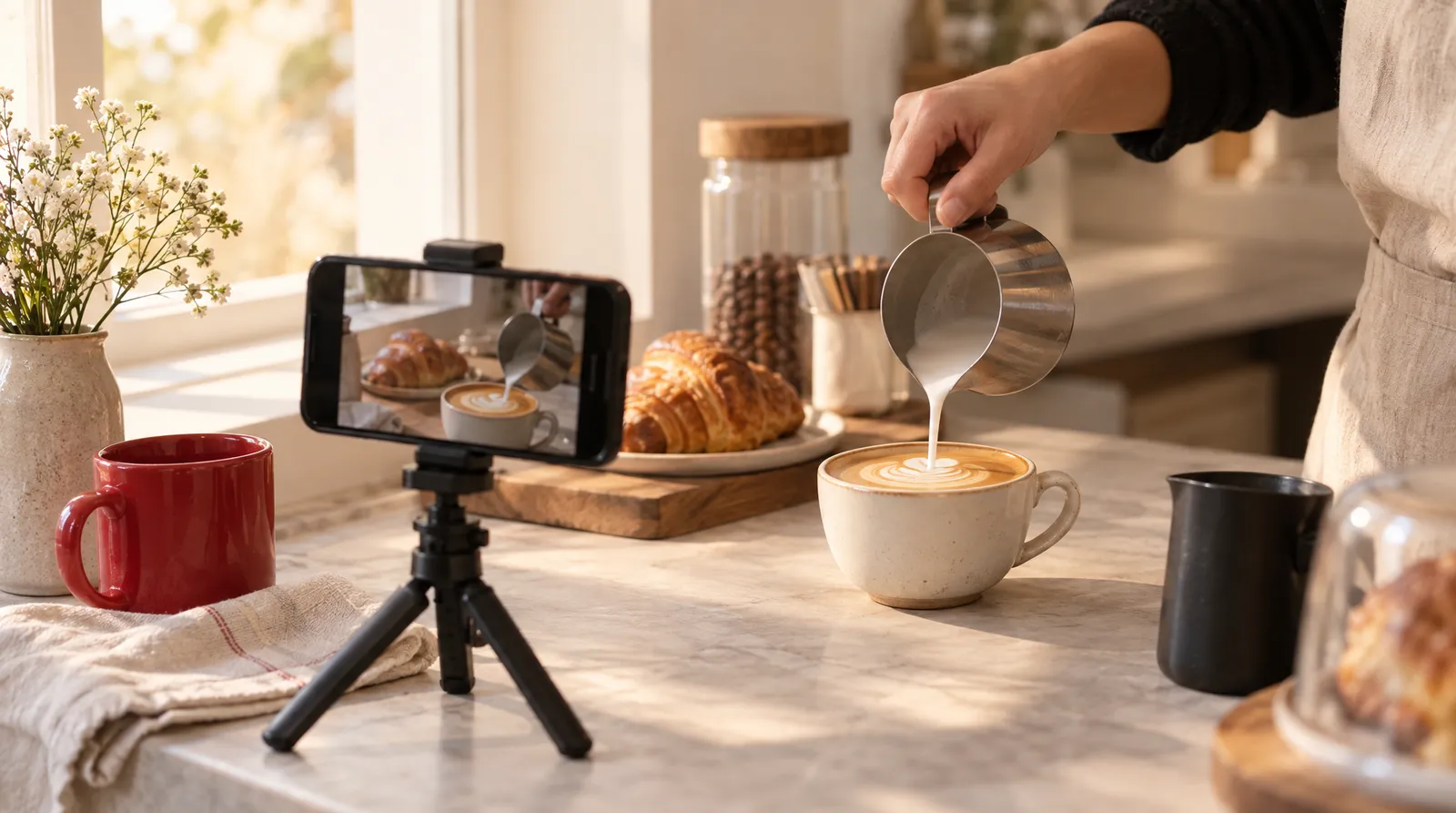
Below: A-roll vs B-roll, shot types, a shooting checklist, free footage licenses, generating clips with Text to Video, and when YouTube requires an AI label.
Prices, credits and policies were checked on October 31, 2026 and may change.
What is B-roll footage? (meaning and definition)
B-roll is footage of subjects or locations that supports your main footage. Merriam-Webster defines it as "recorded video of subjects or locations used to provide supplementary material for a film or television show" and dates the first known use to 1983. Wikipedia calls it "supplemental or alternative footage intercut with the main shot," and also lists the spellings B roll, B-reel and B reel.
Adobe's guide puts it even more simply: B-roll is all the footage that isn't the main action. In practice, the main audio (an interview, a voiceover, a creator talking) keeps playing while the picture cuts to something else. That's why B-roll is often shown with no sound or very low sound, according to Wikipedia.
A-roll vs B-roll: what's the difference?
A-roll tells the story and B-roll shows it. Boords frames A-roll as narration and B-roll as illustration, and in an interview the A-roll is simply the person talking. Riverside gives a cooking example: the chef explains the recipe on camera, and the B-roll is ingredient close-ups, chopping and sizzling.
A-roll vs B-roll in common video formats
| Video type | A-roll (main footage) | B-roll (cut over it) |
|---|---|---|
| Interview or podcast | The guest talking to camera | Their workplace, hands, photos they mention |
| Cooking video | Chef explaining the recipe | Ingredient close-ups, chopping, food sizzling |
| UGC ad | Creator speaking to camera | Product close-ups, unboxing, product in use |
| Real estate tour | Agent walking and talking | Room-by-room shots, window light, exterior |
| YouTube explainer | Voiceover or host on camera | Screens, objects, locations that illustrate each point |
Sources: Boords, Riverside, Influee. Checked October 31, 2026.
In UGC ads, the term means product-focused footage. Influee describes B-roll as "everything cut in around" the creator's talking head, and says brand briefs often ask for something like 10 B-roll clips of about 10 seconds each, delivered as separate files.
B-roll examples and shot types
The most common B-roll shots are establishing shots, close-up inserts, cutaways, location shots, stock footage, pickups and archival material. Wikipedia and Backstage list overlapping versions of this set.
B-roll shot types with examples
| Shot type | What it is | Example |
|---|---|---|
| Establishing shot | A wide shot that shows where you are | The outside of a bakery at 6 a.m. |
| Insert shot | A close-up of a detail in the scene | Hands kneading dough |
| Cutaway | A shot of something other than the speaker | The oven timer while the baker talks |
| Location shot | Footage of the place itself | The empty shop floor before opening |
| Stock footage | Licensed clips you didn't shoot | A generic city street at dusk |
| Pickup shot | Footage shot later to fill a gap | A re-shoot of a missed close-up |
| Archival | Older photos or footage | The bakery's opening day photo |
| Product shot (UGC) | Close-ups, unboxing, in-use footage | Peeling the lid off a jar of face cream |
Sources: Wikipedia, Backstage, Influee. Checked October 31, 2026.
Why is it called B-roll?
The name comes from film editing with two physical rolls of film. According to Wikipedia, 35 mm film was wide enough to hide splices, but 16 mm film showed them as flaws, so editors put odd-numbered shots on an A-roll and even-numbered shots on a B-roll, each matched by black leader on the other roll. Printing the two together, called checkerboard printing, hid the splice lines.
The meaning shifted later. Until the mid-1970s, news teams shot both main and secondary footage on 16 mm film, with sound coming from the A-roll or narration and silent B-roll images cut in. In the 1980s, linear video editing used an "A" tape deck for main footage and a "B" deck for establishing shots and cutaways.
How to shoot B-roll with a phone or camera
To shoot B-roll, plan a shot list, film each subject from 3-5 angles, and keep most clips to 5-10 seconds. The steps below combine advice from Sony Alpha Academy, Clipchamp and Transom, and they work the same on a phone.
- Write a shot list: List every point your A-roll makes and one shot that could show it. A simple storyboard helps if you're shooting a sequence.
- Start wide: Open with a wide exterior or establishing shot so viewers know where they are.
- Cover 3-5 angles: Film each subject wide, medium and close-up, moving at least 45 degrees between shots (Sony's 45 Degree Rule) so cuts don't look like jumps.
- Keep clips short: Record 5-10 seconds per clip, but let complete actions, like pouring a drink, run to the end.
- Compose in layers: Find a foreground object and let people enter and leave the frame, which gives you clean edit points.
- Shoot more than you need: Aim for about four to six times your final length, so a 1-minute interview gets 4-6 minutes of B-roll.
- Save clips as separate files: Keep each clip as its own file with its live sound, since editors often use that sound under the main audio.
The 4-6x figure is Clipchamp's rule of thumb, not an industry standard, so you don't need hours of footage for a short Reel. For vertical platforms, shoot B-roll in 9:16 from the start; Influee recommends 9:16 for short-form ads. For camera moves to try, see our camera movements guide.
Where to get free B-roll footage (and the license fine print)
Free B-roll is available on stock sites like Pexels, but free doesn't mean unrestricted. The Pexels license says all photos and videos are free to use, attribution isn't required and you can modify them, and its listed uses include ads and marketing campaigns. It also lists clear prohibitions.
What the Pexels license allows and prohibits
| Allowed | Not allowed |
|---|---|
| Free use, no attribution required | Showing identifiable people in a bad light or offensively |
| Modifying and editing clips | Selling unaltered copies, such as prints or physical products |
| Ads, banners and marketing campaigns | Implying people or brands in the footage endorse your product |
| Use in your own videos | Redistributing on other stock or wallpaper sites |
| Using it as part of a trademark or business name |
Source: pexels.com/license. Checked October 31, 2026; may change.
According to Barnimages, Pexels uses its own license rather than CC0, and its clips have no audio. Licenses for other free stock sites weren't confirmed by an official source for this guide, so read each site's license page before using a clip in an ad. Skip cracked apps and "no watermark" download hacks: they can carry malware and break the original license.
How to add B-roll in CapCut, Canva or any editor
Adding B-roll works the same way in almost every editor: place your A-roll on the main track, put the B-roll clip on a track above it, and lower or mute the B-roll's audio so the main voice keeps playing. Cut in on a natural pause or a mentioned object. We didn't verify current menu names in CapCut or Canva, so check each app's help pages; Klakix isn't affiliated with either.
How to make B-roll with AI
AI is good at generic B-roll: product close-ups, pours, packing shots, textures and location-style cutaways that don't need to show a real event. It isn't a substitute for footage of your actual store, a real event or real people. On Klakix, you describe the shot in Text to Video or animate your own product photo in Image to Video.
Klakix models for B-roll clips (default settings)
| Model | Tool | Default | Credits | Notes |
|---|---|---|---|---|
| MiniMax H3 Max Turbo | Text to Video | 768p, 5 sec | 20 | Fast and cheap, generates sound |
| Google Veo 3.1 Lite | Text to Video | 720p, 8 sec | 40 | 16:9 or 9:16, with or without sound |
| Seedance 2.0 Mini | Text or Image to Video | 720p, 5 sec | 48 | 4-15 sec, 16:9, 9:16 or 1:1 |
| Seedance 2.0 Mini Reference | Image to Video | 720p, 5 sec | 42 | Combines a product photo with a location photo |
| Seedance 2.5 Video Extend | Image to Video | 720p, 5 sec | 154 | Continues an existing clip from its last frame |
Source: Klakix catalog. Checked October 31, 2026; may change.
Our math on dollars: the Mini pack is 75 credits for $5, about 6.7 cents per credit, so a 48-credit Seedance 2.0 Mini clip is about $3.20 and a 20-credit MiniMax H3 Max Turbo clip is about $1.33, plus tax. On the Standard pack (275 credits for $14), the 48-credit clip is about $2.44. If a generation fails, the credits are refunded automatically. See pricing for all packs.
These prompt patterns name the shot size, the action, the light, the camera move and the format, which is the same information a camera operator would need:
- Cafe: Close-up of a barista pouring steamed milk into a latte, a rosetta forming, soft window light, shallow depth of field, slow push-in, vertical 9:16.
- Online shop: Overhead shot of a cardboard box being taped shut on a wooden table, a shipping label pressed on, bright daylight, static camera.
- Car detailing: Macro shot of water beading on freshly washed red paint, reflections sliding across the surface, slow sideways camera move, golden hour.
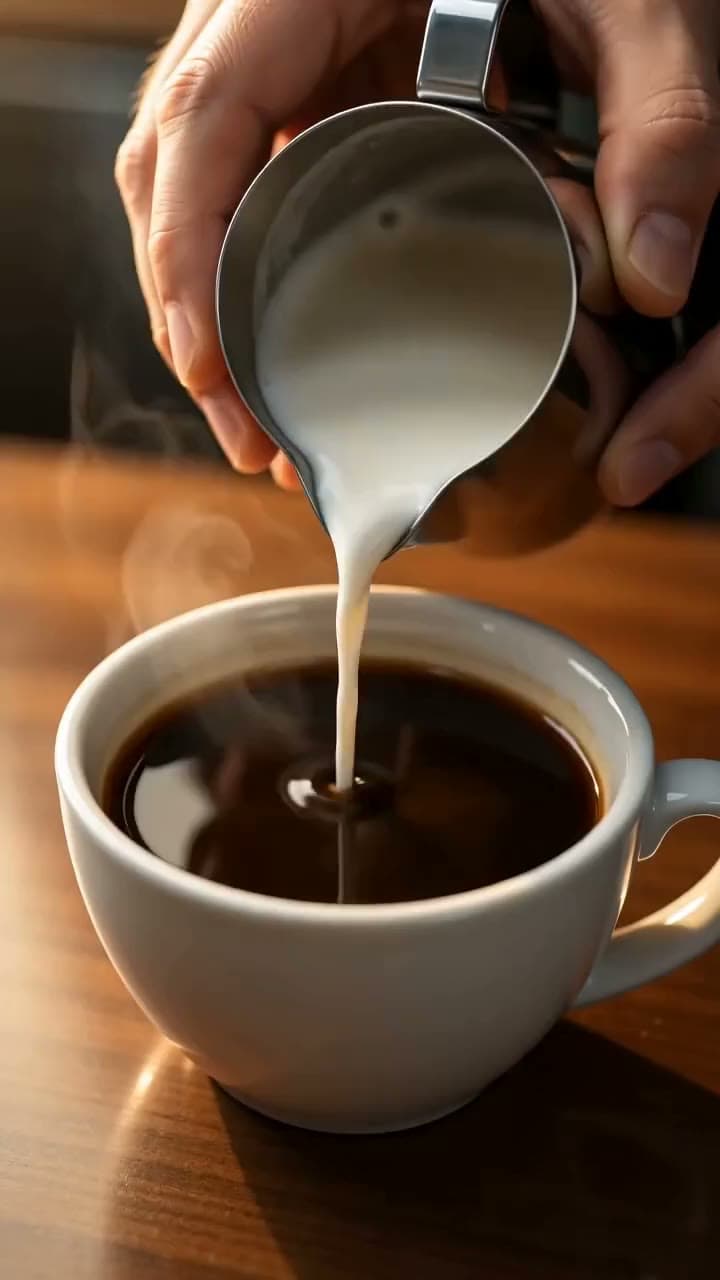
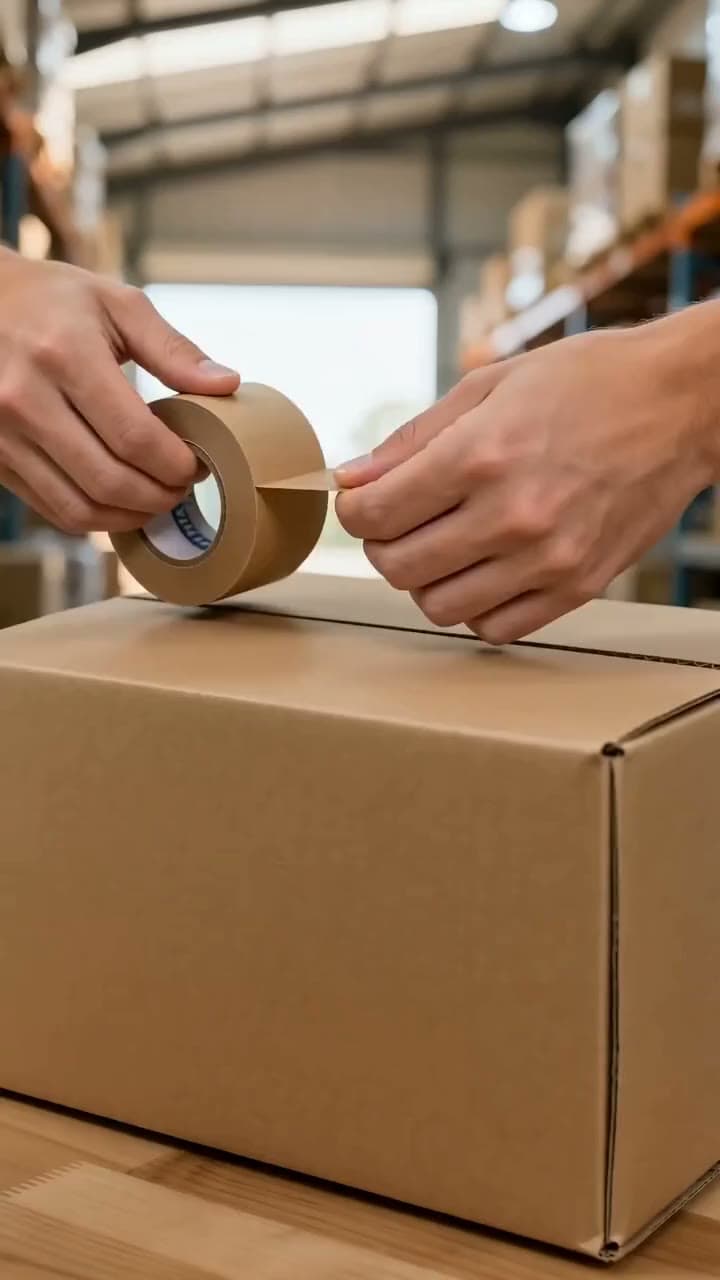
Each sample was generated in one take on this site with the model shown on it; nothing was edited.
Know the limits before you start:
- You still edit: Klakix doesn't combine clips, add music to a video or burn in captions (except Viral Clips), so you assemble B-roll in your own editor.
- No 4:5: Klakix doesn't generate 4:5 video; use 9:16, 1:1 or 16:9.
- No faces in Seedance photo input: Seedance image models don't accept photos with human faces.
- No real people: don't generate a real or famous person's likeness; well-known people aren't allowed.
- No free video trial: the 20 free signup credits work only for voiceovers.
- Rights: no visible watermark is added, and commercial use is allowed under the terms of service.
If you already have footage, the Video Upscaler takes old B-roll to Full HD or 4K for 20-60 credits, and Viral Clips cuts vertical clips from a long video for 15 credits.
Do you have to disclose AI B-roll on YouTube?
Yes, if the AI B-roll looks realistic and could be mistaken for a real place or event. YouTube Help requires creators to disclose realistic AI-generated or altered content, and its examples include "AI generated extra footage of a real place, like a video of a surfer in Maui for a promotional travel video."
- Needs disclosure: a real person appearing to say or do something they didn't, altered footage of a real event or place, a realistic scene that didn't happen, and AI music that's the main focus.
- Doesn't need disclosure: clearly unrealistic content, color or lighting filters, sharpening, upscaling or repair, captions, and an AI-extended backdrop that simulates a moving car.
- How to disclose: in YouTube Studio, during upload, open the Attributes section, find "AI use" and select Yes. YouTube then adds a label.
YouTube says disclosing alone won't limit a video's audience or its eligibility to earn money. The YouTube blog defines realistic content as anything a viewer could easily mistake for a real person, place, scene or event; according to reports, the tool rolled out in March 2024. Other platforms have their own rules, so check each one. This is general information, not legal advice.
Sources
The facts in this post were checked against the pages below on Oct 31, 2026. Prices and limits may change.
- Merriam-Webster: B-roll definition (independent source)
- Wikipedia: B-roll (independent source)
- Adobe: What is B-roll (official source)
- Boords: A-roll vs B-roll footage (independent source)
- Riverside: B-roll guide (independent source)
- Influee: Using raw review videos and B-roll (independent source)
- Backstage: What is B-roll footage (independent source)
- Sony Alpha Academy: Top tips for shooting B-roll (official source)
- Clipchamp: How to shoot and edit B-roll (official source)
- Transom: Shooting B-roll (independent source)
- Pexels license (official source)
- Barnimages: Free stock video sites (independent source)
- YouTube Help: Disclosing altered or synthetic content (official source)
- YouTube blog: Disclosing AI-generated content (official source)
This post was drafted with AI assistance. Facts were checked against the sources above, and model, credit and price details were checked automatically against the site's current price list.
Frequently asked questions
What is B-roll footage?
B-roll footage is supporting video that plays over your main shot while the main audio continues. Typical examples are close-ups, location shots and product details.
What is the difference between A-roll and B-roll?
A-roll is the primary footage that carries the story, usually a person talking or a voiceover. B-roll is everything you cut to while that audio plays. A simple way to remember it: A-roll tells, B-roll shows.
How much B-roll do I need?
Clipchamp's rule of thumb is four to six times your final video length, so about 4-6 minutes for a 1-minute interview. Sony suggests 5-10 seconds per clip from 3-5 angles. Short social videos usually need far less.
Where can I get free B-roll with no watermark?
Pexels offers free stock videos with no attribution required. Its license still has limits, such as no reselling unaltered copies, so read the license page of any free stock site.
Is free stock B-roll OK for commercial use?
Often yes, within the license terms. Pexels allows ads and marketing, but not implied endorsement by people in the clip, and other sites' licenses differ.
Can I make B-roll with AI, and how much does it cost?
Yes. On Klakix, a 5-second MiniMax H3 Max Turbo clip costs 20 credits and a Seedance 2.0 Mini clip costs 48 credits at default settings, about $1.33 and $3.20 on the $5 Mini pack, plus tax. AI works best for generic cutaways, not real events or real people.
Do I have to label AI-generated B-roll on YouTube?
You do if it looks realistic, especially if it shows a real place or a scene that didn't happen. Clearly unrealistic visuals and minor edits like upscaling or color filters don't need a label. You select the AI use option in YouTube Studio during upload.
Why is it called B-roll?
The term comes from 16 mm film editing, where shots alternated between an A-roll and a B-roll to hide splices during printing. The main versus supporting meaning came later.
What is the difference between B-roll and stock footage?
B-roll describes the role footage plays in your edit, while stock footage describes where it came from. Stock footage is licensed clips shot by someone else, and it's one source of B-roll alongside your own shots and AI-generated clips.
Try what you just read
Signing up is free. Video and image tools unlock after your first credit pack, and credits are refunded if a generation fails.
Open Text to Video