Guide · 12 min read · Nov 1, 2026
What is an animatic? How it differs from a storyboard
An animatic is a storyboard played back as a video: rough frames, each held as long as its shot will run, set against a scratch voiceover, music or sound effects. Teams use it to check pacing and get approval before animation or filming starts. Merriam-Webster dates the word to 1977, a blend of animated and schematic.
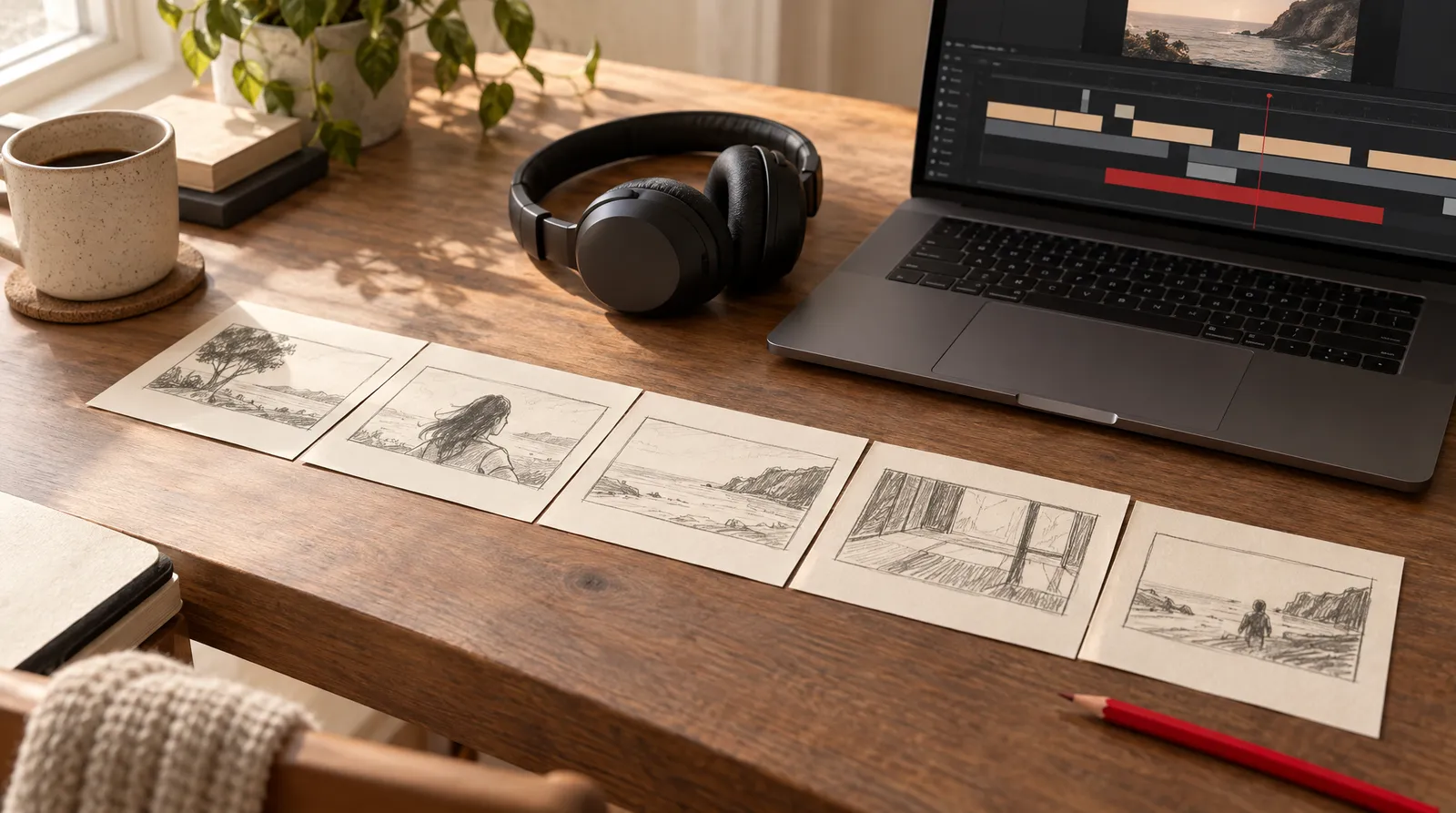
If the word animatic showed up in a production brief, a class assignment or an agency email, this guide gives you the plain meaning, a side-by-side with storyboards and animation, the ad-industry variants like boardomatic and rip-o-matic, and a step-by-step way to build your own. Facts were checked on November 1, 2026 against Merriam-Webster, Collins, Wikipedia, Toon Boom's official docs and the vendor pages that rank for this term.
One honest note up front: there's no single official definition, and studios use these words loosely. Where sources disagree, we say so. At the end, you'll see which parts AI can help with, such as frames, a scratch voiceover and a 3D camera test, and which part you still do in an editor.
What is an animatic?
An animatic is a rough, timed preview of a film, show or commercial: storyboard frames or sketches played in sequence with a soundtrack so the team can judge whether it works before final production. Merriam-Webster defines it as a preliminary sequence of shots, images or sketches, usually arranged with a sound track and viewed "to determine its effectiveness before being finalized."
Boords puts it more simply, "a storyboard played back as a video," and breaks it into three parts:
- Frames: rough sketches or stills, usually one per shot.
- Timing: a duration for every frame, matching how long that shot will run in the final cut.
- Sound: a scratch voiceover, music or sound effects. Some animatics also show captions.
The word is probably a blend of animated and schematic, according to Merriam-Webster, which gives 1977 as its first known use. Collins agrees on the origin and lists a second, ad-world meaning: an early version of a TV commercial made of drawings with a voice-over, "prepared chiefly for test-marketing."
Animatic vs storyboard: what's the difference?
The difference is time and sound: a storyboard is a set of still panels you read, while an animatic plays those panels as a video, each held for its shot's length, with audio. In Boords' pre-production order (Concepting, Scripting, Storyboarding, Animatic, Design, Logistics), the animatic comes right after the storyboard. If you're still at the panel stage, start with our guide on how to make a storyboard.
Storyboard vs animatic at a glance
| Feature | Storyboard | Animatic |
|---|---|---|
| Output | Panels on a page or screen | A video file |
| Written frame descriptions | Yes | Not required; may show captions or subtitles |
| Audio | None | Scratch voiceover, music or sound effects |
| Frame length | No set duration per panel | Each frame held for its shot's running time |
| Image quality | Low-res | Low-res |
| Place in pre-production | After scripting | After storyboarding, before design |
Source: Boords feature table and pre-production order (page updated October 20, 2026). Checked November 1, 2026.
Wikipedia's Storyboard article describes the simplest animatic the same way: still images, usually taken from the storyboard, shown in sync with rough dialogue ("scratch vocals") or a rough soundtrack.
Animatic vs animation: what's the difference?
An animatic is a planning tool, and animation is the finished product. The animatic uses rough, low-res frames to lock timing and win approval; only then does the team design, animate or film the real thing. Merriam-Webster quotes a 1990 Entertainment Weekly piece noting that movement in an animatic is "at best, jerky," and that's the point: it shows how drawings and voices work together without paying for full animation.
Animatics aren't only for cartoons. StudioBinder notes that live-action films use them too, "especially for complex action or visual effects scenes," and that they aren't always necessary. Ad agencies use them to make inexpensive test commercials, according to Wikipedia.
Boardomatic, photomatic and rip-o-matic: animatic types in advertising
In advertising, animatic sits in a family of related terms, and each one names what the preview is built from. If you're a marketer approving a test commercial, this is the vocabulary your agency will use.
Pre-production preview terms compared
| Term | What it's built from | Motion inside frames | Typical use |
|---|---|---|---|
| Storyboard | Drawn panels with written notes, no sound | None | Planning shots |
| Boardomatic | Storyboard frames on a timeline with voiceover | None or very little (usage varies) | Ad pitches and tests |
| Animatic | Timed frames with a soundtrack | Optional in most definitions; required by some studios | Checking pacing, getting approval |
| Photomatic | Still photographs edited in sequence with voice-over, sound effects and music | None | A photo-based preview |
| Rip-o-matic | Scenes from existing movies, TV shows or commercials | Yes, since the footage already moves | Agency concept tests |
| Story reel / Leica reel | Animated stills or storyboard frames against recorded voice tracks | Sometimes | Feature animation, after voice recording |
| Final animation | Fully designed and animated shots | Yes | The finished product |
Sources: Wikipedia (Storyboard, Leica reel), invideo, Animatic Media, Boords. Checked November 1, 2026.
The distinction can affect budget. Animatic Media says a boardomatic typically runs 30 to 50 percent of the price of a comparable animatic. That's one vendor's claim, not an industry benchmark.
Where did animatics come from? Story reels and Leica reels
Animatics began as drawings filmed with a camera and cut together on film, according to Boords; today they're built in Photoshop, After Effects or dedicated storyboard software. In feature animation, the same idea goes by story reel or Leica reel.
Wikipedia's Leica reel article says the reel is made later in development, usually after voice actors are recorded, so it isn't used to sell the project. It combines animated stills, preliminary artwork or storyboard frames with recorded material: sometimes the full soundtrack, often just the vocal track and a few sound effects. The name comes from the camera maker Leica.
Leica's own press page says Disney has made storyboards with Leica (then Leitz) cameras and projectors "since the very early days of animation," and that Leica Reels were made from animated stills run on 35mm film projections. No exact first year is confirmed by an official source.
How to make an animatic step by step
To make an animatic, you need one rough frame per shot, a scratch audio track and an editor that lets you set how long each still stays on screen. Polish doesn't matter at this stage; timing does.
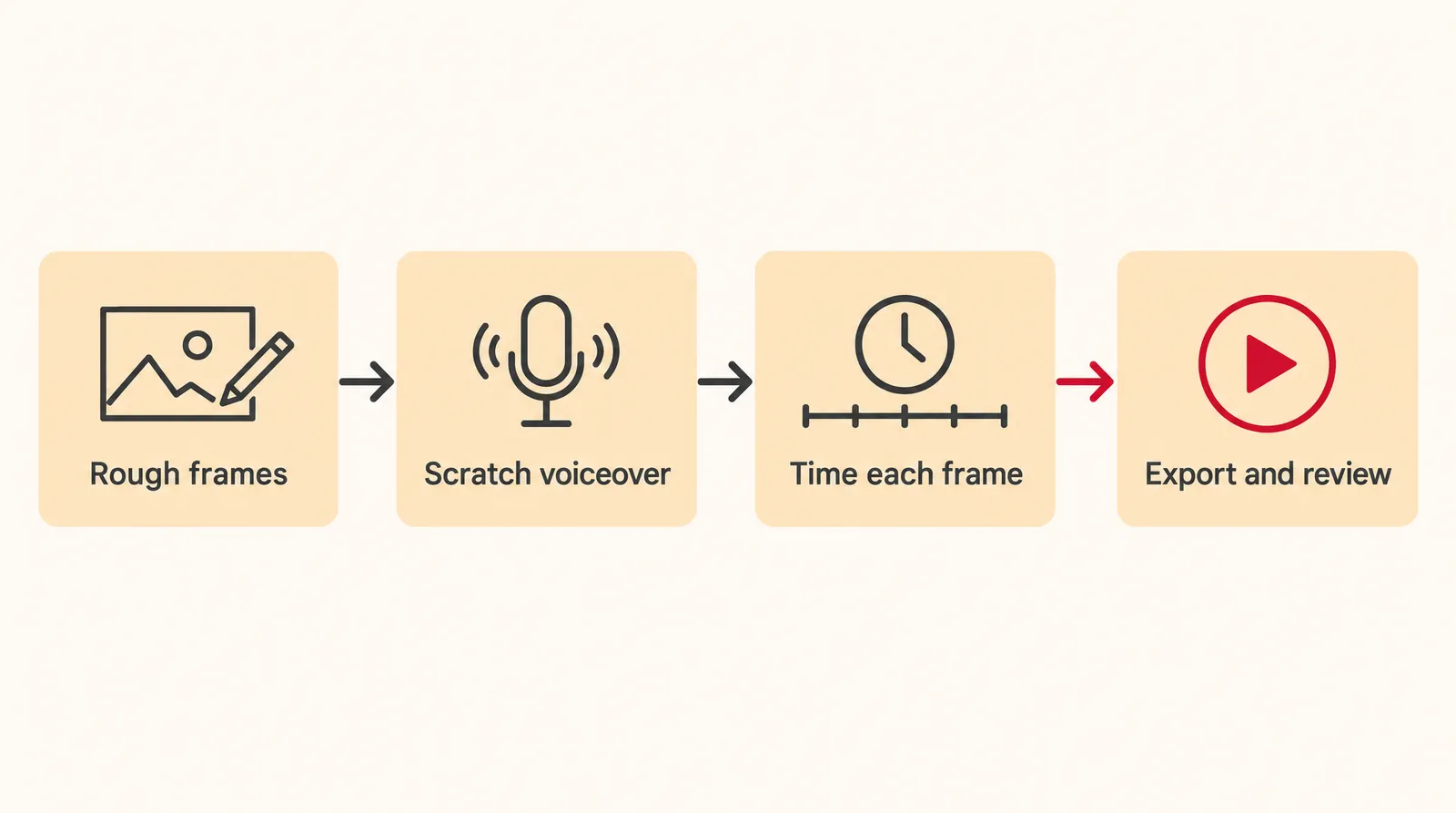
- Lock the script: Write the script and mark where each new shot begins, so every line of dialogue or narration belongs to a shot.
- Make one rough frame per shot: Sketch, photograph or generate a low-res frame for each shot. Stick figures are fine if the framing and action read clearly.
- Record a scratch voiceover: Read the script aloud into any microphone, or generate a temporary voice. This track sets the pace for everything else.
- Set each frame's duration: Drop the audio and frames into an editor and stretch each frame to cover exactly the part of the audio its shot will run.
- Add music and sound effects: Layer in rough music and key sound effects. Add captions if reviewers need to read notes like camera moves.
- Export a movie file: Export the timeline as a single video file that anyone can open without your editing software.
- Review and retime: Watch it with your team, note where it drags or rushes, and adjust frame durations before any final animation or filming starts.
For dedicated software, Toon Boom's official Storyboard Pro help says you can export a finished storyboard or animatic as a movie file, or send each scene to Harmony as animation reference. Its official course, How to Build an Animatic, covers camera moves, keyframes, panel duration, adding sound and exporting as PDF or QuickTime movie. Any video editor that handles stills and audio works for a basic version.
Can you make an animatic with AI?
AI can produce most of an animatic's raw materials, meaning frames, a scratch voiceover and a camera test, but you still assemble and time them in an editor. Here's how that maps to Klakix tools, with credit costs from the current catalog:
- Frames: the AI image generator makes storyboard frames in 16:9, 9:16 or 1:1. Muse Image costs 2 credits per image; Nano Banana 2 costs 8 credits at 1K and is the better pick when a frame needs readable text.
- Scratch voiceover: AI voiceover with Voice v4 costs 2 credits per 200 characters, and Voice v4 Turbo costs 1. The 20 free credits you get after verifying your email work for voiceover only.
- Camera test: 3D Scene (beta) builds a simple blockout from your description or one of four ready-made scenes. You give each shot one of 16 camera moves, then Seedance 2.5 Reference renders a realistic video with the same move.
- One moving shot: if a single frame needs real motion, animate it with Image to Video.
Our math for a 12-frame animatic: 12 frames on Nano Banana 2 is 96 credits, about $6.40 at the Mini pack rate (75 credits for $5). On Muse Image it's 24 credits, about $1.60. A 1,000-character scratch script on Voice v4 is 10 credits (five blocks of 200 characters at 2 credits each). Prices checked November 1, 2026; may change.

Each sample was generated in one take on this site with the model shown on it; nothing was edited.
The 3D Scene camera work is free; the blockout and the final render cost credits. Seedance 2.5 Reference doesn't accept photos with human faces, so plan characters as drawn or generated figures. Our camera movements guide helps you pick moves before you spend credits.
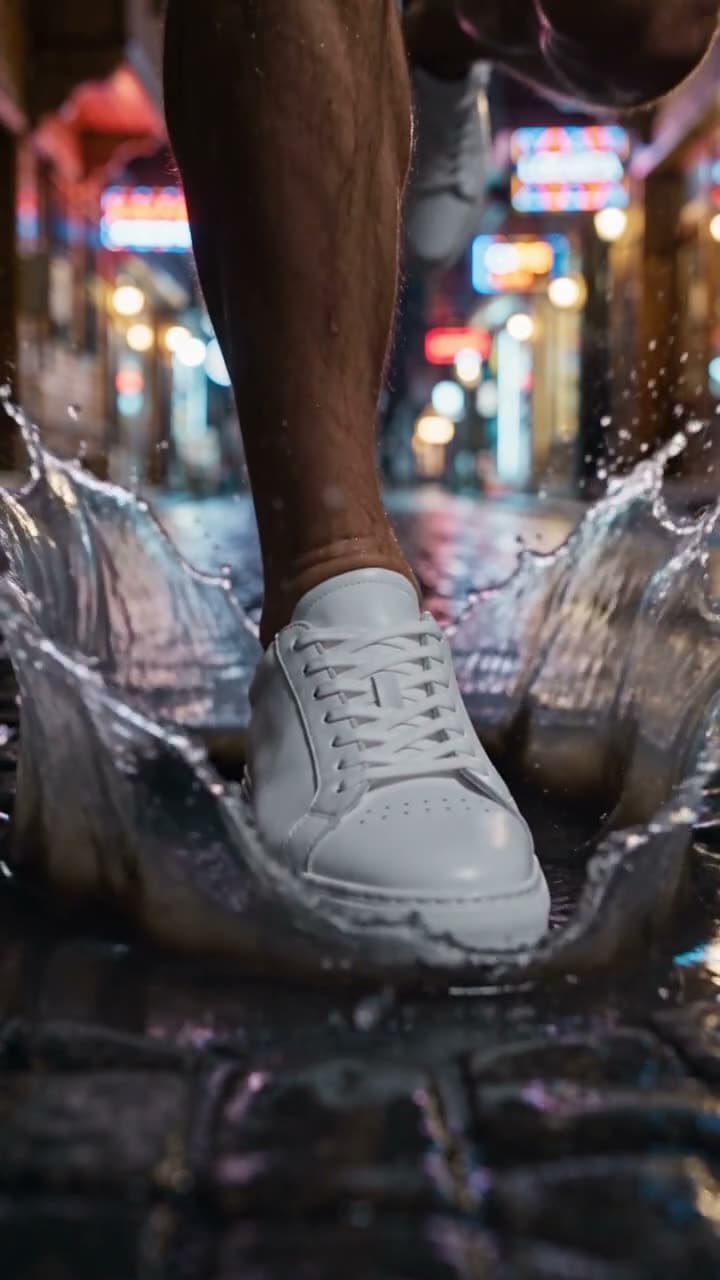
Each sample was generated in one take on this site with the model shown on it; nothing was edited.
Sources
The facts in this post were checked against the pages below on Nov 1, 2026. Prices and limits may change.
- Merriam-Webster: Animatic definition (independent source)
- Collins Dictionary: Animatic (American English) (independent source)
- Boords: What is the definition of an animatic storyboard (independent source)
- StudioBinder: What is an animatic (independent source)
- Wikipedia: Storyboard (independent source)
- Wikipedia: Leica reel (independent source)
- Leica Camera press: Leica Q2 Disney 100 Years of Wonder (official source)
- Toon Boom Storyboard Pro 20 help: Exporting (official source)
- Toon Boom Learn: How to Build an Animatic (official source)
- Animatic Media: Boardomatics (independent source)
- invideo: What is a boardomatic (independent source)
- EdseyArt on Vimeo: Boardomatics and animatics compilation (independent source)
This post was drafted with AI assistance. Facts were checked against the sources above, and model, credit and price details were checked automatically against the site's current price list.
Frequently asked questions
Is an animatic the same as a storyboard?
No. A storyboard is a set of still panels you read at your own pace, usually with written notes. An animatic turns those panels into a video, holding each one for its shot's length and adding a soundtrack.
What is the difference between animation and animatic?
An animatic is a rough planning version used to check timing and story before production. Animation is the finished, fully drawn or rendered result. Teams use the animatic to check pacing and get approval before animation or filming starts.
What is a boardomatic vs an animatic?
In ad-industry usage, a boardomatic is usually storyboard frames on a timeline with voiceover and little or no motion. Some studios reserve animatic for versions with movement inside the frames, while dictionaries and many studios use animatic for both. Confirm the meaning with whoever is ordering or making it.
Does an animatic need sound?
Sound is part of nearly every definition, including Merriam-Webster's and Boords'. A scratch voiceover or rough music is what tells you how long each frame should stay on screen. Without audio, you mostly have a timed slideshow of a storyboard.
How long should each frame be in an animatic?
There's no universal number. Each frame stays on screen for as long as its shot will run in the final piece, which you find by laying the frames against your scratch audio. Expect to retime several frames after the first review.
What software is used to make an animatic?
Common options include Toon Boom Storyboard Pro, Photoshop or After Effects. Any video editor that lets you place still images on a timeline with audio and set their duration will handle a basic animatic.
Can AI make an animatic?
AI tools can generate the frames, a temporary voiceover and camera-move tests. On Klakix, the final step of timing frames to audio in one video still happens in a separate editor. Treat AI as a fast source of rough material, not a one-click animatic.
Is animatic the same as Animatic Battle?
No. Animatic Battle is a YouTube object-show web series that started in 2024, and Animatic is the name of its host character. The production term animatic dates back to at least 1977.
Try what you just read
Signing up is free. Video and image tools unlock after your first credit pack, and credits are refunded if a generation fails.
Open Image Generation