Product Shoot · Clothing
Ghost mannequin photography with AI
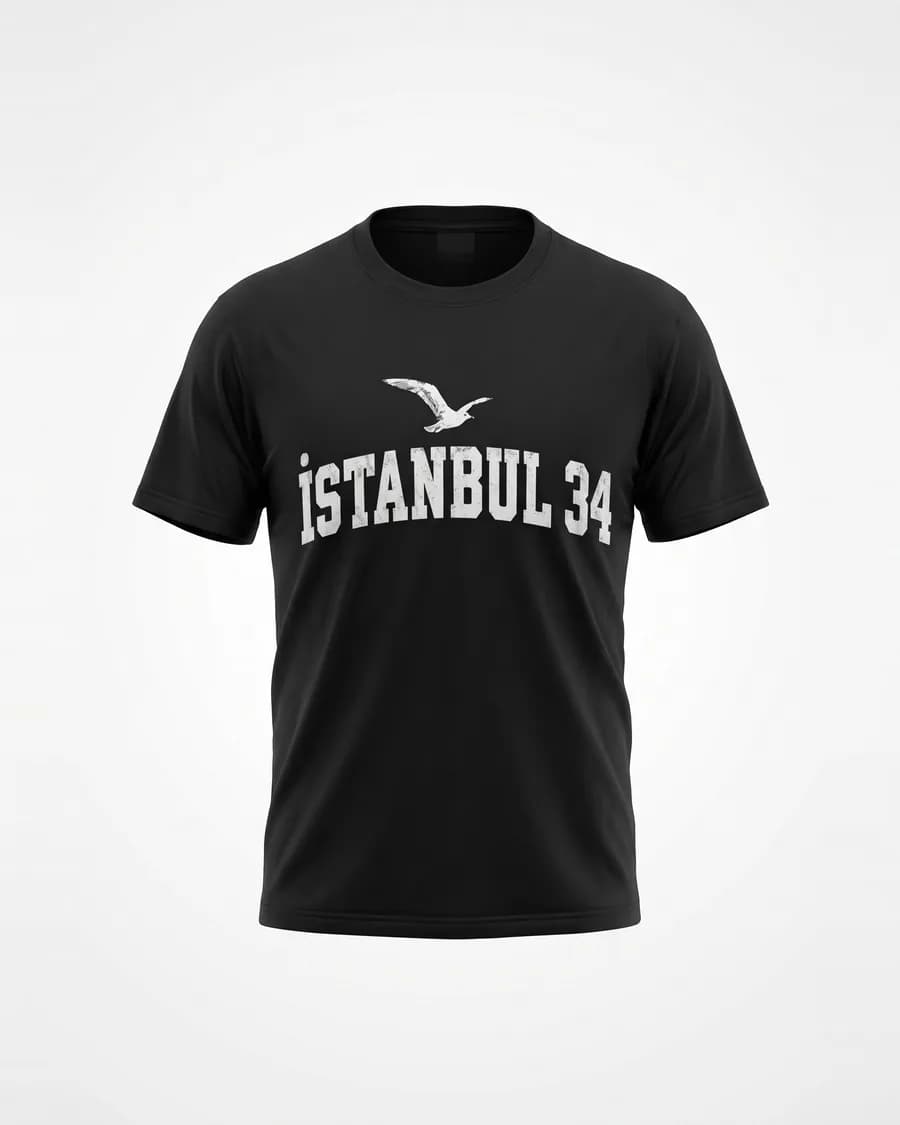
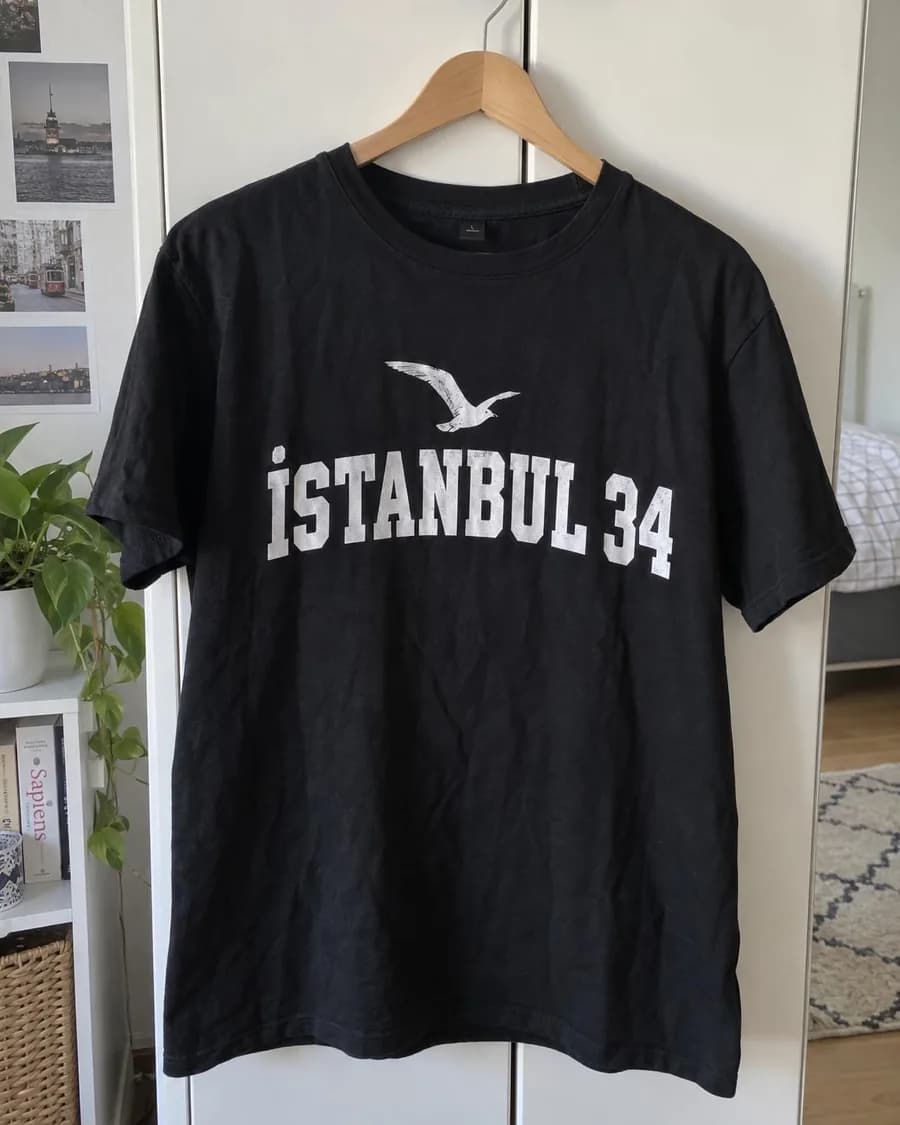
Ghost mannequin photography shows clothing as if an invisible person were wearing it: the garment keeps its 3D shape and you can see inside the neckline, but there's no mannequin or model. Studios shoot it on a mannequin and remove it in editing. Product Shoot's ghost mannequin style makes a similar image from a flat lay or hanger photo.
From a flat lay or hanger photo. No mannequin, no model, no retouching.
Quick answer
- What it is
- Clothing photographed with its worn shape and an open neckline, but no visible mannequin or model. Also called invisible mannequin or hollow man.
- The studio way
- Shoot the garment on a mannequin, shoot the inside of the neckline separately, then remove the mannequin and combine the shots in editing.
- The AI way
- Upload a flat lay or hanger photo and pick the ghost mannequin style. The AI draws the shape and the inner neckline from your photo.
- Cost
- 11 to 12 credits per image, depending on quality. The total shows before you shoot.
- Best for
- Consistent catalog images, kids' clothing (there are no child models) and showing shape and fit without a model.
- Check
- The fabric, print and text come from your photo and are checked; the inside and the shape are the AI's rendering.
How it works
A ghost mannequin photo in three steps
Photograph the garment
Lay it flat or hang it against a plain wall, front facing, whole and smooth. Add a close-up of the label or print.
Choose no model
Skip the model step and pick the ghost mannequin style. Add a note if the collar or fit needs something specific.
Pick sizes and shoot
Marketplace (1200×1800), Amazon size (2000×2000), Instagram and more. Each result is checked against your photo.
Definition
What is ghost mannequin photography?
Ghost mannequin photography, also called invisible mannequin or hollow man photography, shows a garment as if an invisible person were wearing it. The shirt keeps its chest and shoulders, the dress keeps its waist, and you can see the inside of the back collar through the neckline, but there's no mannequin and no model in the picture.
Stores use it because it shows shape and fit better than a flat lay while keeping every product page clean and consistent. Nothing distracts from the garment: no face, no pose, no styling that changes from shot to shot.
The studio way
How ghost mannequin photos are made in a studio
- The garment is dressed on a mannequin, often one with removable chest and neck pieces, and pinned so it sits well.
- The front is photographed with the camera at chest height and even, soft light.
- The inside of the neckline and back is photographed separately, sometimes with the garment turned inside out.
- In editing, the mannequin is masked out and the inner shot is placed into the neckline, so the garment looks hollow.
It gives a precise result, because every part of the image is a real photo of the garment. It also takes a mannequin, a lighting setup and editing time for every product.
The AI way
How to make a ghost mannequin photo with AI
In Product Shoot you start from the photo you already have. Upload a flat lay or a hanger shot, skip the model step and pick the ghost mannequin style. The image model draws the garment in a worn, three-dimensional shape with an open neckline, on a clean background, in the sizes you choose.
What's different from the studio method: the AI renders the shape and the inside of the garment rather than combining two real photos. The fabric, color, print and text come from your photo, and each result is compared with it, printed text letter by letter. The inner label, seams and back are the model's interpretation, so look at them before you list the product.
Compare
Ghost mannequin vs. flat lay vs. on-model photos
- Flat lay: the garment laid flat and shot from above. Quickest to make and shows the whole piece, but not how it sits on a body. In Product Shoot it's a ready-made style.
- Ghost mannequin: the worn shape without a person. Clean and consistent across a catalog, and a good choice for kids' clothing, since Product Shoot has no child models.
- On a model: shows the look, the fit and the mood. Use a try-on or an AI model: AI fashion models and virtual try-on.
Every style is part of the same studio, along with white-background images and marketplace sizes; see AI product photography.
Highlights
Why make ghost mannequin photos here
No mannequin, no retouching
Start from a flat lay or hanger photo. There's nothing to mask out or stitch together.
Consistent catalog look
The same style and background for every garment, so a collection page looks like one shoot.
Print and text checked
Each image is compared with your garment photo, and a flagged image can be redone once for free.
Good for kids' clothing
Product Shoot has no child models; a ghost mannequin shot shows the shape without one.
Every size from one shoot
Tall marketplace images, Amazon size, Instagram and Pinterest, from the same garment photo.
On-model shots too
Need the same garment on a model? Use a try-on or an AI fashion model in the same shoot.
Honest limits
What the ghost mannequin style can't do
- The AI draws the 3D shape and the inside of the neckline. It isn't a composite of real photos, so the inner label, seams and back can differ from the real garment.
- Sheer, very structured or layered garments are the hardest to render convincingly. Check every image before you list it.
- It doesn't make a matching set of angles (front, back, side) from one photo or a 360° spin.
- Fine prints and small logos can drift. The accuracy check flags it, and you can redo a flagged image once for free.
- It isn't free: every image costs credits.
FAQ
Common questions
What is a ghost mannequin?
A ghost mannequin, or invisible mannequin, is a way of photographing clothing so it looks worn but empty: the garment has a body's shape and you can see inside the collar, yet no mannequin or model is visible. Online stores use it to show shape and fit with a clean, consistent look.
How is ghost mannequin photography done?
Traditionally, the garment is dressed on a mannequin, often one with removable chest and neck pieces, and photographed from the front. The inside of the neckline and back is photographed separately. In editing, the mannequin is masked out and the inner shot is placed into the neckline, so the garment looks hollow.
Can AI make ghost mannequin photos?
Yes, as a rendering. In Product Shoot you upload a flat lay or hanger photo and choose the ghost mannequin style; the AI draws the garment in a worn shape with an open neckline. The fabric, print and text come from your photo and are checked, while the shape and the inside are the AI's interpretation, not a second real photo.
Ghost mannequin, flat lay or on-model: which should I use?
Flat lay is the quickest and shows the whole garment flat. Ghost mannequin shows shape and fit with no distraction, and keeps a catalog consistent. On-model shots sell the look and the feel. Many stores use a flat lay or ghost mannequin image first and an on-model photo next to it.
Learn more: AI fashion models
How much does an AI ghost mannequin photo cost?
11 to 12 credits per image; 12 credits come to $0.44–$0.80, depending on your credit pack. Packs start at $5 for 75 credits, and failed generations are refunded.
What photo should I upload?
The whole garment, front facing, on a plain background: laid flat with the sleeves spread and the wrinkles smoothed, or hanging straight against a wall. Open the collar if it has one, and add a close-up of the label or print as a second photo.
Shoot your collection without a mannequin
Signing up is free, and uploading garments costs nothing. Images need credits; packs start at $5 for 75 credits, with no subscription.
Make a ghost mannequin photo