Product Shoot · Fashion
AI fashion model generator: put your clothes on AI models
Product Shoot puts your clothing on AI fashion models without a photo shoot. Upload the garment as a flat lay, on a hanger or on a mannequin, pick a ready-made AI model, one of your own fictional characters or your own model with consent, and choose catalog or street-style shots. Every image is checked against your garment.
Every AI model is a fictional adult. Real models only with written consent.
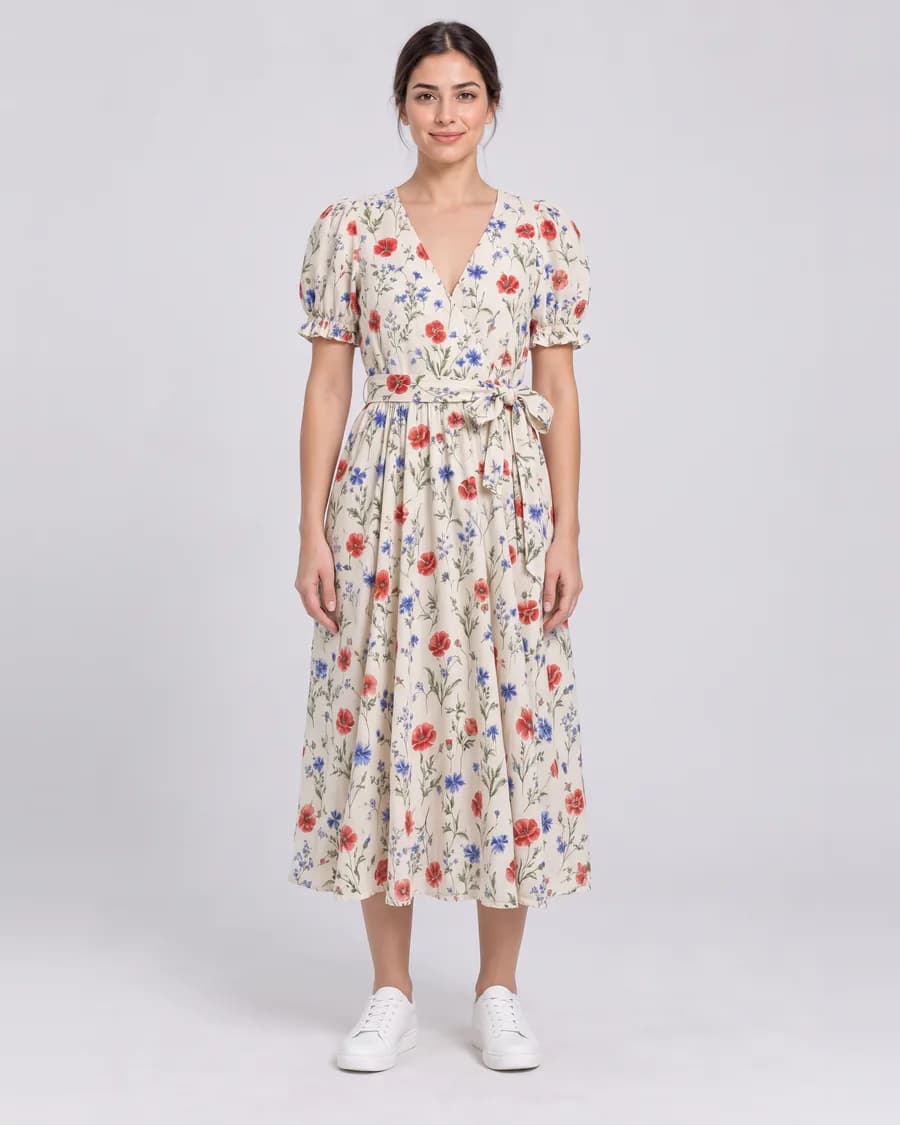
Quick answer
- What it does
- Puts your garment on an AI model in a catalog or lifestyle photo, without a photographer, studio or model booking.
- Models
- 14 ready-made AI models: women and men from their 20s to their 50s, slim, average and plus-size, with or without hijab. Or your own characters, or your own model with consent.
- Garment photo
- A flat lay, hanger or mannequin photo. The garment is described to the image model in detail, and every result is checked against it.
- Cost
- 11 credits per model shot in standard quality, 12 in high quality. The total shows before you shoot.
- Who can't be a model
- Children, celebrities and anyone who hasn't agreed in writing. Every AI model is a fictional adult.
- Disclosure
- Exports carry metadata that marks them as AI-generated; the ad designer adds a visible label when there's a person in the image.
Real outputs
Garments on AI models, made with Product Shoot
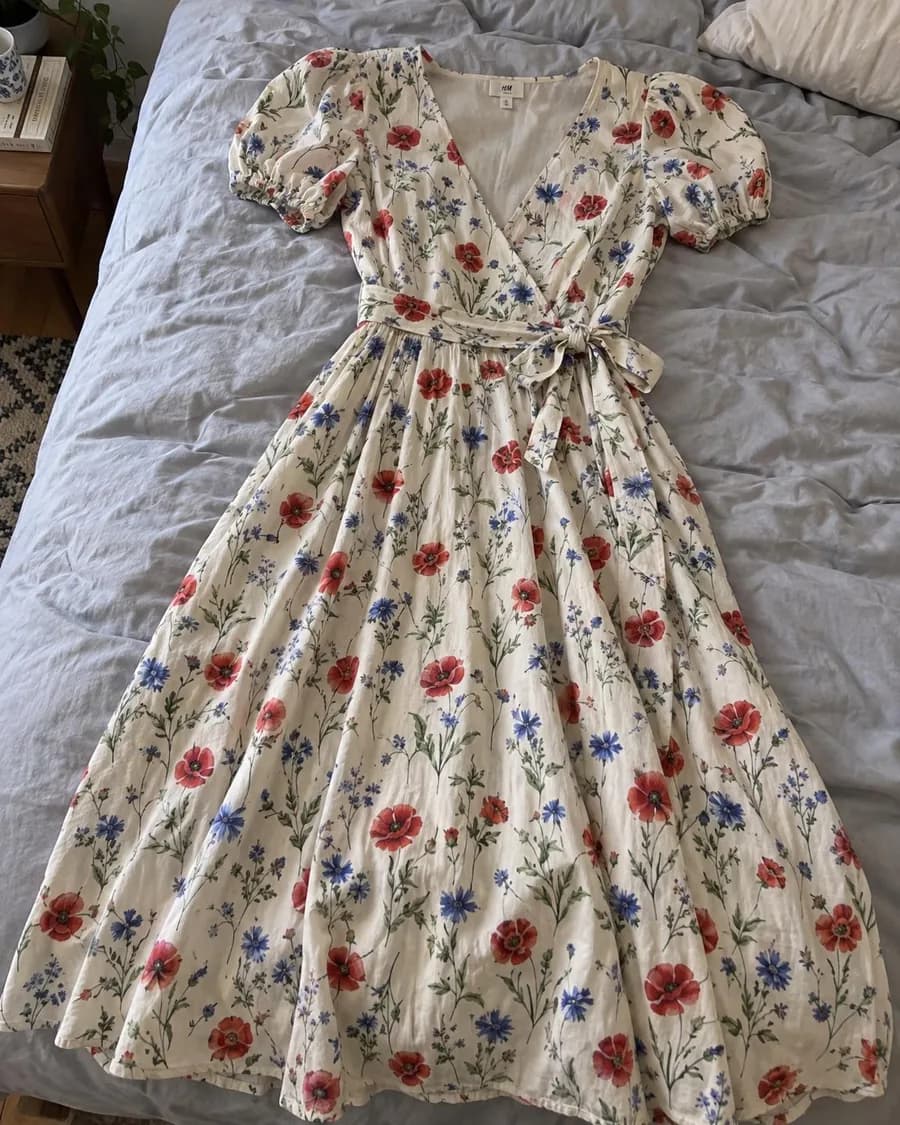
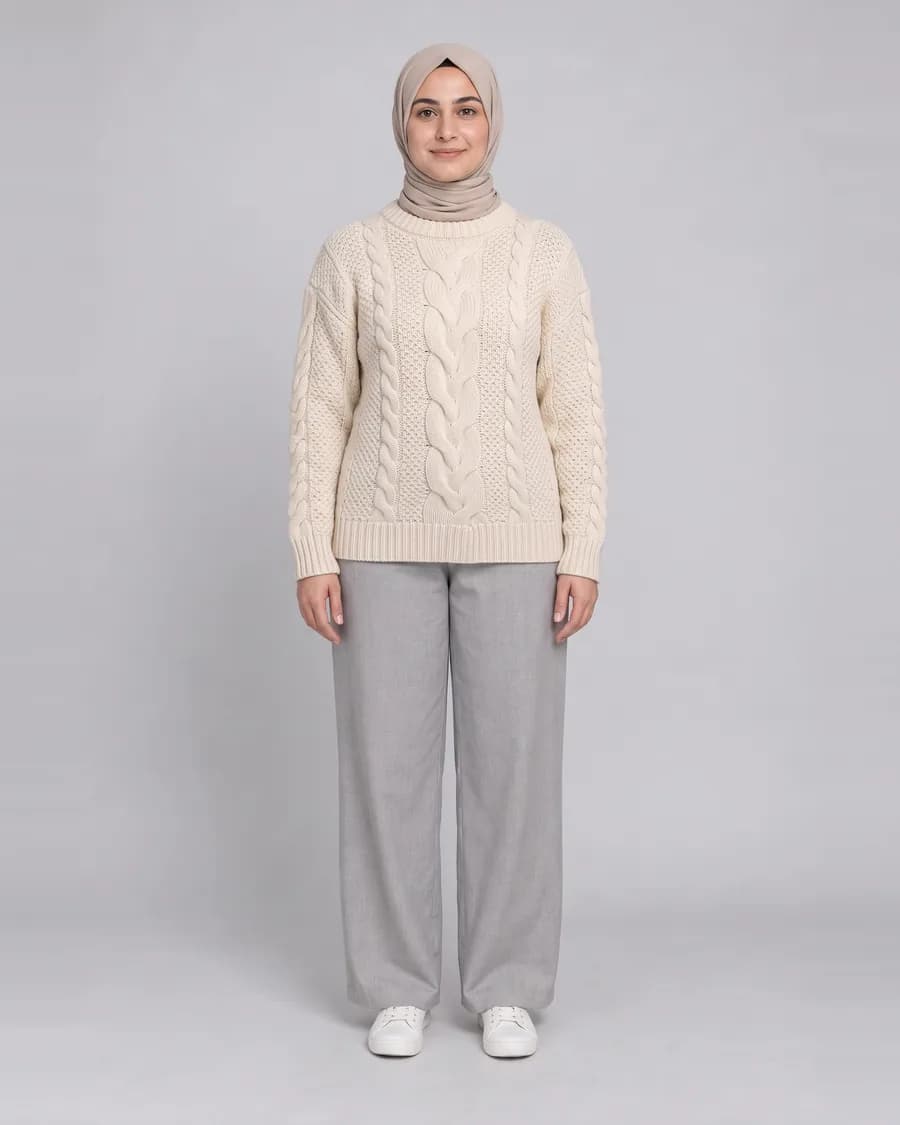
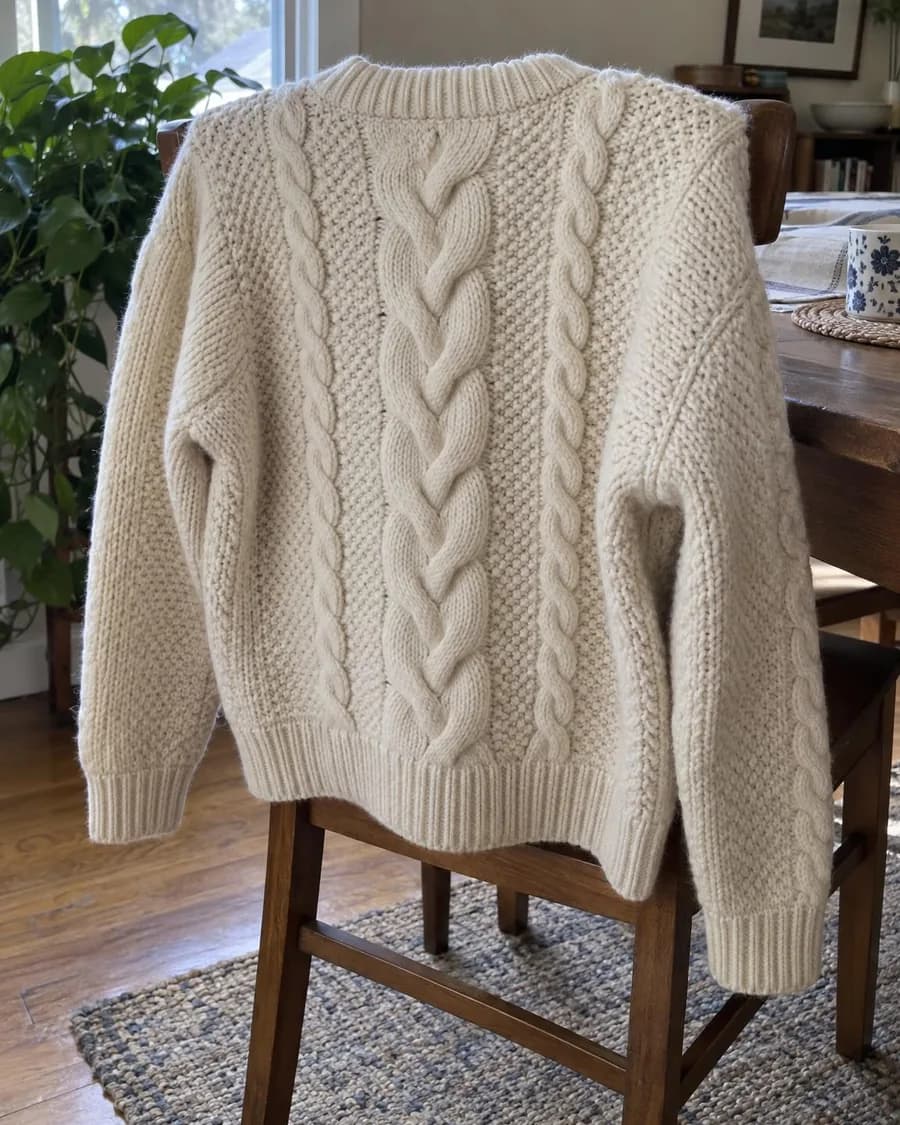
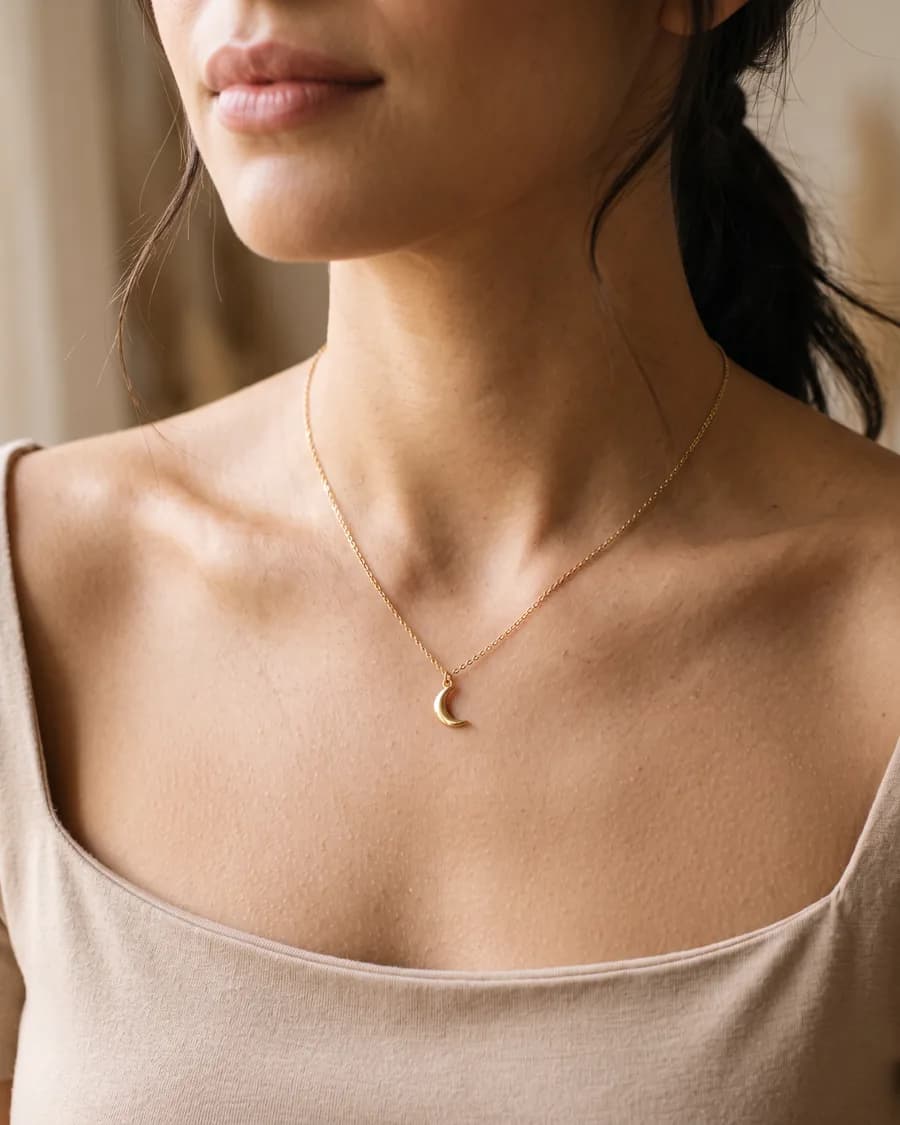
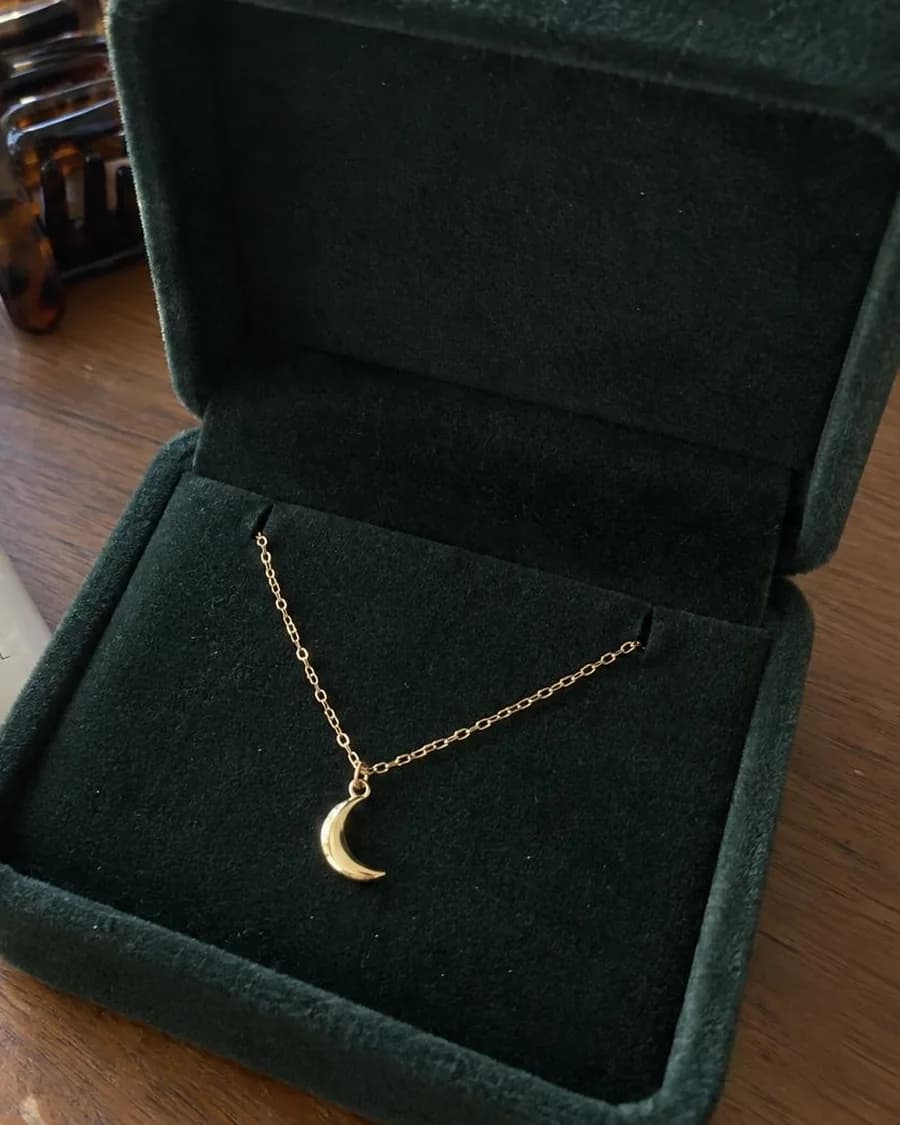
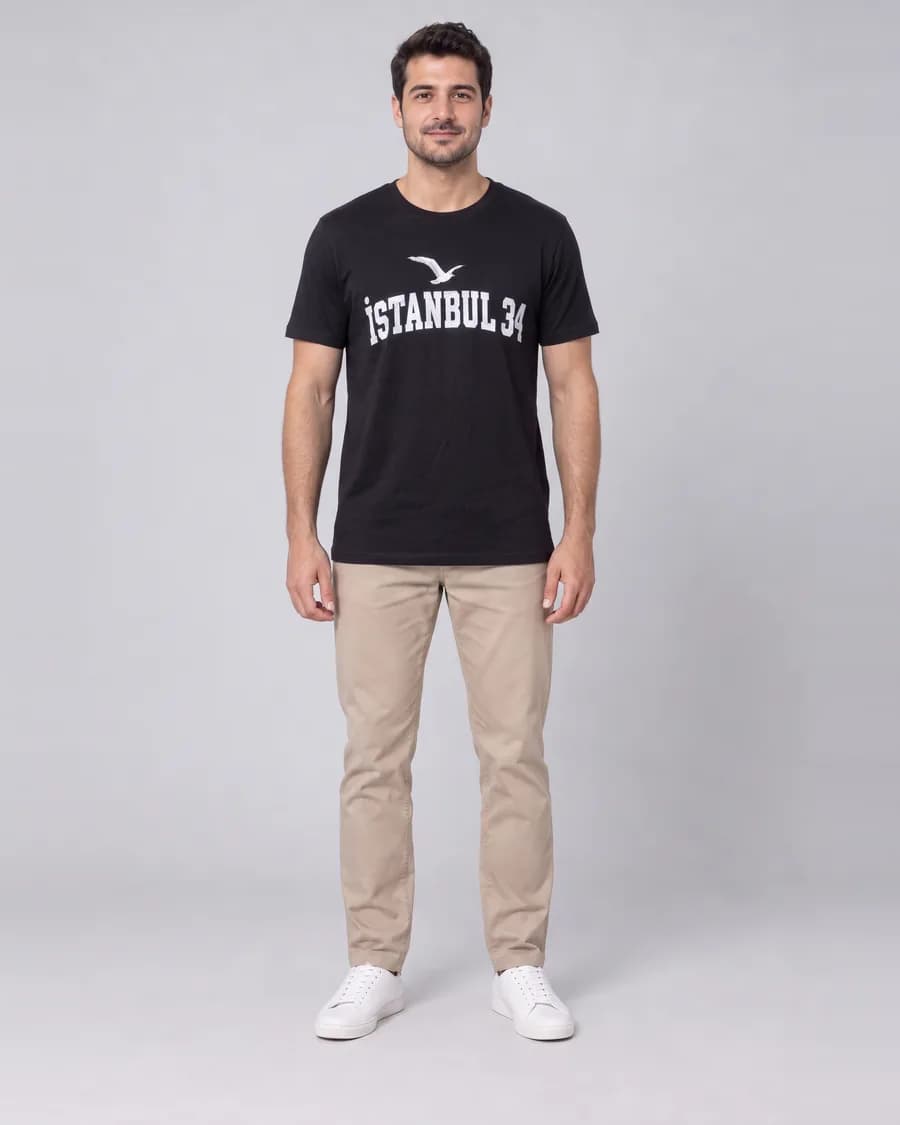
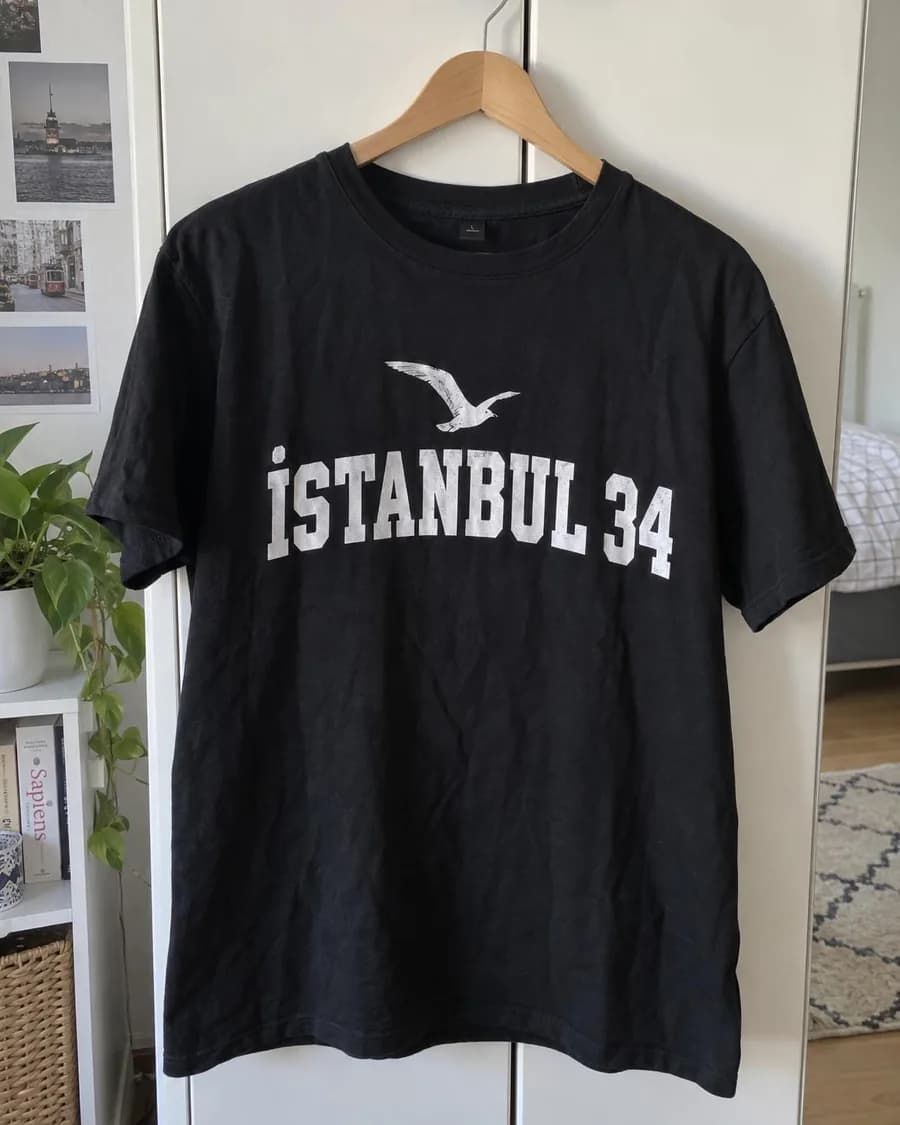
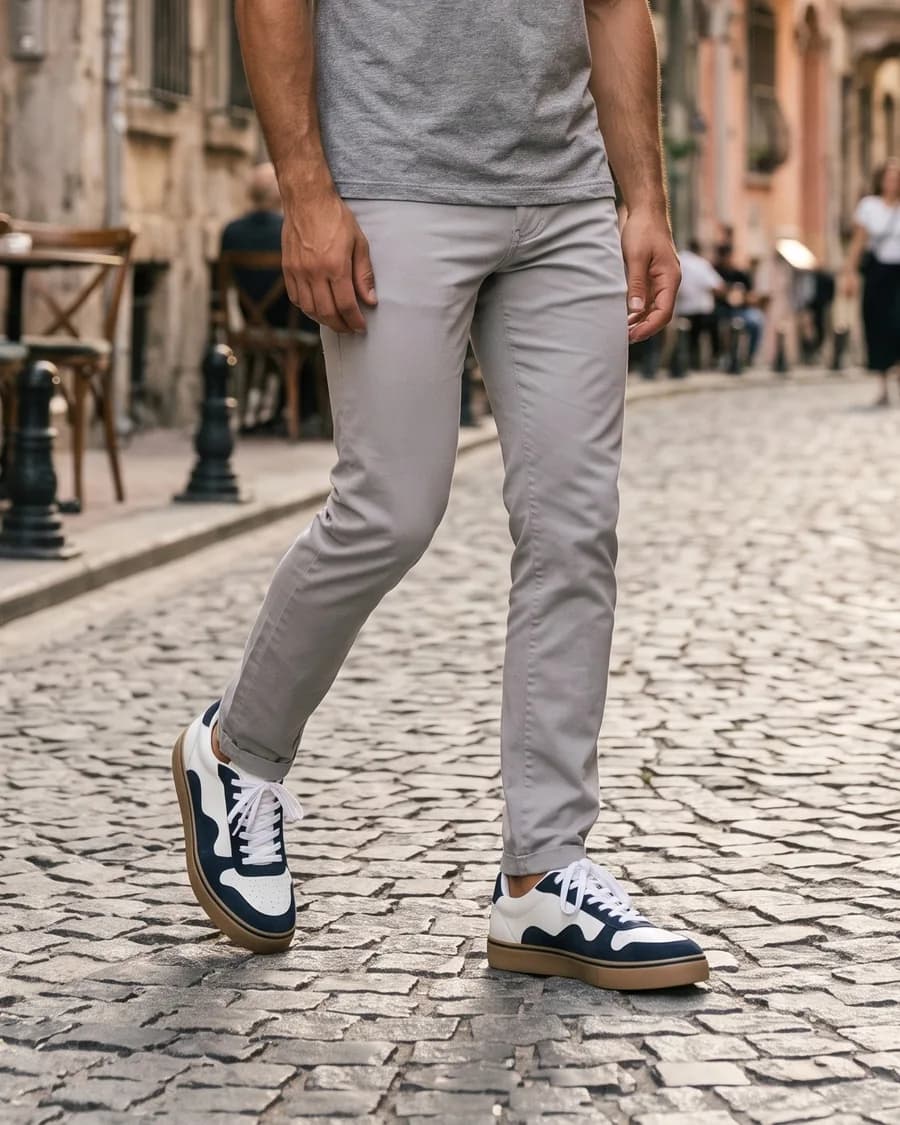
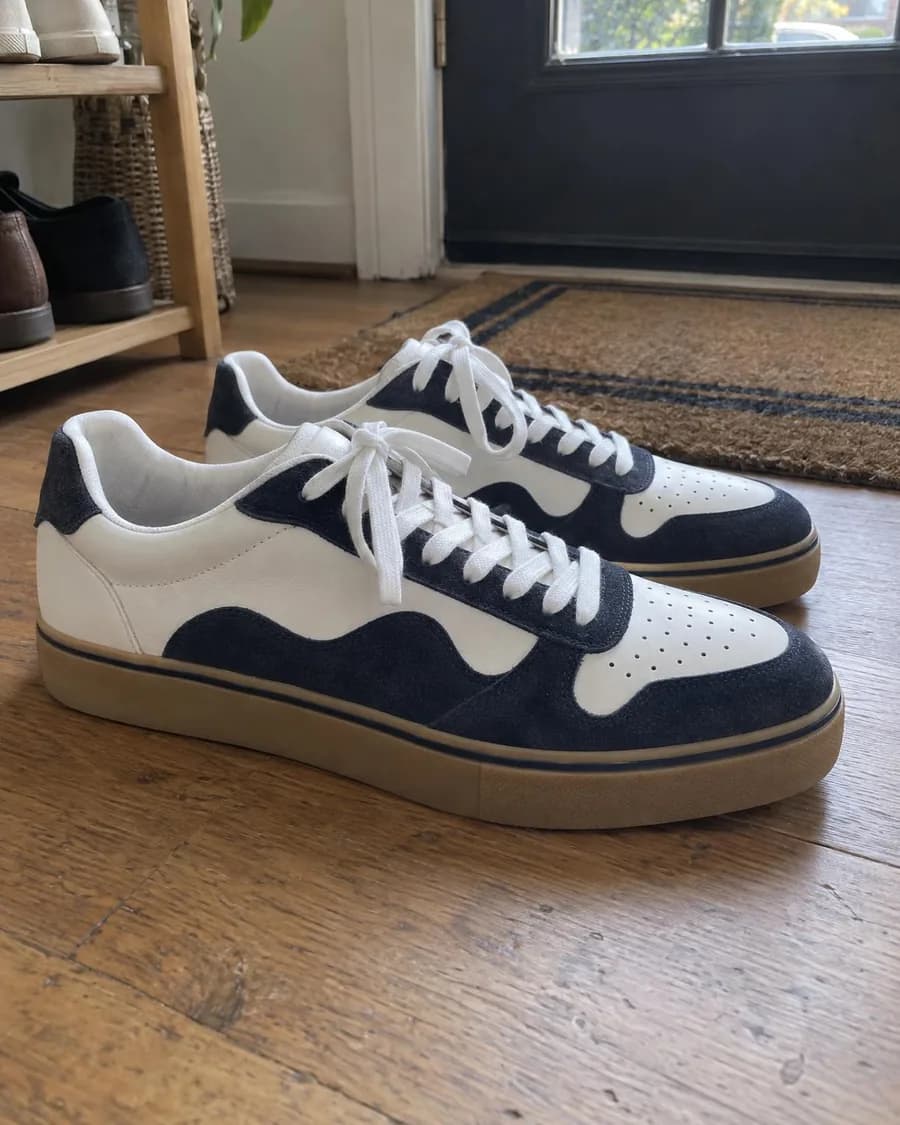
Each pair shows the photo that went in and the image that came out, with the style and the model that made it.
How it works
Your garment on a model in four steps
Upload the garment
A flat lay, a hanger shot or a mannequin photo, front first. Add a back view or a close-up of the print or label if they matter.
Choose who wears it
Filter ready-made AI models by gender, age, size and hijab, pick a character you created, or upload your own model's photo with their consent.
Pick the shots
A full-length catalog shot on a plain studio background, street style with natural light, or six ideas from the art director.
Choose sizes and shoot
Tall marketplace images (1200×1800), Instagram portrait (1440×1800), Stories and more, up to four variations each.
Models
Which AI models can wear your clothes
You choose who wears the garment, shoot by shoot:
- Ready-made AI models. Women and men from their 20s to their 50s, slim, average and plus-size, with or without hijab. Filter by any of these and pick a face. They're fictional adults, so nobody's likeness is used.
- Your own characters. Create a consistent face once with the AI character generator and use it as the model in every shoot, so your whole catalog shows the same person.
- Your own model. Upload a full-length photo of a real model who agreed in writing. You confirm a consent statement, and uploads are checked for celebrities and public figures.
- No model. Flat lay, hanger, ghost mannequin and white-background styles show the garment on its own.
The consent statement you confirm for your own model reads:
The person in the model photo is me, or gave me written, explicit consent to have their face and body processed with AI, to have that data transferred to service providers abroad for this purpose, and to have the images used in ads; they're over 18 and not a celebrity or public figure. If I use these images in ads, I'll say they were made with AI and won't present the person as having used or recommended the product.
Shots
Catalog shots and street-style photos on AI models
In both cases the model's photos and your garment photos go to the image model together, with an instruction to dress the model in that exact garment and keep its cut, color, fabric, pattern, buttons and any text identical. What changes is the shot:
- Catalog shot. Full length on a plain light-grey studio background, a relaxed pose facing the camera, soft even light and the garment visible from neckline to hem. It's the look most marketplaces and online stores use.
- Street style and editorial. A new pose and place, like a sunlit city street, with a softly blurred background and the product in sharp focus. It reads like a magazine shot.
Every result is drawn, not pasted, so it's compared with your garment photo before you use it. In our own small test (three garments, November 2026), this approach did better than a dedicated try-on model, which returned smaller images and broke on a sweater photographed on a chair.
Not sure what to shoot? The art director suggests six ideas for your product and brand. The ready-made model styles are “Model catalog shot”, “Model lifestyle and street”, “Model at a cafe”, “Model by the sea”, “Magazine editorial”, “Jewelry close-up”, “Beauty close-up”, and “Sport and active”, and the product-only styles are there for the same shoot.
Flat lay to model
From a flat lay photo to an on-model photo
You don't need a mannequin or a model to start. A flat lay is enough when it shows the whole garment clearly. A few things make a big difference:
- Lay the garment flat on a plain surface, smooth the wrinkles and spread the sleeves so nothing hides the print.
- Photograph it straight from above in even daylight, with the whole garment in the frame.
- One garment per photo, with no hands or people in the frame.
- Add a close-up of the label, the print or the embroidery as a second photo.
A hanger photo works the same way: hang the garment against a plain wall and shoot it straight on. The studio recognizes what the garment is from the photo, and you can correct the name and category before you shoot.
Accessories
Jewelry, shoes and bags on a model
Necklaces, watches, sunglasses, shoes and bags go into scenes rather than a try-on: the model wears or holds the piece in a lifestyle shot. Small, shiny details are the hardest part for any image model, so upload a sharp close-up of engravings, clasps or logos as an extra photo. Each result is compared with it.
For the main listing image, a white-background shot of the piece itself is usually the better choice: it keeps the real pixels. See AI product photography for every product-only style.
Pricing
What an AI model photo costs
You pay per image in credits, and the total shows before you shoot. Packs start at $5 for 75 credits.
| Image | What it is | Credits |
|---|---|---|
| Model shot, standard quality | Your garment on the model, catalog or street style, drawn and then checked. | from 11$0.40–$0.73 |
| Model shot, high quality | Finer detail in faces, fabric and light. | from 12$0.44–$0.80 |
| White background | The garment alone on white, for the main listing image. | 3$0.11–$0.20 |
| Upscale for print | Two times larger, for lookbooks and print. | 9$0.33–$0.60 |
A set of one catalog shot, two high-quality street-style shots and one white-background image comes to 38 credits ($1.38–$2.53). Up to four variations per idea, each priced as one image. Failed generations are refunded automatically.
Rules
Rules for AI models in product photos
- Every ready-made model is a fictional adult. There are no child models.
- Real people only with their written consent; celebrities and public figures can't be used, even with a lookalike.
- Don't present an AI model as a real customer, or put words in its mouth as a review or testimonial.
- Show the product as it is. A model photo shouldn't suggest a color, fit or detail the real garment doesn't have.
Where the platform asks for it, label images with AI people:
- EU AI Act, Article 50: Applies from August 2, 2026. Providers of AI systems that generate images must mark the output in a machine-readable way, and anyone publishing a realistic AI image of a person that could pass as real has to disclose that it's AI-generated. Source.
- Meta ads: Since June 1, 2026, Meta detects ads created or edited with third-party AI tools and adds an "AI info" label in About this ad. Source.
- TikTok ads: Ads with content that's completely AI-generated must be disclosed, with TikTok's AIGC label or your own clear caption or sticker. Undisclosed AI content can get the ad rejected. Source.
- Amazon: Sellers must tag product images that contain photorealistic AI-generated people with the keyword contains-synthetic-performer in the image metadata, in every Amazon store. Source.
Rules checked on November 2, 2026. Platforms change them often, and this isn't legal advice.
Highlights
Why use AI fashion models here
Models that look like your customers
Ages from the 20s to the 50s, slim to plus-size, with or without hijab. Filter and pick, no prompt to write.
The garment, locked
Cut, color, fabric, pattern, buttons and any lettering are spelled out for the image model to keep identical.
One face across the catalog
Use one of your fictional characters as the face of your brand, so every product shows the same model.
Your own model, safely
Upload a real model's photo only with their written consent. Celebrities and public figures are blocked.
Every image checked
Each result is compared with your garment. If the print or a logo changed, you see what changed and can redo it once for free.
Ready for marketplaces and ads
Tall marketplace images, Amazon size, Instagram portrait, Stories and ad banners, from the same shoot.
Honest limits
What AI fashion models can't do
- There are no child models. Kids' clothing is shot without a model: flat lay, hanger or white background.
- Every model shot is drawn by an image model, so a complex print, an embroidered logo or fine jewelry detail can change. The check catches changed text best; look at colors and fabrics yourself.
- Sheer, very loose or layered garments are the hardest to get right. A second photo of the detail helps.
- With your own model's photo, the person is redrawn from it; a close likeness isn't guaranteed in every image.
- The fit is an illustration, not a size guide. Don't use AI model photos to promise how a size will fit.
- Real people can only be models with their written consent, and celebrities and public figures can't be used at all.
- There's no free tier: try-ons and scenes cost credits.
FAQ
Common questions
How do I put my clothes on an AI model?
Open Product Shoot and upload a photo of the garment, laid flat, on a hanger or on a mannequin. Choose a model (a ready-made AI model, one of your characters, or your own model with consent), pick a catalog or street-style shot, choose the sizes you need and shoot. The garment is fitted onto the model, and each result is compared with your photo.
Can I choose the model's age, size or style?
Yes. The ready-made AI models cover women and men from their 20s to their 50s, slim, average and plus-size bodies, and models with or without hijab. All of them are fictional adults. If you need a specific face for your brand, create it with the AI character generator and use it in every shoot.
Learn more: AI character generator
Can I use a photo of my own model?
Yes, if they agreed in writing. You upload a full-length photo and confirm a consent statement: the person is you or has given written consent to having their face and body processed with AI and used in ads, is over 18, and isn't a celebrity or public figure. Uploads are checked for public figures.
Will the AI change my garment's print or logo?
The image model is told to keep the garment identical, down to the cut, pattern, buttons and any text, and every result is compared with your garment photo, printed text letter by letter. If something changed, the image is flagged and you can redo it once for free. Subtle color or fabric shifts are harder to catch, so check those yourself.
Can I make AI models for kids' clothing?
No. Product Shoot has no child models and doesn't put children's clothing on a person. Shoot kids' products as a flat lay, on a hanger, as a ghost mannequin or on a white background instead.
How much does an AI model photo cost?
A model shot is 11 credits in standard quality ($0.40–$0.73) and 12 in high quality ($0.44–$0.80), depending on your credit pack. A set of one catalog shot, two high-quality street-style shots and one white-background image comes to 38 credits.
Do I have to say the model is AI-generated?
Often, yes. The EU AI Act requires disclosure of realistic AI images of people, Amazon asks for a contains-synthetic-performer tag on listing images with photorealistic AI people, and TikTok requires a label on fully AI-generated ads. Exports carry AI metadata, and the ad designer adds a visible label by default when there's a person in the image.
Is an AI fashion model the same as an AI influencer?
Not quite. An AI fashion model shows your product in catalog and ad photos. An AI influencer is a character with its own account, voice and videos. If that's what you want, our guide walks through it step by step.
Learn more: How to make an AI influencer
Put your collection on a model
Signing up is free, and you can upload garments right away. Try-ons and scenes need credits; packs start at $5 for 75 credits, with no subscription.
Put your clothes on a model