Guide · 12 min read · Nov 4, 2026
1080x1920: aspect ratio, size in inches and platform specs
1080x1920 is a vertical Full HD resolution: 1080 pixels wide by 1920 tall, 2,073,600 pixels in total, with a 9:16 aspect ratio. It's the recommended size for Instagram Reels and Stories, TikTok and YouTube Shorts, though platforms accept smaller files. It has no fixed size in inches; at 300 DPI it prints at 3.6 x 6.4 in.

This guide covers the math behind 1080x1920, what Instagram, TikTok and YouTube Shorts actually ask for, where app buttons cover your video, how the size compares with its neighbors, and how to convert or create video in this shape. Platform specs were checked on November 4, 2026 against independent spec guides. Where a guide summarizes an official help page, or where sources disagree, we say so.
Specs change often, so check the app before a big campaign. Klakix is not affiliated with Instagram, TikTok or YouTube.
What is 1080x1920? (the vertical Full HD size)
1080x1920 is a vertical resolution: 1080 pixels wide and 1920 pixels tall. According to Facebook's explainer, it's the standard 1920x1080 horizontal format turned on its side, with about 2.07 million pixels in a tall frame. By our math, 1080 x 1920 = 2,073,600 pixels exactly.
The label 1080p usually assumes a 16:9 widescreen frame of about 2.1 megapixels and is often sold as Full HD or FHD, per Wikipedia's 1080p entry. 1080x1920 is the same pixel count in portrait, which is why you'll see it called vertical Full HD. Instagram Reels and Stories both use it, according to SocialPilot, and most guides recommend it for TikTok and YouTube Shorts too.
1080x1920 aspect ratio: is it 16:9 or 9:16?
1080x1920 has a 9:16 aspect ratio, not 16:9. Both sides divide by 120 (1080 ÷ 120 = 9 and 1920 ÷ 120 = 16), and 1080 ÷ 1920 = 0.5625, which Phoca's ratio calculator rounds to 0.563:1. Width comes first by convention, so 9:16 means the frame is narrower than it is tall.
1920x1080 is the 16:9 version of the same shape, lying down. Some converter blogs call 1080x1920 "9:16 in portrait or 16:9 in landscape," which only adds confusion: the numbers in the name tell you the orientation. For posting, the horizontal 16:9 version suits YouTube, TVs and laptops. Other vertical sizes such as 720x1280, 1440x2560 and 2160x3840 share the exact 9:16 ratio, according to Riverside's resolution ladder.
Is 1080x1920 the right size for Reels, TikTok and Shorts?
Yes, 1080x1920 is the recommended export size for Instagram Reels, TikTok and YouTube Shorts, but it's a recommendation rather than a hard rule. Each platform accepts smaller files and other ratios; 9:16 is simply the shape that fills a phone screen. The table separates what guides recommend from the minimums and accepted ratios they report.
Vertical video specs by platform
| Platform | Recommended size | Minimum or accepted | Length | Source |
|---|---|---|---|---|
| Instagram Reels | 1080x1920 (9:16) | Ratios 1.91:1 to 9:16; at least 720 px wide; MP4 or MOV, H.264, 4 GB max | Varies by account; check the app | Hopper HQ |
| Instagram Stories | 1080x1920 (9:16) | Not listed in our sources | Not listed | SocialPilot |
| TikTok in-feed ads | 1080x1920 (guide recommendation) | 9:16 at least 540x960; 16:9 at least 960x540; 1:1 at least 640x640; 500 MB or less | Up to 10 min | TikTok Ads Help, as summarized by XO3D |
| TikTok organic | 1080x1920 (guide recommendation) | No official resolution figure | 10 min recorded in app, 60 min uploaded | TikTok Support, as cited by XO3D |
| YouTube Shorts | 1080x1920 (9:16) | 9:16 or 1:1 | Up to 3 min | Hopper HQ, Learning Revolution |
Sources: Hopper HQ Reels guide (September 18, 2026), XO3D (checked October 30, 2026), Sked Social, SocialPilot, Learning Revolution. Checked November 4, 2026; may change.
Two claims you'll see online aren't confirmed by an official source. Hopper HQ says going above 1080p won't help on Instagram because it caps playback there, and its Shorts guide says wrong dimensions can lead YouTube to add black bars or leave a video out of the Shorts feed. Treat both as reasonable caution, not platform policy.
Where to put text in a 1080x1920 video: safe zones and the 3:4 grid
Keep text and faces in the center of a 1080x1920 frame, because captions, usernames and buttons cover the edges. Hopper HQ's reading of Meta's Reels guidance gives these margins:
- Top: keep 14% clear, about 270 px.
- Bottom: keep 35% clear, about 670 px.
- Bottom right: keep 40% clear where the button rail sits, about 770 px.
- Sides: keep 6% clear on each side, about 65 px.
- Result: a centered safe area of roughly 950 x 980 px. Ads with a disclaimer should keep the bottom 40% clear.

TikTok doesn't publish pixel numbers for its safe zone. According to TikTok Ads Help, as cited by XO3D, the safe area depends on the frame shape and caption length, and TikTok offers downloadable templates instead. If you post the same video to both apps, design for the stricter Meta margins.
1080x1920 vs other sizes (1920x1080, 1080x1350, 720x1280, 4K)
Compared with nearby sizes, 1080x1920 sits in the middle of the 9:16 ladder: sharper than 720x1280, with a quarter of the pixels of 4K. Ratios and pixel counts below are our own math unless a source is named.
1080x1920 compared with common sizes
| Size | Ratio | Total pixels | How it relates to 1080x1920 |
|---|---|---|---|
| 1080x1920 | 9:16 (0.5625:1) | 2,073,600 | Vertical Full HD |
| 1920x1080 | 16:9 | 2,073,600 | Same pixels, horizontal |
| 1080x1350 | 4:5 | 1,458,000 | Instagram feed post; filling 9:16 from it keeps 70.31% |
| 1080x1080 | 1:1 | 1,166,400 | Square; filling 9:16 from it keeps 56.25% |
| 720x1280 | 9:16 | 921,600 | 720p HD, same shape, less detail |
| 1440x2560 | 9:16 | 3,686,400 | Same shape; Riverside lists it as 2K |
| 2160x3840 | 9:16 | 8,294,400 | 4K UHD, four times the pixels |
| 1200x1920 | 5:8 (0.625:1) | 2,304,000 | Slightly wider than 9:16 |
| 1125x2436 | about 0.46:1 | 2,740,500 | Taller and narrower than 9:16 |
Sources: Riverside resolution ladder, XO3D crop percentages, Perfect Corp; ratios and pixel counts are our math. Checked November 4, 2026.
Higher isn't automatically better for posting. A 1440x2560 or 4K vertical master gives you room to crop and reframe, but Hopper HQ reports (unofficially) that Instagram plays Reels at 1080p anyway. 720x1280 meets Instagram's reported 720 px minimum but looks softer on large phones.
How to convert 1920x1080 to 1080x1920
To convert 1920x1080 to 1080x1920, you either crop the center to fill the tall frame or fit the whole picture and pad the top and bottom. XO3D's numbers show the trade-off clearly:
- Center crop (fill): keeps only 31.64% of the picture, cuts 656.25 px from each side and upscales the footage to 177.78%.
- Fit with padding: keeps 100% of the picture but adds 656.25 px of empty space above and below.
- 4K source: a 3840x2160 crop keeps the same 31.64% but needs no upscaling, so it stays sharper.

- Choose crop or fit: Crop if the subject stays near the center; fit with padding if you can't lose the edges of the frame.
- Create a 1080x1920 canvas: In your video editor, set the project or sequence size to 1080 pixels wide by 1920 tall.
- Scale the footage: For a crop, scale the clip until it's 1920 px tall (177.78%); for a fit, scale it to 1080 px wide.
- Reframe the subject: Slide the cropped frame left or right, shot by shot, so faces and products stay inside the visible area.
- Check the safe zone: Make sure titles and key action sit in the centered safe area, clear of the top 14% and bottom 35%.
- Export at 1080x1920: Export an MP4 with H.264 video and AAC audio at 30 fps or higher.
If you'd rather not reframe a long horizontal video by hand, Klakix Viral Clips picks the strongest moments and cuts 9:16 clips with face tracking and word-by-word captions. It costs 15 credits, about $1.00 on the Mini pack by our math ($5 for 75 credits). For a 720p vertical clip, the Video Upscaler takes it to Full HD for 20 credits by default, about $1.33 on the Mini pack.
How to make a 1080x1920 video with AI
The simplest way to get a vertical AI video is to generate it in 9:16 from the start, so nothing gets cropped. In Klakix Text to Video, every model supports 9:16. Full HD is available on Seedance 2.5, Seedance 2.0 (also 4K), MiniMax H3 Max and Max Turbo, Gemini Omni Flash (also 4K), Veo 3.1 Lite, Wan 3.0, Kling 4.0 and Kling 3.0 Pro. Seedance 2.0 Mini tops out at 720p.
Defaults are usually 16:9 and 720p, so switch the ratio to 9:16 and the quality to Full HD before you generate. Listed default costs: MiniMax H3 Max Turbo 20 credits (768p, 5 sec), Veo 3.1 Lite 40 (720p, 8 sec), Seedance 2.0 Mini 48 and Kling 4.0 79; Full HD costs more, and the exact price shows before you generate. Klakix lists the output as Full HD in 9:16 rather than promising an exact pixel size.
Be clear on the limits: Klakix doesn't make 4:5 video, and outside Viral Clips it doesn't add captions or text to video, so add on-screen text in your editor or the app. Video tools unlock after your first credit purchase (the 20 free sign-up credits cover voiceovers only), and credits for a failed generation are refunded automatically. Pack and plan prices show at checkout and exclude tax.
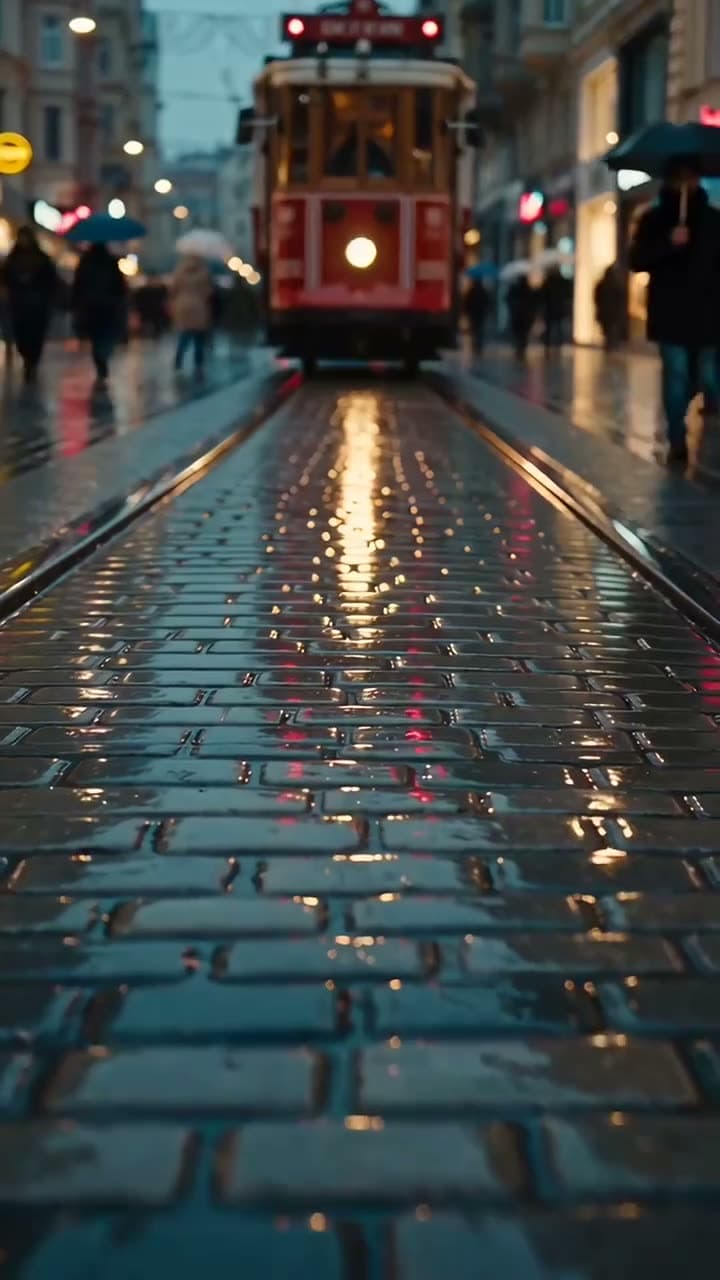

Each sample was generated in one take on this site with the model shown on it; nothing was edited.
1080x1920 in inches (print and wallpaper)
1080x1920 has no fixed size in inches; pixels only get a physical size once you pick a DPI. The formula is inches = pixels ÷ DPI, per Polotno's converter:
- 300 DPI: 3.6 x 6.4 in, the usual standard for high-quality prints.
- 150 DPI: 7.2 x 12.8 in, often enough for posters viewed from a distance.
- 96 DPI: 11.25 x 20 in, a common screen assumption.
The 300 and 150 DPI guidance comes from Pixel Converter. For phone wallpapers, 1080x1920 is a common 9:16 shape, but if your screen has a different ratio, the system may crop the sides. You can create your own 9:16 backgrounds in the AI image generator: Muse Image costs 2 credits per image and Nano Banana 2 costs 8 to 16 credits at 1K, 2K or 4K, though the exact pixel size of the output isn't listed.
Sources
The facts in this post were checked against the pages below on Nov 4, 2026. Prices and limits may change.
- Phoca: 1080x1920 aspect ratio (independent source)
- Facebook fb-answers: 1080x1920 ratio and size (independent source)
- Wikipedia: 1080p (independent source)
- SocialPilot: Instagram image size guide (independent source)
- Riverside: YouTube video size (independent source)
- XO3D Labs: TikTok video size (independent source)
- Sked Social: TikTok video size guide (independent source)
- Hopper HQ: Instagram Reel size (independent source)
- Hopper HQ: YouTube Shorts dimensions (independent source)
- Oktopost: Instagram grid size guide (independent source)
- Perfect Corp: new Instagram post size (independent source)
- Polotno: pixels to inches (independent source)
- Pixel Converter: pixels to inches for printing (independent source)
This post was drafted with AI assistance. Facts were checked against the sources above, and model, credit and price details were checked automatically against the site's current price list.
Frequently asked questions
What does 1080x1920 mean?
It means an image or video 1080 pixels wide and 1920 pixels tall. That's a vertical frame with 2,073,600 pixels, the same count as horizontal Full HD. It's often called vertical Full HD or 1080p vertical.
Is 1080x1920 16:9?
No, 1080x1920 is 9:16. The width is the smaller number, so the frame is tall. 1920x1080 is the 16:9 version of the same shape turned sideways.
What is 1080x1920 in inches?
It depends on the DPI you print or display at. At 300 DPI it's 3.6 x 6.4 inches, at 150 DPI it's 7.2 x 12.8 inches, and at 96 DPI it's 11.25 x 20 inches. Divide each pixel dimension by the DPI to get inches.
1080x1920 vs 1920x1080: what's the difference?
They have the same number of pixels but opposite orientations. 1080x1920 is portrait (9:16) for phone-first apps like Reels, TikTok and Shorts. 1920x1080 is landscape (16:9) for YouTube, TVs and laptops.
Should I use 1080x1920 or 1080x1350 on Instagram?
Use 1080x1920 for Reels and Stories, since 9:16 is the only shape that fills the screen there. Use 1080x1350 (4:5) for feed photos and carousel posts. Both get trimmed to about 3:4 on your profile grid, so keep important content centered.
Is 4K better than 1080x1920 for Reels and TikTok?
Not necessarily for posting. A 4K vertical source gives you room to crop without upscaling, but some guides report Instagram plays Reels at 1080p anyway, which isn't officially confirmed. Exporting at 1080x1920 keeps file sizes manageable.
How many pixels is 1080x1920?
1080 multiplied by 1920 is 2,073,600 pixels, or about 2.07 megapixels. That's a quarter of a 2160x3840 vertical 4K frame and a bit over twice a 720x1280 frame.
Is 1080x1920 good for a phone wallpaper?
It works well on screens close to 9:16. If your phone's screen has a different ratio, the system may crop the edges or zoom slightly. Keep the main subject near the center to be safe.
Try what you just read
Signing up is free. Video and image tools unlock after your first credit pack, and credits are refunded if a generation fails.
Open Text to Video