Guide · Setup checked November 10, 2026
Generate images in Claude
Claude can't make photos or illustrations by itself. Add the Klakix connector and Claude generates them for you in the same chat, with Nano Banana 2, GPT Image 2.5 or Muse Image.
Server URL
https://klakix.com/api/mcp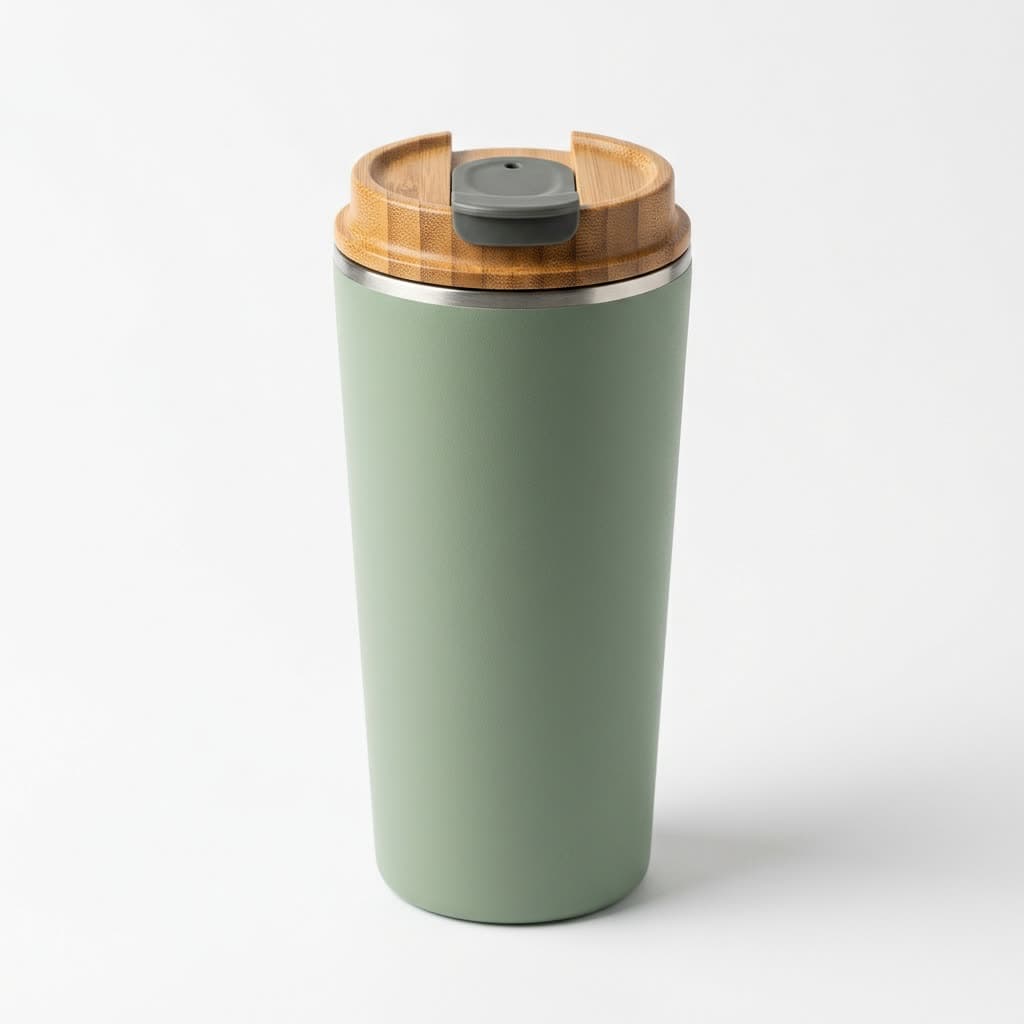
The short answer
What Claude does on its own
Ask Claude for a picture and you'll get an honest no. According to Anthropic's help center, Claude can't produce images such as photos or illustrations. It writes code, so it can draw a flowchart, a chart or a simple SVG icon, but anything that should look like a photo or a painting needs an image model.
A connector adds one. Klakix runs an MCP server, the open standard Claude uses to call outside tools. You describe the image, Claude writes the prompt and calls the generate_image tool, and the result comes back to the chat with a link to the full-size file. Every image is also saved in your Klakix library.
| You want | Claude alone | With Klakix |
|---|---|---|
| A flowchart, chart or diagram | Yes, drawn as code (SVG or HTML) | Not needed |
| A simple icon or vector sketch | Yes, as SVG code | Not needed |
| A product photo, portrait or food shot | No | Nano Banana 2 or GPT Image 2.5 |
| A poster or menu with exact wording | No | GPT Image 2.5 |
| An illustration in a style, like watercolor | No | Muse Image or Nano Banana 2 |
| A video made from the image | No | Video models through the same connector |
Setup
Add the connector to Claude
You add it once on the web or in the desktop app, and it then works in every Claude app. You log in to your account, so there's no API key to copy.
Open Connectors
In Claude on the web or in the desktop app, go to Customize > Connectors, click + Add and choose Add custom connector.
Paste the server URL
Name it Klakix, paste https://klakix.com/api/mcp and click Continue. Keep the detected sign-in settings, click Continue and Add, then log in to your Klakix account and approve access.
Turn it on in a chat
Start a new chat, click +, open Connectors and switch Klakix on. Then ask for an image, for example: “Make a square product photo of a ceramic mug on a wooden table.”
The Free plan allows one custom connector; if you've used it, remove the other one first. On Team and Enterprise, an Owner adds the connector in Organization settings > Connectors and members click Connect. You can see and remove the connection anytime on the MCP page in the studio.
Examples
Real prompts, real images
Each image is a real output from the prompt shown, made with the model shown in the Klakix studio; the connector calls the same models with the same settings. Paste a prompt like these into Claude, or describe the image in a sentence and let Claude write it. Claude uses Nano Banana 2 unless you name another model. Prices are today's rates.
Product packshot
A clean white-background shot for a store listing.
Nano Banana 2 · 1:1 · 1K · 8 credits ($0.29–$0.53)
Prompt
Professional product photo of a matte sage green stainless steel travel mug with a natural bamboo lid, no text or logo, standing on a clean white background with a soft shadow. Photorealistic studio packshot, sharp focus.
Tool:
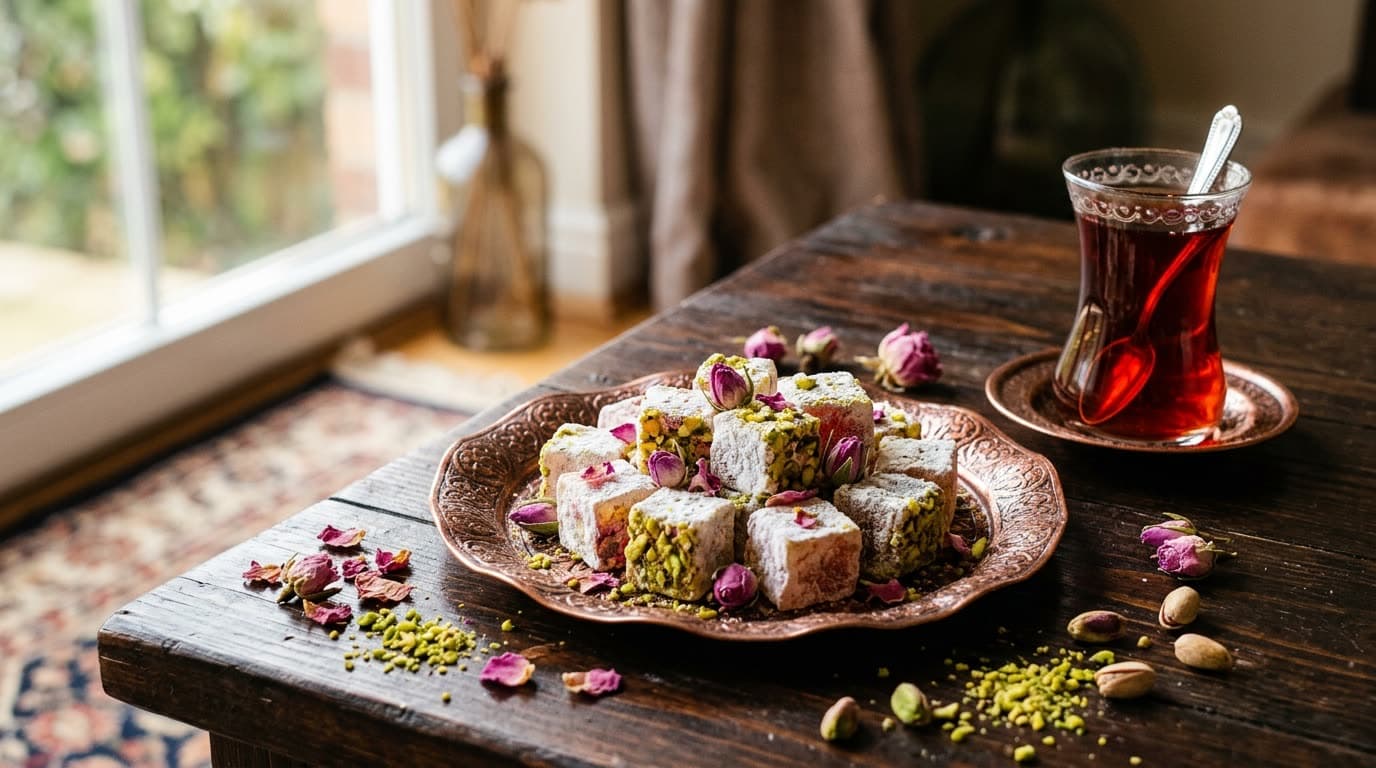
generate_imageFood photo
Props and warm window light, in landscape for a menu or a post.
Nano Banana 2 · 16:9 · 1K · 8 credits ($0.29–$0.53)
Prompt
Professional food photo of Turkish delight cubes dusted with powdered sugar on an ornate copper plate, rose petals and crushed pistachios scattered around, a tulip-shaped glass of red tea beside it, dark wooden table, warm window light, no people, no text.
Tool:
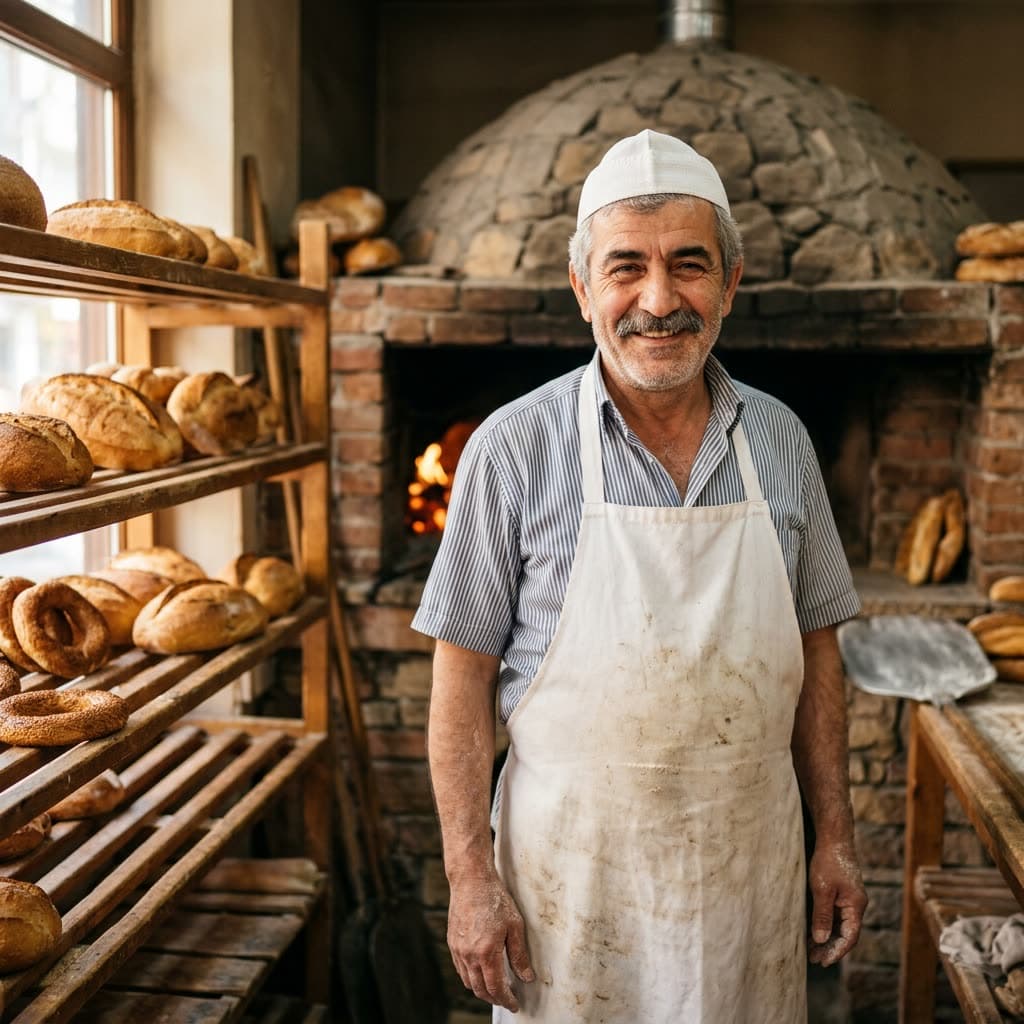
generate_imagePortrait
An AI-generated person, framed chest-up and looking into the lens.
Nano Banana 2 · 1:1 · 1K · 8 credits ($0.29–$0.53)
Prompt
Photorealistic portrait photo of a friendly Turkish baker in his fifties with a grey mustache, wearing a white baker's cap and apron, standing in front of a stone oven with fresh loaves of bread on wooden shelves, warm morning light, looking directly at the camera with a kind smile, chest-up framing, natural skin texture, no text.
Tool:
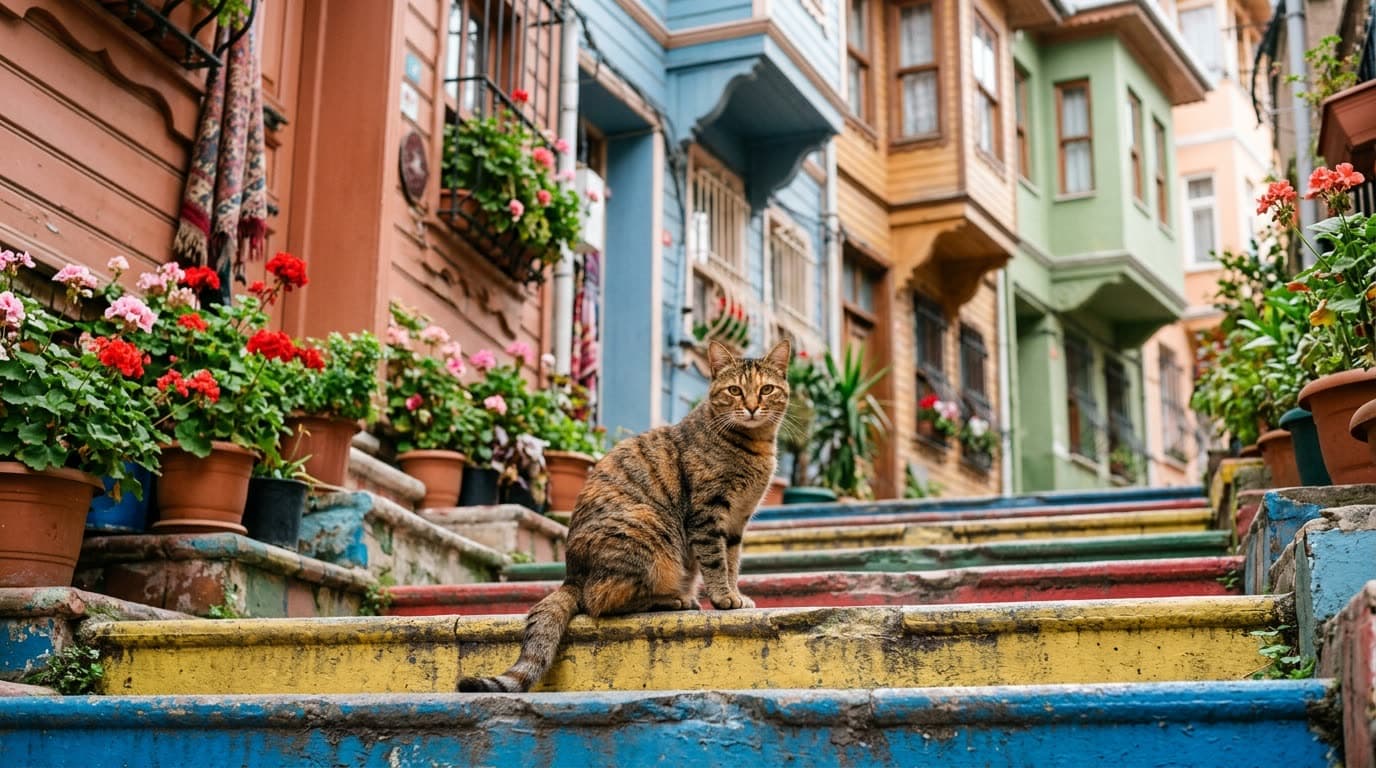
generate_imageStreet scene
A 35mm look with shallow depth of field.
Nano Banana 2 · 16:9 · 1K · 8 credits ($0.29–$0.53)
Prompt
Photorealistic photo of a tabby street cat sitting on colorful painted stone steps in Balat, Istanbul, pastel wooden houses and potted geraniums behind, soft morning light, 35mm lens, shallow depth of field, no people, no text.
Tool:
generate_image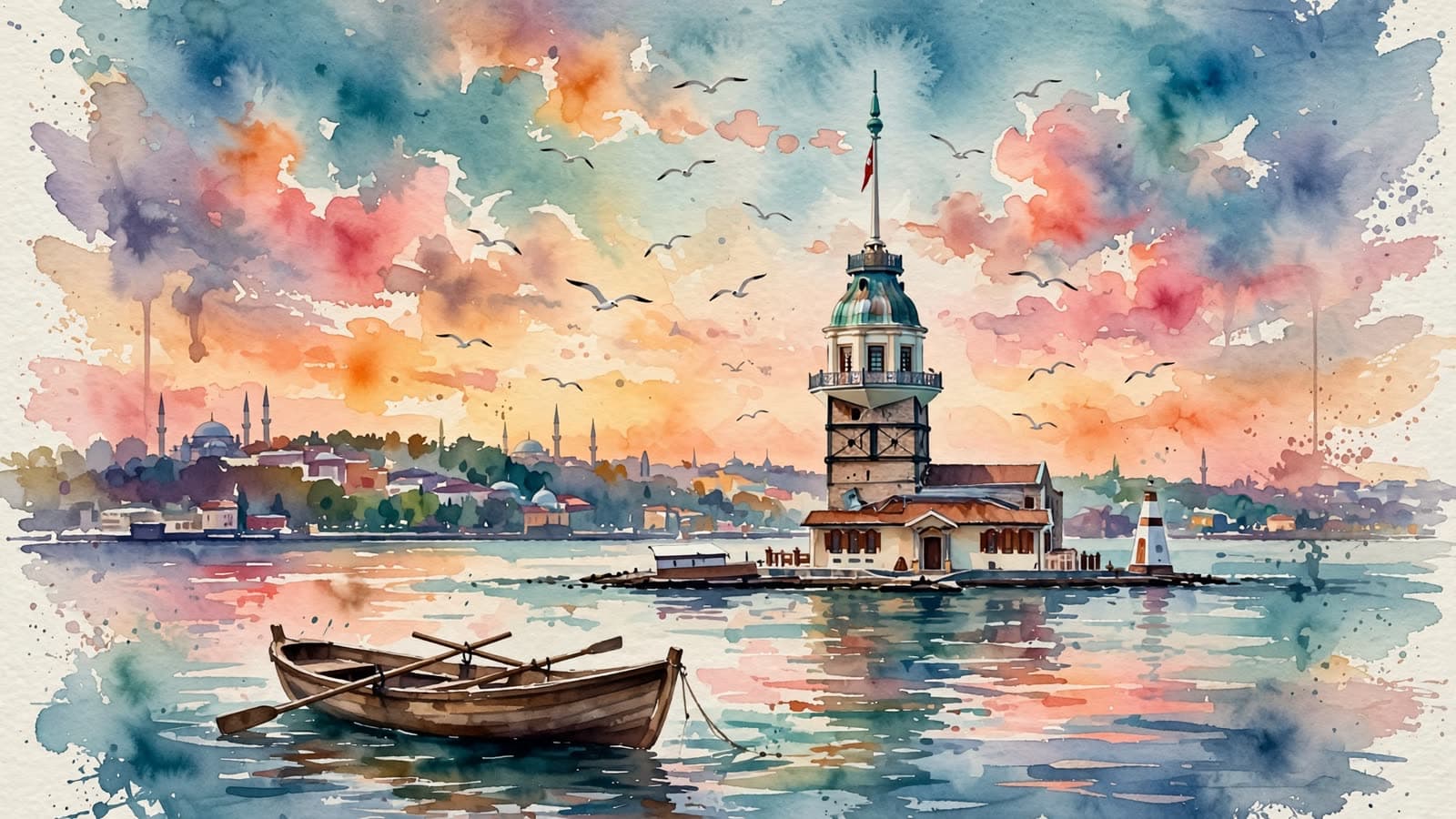
Watercolor illustration
Muse Image is the cheapest model, good for styles and quick drafts.
Muse Image · 16:9 · 2 credits ($0.07–$0.13)
Prompt
Watercolor painting of the Maiden's Tower in Istanbul at sunset, seagulls in the sky, the Uskudar shoreline and a small wooden rowing boat in the foreground, soft washes of orange, pink and teal, visible cold-press paper texture, loose expressive brush strokes, no text, no signature.
Tool:
generate_image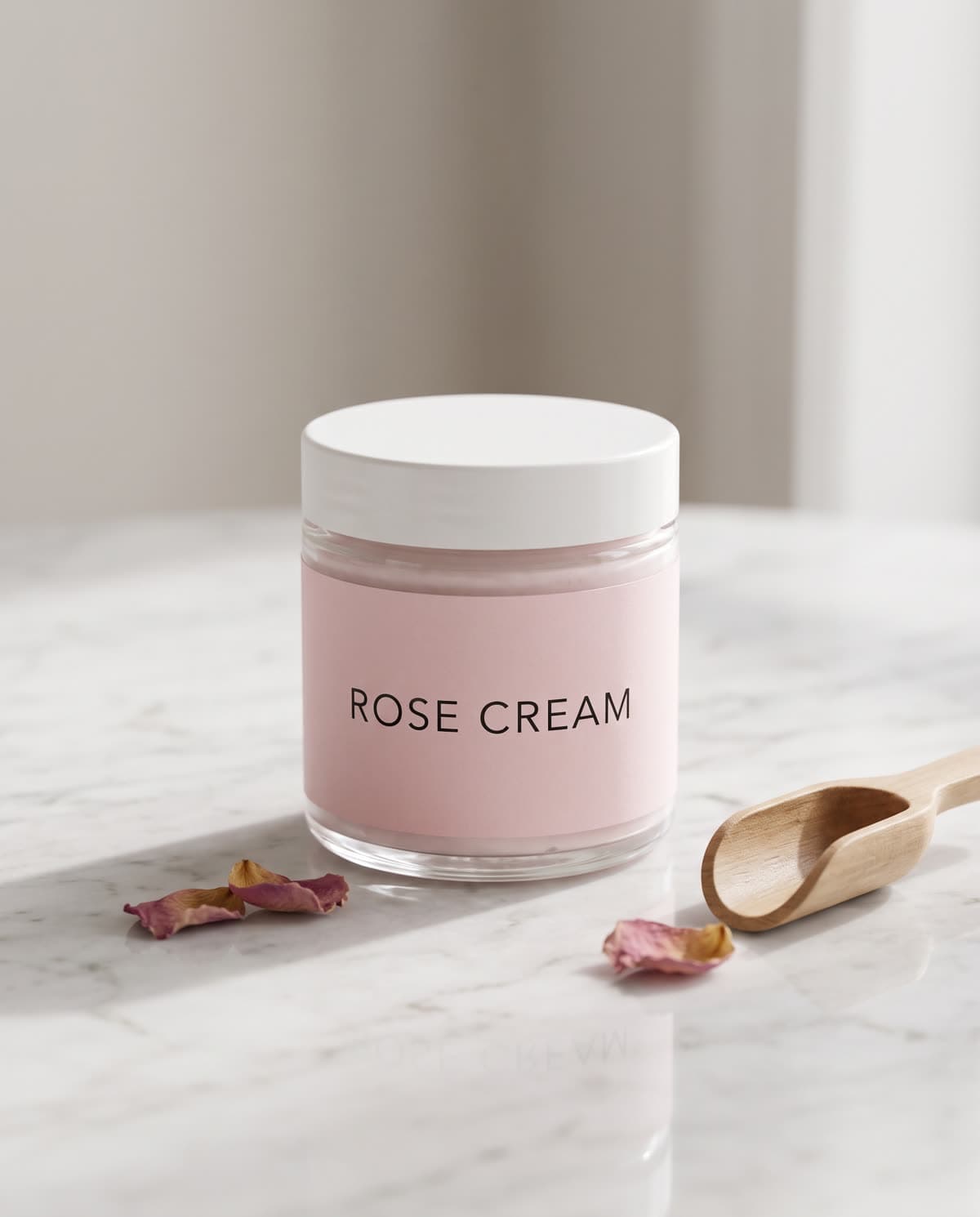
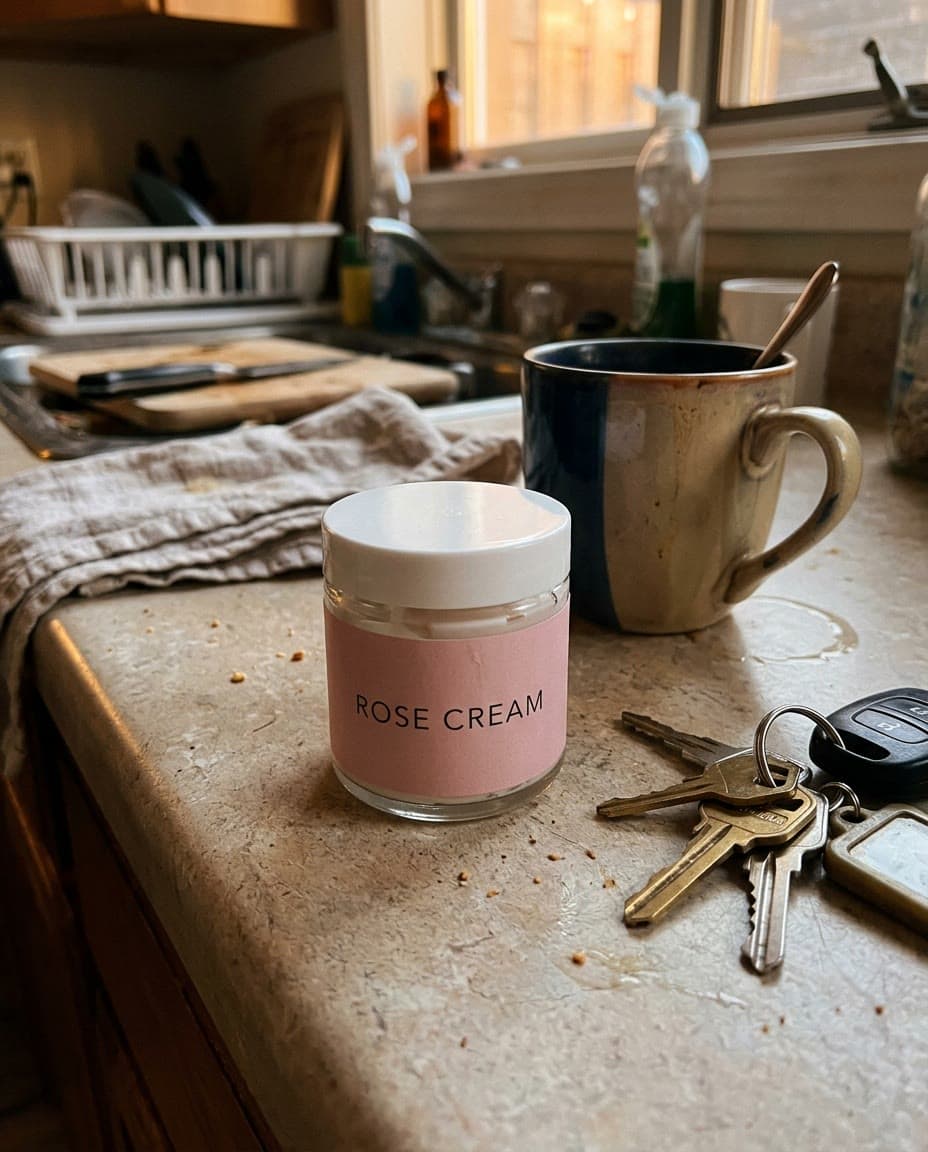 Photo used
Phone snap to studio shot
Your own photo goes in. The Studio product photo template keeps the product's shape, color and label; this one used the “Marble, soft light” scene.
Nano Banana 2 · 4:5 · 12 credits ($0.44–$0.80)
Tool call
template_id: "urun-studyo-fotografi", photos: { image: "https://…" }, fields: { fon: "mermer" }, aspect_ratio: "4:5"
Tool:
run_template
Next step
Turn the image into a video
A finished image can be the first frame of a video. Ask Claude to animate it and the connector passes the image along by its ID, so there's nothing to download or upload. These two clips started from the food photo and the street scene above.
- Starting image
The food photo, animated
Sugar falls, steam rises and the camera circles the plate.
Seedance 2.0 · 5 sec · 16:9 · 720p · 95 credits ($3.45–$6.33)
Prompt
Powdered sugar gently snows down onto the Turkish delight cubes, steam curls up from the tea glass, the camera slowly orbits around the copper plate, warm light shifting across the metal, appetizing food commercial, no people.
Tool:
generate_video - Starting image
The street scene, animated
Ten seconds from the same frame, with street sound.
Wan 3.0 · 10 sec · 16:9 · 720p · 100 credits ($3.63–$6.67)
Prompt
The tabby cat yawns widely, stretches its front legs, then looks around curiously and settles back down. A seagull glides across the sky behind the houses. The camera slowly pushes in. Natural realistic motion. Sound: quiet street ambience, distant seagull calls, soft wind.
Tool:
generate_video
Video models, clip lengths and editing are covered in Claude video generation.
Models
Image models Claude can use
| Model | Quality | Credits per image | Best for |
|---|---|---|---|
| Nano Banana 2 | 1K, 2K, 4K | 8 · 12 · 16 | The default. Realistic photos and accurate lettering. |
| GPT Image 2.5 | Standard, Highest | 5–7 · 19–25 | Fine detail, realism and exact text, such as menus, posters and labels. |
| Muse Image | One quality | 2 | Drafts, styles and lots of variations at the lowest price. |
Images come in three shapes: square, landscape and portrait; where a range is shown, the price depends on the shape. Claude can read the live list with list_models and check a request with estimate_cost before it spends anything.
Pricing and limits
What it costs, what it can't do
Connecting is free. Each image uses credits from your Klakix account at the same price as on the website: 2 to 25 credits, depending on the model and quality.
Credit packs start at $5 for 75 credits and never expire, and you don't need a subscription. If a generation fails, its credits are refunded automatically.
Security, permissions and the other apps you can connect are on the Klakix MCP server page; the content rules are in the Acceptable Use Policy.
- Claude itself still doesn't make pictures. Every image comes from the connector and uses credits; Claude's own replies don't.
- The image tool works from text and doesn't edit an uploaded photo from free-form instructions. For your own photos, use a template such as Studio product photo, or animate the photo as a video.
- There are three shapes: square, landscape and portrait. For other sizes, crop the image afterwards.
- An image usually takes 10 to 60 seconds. Claude waits up to 45 seconds; if it isn't ready by then, Claude checks again.
- A photo for a template has to reach the connector: a public link, an image Klakix made earlier, or a small file (up to 15 MB) that the chat app passes along.
- The Free plan allows one custom connector, and on Team and Enterprise only an Owner can add it.
FAQ
Common questions
Can Claude generate images?
Not by itself. Anthropic's help center says Claude can't create images such as photos or illustrations; it can write code that draws diagrams, charts and SVG graphics. With the Klakix connector, Claude sends your request to an image model (Nano Banana 2, GPT Image 2.5, or Muse Image) and gets the finished image back in the same chat, with a link to the full-size file.
Which image models can I use?
Nano Banana 2 (the default, 8–16 credits by resolution), GPT Image 2.5 (best for exact text and fine detail, 5–25 credits by quality and shape) and Muse Image (the cheapest, 2 credits). Name the model in your message, or let Claude pick.
Can I edit an image I upload?
Not with free-form instructions. The image tool works from text. For your own photos, Claude can run ready-made templates such as Studio product photo, which turns a phone photo of a product into a studio shot and keeps its shape, color and label. Claude can also turn any image into a video.
Does it work in the Claude mobile app?
Yes, once it's added. Add the connector on claude.ai or in the desktop app. Anthropic runs connectors from its cloud, so the same connector then works in the Claude apps for iPhone and Android; turn it on in a chat from the + menu.
Which Claude plans support custom connectors?
Every plan, including Free. The Free plan allows one custom connector, so you may need to remove another one first. On Team and Enterprise, an Owner adds the connector in Organization settings > Connectors, and members click Connect.
How much does one image cost?
From 2 credits with Muse Image to 25 credits with GPT Image 2.5 at the highest quality; a 1K Nano Banana 2 image is 8 credits ($0.29–$0.53). Claude can check the price before it generates, and a failed image is refunded automatically.
Is it free?
Connecting is free; generating isn't. Each image uses credits from your Klakix account at the same price as on the website, and there's no free tier for images. You don't need a subscription: credit packs start at $5 for 75 credits and never expire.
More guides
Other apps and jobs
- MCP · All appsKlakix MCP serverConnect Claude, ChatGPT, Cursor and more, with every tool, security and how credits work.
- Claude · VideoClaude video generationMake videos with Veo, Kling and Seedance from a Claude chat, and edit clips you already have.
- ChatGPT · VideoChatGPT video generatorAdd the same models to ChatGPT as a custom plugin.
Prefer to work without a chat app? The AI image generator in the studio uses the same models.
Images in Claude
Sign up, buy any credit pack (from $5) and paste the server URL into Claude. Failed generations are refunded.
Connect Claude