Free app for Windows
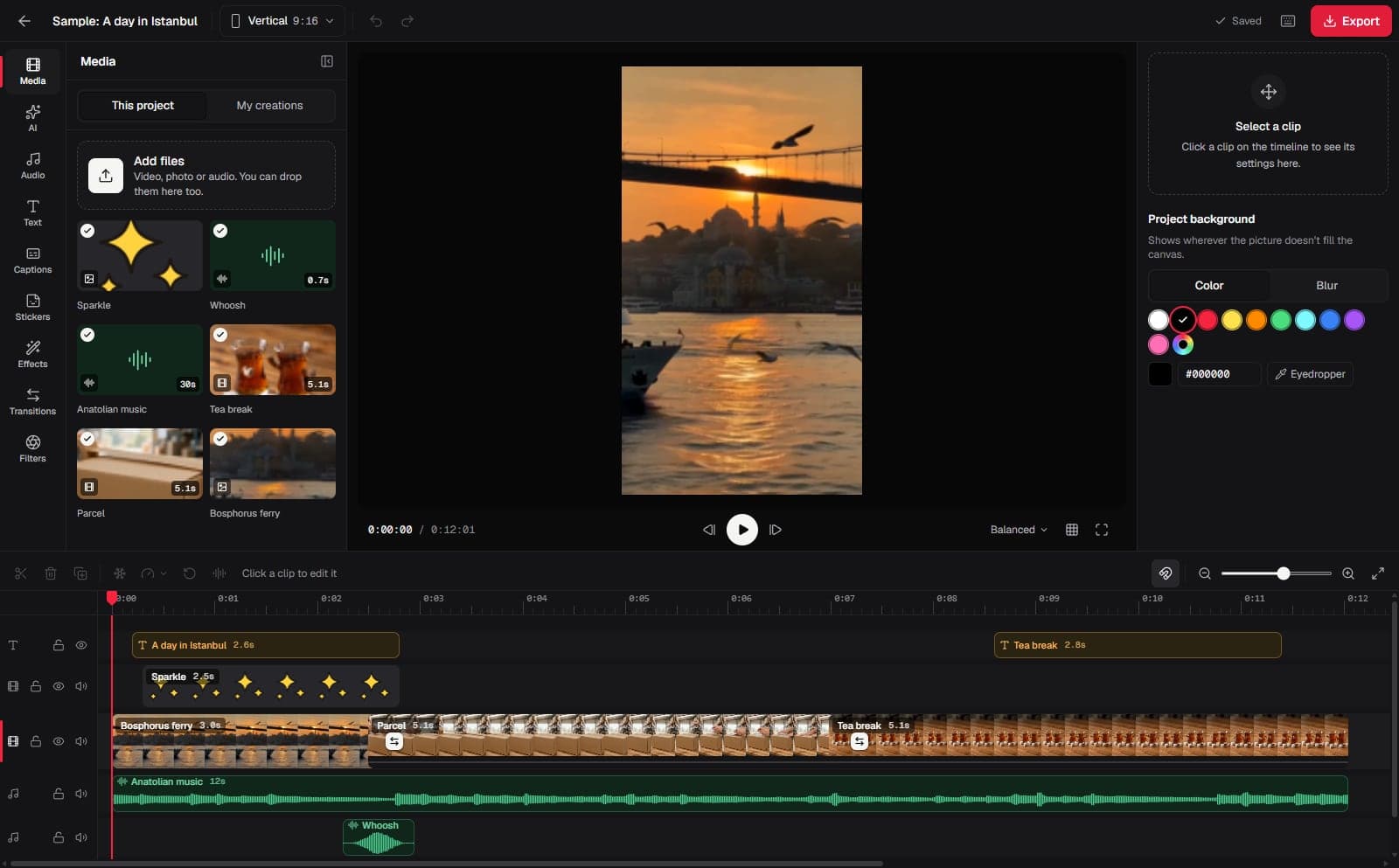
Klakix video editor, on your desktop
Open the video editor in its own window, one click from your desktop. It's the same editor you use in the browser, with the same account, projects and credits, and you save exported videos straight to a folder.
Version 0.3.0 · 109 MB · Windows 10/11, 64-bit
Features
What the desktop app adds to the editor
The editor is the same. The app handles the file and window work a browser can't do for you.
Save straight to your folder
Write the exported video to any folder with Save…, then open it with Show in folder when it's done.
No sleep during export
Your computer stays awake while an export runs, so going to sleep won't interrupt it.
GPU-accelerated encoding
Video encoding is accelerated by your graphics card. It's the same video engine the editor uses in the browser.
Updates itself
A new version downloads in the background and installs when you restart the app. Nothing to download by hand.
Same account, same projects
Your account and projects are shared with the website. Google sign-in opens in your system browser, or you can sign in with email.
Its own window and icon
It sits in the taskbar with its own icon and opens straight to the editor. No hunting through browser tabs.
Opens in 9 languages
The app opens in Turkish, English, Spanish, Portuguese, German, French, Japanese, Korean or Traditional Chinese. It follows your system language, and you can change it from the menu.
Setup
Ready in three steps
Download, run, sign in.
Download
Click Download for Windows to get Klakix-Setup-x64.exe.
Run it
Run the file. It installs in one click and the app opens when it's done.
Sign in
Sign in to your Klakix account with Google or email. Your projects and credits are already there.
On Mac or Linux? The editor runs in your browser there: open the editor in your browser.
FAQ
Common questions
Is the desktop app free?
Yes, the app is free. Generations use the credits in your account, at the same prices as on the website.
Learn more: Pricing
Is there a Mac or Linux version?
Not yet. For now it's Windows only. On Mac and Linux the editor runs in your browser: just open /app/editor.
Learn more: Open the editor in your browser
Windows says it protected my PC. What should I do?
Because the app is new, Windows SmartScreen may show this warning. Click "More info", then "Run anyway". Only download the file from this page.
How do updates work?
A new version downloads in the background and installs when you restart the app. You don't have to do anything.
How do I uninstall it?
On Windows, go to Settings > Apps > Klakix > Uninstall. Your projects stay in your account, so they're still there if you reinstall or sign in from the browser.
How is it different from the editor in the browser?
It's the same editor, with the same account, projects and tools. The app adds three things: saving exports straight to disk, keeping your computer awake during an export, and a separate window with its own taskbar icon.
The editor, on your desktop
Download the app, sign in with your account and pick up your projects where you left off.