Platform · 13 min read · Nov 13, 2026
What is Google Flow? How it works and what it costs
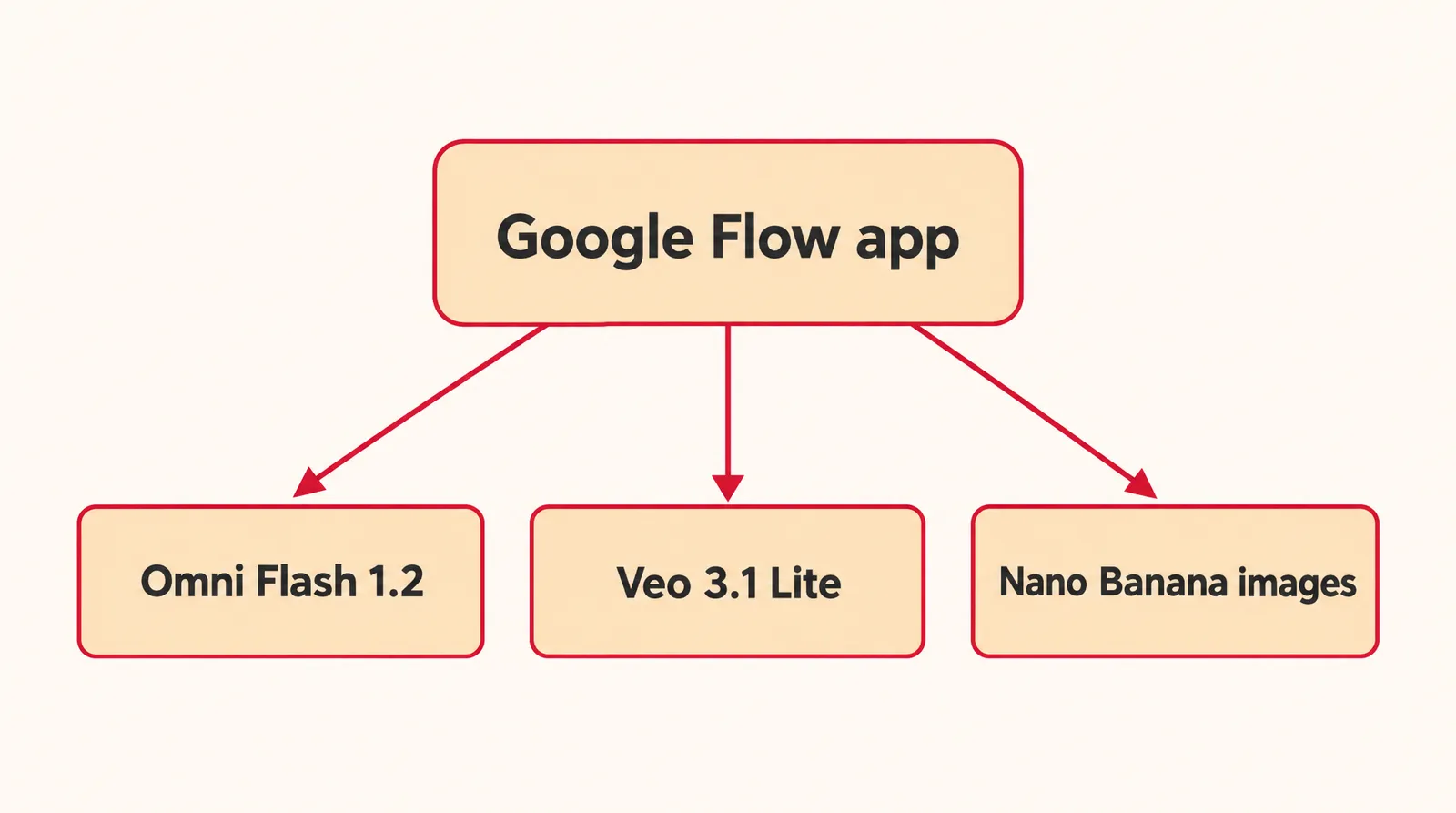
Google Flow is Google's AI filmmaking app for making videos and images in your browser. It runs on the Omni Flash 1.2 and Veo 3.1 Lite video models and the Nano Banana image models. You can try it free with 50 credits a day, and Google AI Pro, reported at $19.99 a month in the US, adds 1,000 credits monthly.

This page explains what Google Flow is, which models it runs, what's free, what the plans cost and how many clips the credits buy.
Every fact here was checked on November 13, 2026 against Google's official Flow help center and its Flow credits page, plus news coverage where noted. Google's video model family is covered separately on our Google Veo model page. Flow changes often, so treat prices and limits as a snapshot.
What is Google Flow used for?
Google Flow is used to generate and edit short AI videos and images inside one browser project. Google calls it "our AI filmmaking tool… built with and for creatives" in the Flow help center. According to Google Labs help, its video features run on Omni Flash 1.2 or Veo 3.1 Lite, and its image features run on Nano Banana models.
- Text to Video: describe a scene and get a short clip.
- Frames to Video: start from a first frame, or from a first and last frame.
- Ingredients to Video: combine reference images of a character, object or place into one clip.
- Video to Video editing: change an existing clip with Omni Flash 1.2.
- Images: generate stills with Nano Banana Pro, Nano Banana 2 Lite or Nano Banana 2.1.
- Flow Agent: an assistant with its own help article; Google began rolling it out to all Flow users at I/O 2026, according to news reports.
- Flow TV: a showcase of Veo-made clips and channels where you can see the prompt behind each clip.
The help center also has articles on avatars, a feature called Tools and keyboard shortcuts.
Where Flow came from: VideoFX, Whisk and ImageFX
Flow launched at Google I/O 2025 as the advanced version of the VideoFX Labs experiment, according to Engadget. In February 2026, Google said the capabilities of Whisk and ImageFX were moving into Flow, with project and asset transfers starting in March (Social Media Today), and that creators had made "over 1.5 billion images and videos" with Flow (Digit). At I/O 2026 in May, Google added Gemini Omni Flash and Flow Music for AI subscribers (FoneArena) and announced a Flow app for Android, with iOS later, plus a separate Flow Music app (Yahoo Tech).
Google Flow vs Veo vs Gemini: what's the difference?
Flow is the app, while Veo and Omni Flash are the AI models that generate the video inside it. Simplilearn puts it this way: Veo is the underlying model, Flow is the filmmaking product built on top of it, and Veo is also available in the Gemini app and the API. So Flow vs Gemini is mostly a question of workspace: Flow wraps the models in projects, frames, ingredients, editing and image tools.
The two video models in Google Flow
| Feature | Omni Flash 1.2 | Veo 3.1 Lite |
|---|---|---|
| Length | 3 to 10 sec free; 3 to 15 sec for subscribers | 4, 6 or 8 sec |
| Resolution | 360p or 720p; upscale to 1080p (subscribers) or 4K (Ultra) | 720p |
| Inputs | Text, frames, ingredients/references, video to video | Text, first frame or first and last frame, ingredients (8 sec only) |
| Extend | Subscribers, 3 to 10 sec | Not supported |
| Credit cost | 1 credit/sec at 360p, 3 credits/sec at 720p (up to 10 sec) | 10 credits per clip, 5 on Ultra |
Source: Google Labs help and Google Flow credits page. Checked November 13, 2026; may change.
Is Google Flow free?
Google Flow is free to try: an account with no subscription gets basic video generation and editing plus 50 Flow credits per day, according to the official help center. That covers a handful of short clips a day, but the free tier has real limits.
- Peak hours: without a subscription you may not be able to generate video from roughly 2 PM to 5 PM UTC, about 9 AM to noon Eastern in winter (our conversion). Images and the Flow Agent still work.
- No rollover: the daily refresh is triggered by your first generation, and unused daily credits disappear.
- Rate limits: Google may slow generations, particularly for zero-credit models, and the per-minute limit drops after many generations in a day.
- Shorter clips: without a subscription, Omni Flash 1.2 stops at 10 seconds, with no Extend or Upscale.
- Eligibility: you must be 18 or older with a verified age and in a supported region.
Users on qualifying Google Workspace plans get Flow at no extra charge with the same 50 daily credits. The list covers Business Starter, Standard and Plus; Enterprise Starter, Standard and Plus; G Suite Legacy Free Edition; Education Standard and Education Plus; and Google AI Pro for Education.
Google Flow pricing and credits (November 2026)
Google Flow costs nothing on the free tier, and more credits come through Google AI plans that US third-party reports list at $4.99 to $199.99 a month. Every plan keeps the 50 daily credits and adds a monthly pool on top.
Google Flow plans, US prices and credits
| Plan | US price (third-party reports) | Flow credits |
|---|---|---|
| No subscription | $0 | 50 per day |
| Google AI Plus | $4.99/month (some pages list $7.99) | 50 per day + 200 per month |
| Google AI Pro | $19.99/month or $199.99/year | 50 per day + 1,000 per month |
| Google AI Ultra (5x Pro usage) | $99.99/month | 50 per day + 10,000 per month |
| Google AI Ultra (20x) | $199.99/month | 50 per day + 25,000 per month |
Credits: Google Flow credits page. Prices: third-party reports citing Google's plans page. Checked November 13, 2026; may change.
The prices come from Dupple, nocode.mba and Render a House, since Google's own plans page requires a sign-in. Monthly subscription credits refresh at the start of each billing cycle and don't roll over, and purchased AI credits "may expire after a certain period". Plus, Pro and Ultra subscribers can buy extra AI credits in supported regions except Japan and share them with a Google One family group.
What Google Flow credits actually buy
Credit cost per clip and what the free and Pro credits cover
| Clip | Credits | From 50 daily credits (our math) | From Pro's 1,000 extra (our math) |
|---|---|---|---|
| Veo 3.1 Lite, 4 to 8 sec, 720p | 10 (5 on Ultra) | 5 clips | 100 clips |
| Omni Flash 1.2, 10 sec, 360p | 10 | 5 clips | 100 clips |
| Omni Flash 1.2, 10 sec, 720p | 30 | 1 clip, 20 credits left | 33 clips |
| Omni Flash 1.2 upscale to 1080p, 1 to 10 sec | 0 (subscribers) | Not available | Free |
| Omni Flash 1.2 upscale to 4K, 1 to 10 sec | 50 (Ultra only) | Not available | Not available |
Source: Google Flow credits page; clip counts are our math. Checked November 13, 2026; may change.
Google notes that costs are per generation, not per request, and one request can create 2 videos, so check how many outputs you've asked for before you hit generate. Omni Flash 1.2 clips from 11 to 15 seconds are subscriber-only and add extra credits per second on top.
How to use Google Flow
To use Google Flow, open labs.google/fx/tools/flow in Chrome or Edge on a computer, sign in with an eligible Google account, pick a model and generate. Google says other browsers and mobile devices "are not yet fully optimized".
- Check that you're eligible: Make sure your Google account is 18+ with a verified age and you're in a supported region. A VPN won't get you access from an unsupported country.
- Open a Chromium browser: Use Google Chrome or Microsoft Edge on a computer for the full editing features.
- Go to the Flow page: Visit labs.google/fx/tools/flow and sign in with your Google account.
- Pick a model and check the cost: Open the settings in the prompt box, choose Omni Flash 1.2 or Veo 3.1 Lite, set length and resolution, and look at the credit cost before generating.
- Write your prompt and generate: Describe the scene and start the generation. Credits are deducted as soon as it starts.
- Review the result: If a generation fails or hits a safety filter, the credits come back within one hour. If Veo produces low-quality audio, the video isn't generated and the credits are refunded; turn on Return silent videos if you'd rather get the clip without sound, charged as usual.
A useful prompt names the subject, setting, light, one camera move and the sound in a single line, for example: Close-up of a ceramic mug on a kitchen windowsill at sunrise, steam curling up, slow push-in, soft birdsong and a kettle clicking off. It works because each part gives the model one clear job, and one camera move is easier to follow than three. Our guide to camera movements lists moves you can name in a prompt.
Does Google Flow add a watermark?
Yes, every Google Flow output made with Veo, Omni or Nano Banana carries an invisible SynthID watermark, according to the Flow help center. A visible watermark is separate and controlled by the Visible watermarking toggle under your profile picture. For users in India, South Korea and Vietnam who aren't on the Google One AI Ultra 20x plan, the visible mark is applied automatically. Switching the toggle off affects only the visible mark; SynthID stays in the file.
Is Google Flow free for commercial use?
Google's Flow help center doesn't give a simple yes or no on commercial use; it defers to Google's Terms of Service. It quotes the terms as saying "Google won't claim ownership over that content" and points to the Generative AI Prohibited Use Policy, which sets what you can't create. Read both before using a Flow clip in a paid ad, and follow platform rules on labeling AI content. This is general information, not legal advice.
Using Veo 3.1 Lite and Omni Flash outside Google Flow
You can also run Google's Veo 3.1 Lite and Gemini Omni Flash models on Klakix, an AI studio that bills in prepaid credits in US dollars. Klakix is not affiliated with Google. In the Text to Video and Image to Video tools, Google Veo 3.1 Lite makes 4, 6 or 8 second clips in 16:9 or 9:16, at 720p or 1080p, with or without sound, for 20 to 64 credits. The default (720p, 8 seconds) is 40 credits, about $2.67 on the $5 Mini pack ($5 ÷ 75 × 40).

Each sample was generated in one take on this site with the model shown on it; nothing was edited.
Google Gemini Omni Flash makes 5, 8 or 10 second clips in 16:9 or 9:16 with synced sound, from a 360p draft up to 4K, for 15 to 300 credits. Its default (720p, 5 seconds) is 50 credits, about $3.33 on the Mini pack.

Each sample was generated in one take on this site with the model shown on it; nothing was edited.
The differences are practical: several video models from different companies in one place, pack credits that never expire, and automatic refunds when a generation fails. There's no free video on Klakix; the 20 free credits after email verification work only for AI voiceover, and video unlocks after a first purchase. Current packs and plans are on the pricing page.
Sources
The facts in this post were checked against the pages below on Nov 13, 2026. Prices and limits may change.
- Google Flow Help: About Google Flow (official source)
- Google Flow Help: Flow credits (official source)
- Google Labs Help: Flow models (official source)
- Engadget: Google's filmmaking tool Flow (news)
- Social Media Today: Google rolls out updates to Flow (news)
- Digit: Google redesigns Flow (news)
- FoneArena: Google I/O 2026 Flow Music and Gemini Omni (news)
- Yahoo Tech: Google finds Flow and Flow Music (news)
- Simplilearn: What is Google Flow (independent source)
- Dupple: Google AI Pro vs Ultra (independent source)
- nocode.mba: Gemini pricing (independent source)
- Render a House: Gemini pricing (independent source)
This post was drafted with AI assistance. Facts were checked against the sources above, and model, credit and price details were checked automatically against the site's current price list.
Frequently asked questions
Is Google Flow free to use?
Yes, with limits. Accounts without a subscription get 50 credits a day, roughly five Veo 3.1 Lite clips, and those credits don't carry over. Video can be blocked during peak hours, and longer clips, Extend and Upscale need a paid Google AI plan.
How much does Google Flow cost per month?
Flow has no separate price; you get more credits through a Google AI plan. Third-party reports list Google AI Plus at $4.99, AI Pro at $19.99 and AI Ultra at $99.99 or $199.99 a month in the US. Pro adds 1,000 Flow credits a month on top of the 50 daily credits.
What is Google Flow vs Veo 3?
Veo is a family of Google video models, and Flow is the app where you use those models alongside image and editing tools. Flow's video now runs on Veo 3.1 Lite and Omni Flash 1.2, and the older Veo 3.1 Fast and Quality models retire on December 5, 2026.
Do Google Flow credits roll over?
No. Unused daily credits are lost, and monthly subscription credits reset at the start of each billing cycle. Google also says purchased AI credits may expire after a certain period.
Is Google Flow free for students or Workspace users?
Qualifying Workspace plans, including Education Standard, Education Plus and Google AI Pro for Education, include Flow at no extra charge with 50 daily credits. Other students get the same free tier as everyone else, provided they're 18 or older with a verified age.
What is Google Flow Music?
Flow Music is Google's AI music tool, announced at I/O 2026 alongside Gemini Omni Flash in Flow, with a separate app. News reports said the app would arrive on iOS first with Android later; current Android availability isn't confirmed.
What is Google Flow TV?
Flow TV is a showcase of clips and channels made with Google's Veo model. Each clip shows the prompt behind it, which makes it a handy place to study how other people write video prompts.
Can you use a VPN to access Google Flow?
No. Google says VPNs will not enable access in unsupported regions, and Flow isn't offered in every country where Google AI Pro is sold.
Is there a Google Flow app for phones?
Google announced a Flow app for Android at I/O 2026, with iOS planned later, according to news reports; current iOS availability isn't confirmed. Google still points you to a computer for the most powerful editing features.
Try what you just read
Signing up is free. Video and image tools unlock after your first credit pack, and credits are refunded if a generation fails.
Open Text to Video