Guide · 13 min read · Nov 5, 2026
Wide shot: what it is, when to use it and how to frame it
A wide shot (WS) shows a subject's entire body with plenty of background on all sides, so the setting carries as much weight as the person. Frame it with the head near the top, the feet in the bottom third and room around the subject. Any lens works: framing and camera distance define a wide shot, not the glass.

Below you'll find a comparison table of shot sizes, a framing checklist, tips for vertical video and copyable prompt patterns for AI video.
There's no official standard for shot sizes, so the definitions here come from film-education guides, and we note where they disagree. Sources and Klakix credit costs were checked on November 2, 2026. If you also want to plan how the camera moves, pair this page with our guide to camera movements and angles.
What is a wide shot?
A wide shot is a framing that shows the subject's entire body "with a good deal of background visible around them on all sides," according to StudioBinder's wide shot guide. On a shot list it's abbreviated WS. No Film School describes it as an efficient way to show where your character is and who's with them.
In photography the idea is the same: the person is complete in the frame and the surroundings tell part of the story. A simple wide shot example is a hiker standing on a ridge, visible from boots to hat, while the valley, trail and sky fill most of the picture. The shot is defined by how much of the scene you include, not by the lens you use.
Wide shot vs long shot vs full shot vs extreme wide shot
Film guides don't agree on these terms, so the honest answer is a working rule. Tella, NFI and Wistia treat wide, long and full shot as the same thing, while StudioBinder and FilmDaft say a full shot is tighter. The rule that holds up: a full shot is head to toe with little room around the person, a wide shot adds a clear amount of setting, and in an extreme wide shot "the place takes over."
StudioBinder splits long shot from wide shot by focus: if the character is clearly the focus, call it a long shot; if the background matters more, call it a wide shot. It admits the difference is subjective. NFI also names a very wide shot (VWS) between wide and extreme wide, and describes the extreme wide shot as one where "you can barely see the subject."
Shot sizes compared, from widest to tightest
| Shot | Shot list label | What's in frame | Typical job |
|---|---|---|---|
| Extreme wide shot | EWS | Subject looks small; the location dominates | Opening a scene, showing scale |
| Wide shot | WS | Whole body plus a good amount of setting on all sides | Placing a character in a space |
| Long shot | LS | Whole body; often used as a synonym for wide | Same as wide, with the character as the clear focus |
| Full shot | FS | Head to toe, little space above and below | Showing a costume, a pose or full-body action |
| Medium shot | MS | The person from roughly the waist up | Conversation and gesture |
| Close-up | CU | The face or one detail fills the frame | Emotion and reaction |
Sources: StudioBinder, FilmDaft and NFI (checked November 2, 2026). Medium shot and close-up rows reflect common usage, added for contrast.

Wide shot vs medium shot and close-up
A medium shot and a close-up move in on the person, so the setting fades and expression takes over. A wide shot answers "where are we and who's here," and a close-up answers "how does this person feel." Cutting from one to the other is the most common way to build a scene.
Wide shot vs establishing shot
A wide shot is a size, while an establishing shot is a job. As Psaroloco puts it, "A wide shot is a shot size, while an establishing shot is a technique." An establishing shot opens a scene and shows the location, and StudioBinder's shot size guide says establishing shots "have no rules": they don't have to be wide or filmed from a drone.
In practice the extreme wide shot is often used to establish a location, which is why the terms get blurred. Morphic's glossary sums it up well: the two "overlap in function but are not identical concepts." A wide shot in the middle of a scene, showing two people drifting apart, establishes nothing; it's still a wide shot.
What is the purpose of a wide shot?
The purpose of a wide shot is to show how a person relates to their surroundings. StudioBinder notes it puts the subject in a "less-powerful" position, which isn't always negative. Guides list these uses:
- Context: the relationship between a character and the place they're in.
- Isolation: one small figure in a big empty space reads as alone.
- Scale: the setting diminishes the character, which suits awe, danger or defeat.
- Movement: a full body crossing the frame is easier to follow than a cropped one.
- Relationships: per Backstage, how close two people stand in a wide frame says something about them.
- Group action and location: Morphic adds staging group action and letting a location "perform."
How to film a wide shot: a framing checklist
To film a wide shot, show the whole subject with room on every side, keep the frame level and place the person deliberately inside the setting. The steps below combine NFI's framing tips with the rule of thirds.
- Decide the job: Pick one purpose before you frame: context, isolation, scale, movement or the distance between two people.
- Fit the whole subject: Move the camera back or change focal length until the full body fits with a good deal of space above and below it.
- Level the frame: Line up a vertical or horizontal reference such as a light pole, a fence or the horizon so the frame doesn't tilt by accident.
- Place head and feet: Put the character's head toward the top of the frame and the feet in the bottom third.
- Leave lead room and headroom: Give space in the direction the subject faces or moves, and keep a margin above the head.
- Use the thirds grid: Set the horizon on a third line and the subject on a line or intersection, and leave negative space on purpose.
- Choose the angle: Shoot at eye level for neutral, low for power, high to give power to the audience, or POV to ground the setting in a character's view.
The angle options come from Backstage's list of wide shot variations. For more on the power effect, see our guide to the low angle shot.
Does a wide shot work in vertical 9:16 video?
A wide shot works in 9:16, but it needs fewer elements, because a vertical frame has little room side to side and the subject gets small fast on a phone screen. This is our reasoning, not a rule from a film guide.
- Use one strong vertical line: a tower, a tall tree, a staircase or a doorway fills the height the frame gives you.
- Put the subject low: feet in the bottom third, with sky or architecture rising above.
- Simplify the background: one setting, not a busy street with ten things competing.
- Make the subject pop: motion or a contrasting color, like a red coat on gray stone, keeps a small figure visible.
- Save sideways landscapes for 16:9 or 21:9: a horizon that spreads left and right loses most of its point in a tall frame.

How to prompt a wide shot in AI video
To get a wide shot from an AI video model, describe the shot size, where the subject sits, what fills the rest of the frame and the aspect ratio in plain words. We couldn't find official prompting documentation that confirms how any model reads the term "wide shot," so spelling out the framing is the safer approach. On Klakix you do this in Text to Video, where you choose the model and aspect ratio before generating.
- 16:9: "Wide shot, eye level. A woman in a red raincoat walks along an empty pier, her whole body small in the lower third. Gray sea and low clouds fill the rest of the frame. Slow push-in."
- 21:9: "Extreme wide shot of a lone cyclist crossing a salt flat at sunrise, tiny in the left third, horizon on the lower third line, wide empty sky. Static camera."
- 9:16: "Vertical wide shot. A man stands at the foot of a tall stone staircase, full body visible in the lower third, the stairs leading up to an arched doorway at the top. Soft morning light."
These work because each one states the size, the subject's position in the frame, what occupies the remaining space and one camera instruction, which leaves the model less to guess. Pick 21:9 for horizons and landscapes that read best very wide, and 9:16 only when the scene has a strong vertical line.
Text to Video models for wide shots on Klakix
| Model | 21:9 available | Default cost | Longest single shot |
|---|---|---|---|
| MiniMax H3 Max Turbo | Yes | 20 credits (768p, 5 sec) | 15 sec |
| Seedance 2.0 Mini | Yes | 48 credits (720p, 5 sec) | 15 sec |
| Kling 4.0 | Yes | 79 credits (720p, 5 sec) | 30 sec |
| Seedance 2.5 | Yes | 147 credits (720p, 5 sec) | 30 sec |
| Wan 3.0 | No | 100 credits (720p, 10 sec) | 30 sec |
| Google Veo 3.1 Lite | No | 40 credits (720p, 8 sec) | 8 sec |
Source: Klakix model catalog, checked November 2, 2026; may change. Every model offers 16:9 and 9:16.
In dollars, our math on the Mini pack (75 credits for $5, about $0.067 per credit): a 48-credit Seedance 2.0 Mini clip is about $3.20 and a 20-credit MiniMax H3 Max Turbo clip is about $1.33. A 79-credit Kling 4.0 clip doesn't fit in one Mini pack; on the Standard pack (275 credits for $14) it's about $4.02. All prices are plus tax; see pricing for current packs.
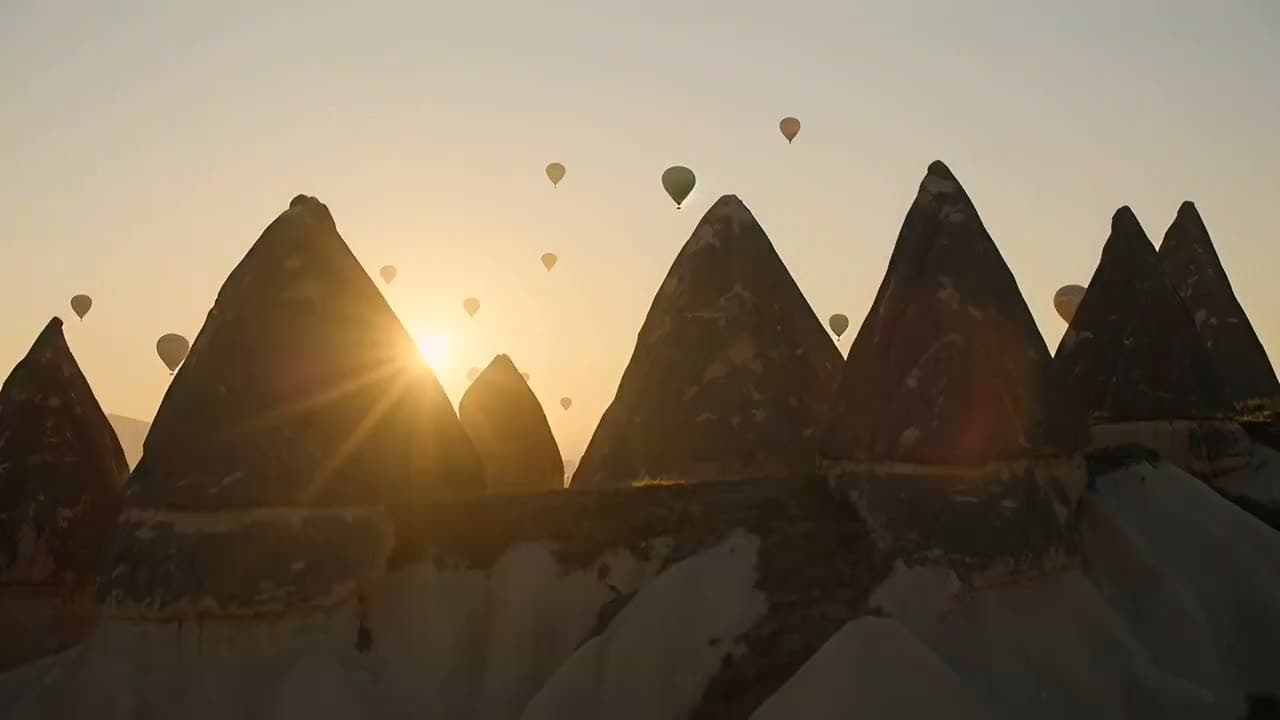
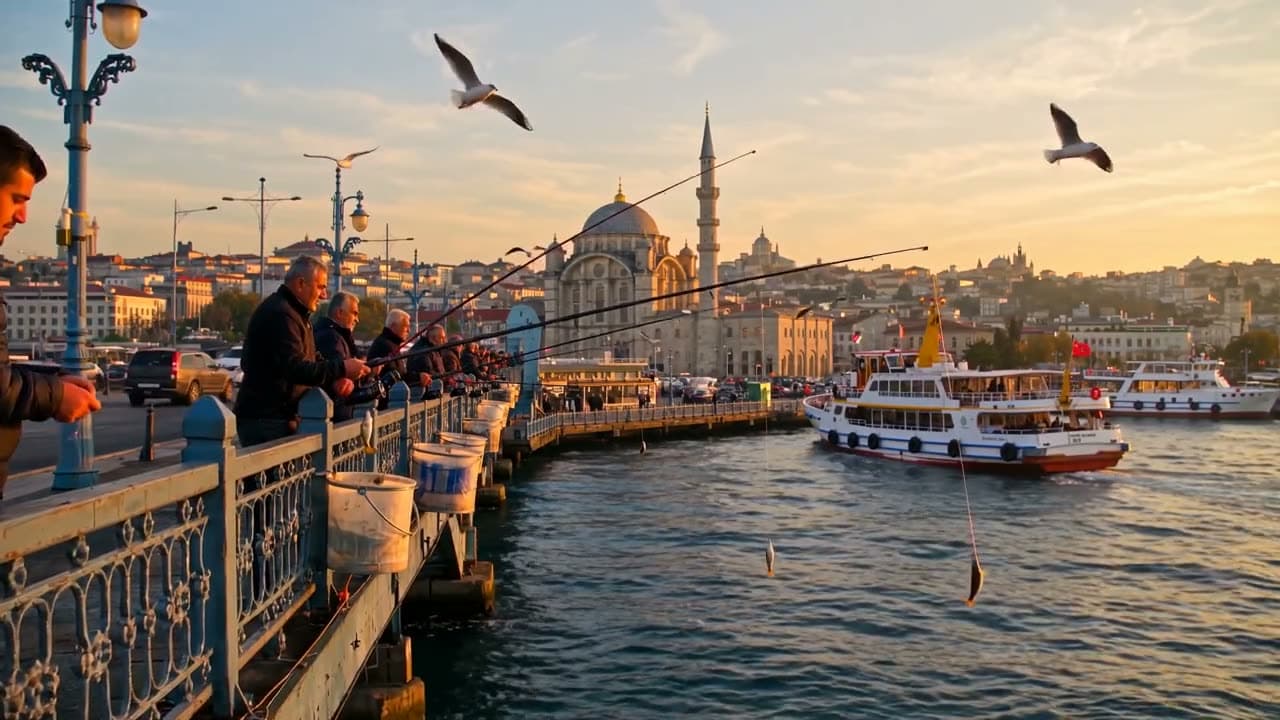
Each sample was generated in one take on this site with the model shown on it; nothing was edited.
If you want to plan the camera move before rendering, the 3D Scene beta builds a simple 3D blockout from your description, lets you give each shot one of 16 camera moves, and then Seedance 2.5 Reference turns the blockout into a realistic video. Camera work is free; the blockout and the final video cost credits. You can also sketch a still frame first in the AI image generator and use it as a storyboard panel.
Sources
The facts in this post were checked against the pages below on Nov 2, 2026. Prices and limits may change.
- StudioBinder: What is a wide shot (independent source)
- StudioBinder: Types of camera shot sizes in film (independent source)
- No Film School: Wide shot (independent source)
- Tella: Wide shot definition (independent source)
- NFI: Wide shot (independent source)
- Wistia: Types of camera shots (independent source)
- FilmDaft: What is a wide shot in film (independent source)
- Psaroloco: Camera shot sizes explained (independent source)
- Morphic: Extreme wide shot glossary (independent source)
- Morphic: Wide shot (independent source)
- Backstage: Wide shot film examples (independent source)
- First.edu: The 6 basic framing shots for filmmaking (independent source)
- Beverly Boy: How to shoot an effective wide shot (independent source)
This post was drafted with AI assistance. Facts were checked against the sources above, and model, credit and price details were checked automatically against the site's current price list.
Frequently asked questions
What is a wide shot in film?
A wide shot shows a character's entire body with a good amount of background around them on all sides. It's written WS on a shot list and is used to show where a scene takes place and who is in it.
What is a wide shot in photography?
In photography a wide shot frames the whole subject and a generous part of the surroundings, so the place becomes part of the story. The same framing rules apply as in film: level horizon, room above and below, and the subject placed on a third line.
What is the difference between a wide shot and a long shot?
Many guides treat them as synonyms. StudioBinder separates them by focus: if the character is clearly the focus it's a long shot, and if the background matters more it's a wide shot, though it admits the line is subjective.
Wide shot vs full shot: which is tighter?
The full shot is tighter. It shows the person head to toe with little space above and below, while a wide shot adds a clear amount of setting on every side, according to StudioBinder and FilmDaft.
What is the difference between a wide shot and an extreme wide shot?
In a wide shot the person is still easy to see within the setting. In an extreme wide shot the subject looks small and the location dominates, which is why it's often used to open a scene.
Is an establishing shot the same as a wide shot?
No. Wide shot describes a size, while establishing shot describes a job: showing the location at the start of a scene. Establishing shots are often wide, but they don't have to be.
Do you need a wide-angle lens to do a wide shot?
No. FilmDaft says you can shoot a wide shot with any lens, and moving the camera further back achieves the same framing. Shot size comes from framing, not focal length.
How do you get a wide shot in AI video?
Describe the shot size, where the subject sits in the frame, what fills the rest and one camera instruction, then choose the aspect ratio. Use 16:9 or 21:9 for landscapes and save 9:16 for scenes with a strong vertical line.
Try what you just read
Signing up is free. Video and image tools unlock after your first credit pack, and credits are refunded if a generation fails.
Open Text to Video