Virtual Try-On · For clothing brands
Virtual try on for clothing brands
Virtual try on puts a garment photo on a model. In Virtual Try-On, a clothing brand uploads photos of its garments, picks an AI clothing model, poses and a background, and gets catalog and campaign images with the whole outfit on one model. It makes product photos for brands; it isn't a fitting room for shoppers.
For product photos. Real people only with written consent; no children or celebrities.
What goes in, what comes out
- Garment photosup to 4 pieces
- Models4 fashion · 14 ready-made
- Poses and backgrounds10 · 8
- Output2:3 · 4:5 · 9:16 · 1:1
- Cost per image13 credits
The whole outfit goes on one model, in the poses and on the background you pick.
Quick answer
- What it is
- A virtual try on for brands: the image model draws the model you chose wearing the exact garments from your photos, in the poses you picked.
- What you upload
- Photos of up to 4 garments. Front photo required, back and detail photos optional. Shot flat, on a hanger, on a bed or on a mannequin.
- Models
- 4 fashion models, 14 ready-made models, your own character, or a real person's photo with written consent. All ready-made models are fictional adults.
- Poses and backgrounds
- 10 poses (up to 6 per shoot) and 8 backgrounds, plus three ready-made packs.
- Outfits
- Top, bottom, shoes and bag go on the same model in one image, up to 4 pieces.
- Cost
- 13 credits per image in standard quality ($0.47–$0.87, depending on your credit pack). Failed generations are refunded.
How it works
Virtual try on in four steps
Upload your garments
Up to 4 pieces per shoot. The front photo is required; back and detail photos are optional. Flat, on a hanger, on a bed or on a mannequin all work. The background is removed automatically and the product is recognized.
Choose a model
4 fashion models and 14 ready-made models, including hijab, plus-size women and men, models in their 40s and 55+, and models of African and East Asian background. Or use your own character, or a real person's photo with written consent.
Pick poses and a background
Up to 6 of 10 poses on one of 8 backgrounds, or start from one of three packs: e-commerce, campaign or social media.
Set the size and shoot
Marketplace 2:3 (1200×1800), Amazon square, Instagram 4:5, Stories 9:16 and more. Choose 1 to 4 variations and standard or high quality. The cost shows above the button.
Real outputs
From the garment photo to the model
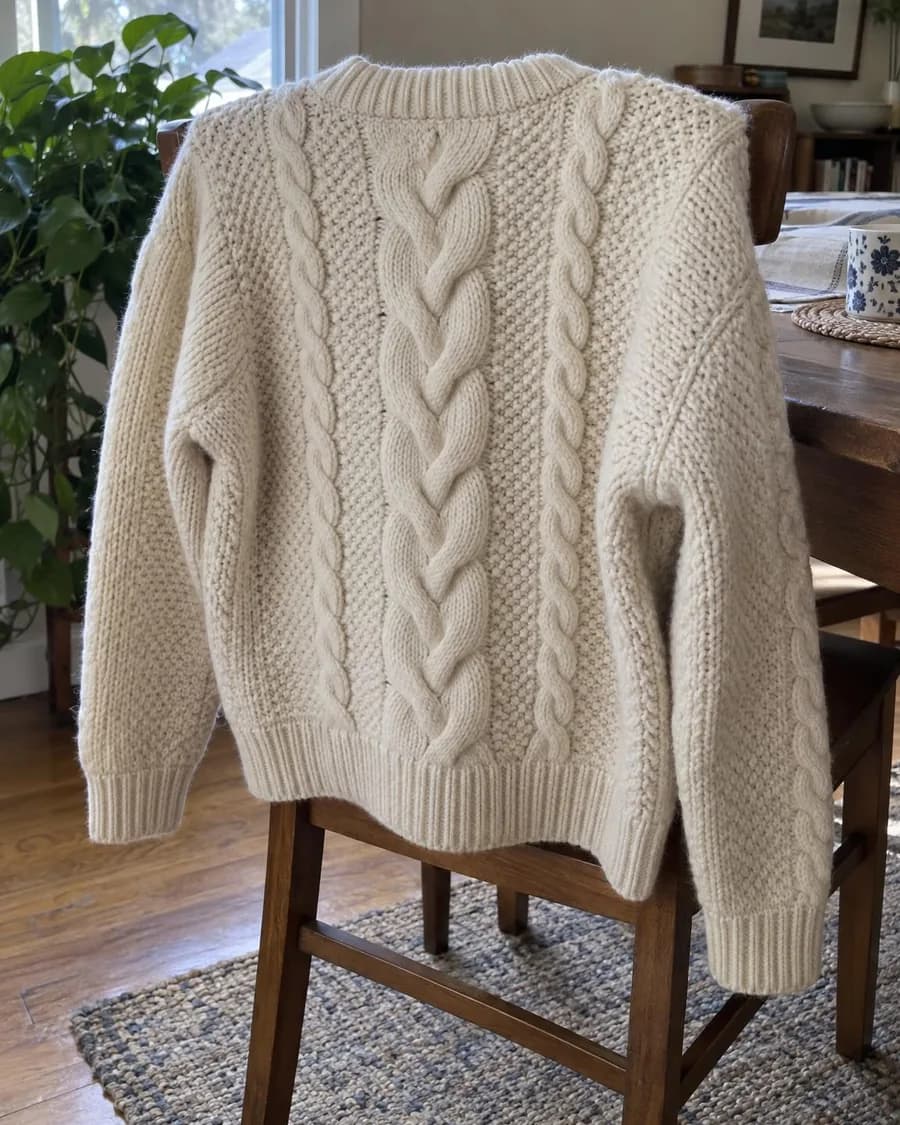
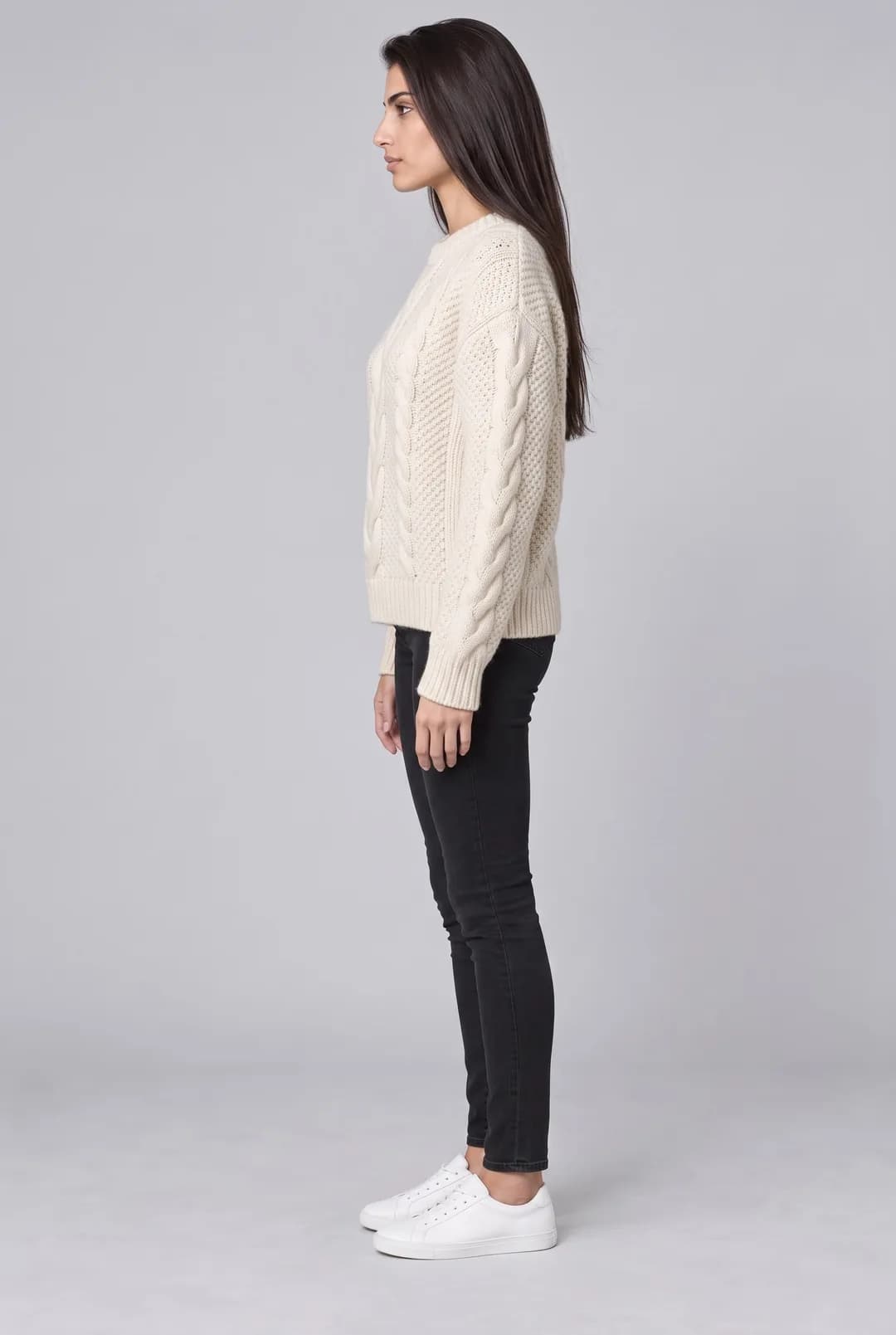
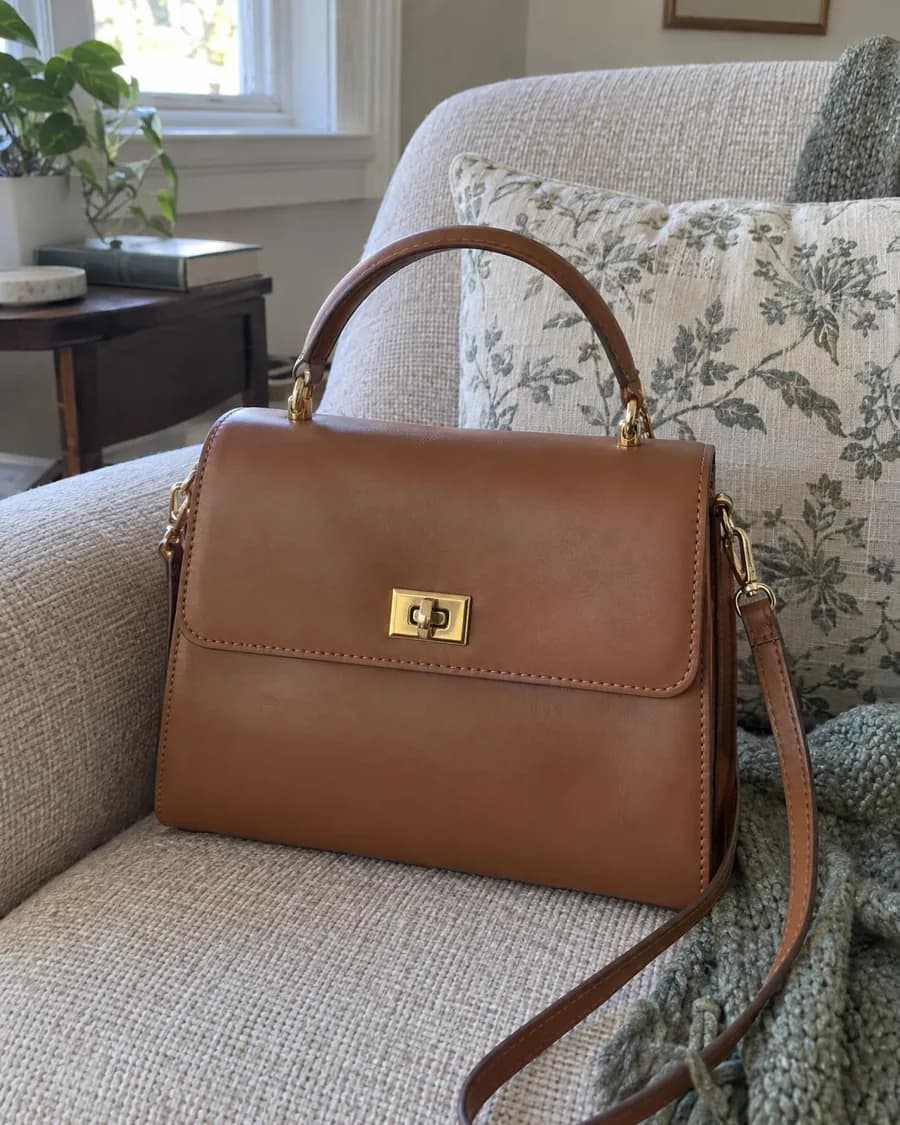
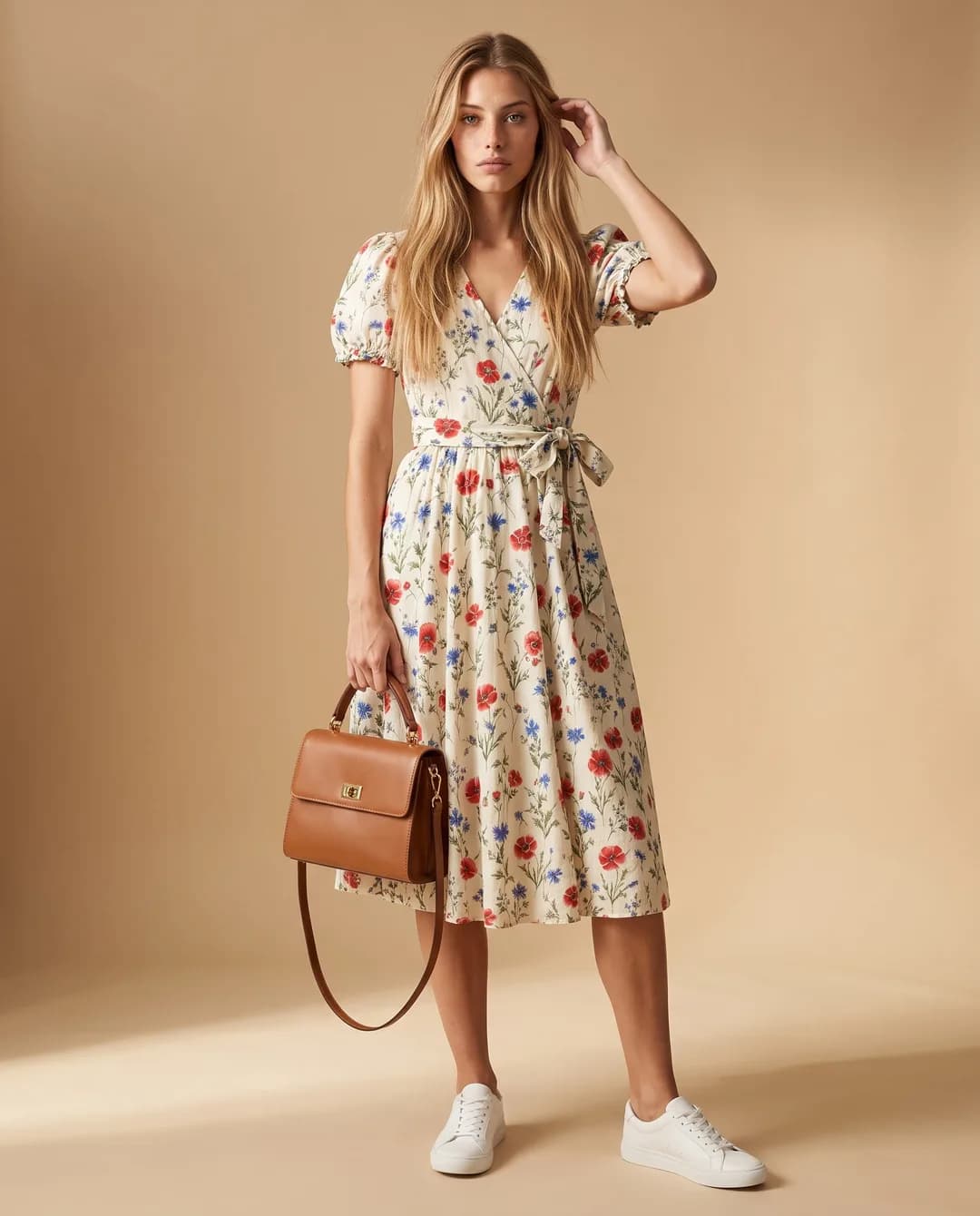
On the left, the kind of raw photo you upload (on a bed, on a hanger, on the floor). On the right, what Virtual Try-On drew. The models are fictional and AI-generated, and so are the images.
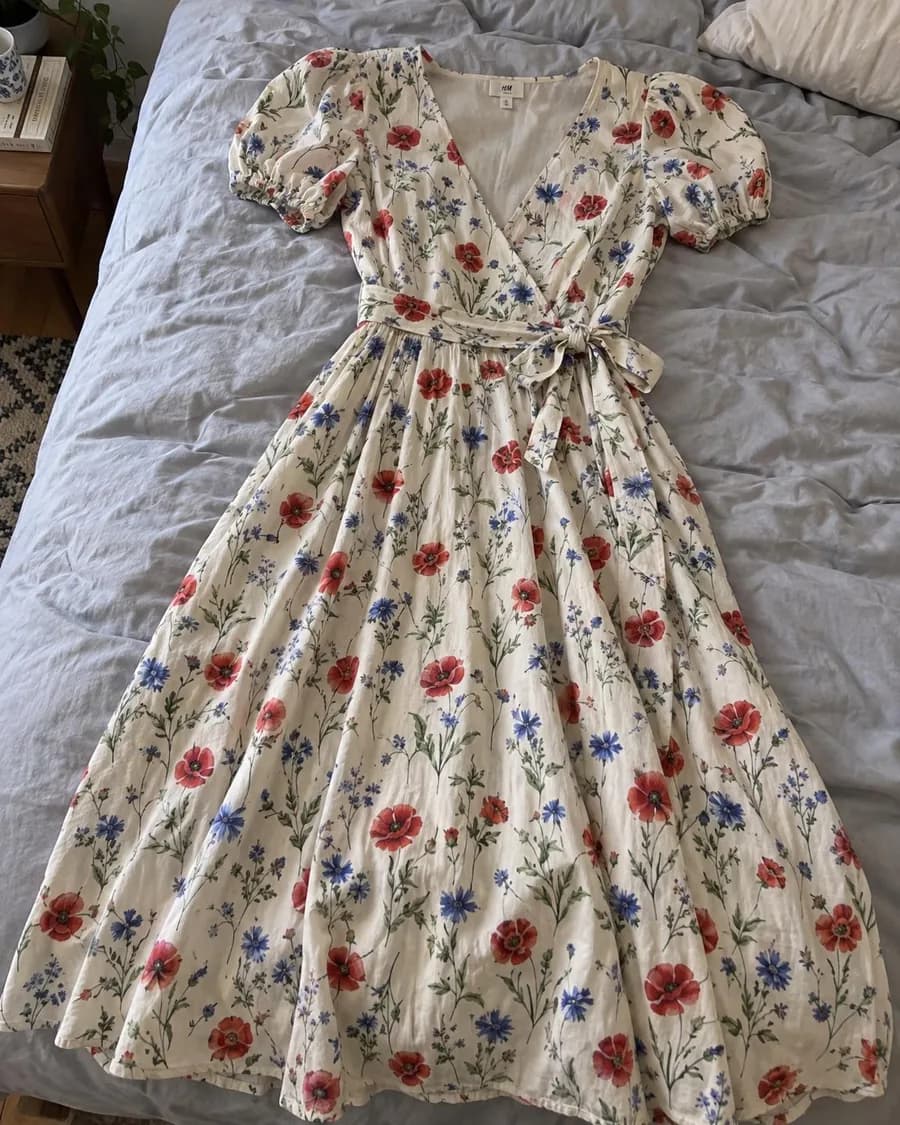
Uploaded
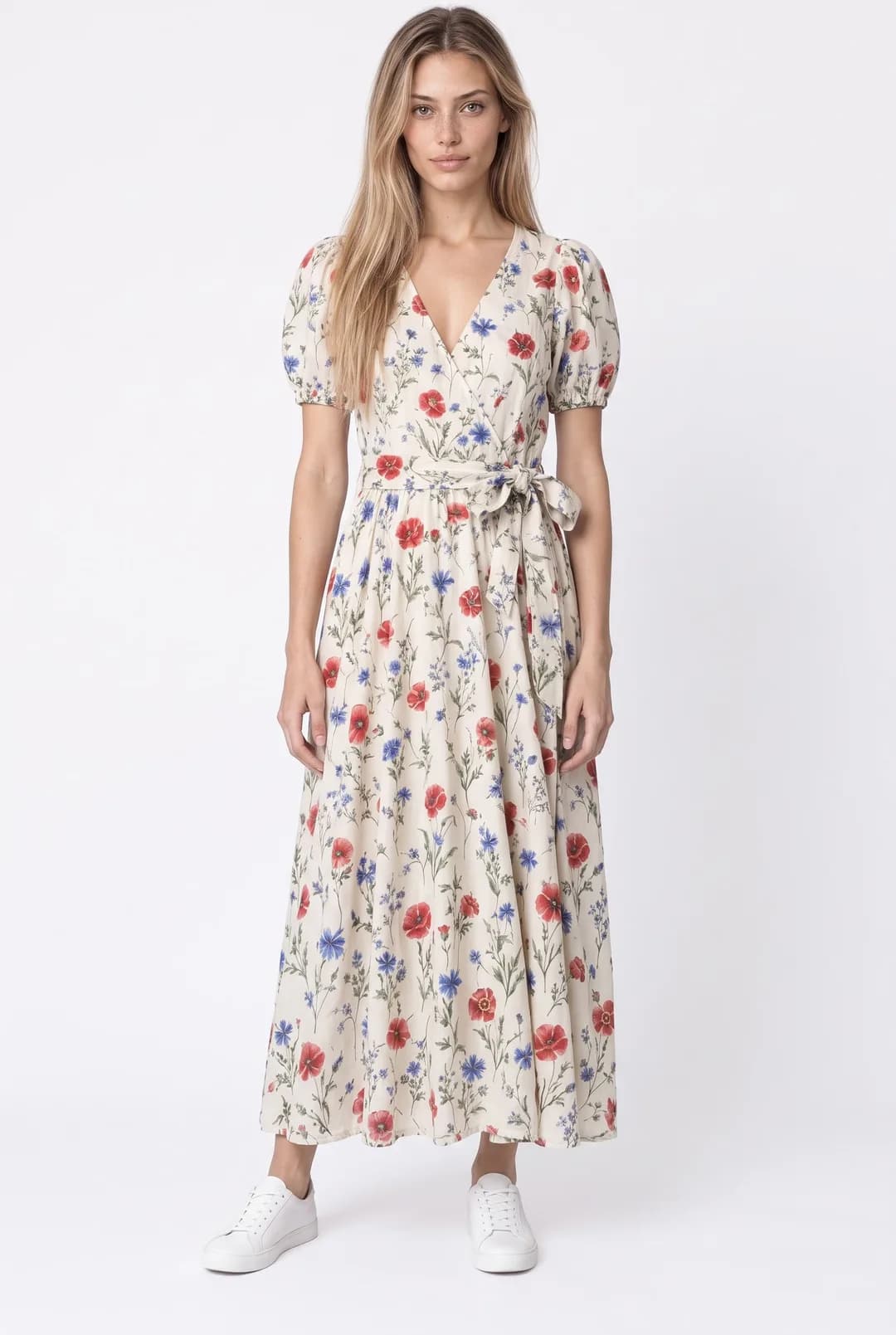
Virtual Try-On
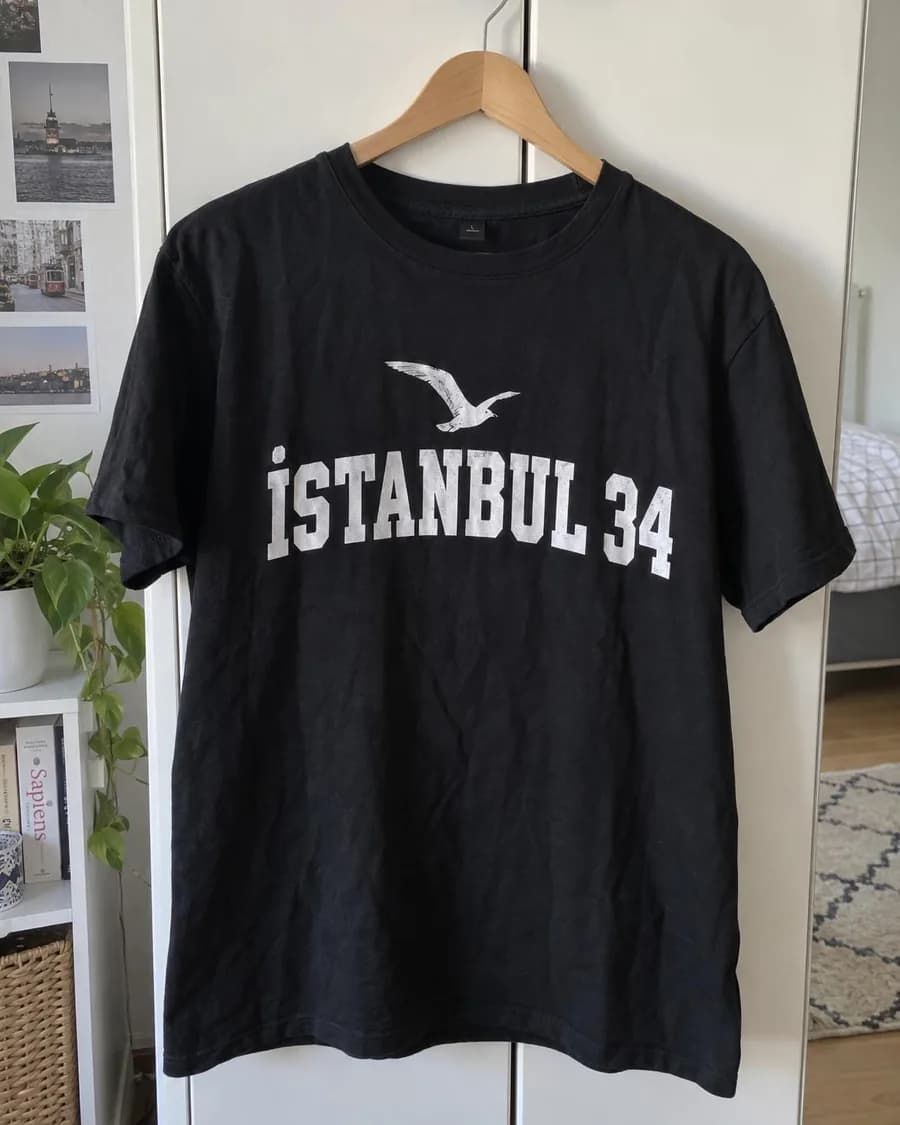
Uploaded
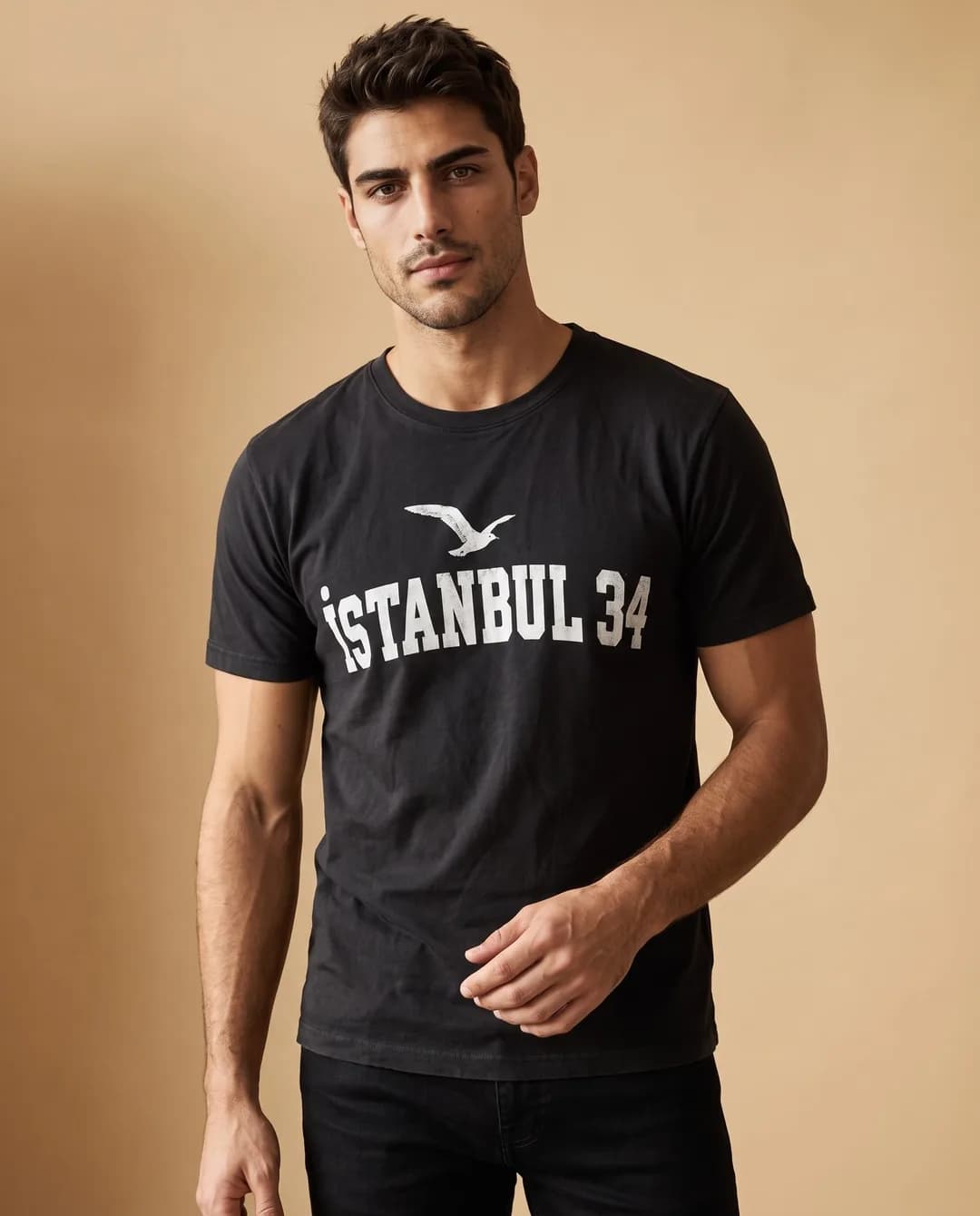
Virtual Try-On
Uploaded
Virtual Try-On
Uploaded
Virtual Try-On
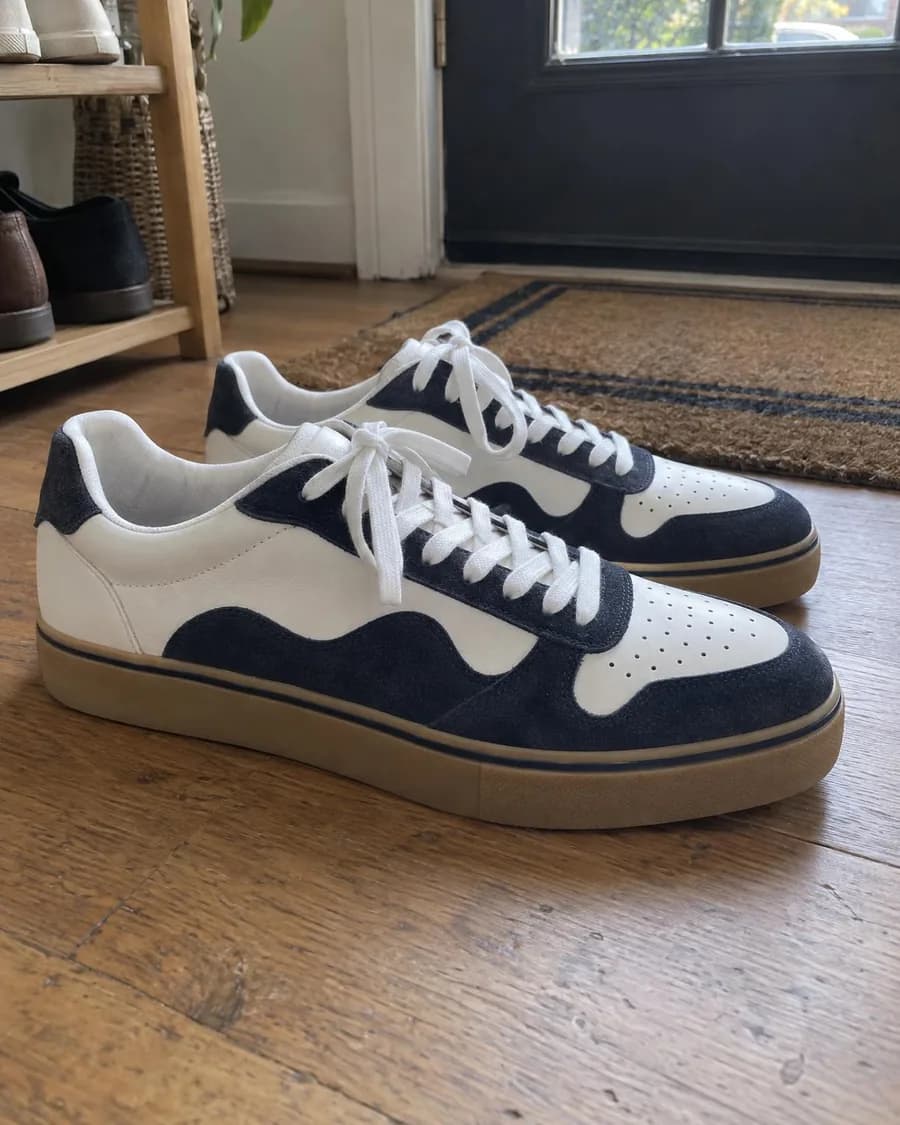
Uploaded
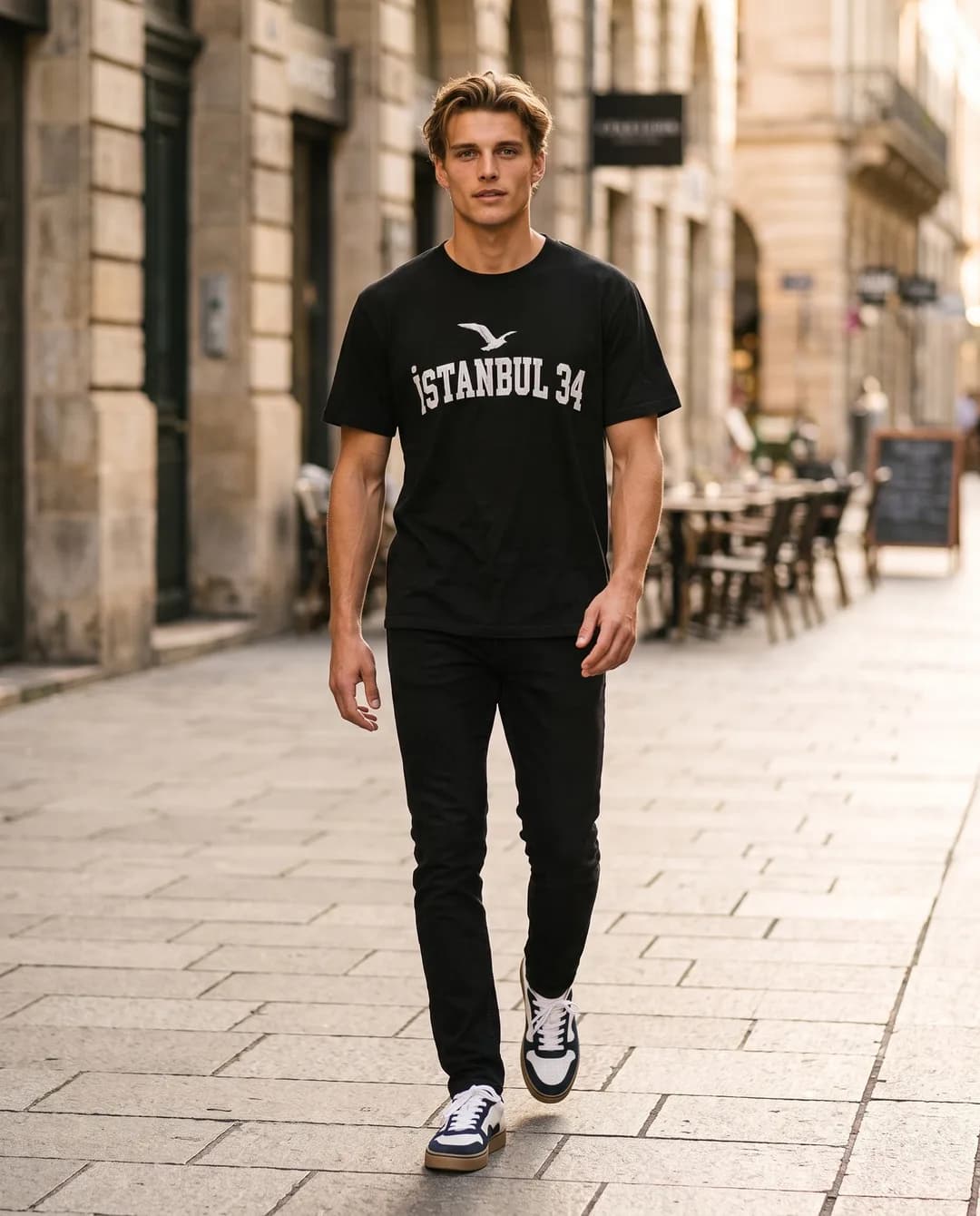
Virtual Try-On
Poses
10 poses, the same garment
Each pose matches its card in the studio, and every image below is a real output. Pick up to 6 poses per shoot.
Front, full bodyMain catalog shot: standing straight, arms relaxed 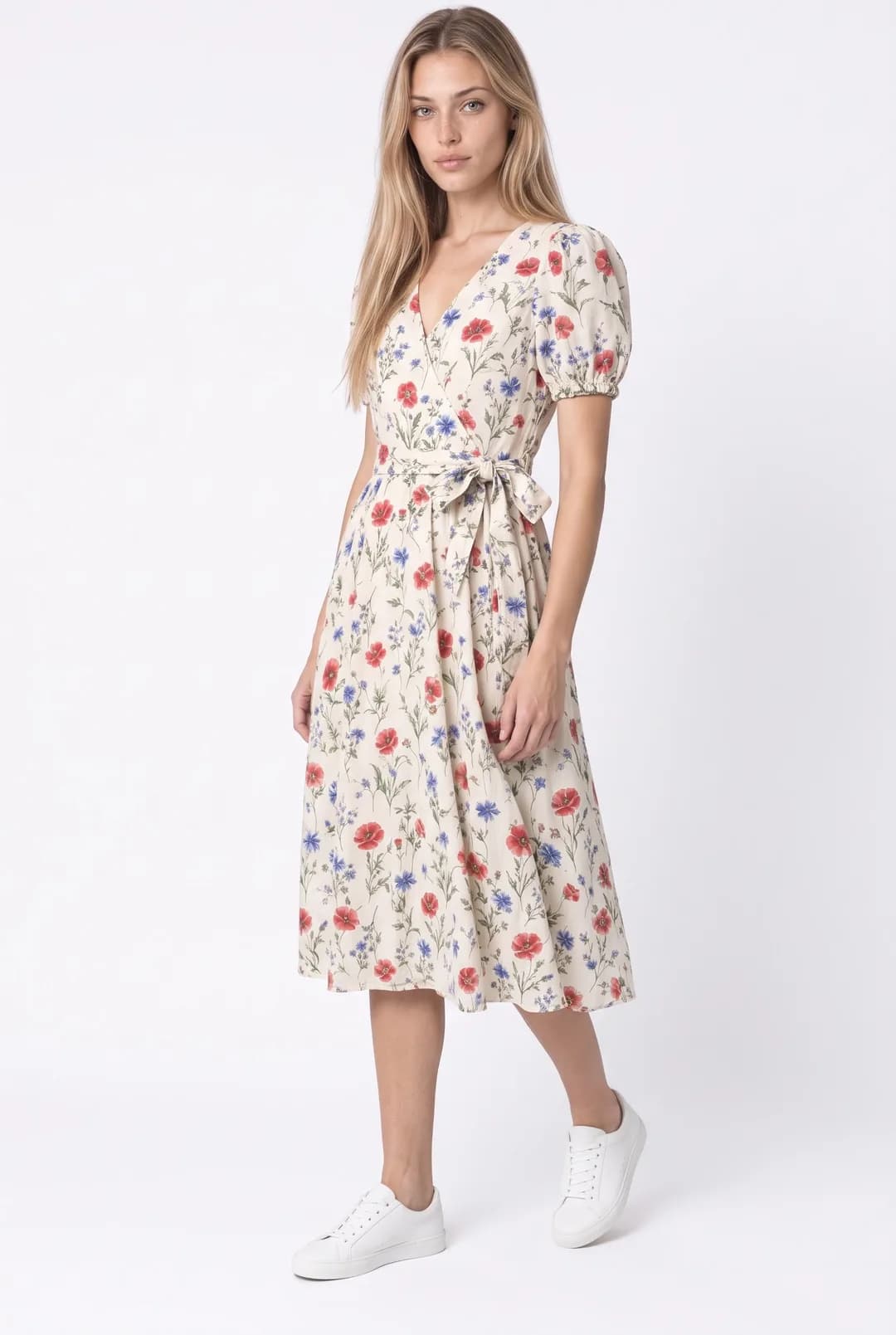
Three-quarter angleTurned slightly, shows cut and volume 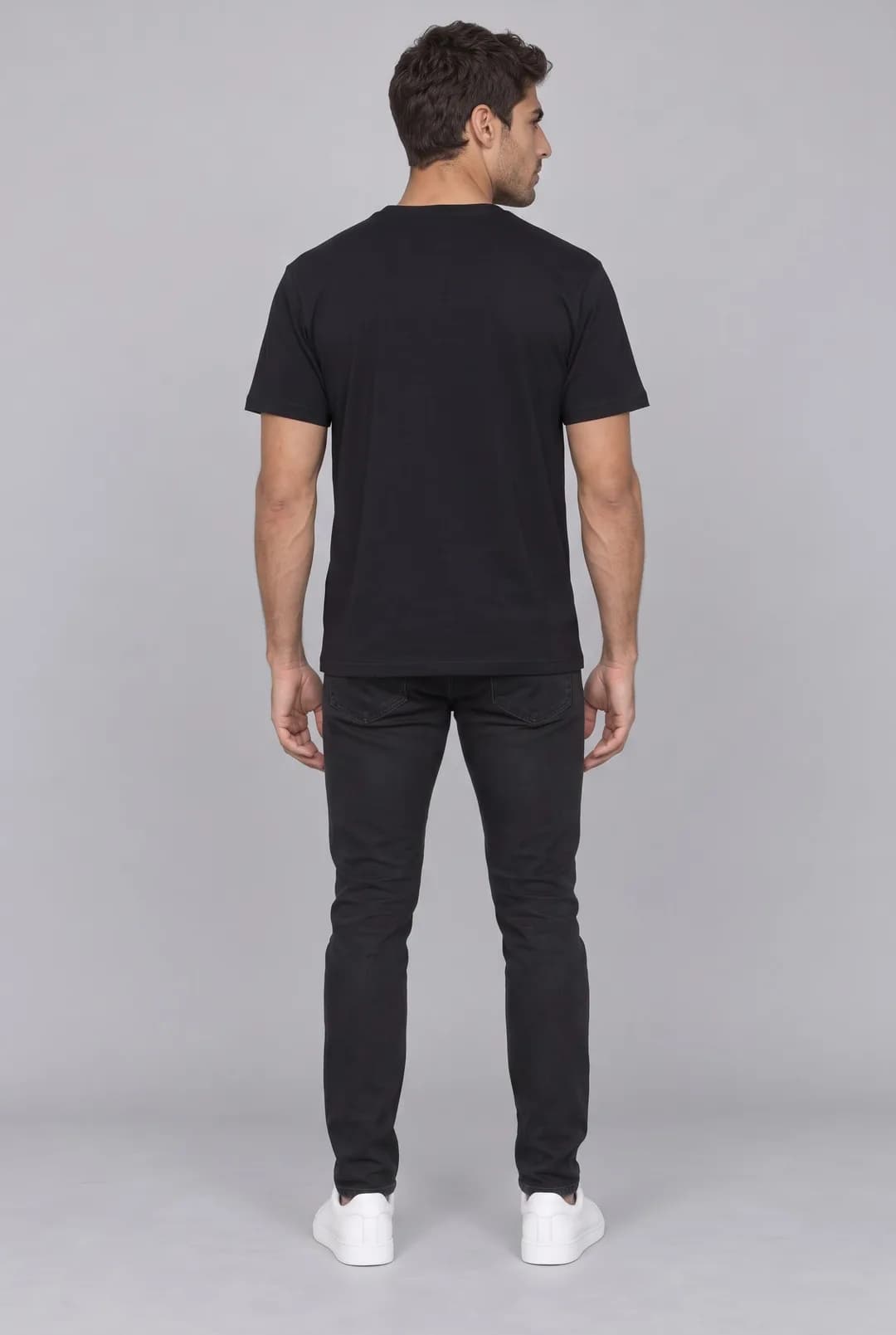
Back viewThe back of the garment and its cut Side profileFull profile: silhouette and length WalkingNatural stride, the fabric moves Waist upCloser framing for tops and necklines 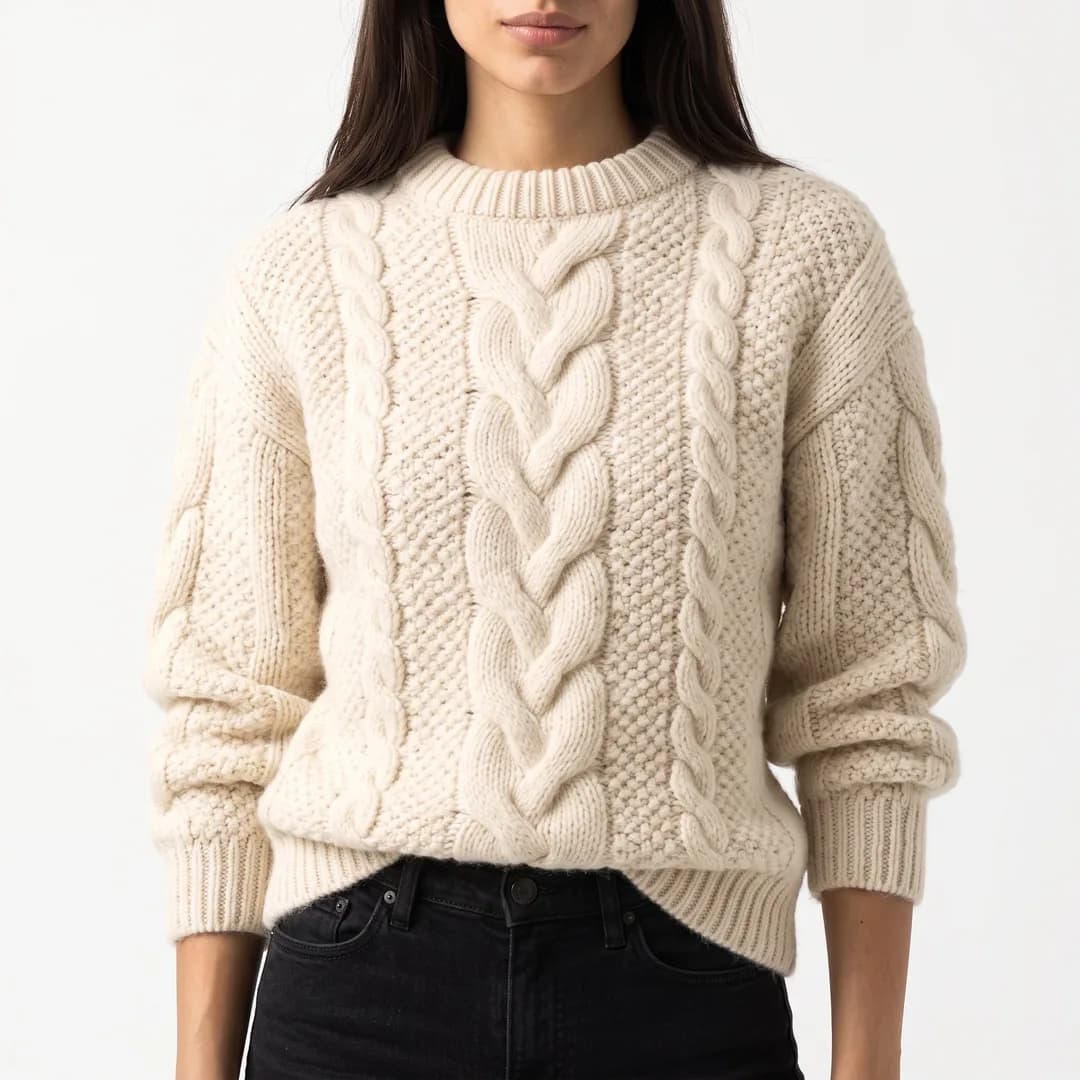
Close-up detailFabric, stitching, buttons and texture 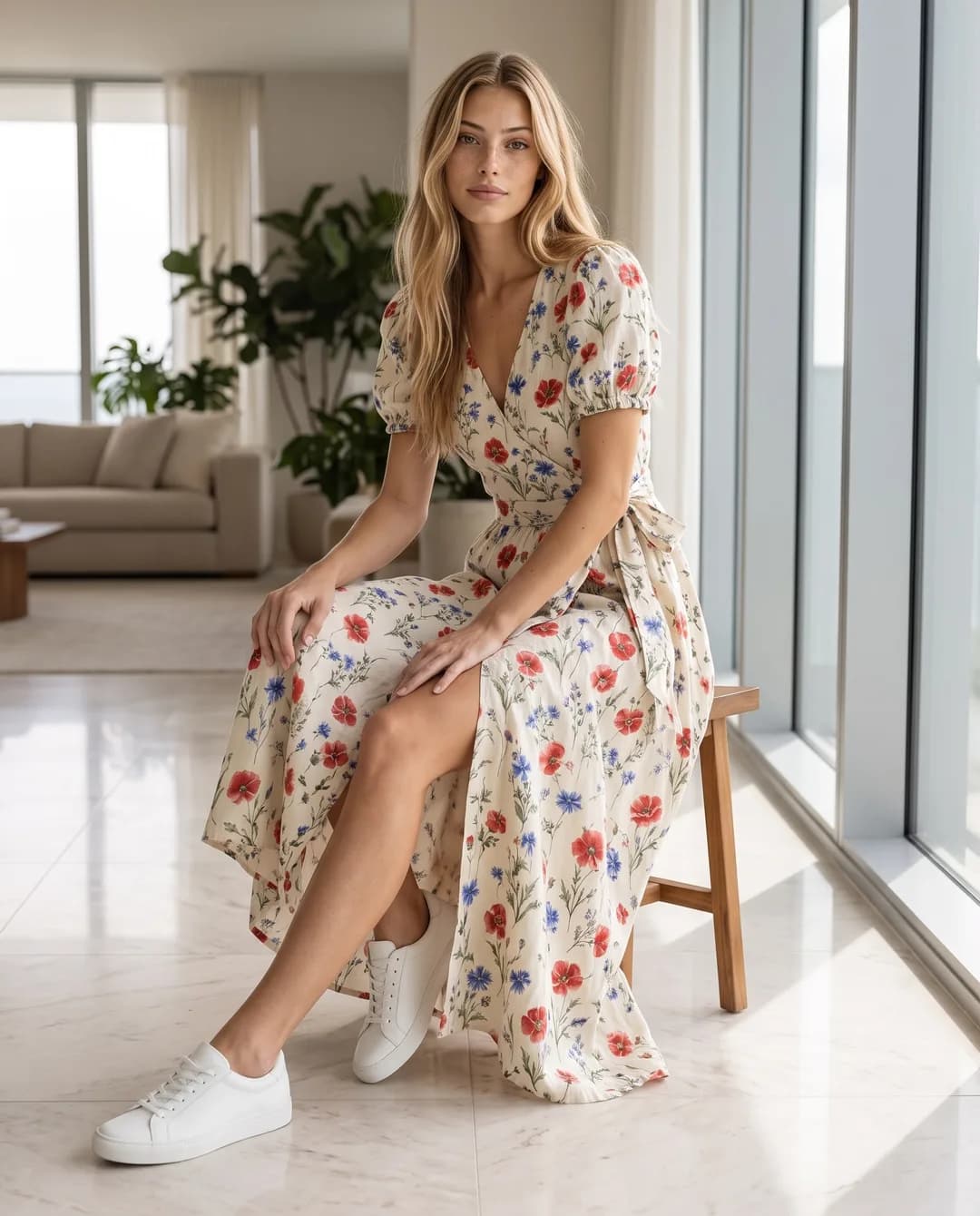
SeatedRelaxed on a simple stool EditorialA strong, magazine-style pose 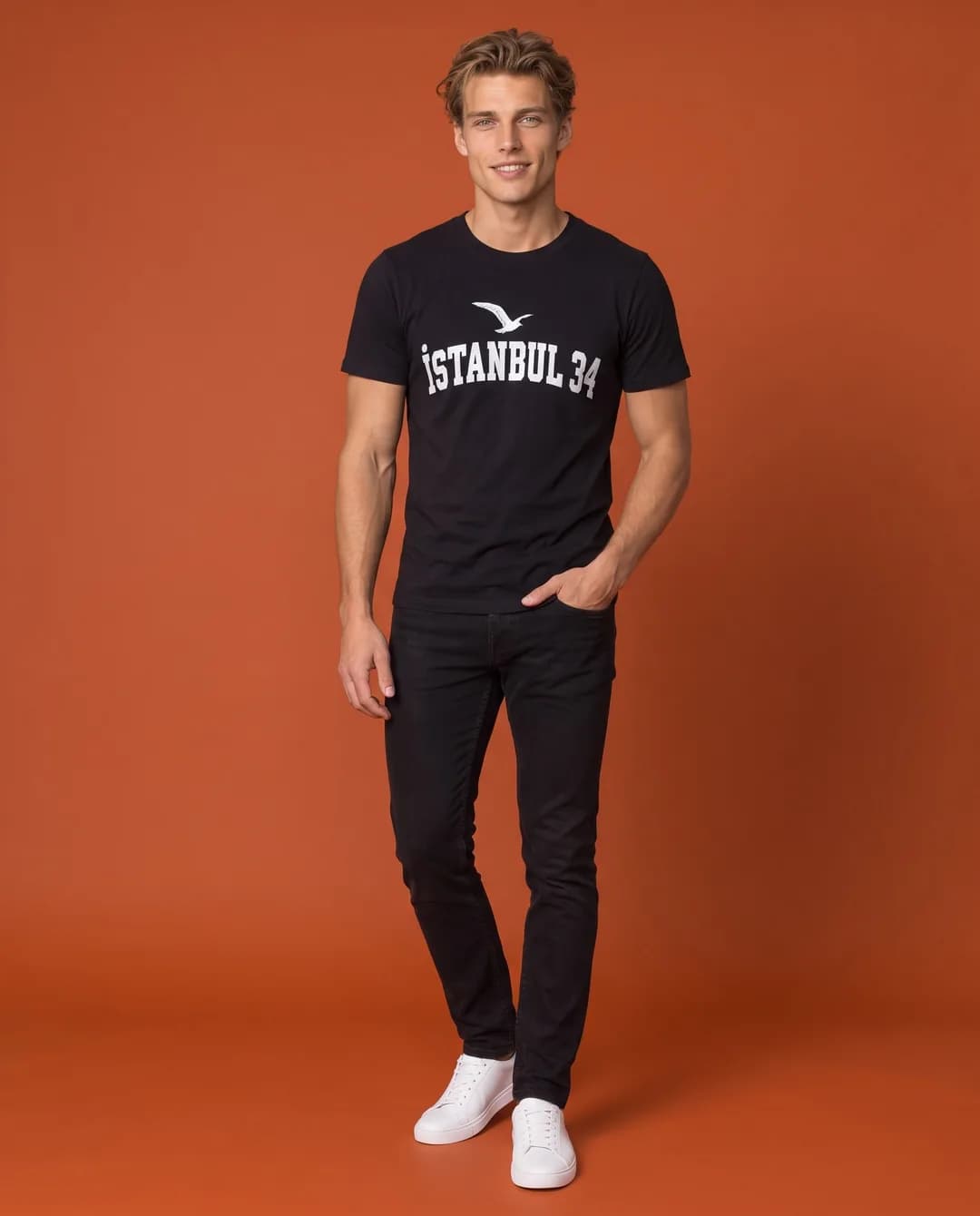
Casual stanceHands in pockets or arms crossed, friendly
In the back pose, the back photo of your garment is used if you uploaded one; otherwise a plain back is drawn and nothing that isn't in your photos is invented. Shoes show in full-body poses and can fall outside the frame in waist-up and detail framings.
Backgrounds
8 backgrounds, three ready-made packs
Plain backgrounds for marketplace main images, scenes for campaigns and social media.
- White studioPure white for marketplaces and e-commerce
- Light grey studioThe catalog classic, lets the outfit stand out
- Warm beige studioPremium brand feel, soft light
- Colour backdropA bold single colour that suits the outfit
- City streetSunny street, street-style feel
- RunwayFashion-show lighting on a runway
- Luxury interiorAn elegant marble apartment with daylight
- Nature and beachBeach or greenery, soft daylight
E-commerce pack
Front, 3/4, back and detail on white
- Poses
- Front, full body, Three-quarter angle, Back view, Close-up detail
- Background
- White studio
4 images, one variation: 52 credits ($1.89–$3.47)
Campaign pack
Editorial, walking and waist-up in a beige studio
- Poses
- Editorial, Walking, Waist up
- Background
- Warm beige studio
3 images, one variation: 39 credits ($1.42–$2.60)
Social media pack
Walking, casual and seated on the street
- Poses
- Walking, Casual stance, Seated
- Background
- City street
3 images, one variation: 39 credits ($1.42–$2.60)
Outfits
Top, bottom, shoes and a bag in one image
When a shoot has several pieces, they all go on the same model in a single image, up to 4 pieces. In the examples above, the walking pose wears a black T-shirt with sneakers, and the editorial pose wears a floral dress with a tan leather bag. You upload a photo for each piece; the output is one image.
Models
4 fashion models, 14 ready-made models
All of them are fictional adults, not real people. Fashion models come with agency-style card measurements.
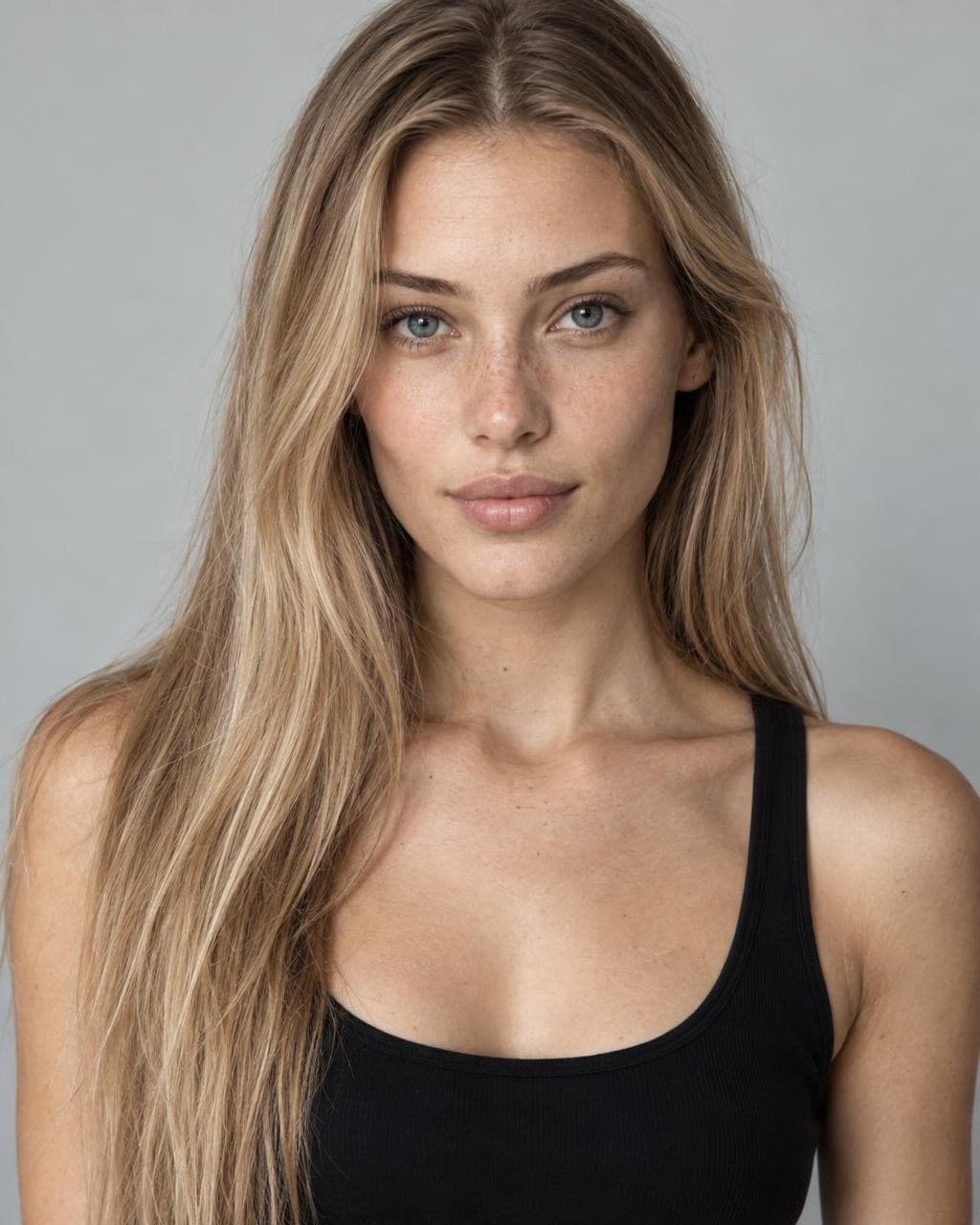
Ada23, blonde fashion model178 cm · 86-61-89 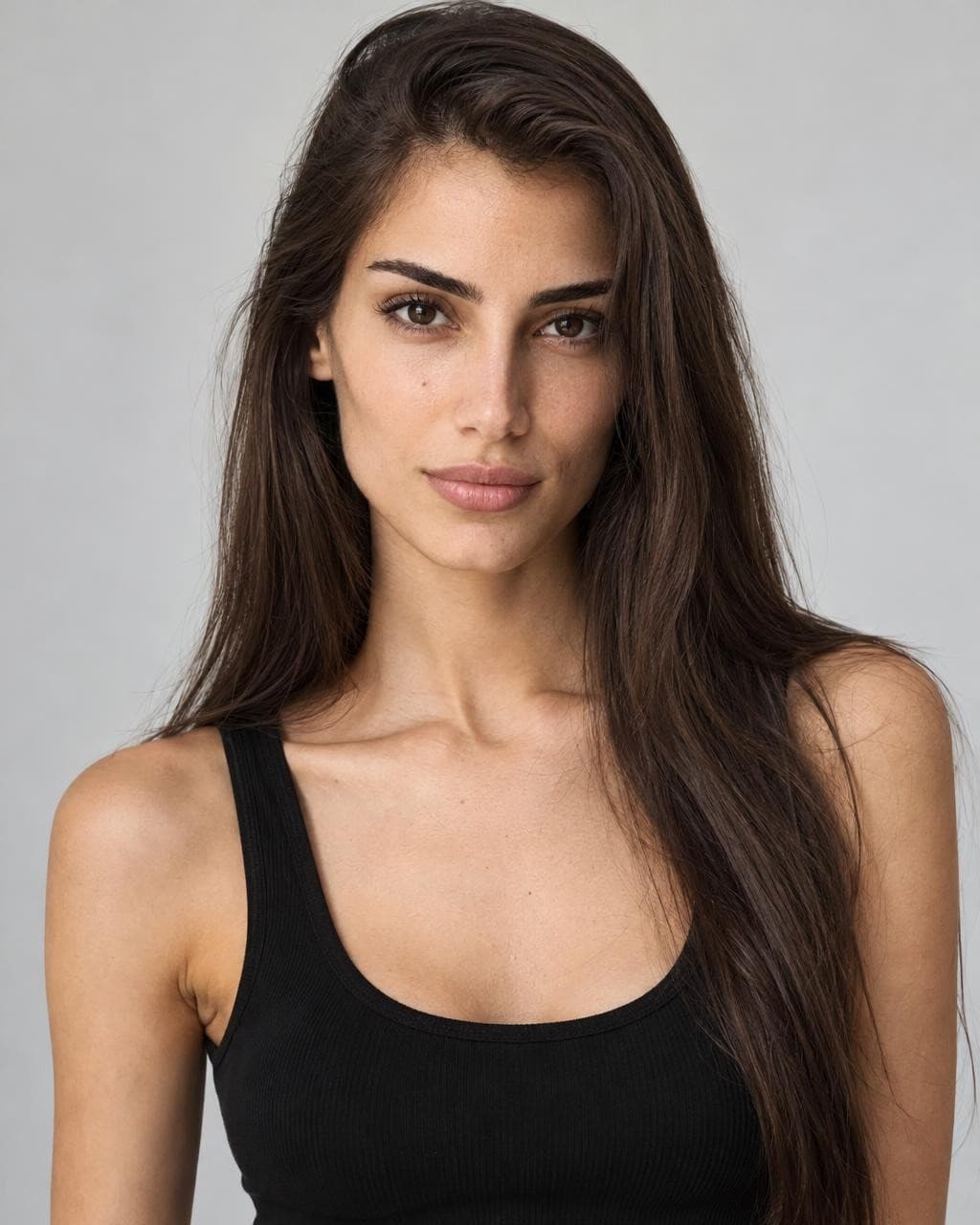
Derin25, brunette fashion model176 cm · 85-61-88 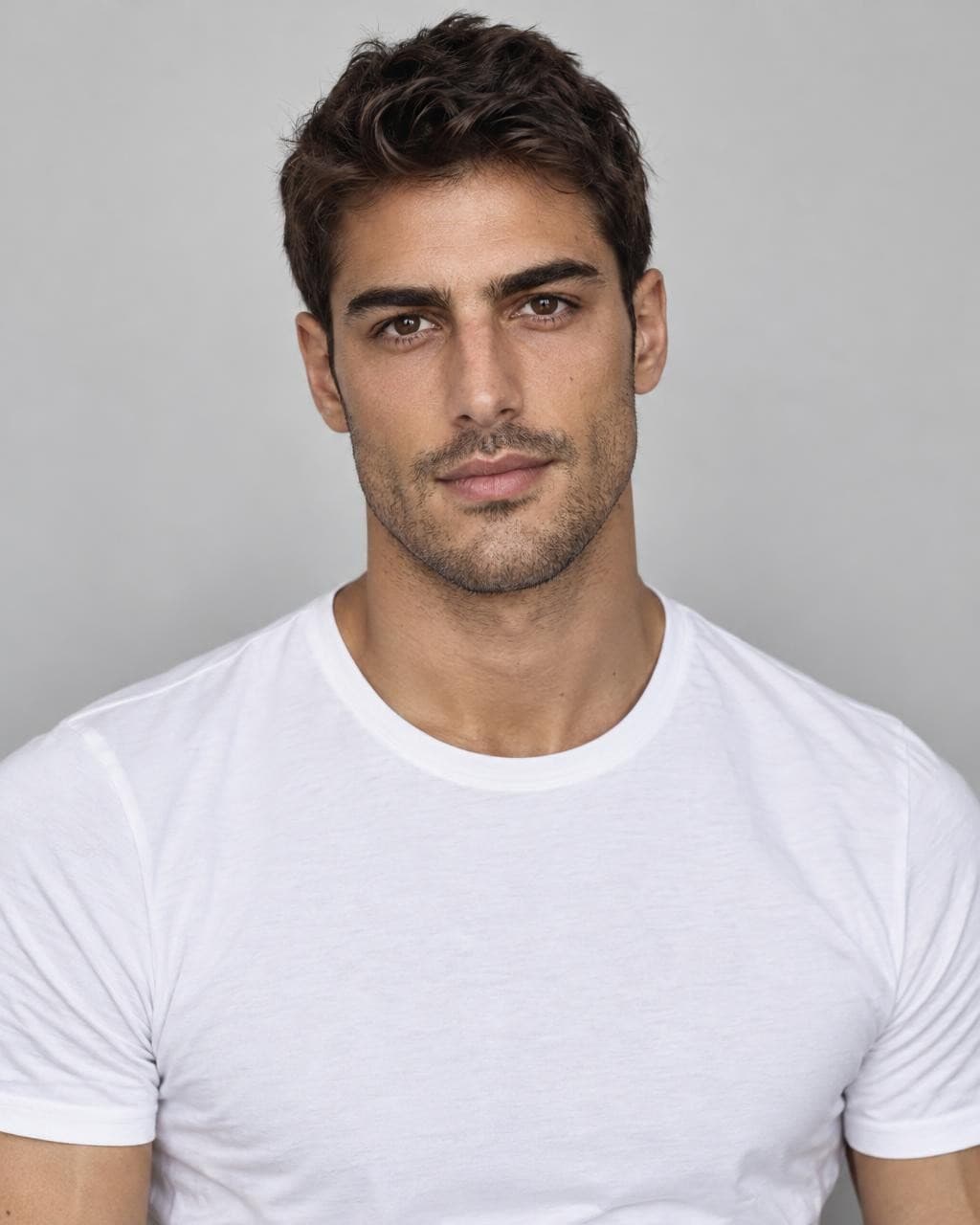
Aras27, dark-haired fashion model188 cm · 99 / 79 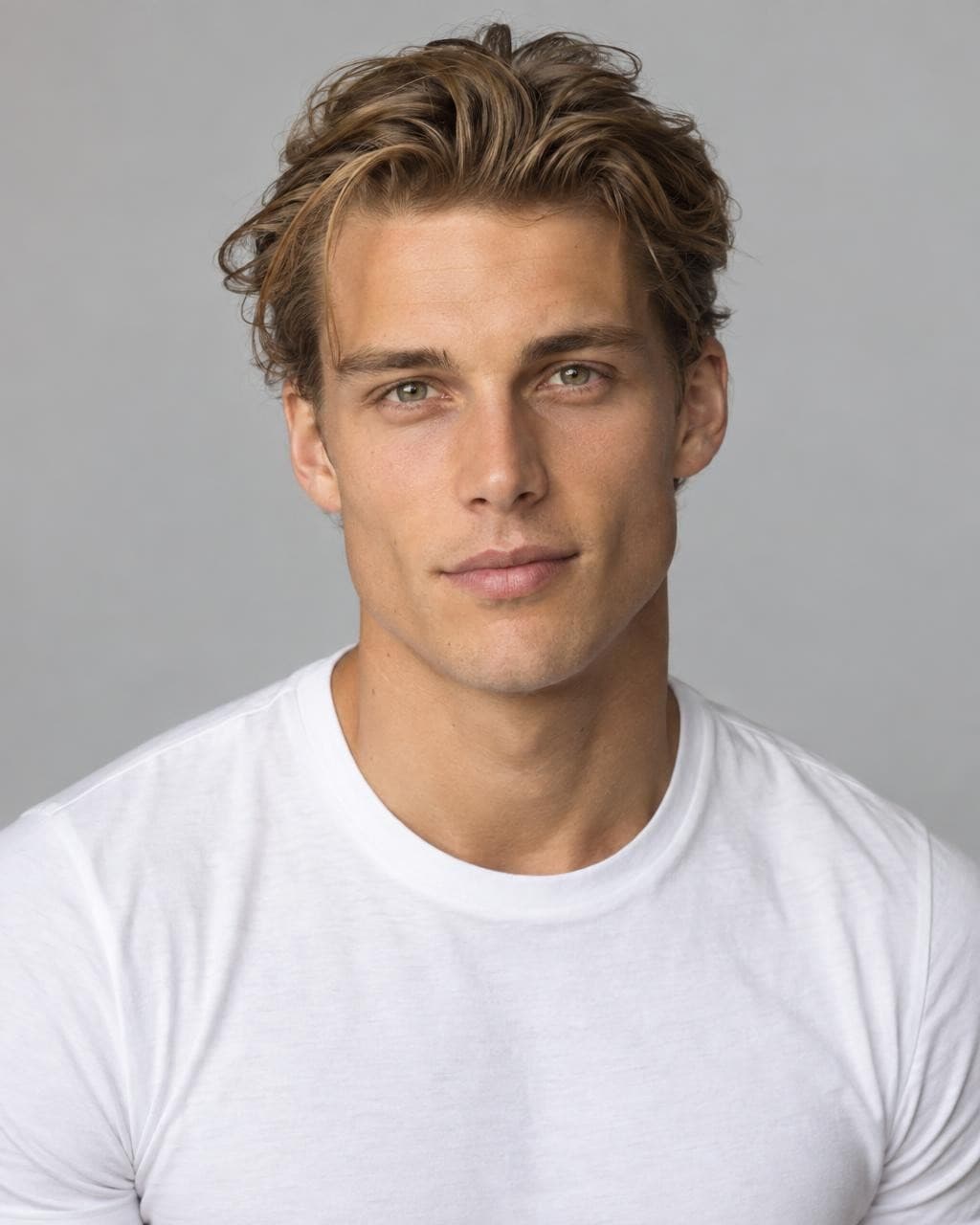
Kuzey25, light-haired fashion model186 cm · 98 / 78
More ready-made models
Hijab, plus-size women and men, models in their 40s and 55+, and models of African and East Asian background. You filter them in the studio. You can also use your own character, or a real person's photo with their written consent.
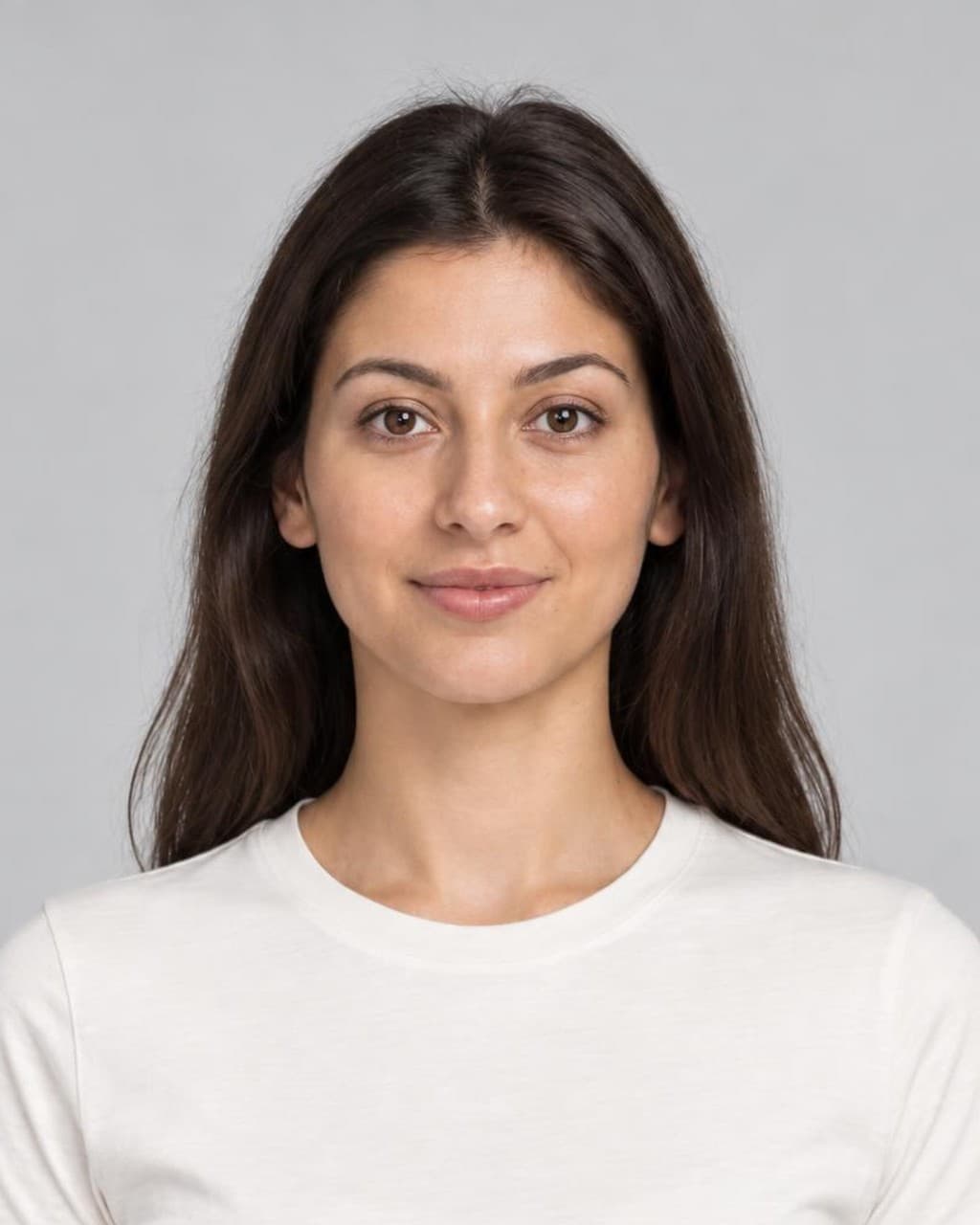
24, long dark hair 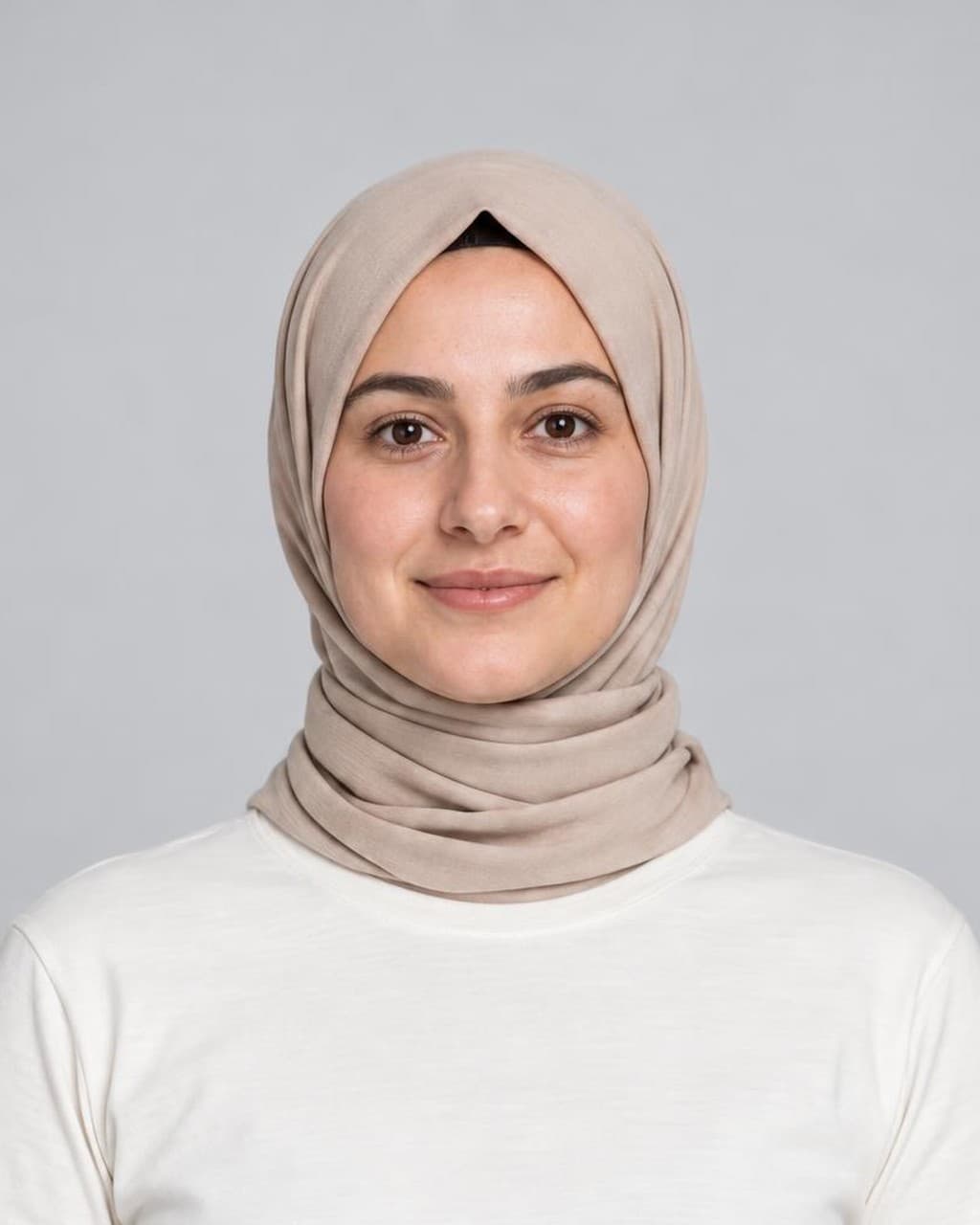
30, wears a hijab 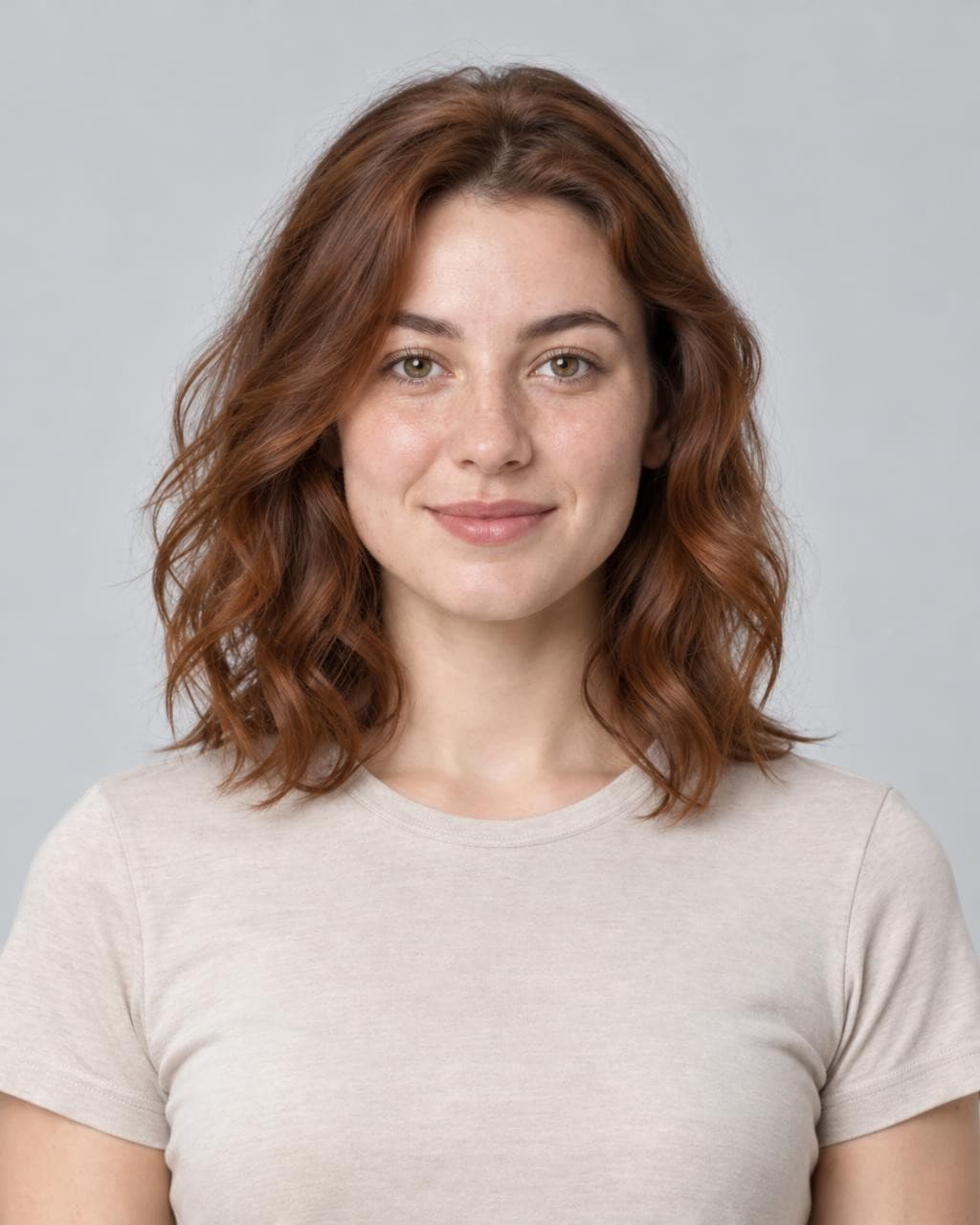
22, wavy copper hair 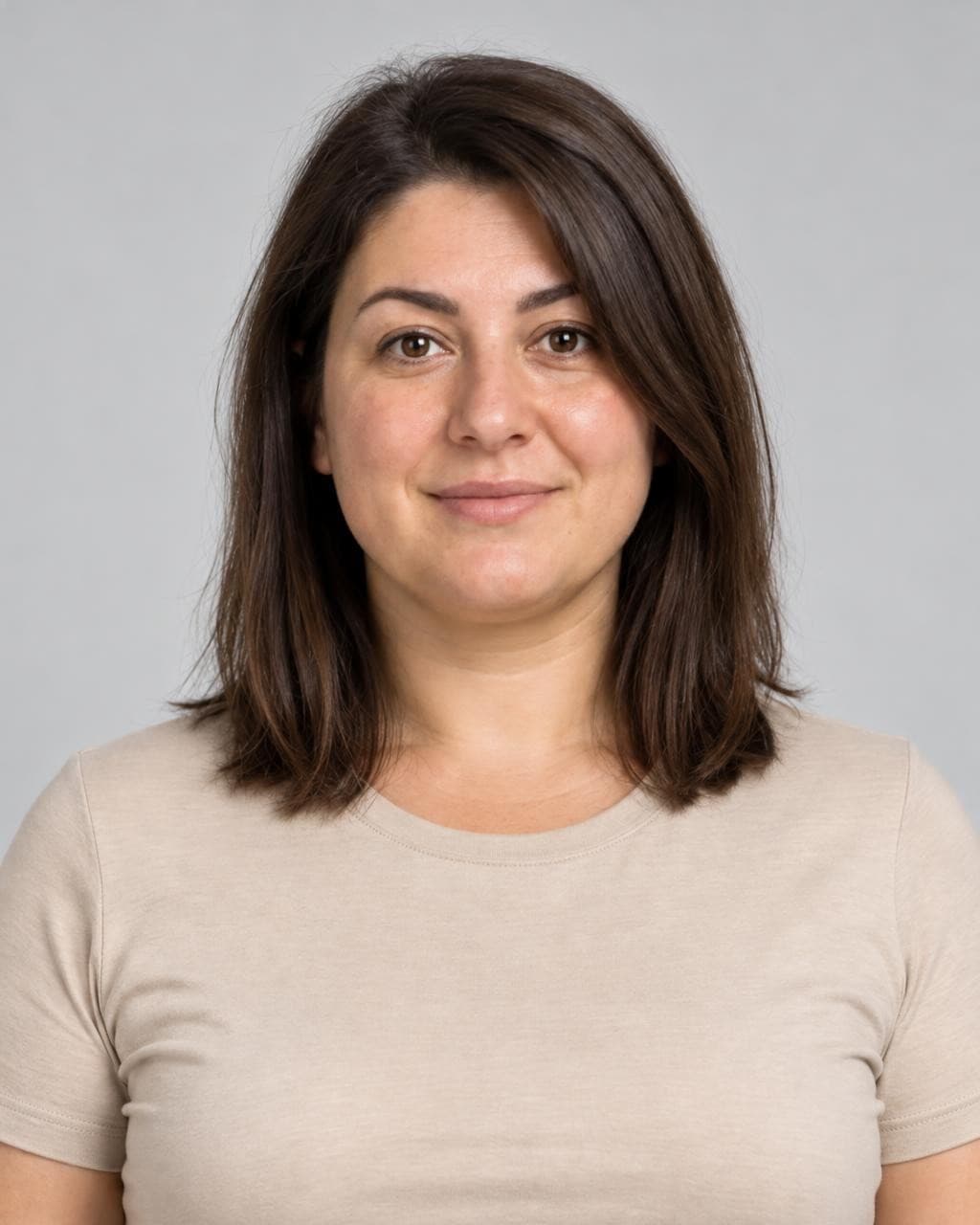
35, plus size 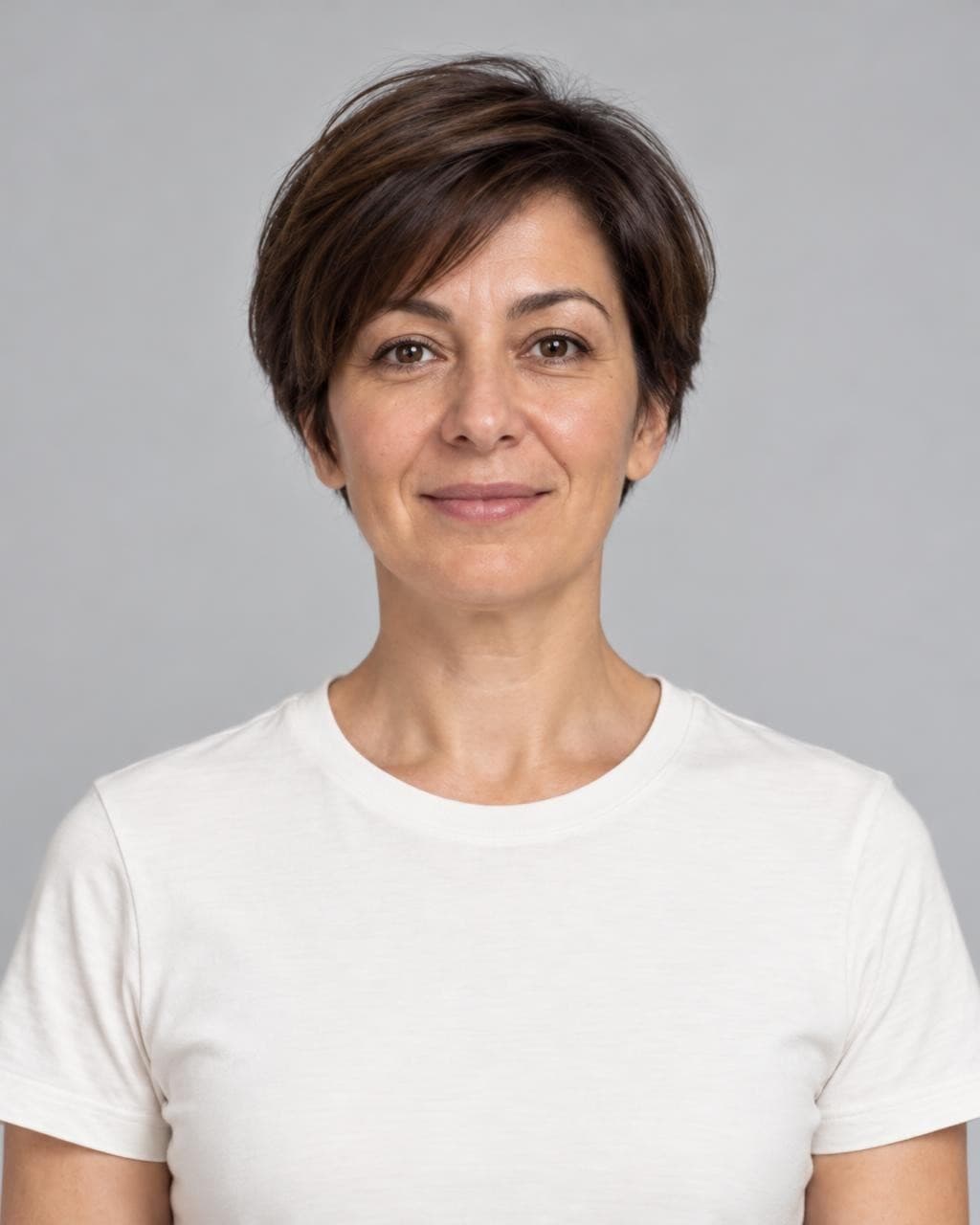
45, chic short hair 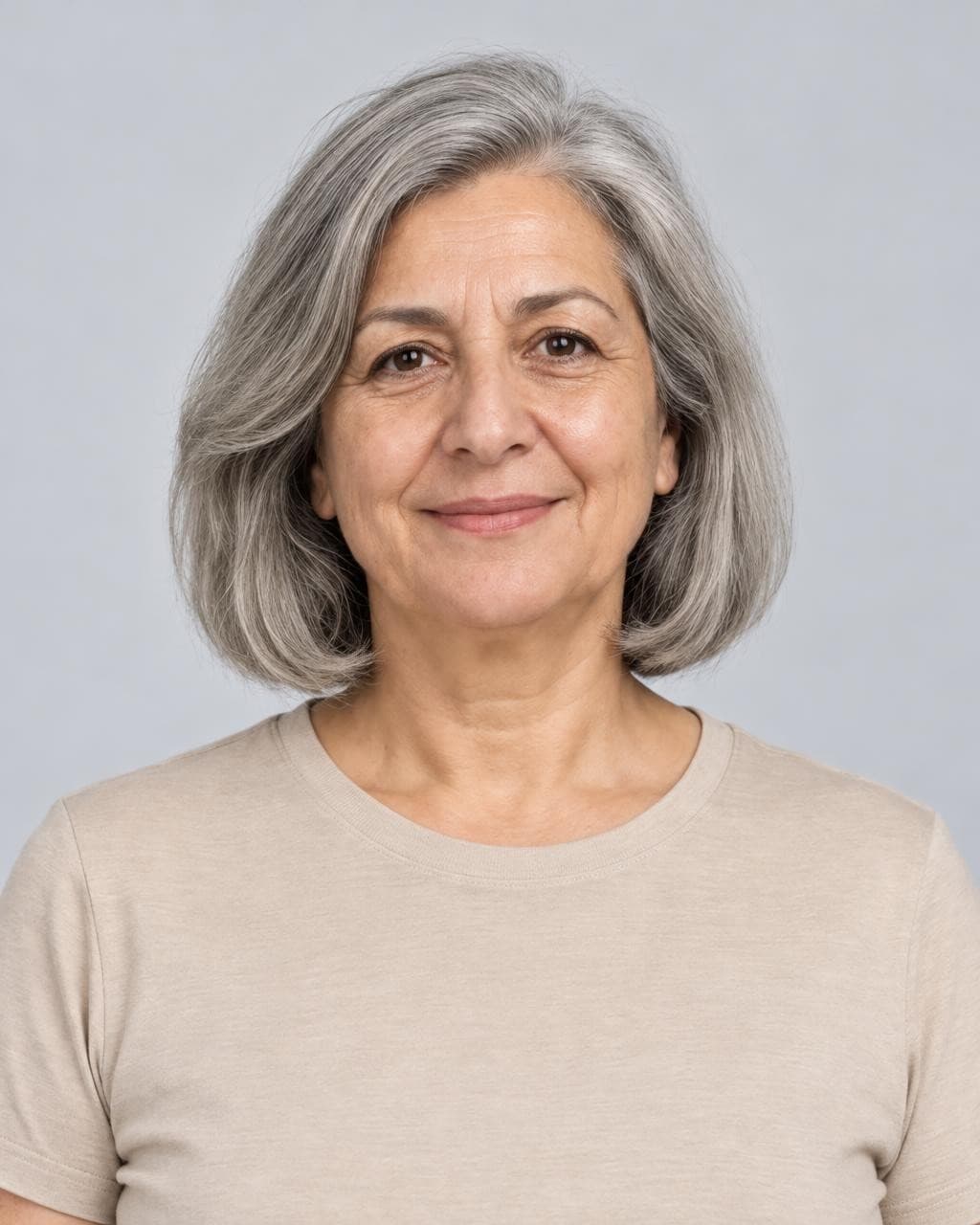
58, silver hair 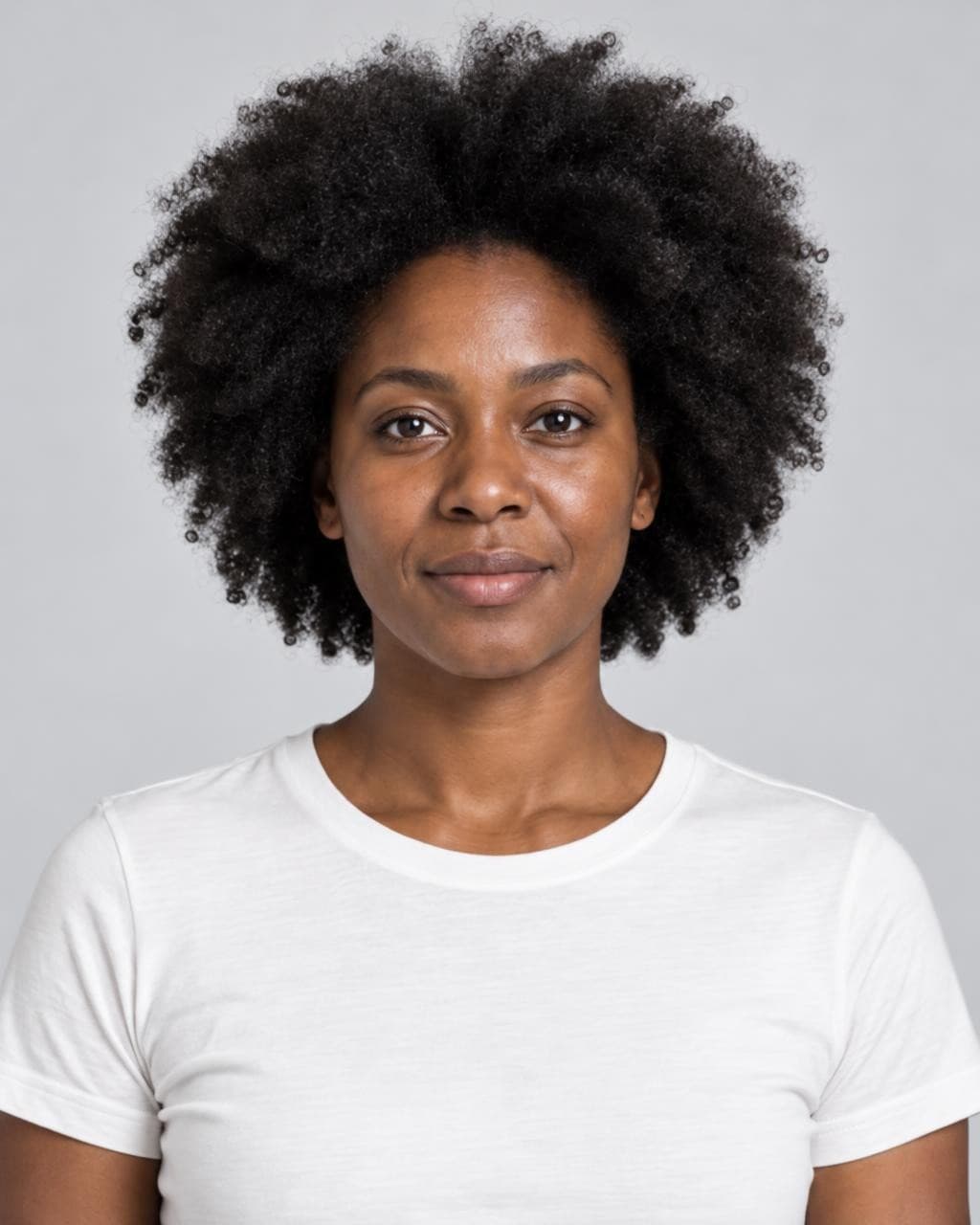
27, deep skin tone, afro hair 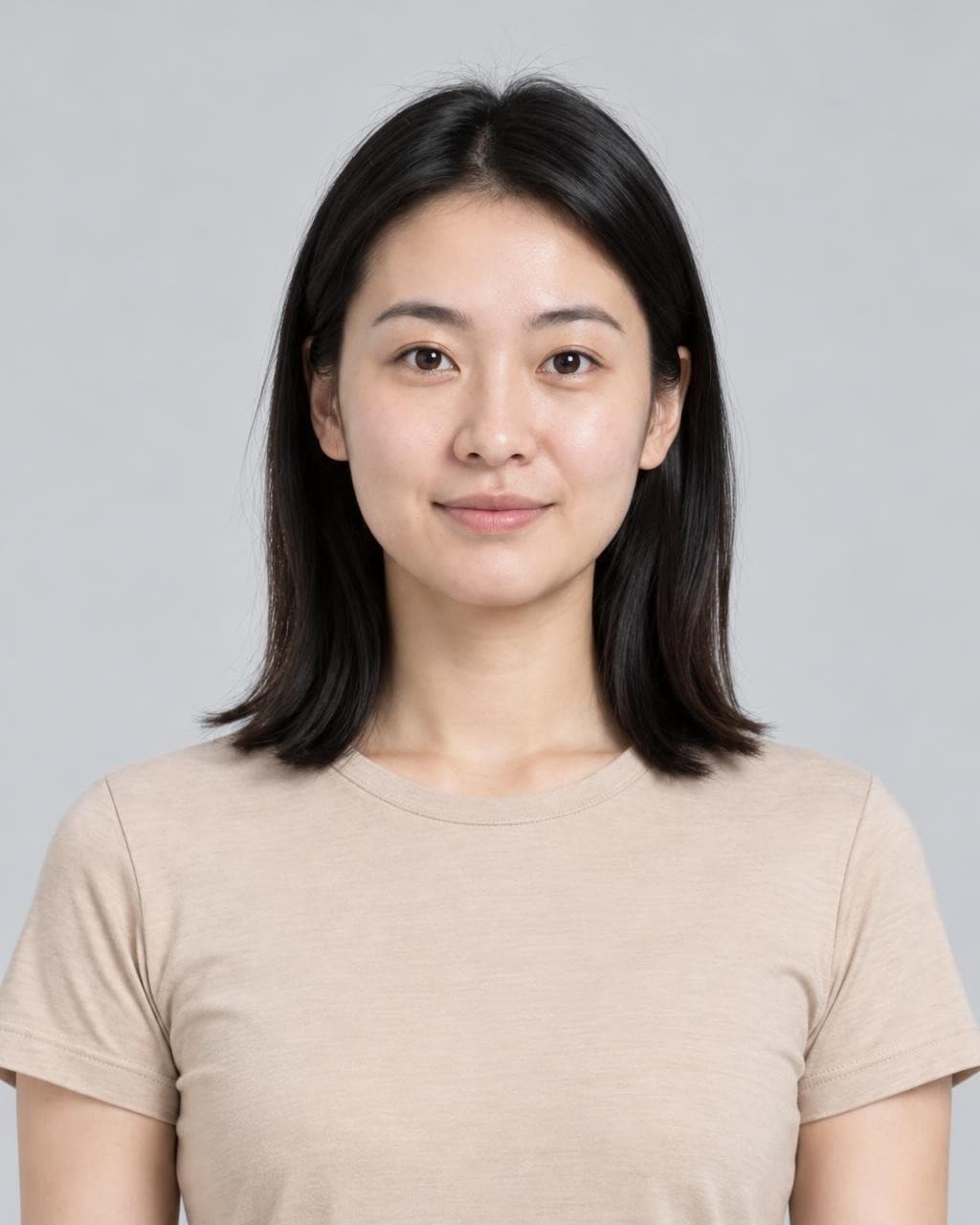
26, East Asian 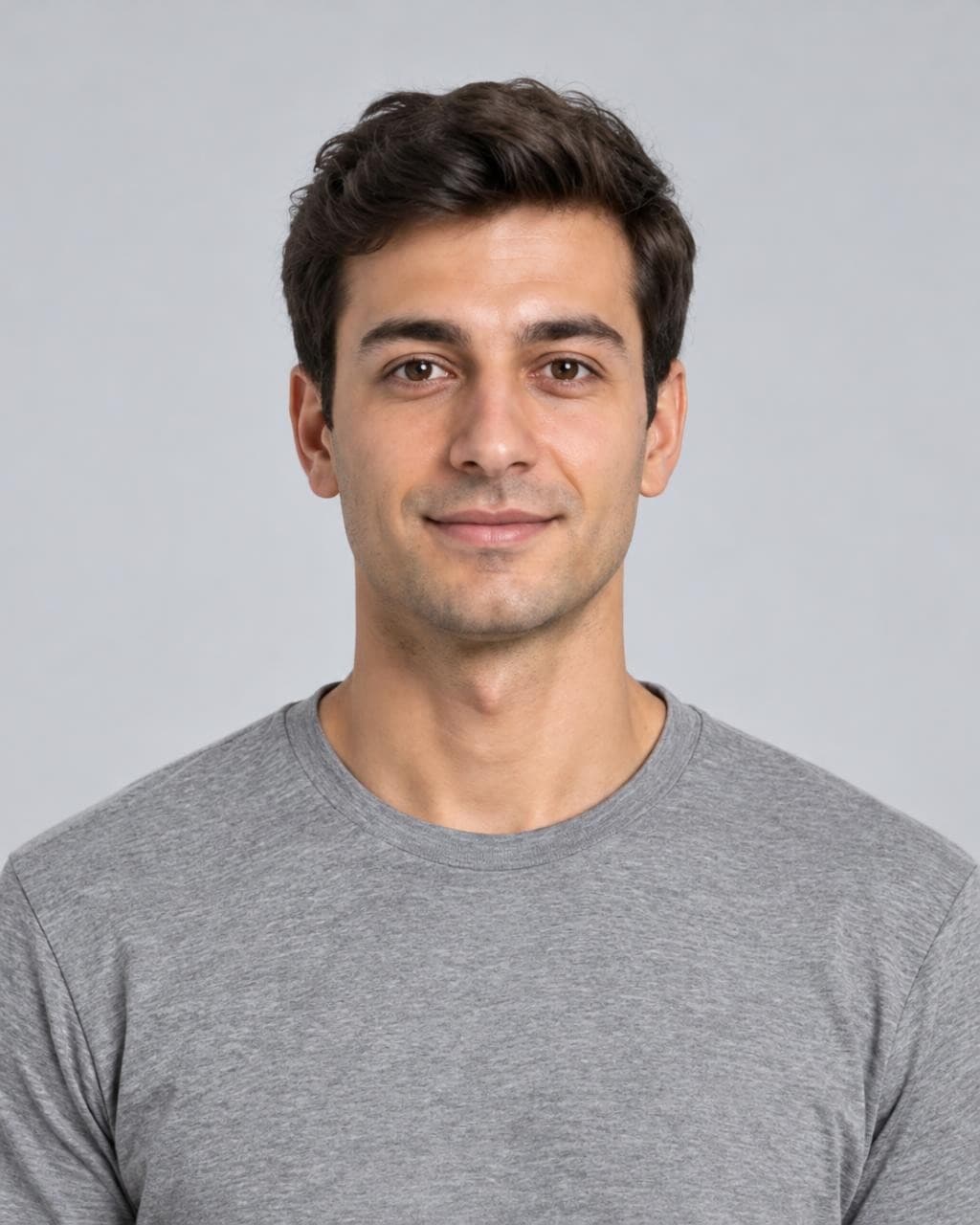
28, short dark hair 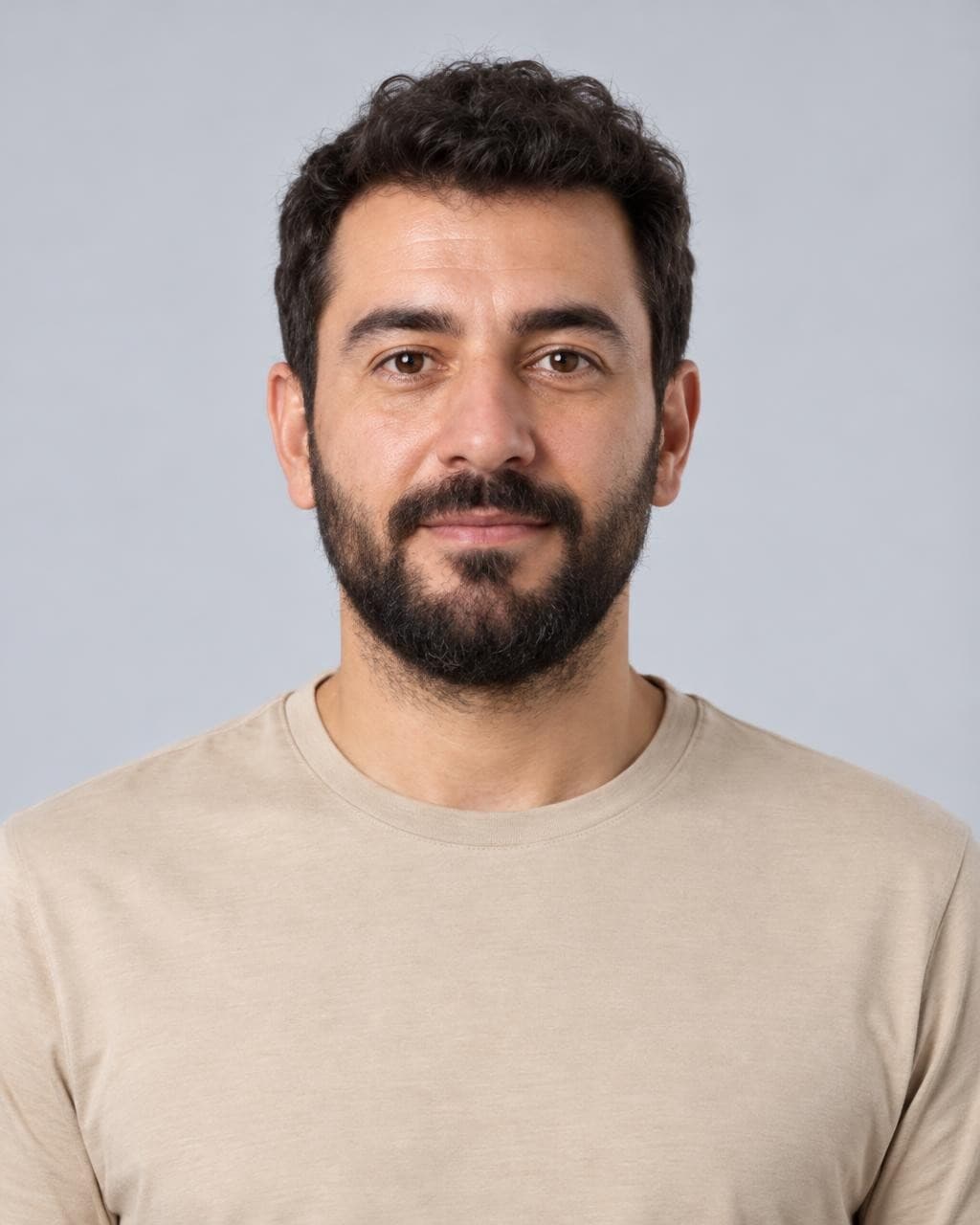
34, bearded 
48, grey hair 
32, plus size 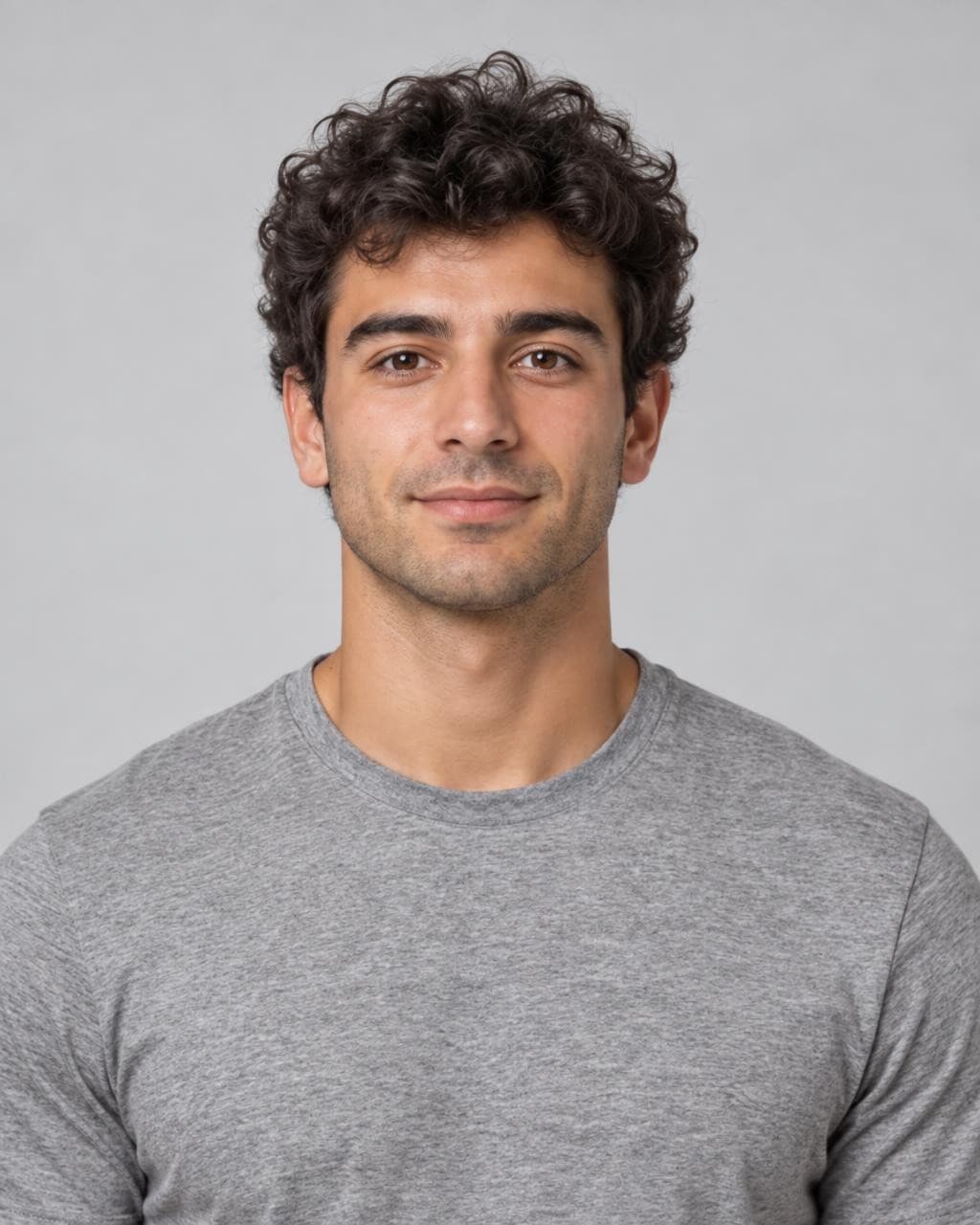
24, athletic 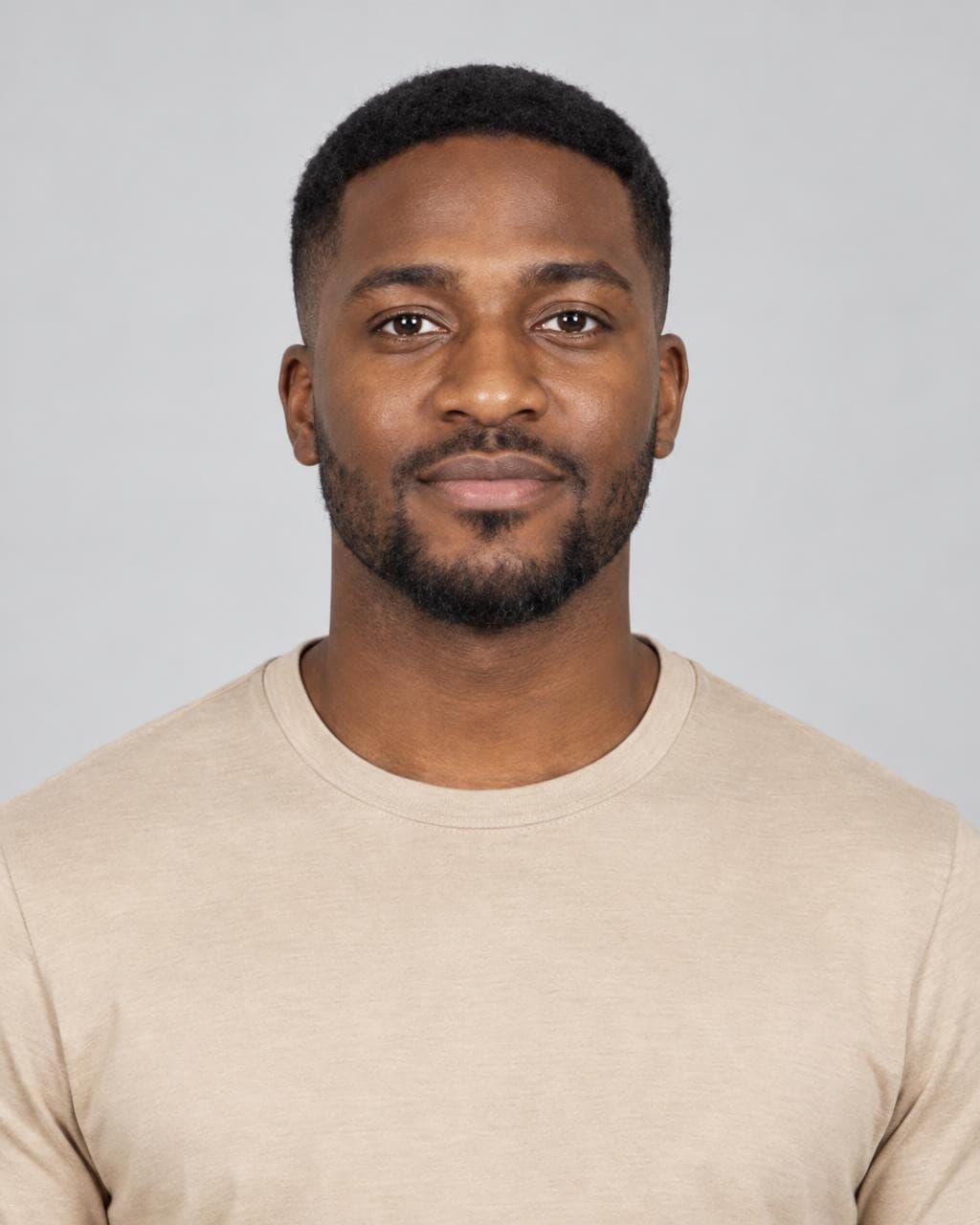
30, deep skin tone
Model measurements
Fashion model measurements
Chosen from the usual industry range, on the healthy side. Women: bust-waist-hips; men: chest / waist (cm).
| Model | Height (cm) | Weight (kg) | Measurements (cm) | Body mass index |
|---|---|---|---|---|
| Ada (woman) | 178 | 59 | 86-61-89 | 18.6 |
| Derin (woman) | 176 | 58 | 85-61-88 | 18.7 |
| Aras (man) | 188 | 79 | 99 / 79 | 22.4 |
| Kuzey (man) | 186 | 76 | 98 / 78 | 22.0 |
| Usual industry range, women | 175-180 | - | 86-61-86 (34-24-34 in) | - |
| Usual industry range, runway men | 183-191 | - | waist about 81 (32 in) | - |
Industry range: Backstage on model measurements and runway modeling. France has required health certificates for models since 2017 and considers body mass index, but the law sets no fixed threshold (Global News). We kept every model at 18.5 or above. The models are fictional; the measurements match their card in the studio.
Comparison
A real model shoot or Virtual Try-On
Different tools for different jobs. Neither replaces the other for every brand.
| Real model shoot | Virtual Try-On | |
|---|---|---|
| What you need | The physical garments, a model, a studio and a shoot day | Photos of the garments (flat, hanger, bed or mannequin) |
| Model, hair and makeup | Booked and paid for separately in most studios | Ready-made AI models, no model fee |
| Cost | Quoted per shoot by the studio | 13 credits per image in standard quality ($0.47–$0.87) |
| Fabric drape and fit | The real fabric on a real body | Drawn by the image model; fit and drape are estimates |
We don't quote photographers' prices here because rates differ by city and studio; get a quote for your own catalog.
Fitting room or product photos
Virtual try on for shoppers or for brands?
The phrase "virtual try on" covers two different products:
- For shoppers: a feature inside a store where a customer sees a garment on their own photo. This page isn't that, and it doesn't add anything to your website.
- For brands: product images of your garments on a model, for your catalog, marketplace listings, ads and social posts. This page. For one garment at a time in Product Shoot, see the AI clothes changer.
Looking for a model for accessories, jewelry and scenes as well? See AI fashion models. White-background images and marketplace sizes are in AI product photography.
Real people
Consent and who can be the model
Ready-made models are fictional adults. If you use a real person's photo (yourself, or your own model), you confirm this statement before the photo can be used, and it's stored with the shoot:
The person in the model photo is me, or gave me written, explicit consent to have their face and body processed with AI, to have that data transferred to service providers abroad for this purpose, and to have the images used in ads; they're over 18. If I use these images in ads, I'll say they were made with AI and won't present the person as having used or recommended the product.
Anyone under 18 can't be used, celebrities and public figures need their own permission, and every upload goes through the same moderation as the rest of the site.
Pricing and labels
What a try-on costs, and when to label it
A standard-quality image is 13 credits ($0.47–$0.87). Variations multiply the cost: 4 variations cost 4 times as much. Packs start at $5 for 75 credits.
If a generation fails, its credits come back automatically. High quality costs more, and the exact number shows in the studio before you generate. Images with photorealistic AI people may need a label, depending on where they run:
- EU AI Act, Article 50: Applies from August 2, 2026. Providers of AI systems that generate images must mark the output in a machine-readable way, and anyone publishing a realistic AI image of a person that could pass as real has to disclose that it's AI-generated. Source.
- TikTok ads: Ads with content that's completely AI-generated must be disclosed, with TikTok's AIGC label or your own clear caption or sticker. Undisclosed AI content can get the ad rejected. Source.
- Amazon: Sellers must tag product images that contain photorealistic AI-generated people with the keyword contains-synthetic-performer in the image metadata, in every Amazon store. Source.
Rules checked on November 2, 2026. Platforms change them often, and this isn't legal advice.
Highlights
Why use Virtual Try-On for your catalog
Whole outfits in one image
Put a top, a bottom, shoes and a bag on the same model, up to 4 pieces.
Real back views
If you upload the back of the garment, the back pose uses it. Without it, a plain back is drawn and no print or logo is invented.
Models for every customer
Fashion models with agency-style measurements, plus plus-size, hijab, 40s and 55+ models and models of African and East Asian background.
Checked against your photo
Each result is compared with your garment photo. If the text or logo changed, you see it and can redo the image once for free.
Packs for the usual jobs
E-commerce, campaign and social media packs set the poses and the background in one click.
Consent built in
Real people only with written consent, confirmed in the studio and stored with the shoot. Children are never allowed.
Honest limits
What virtual try on won't do
- It doesn't measure fit, cut or how the fabric drapes; the image estimates them. Put the real size chart in your product listing.
- One shoot takes up to 4 garments and 6 poses.
- It doesn't add a try-on feature to your store for shoppers; it makes product photos.
- There are no child models. Kids' clothing is shot without a model, flat or on a white background.
- Photos of other people need their written consent. Anyone under 18 can't be used, and using a celebrity or public figure without their permission isn't allowed. Uploads are checked for minors and sexual content.
- Sexual or revealing images are blocked by moderation.
- An AI image isn't a photo shoot: fabric texture and scale are less exact than in a photograph. Check every result next to your garment photo before you publish it.
FAQ
Common questions
What is virtual try on?
Virtual try on shows a garment on a person without anyone putting it on. There are two uses. Shoppers use it to see clothes on themselves. Brands use it to make product images of their garments on a model. This tool is for brands: you upload your garment photos and it draws the model you chose wearing them.
How does virtual try on work for a clothing brand?
You upload up to 4 garment photos, choose a model, pick poses and a background, and start the shoot. The garment photos and the model's photos go to the image model with an instruction to dress the model in those exact garments. It draws a new image per pose, in the size you chose, and each result is compared with your garment photos.
Is virtual try on free?
Signing up and uploading garments is free, but the shoot itself uses credits and opens after your first credit purchase. A standard-quality image costs 13 credits. Packs start at $5 for 75 credits, with no subscription.
Is this a virtual fitting room for shoppers?
No. A fitting room lets a shopper see a garment on their own photo, on your store. Virtual Try-On makes the product images for your store, ads and marketplace listings. You can upload your own full-length photo as a model and see a garment on yourself, but the result is a product-style image: it doesn't show how the size fits or how the fabric moves.
Can I put a whole outfit on an AI model?
Yes. If a shoot has several pieces (top, bottom, shoes, bag), all of them go on the same model in a single image, up to 4 pieces. Shoes show up in full-body poses; in waist-up and detail framings they can fall outside the frame.
How is the back of the garment drawn?
If you uploaded a photo of the back, the back pose uses it. If you didn't, a plain back consistent with the front is drawn, and no print, logo or detail that isn't in your photos is invented.
Will the print and logo on the garment stay the same?
Most of the time. The instruction asks for the garment to stay identical, down to the text, but small details can still shift. Every result is compared with your garment photo; if the text or logo changed, the image is flagged and you can redo it once for free. Subtle color or fabric shifts are harder to catch, so look closely too.
How were the model measurements chosen?
The fashion models are fictional and AI-generated, not real people. Their measurements sit in the healthy part of the usual industry range: 175-180 cm and about 86-61-86 cm for women, 183-191 cm and a waist of about 81 cm for runway men. Every model has a body mass index of at least 18.5.
Can I use a photo of someone else as the model?
Only if they agreed in writing to having their face and body processed with AI and the images used, and only if they're an adult. You confirm this in the studio before the photo can be used; the rights and permission stay your responsibility, so don't use a celebrity or public figure without their permission. If you don't have that consent, use a ready-made AI model instead.
Put your garments on a model
Signing up is free, and uploading garments costs nothing. The shoot needs credits; packs start at $5 for 75 credits, with no subscription.
Put your garments on a model