Guide · 13 min read · Nov 12, 2026
4:5 aspect ratio: pixel sizes and why feed videos use it
The 4:5 aspect ratio is a portrait frame that is 0.8 times as wide as it is tall. The standard size is 1080 x 1350 pixels for Instagram and Facebook feed posts, while Meta's Ads Guide recommends 1440 x 1800 for 4:5 feed video ads. It's 25% taller than a square and prints at 8 x 10 inches.
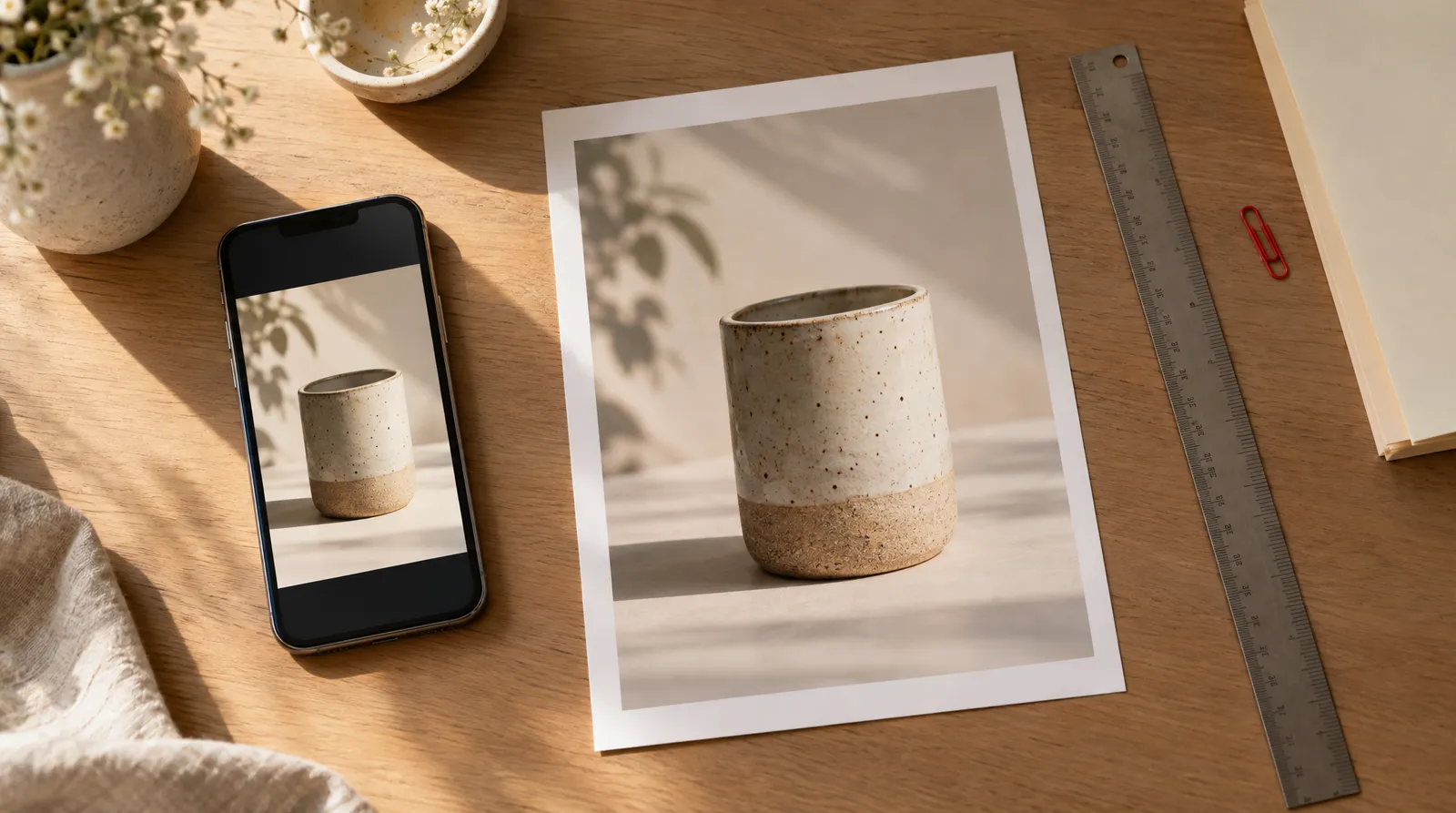
This guide gives you the numbers you'll actually type into an editor: pixel sizes, placement specs, print sizes, and the math behind 4:5 compared with 9:16, 1:1, 4:3, 2:3 and 5:4. It also shows how the Instagram profile grid trims 4:5 posts, how to crop on an iPhone, and how to get a 4:5 video when an AI tool like Image to Video doesn't export 4:5 directly.
Specs were checked on November 12, 2026 against Meta's Ads Guide listings, Apple Support, and size guides that quote Instagram's Help Center. Platform specs change, so recheck before a big campaign. Klakix is not affiliated with Instagram, Facebook, Meta or Apple.
What is 4:5 aspect ratio in pixels?
A 4:5 aspect ratio is 4 units wide for every 5 units tall, a decimal ratio of 0.8:1, and its best-known size is 1080 x 1350 pixels, according to Phoca's ratio reference. It's a ratio, not one fixed resolution, so any size where width divided by height equals 0.8 qualifies, as 1440px.com points out. The shortcut: multiply the width by 1.25 to get the height (our math: 1350 ÷ 1080 = 1.25).
Common 4:5 resolutions and where they're used
| Size (width x height) | Typical use |
|---|---|
| 600 x 750 | Minimum for 4:5 vertical feed video |
| 720 x 900 | Small web export (still 0.8:1) |
| 864 x 1080 | Lighter export, 1080 px tall |
| 1080 x 1350 | Instagram and Facebook feed portrait |
| 1200 x 1500 | Larger general-purpose upload |
| 1440 x 1800 | Meta's recommended 4:5 feed ad video |
| 2400 x 3000 | 8 x 10 inch print at 300 DPI |
Sources: calculateaspectratio.com, 1440px.com, Vimeo Help Center, Meta Ads Guide. Checked November 12, 2026; may change.
The 4:5 calculator at calculateaspectratio.com lists the same set of sizes. If you're working from a different width, the rule doesn't change: height equals width x 1.25.
Why feed videos use 4:5 instead of 9:16 or 1:1
Feed videos use 4:5 because it sits at the tall end of Instagram's long-standing feed range and covers more of the phone screen than a square. At 1080 px wide, a 4:5 frame is 25% taller than 1:1, as Krumzi's calculator notes, so the post takes up more space while someone scrolls.
It's also a middle ground. By our math, 1350 ÷ 1920 ≈ 0.70, so a 4:5 frame is about 70% as tall as a full-screen 9:16 frame. 9:16 belongs to Reels and Stories, which Instagram's Help Center, as quoted by XO3D, accepts from 1.91:1 to 9:16. The Marpipe ad glossary describes 4:5 the same way: more vertical space than a square without filling the whole screen.
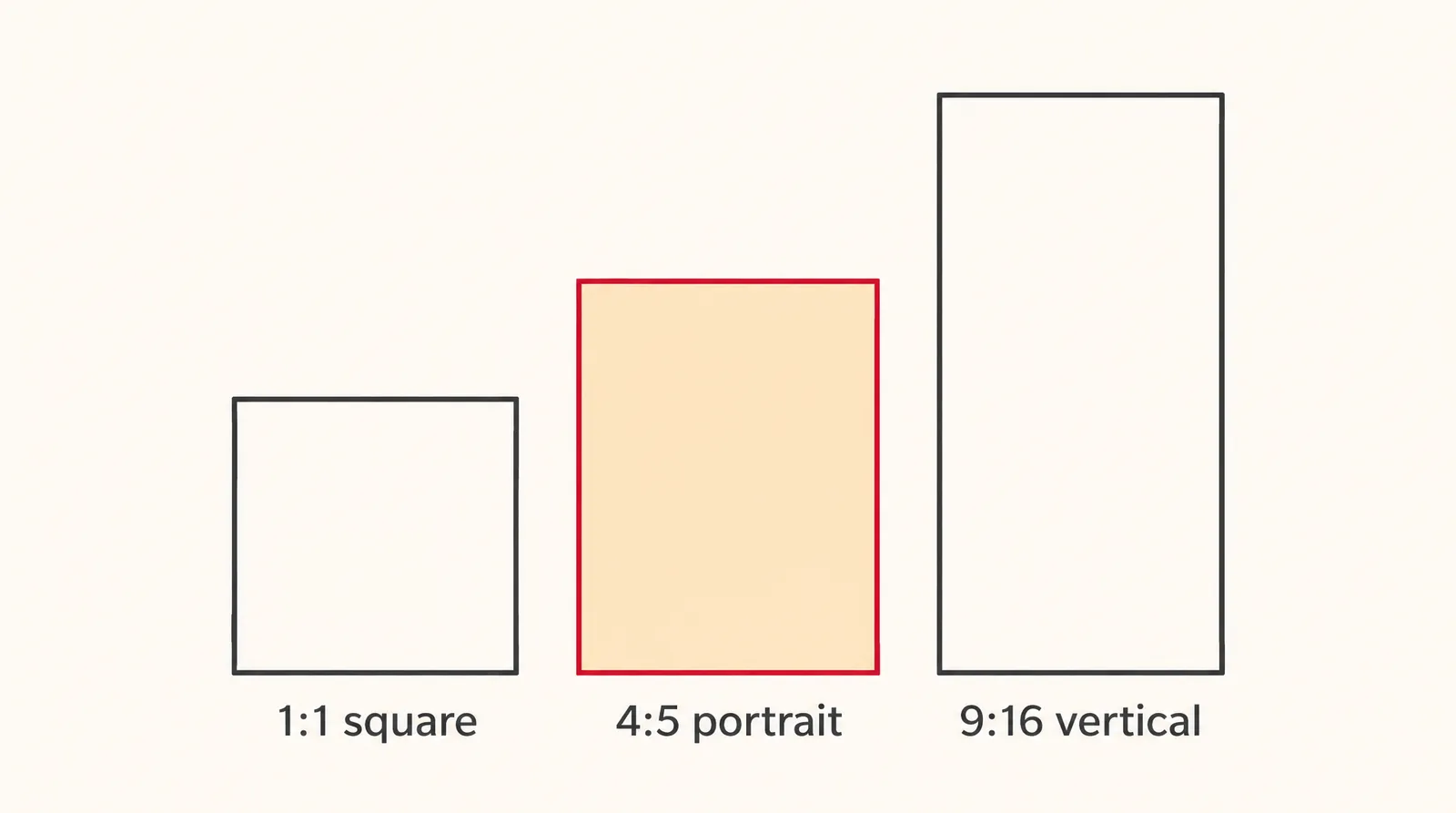
4:5 aspect ratio on Instagram and Facebook (November 2026)
On Instagram and Facebook, 4:5 is the standard portrait feed format at 1080 x 1350, and Meta's Ads Guide recommends 1440 x 1800 for 4:5 Facebook Feed video ads. Instagram's Help Center, as quoted by xconvert, says a feed post keeps its resolution at 1080 px wide when its ratio is between 1.91:1 and 4:5, a height between 566 and 1350 pixels.
4:5 and related sizes by placement
| Placement | Ratios | Size | Notes |
|---|---|---|---|
| Instagram feed image | 4:5 or 3:4 | 1080 x 1350 or 1080 x 1440 | Both portrait shapes are supported |
| Instagram feed video | 1.91:1, 1:1 or 4:5 | At least 600 x 750 for 4:5 | Per Vimeo's help center |
| Instagram carousel video | 1:1, 4:5 or 3:4 | 1080 x 1080 or 1080 x 1350 | MP4 or MOV, 23 to 60 fps |
| Facebook Feed video ad | 4:5 | 1440 x 1800 recommended | MP4, MOV or GIF; H.264; stereo AAC at 128 kbps or more |
| Instagram Reels | 1.91:1 to 9:16 | 1080 x 1920 full screen | At least 720 px and 30 FPS |
| Minimum width | Any feed ratio | Facebook Feed 600 px, Instagram Feed 500 px | Below this, uploads fall short of specs |
Sources: Meta Ads Guide, Instagram Help Center as quoted by xconvert and XO3D, Vimeo Help Center, Sprout Social, Influencer Marketing Hub, Apogee. Checked November 12, 2026; may change.
For organic posts, 1080 x 1350 is the safe default. For paid feed video, Meta's Ads Guide lists 1440 x 1800 at 4:5 for Awareness, and the Engagement spec shows the same values. That size has about 1.78 times as many pixels as 1080 x 1350 (our math), and Biddyco's roundup notes the 1080 sizes still meet the minimums.
Minimums are low: Apogee lists 600 px wide for Facebook Feed and 500 px for Instagram Feed, and Vimeo's help center gives 600 x 750 as the floor for 4:5 vertical video. Carousel specs from Sprout Social allow 1:1, 4:5 or 3:4.
Does the Instagram grid crop 4:5 posts?
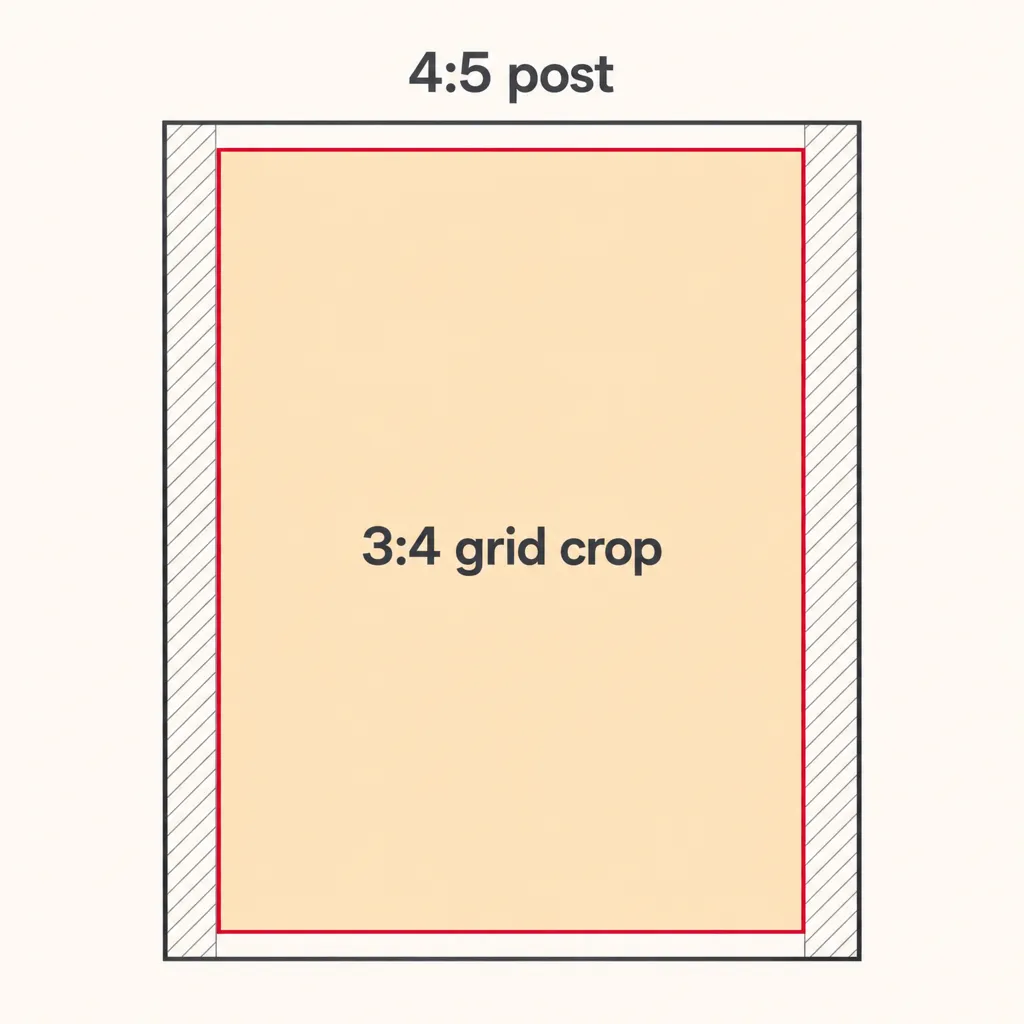
Yes, the profile grid trims 4:5 posts slightly, even though the feed and the opened post still show the full frame. According to news reports summarized by Neal Schaffer, Instagram replaced the square grid with a 3:4 grid in January 2025, and every profile thumbnail is now cropped to 3:4. Kapwing notes you can't switch the grid back to square.
On a 1080 x 1350 post, the thumbnail keeps a center area of roughly 1012 x 1350 px, per Oktopost's grid guide; some guides round it to 1013. Our math: 1350 x 0.75 = 1012.5, so about 34 px comes off each side. That's small, but it's enough to clip a headline that runs edge to edge.
- Design at 4:5: the feed still shows the full 1080 x 1350.
- Center the important parts: keep text, logos and faces inside a centered 3:4 safe zone of about 1012 x 1350.
- Leave a margin: give side text a bit more than 34 px of room so the grid crop doesn't touch it.
- Check the thumbnail: after posting, look at your profile grid before you share the link.
4:5 vs 9:16, 1:1, 4:3, 2:3 and 5:4
4:5 sits between a square and a full-screen vertical frame: taller than 1:1 and 5:4, shorter than 3:4, 2:3 and 9:16. The table puts every ratio at a 1080 px width so you can compare heights directly.
Aspect ratios compared at 1080 px wide
| Ratio | Width ÷ height | Size at 1080 wide | Orientation and typical use |
|---|---|---|---|
| 9:16 | 0.5625 | 1080 x 1920 | Vertical, full screen: Reels and Stories |
| 2:3 | 0.667 | 1080 x 1620 | Portrait, taller than 4:5 |
| 3:4 | 0.75 | 1080 x 1440 | Portrait: Instagram grid and feed images |
| 4:5 | 0.8 | 1080 x 1350 | Portrait: Instagram and Facebook feed |
| 1:1 | 1.0 | 1080 x 1080 | Square: feed and carousels |
| 5:4 | 1.25 | 1080 x 864 | Landscape version of 4:5 |
| 4:3 | 1.333 | 1080 x 810 | Landscape |
Our math from the ratios; the 9:16, 3:4, 4:5 and 1:1 sizes match the Instagram specs cited above. Checked November 12, 2026.
4:5 vs 5:4 is only orientation: the same shape turned on its side, 1080 x 1350 versus 1350 x 1080. 4:5 vs 4:3 is portrait versus landscape, and 2:3 is the taller cousin of 4:5. If you're sizing for full-screen vertical instead, see our Instagram reel size guide and the TikTok video size guide.
What size is 4:5 in inches, cm and 4K?
In print, 4:5 matches 8 x 10 inch and 16 x 20 inch photos, per Imagen's 4:5 crop tool. That's about 20.3 x 25.4 cm and 40.6 x 50.8 cm (our math). An 8 x 10 at 300 DPI needs 2400 x 3000 pixels, and a 16 x 20 at the same density needs 4800 x 6000 (our math).
There is no standard 4:5 size called 4K. Calculators disagree: Krumzi lists 3072 x 3840, others list smaller sizes, and if you take 2160 px as the width you get 2160 x 2700 (our math). Pick the size your printer or platform asks for; for Meta feed ads, 1440 x 1800 is already the recommendation.
How to crop or convert to 4:5 on iPhone and for video
On an iPhone, you crop in the Photos app with Edit, then Crop, then the aspect ratio options. Apple's guide names presets such as Square, Wallpaper, 9:16 and 5:7; we couldn't confirm a 4:5 preset in Apple's documentation, so check the list on your phone.
- Open the photo or video in Photos and tap Edit.
- Tap Crop.
- Tap the lock icon if the ratio is locked, then tap the aspect ratio button (it shows Freeform by default).
- Pick 4:5 if your version lists it; if not, choose Freeform and crop by eye, then resize to 1080 x 1350 in another app.
- Tap Done.
The same Crop and Aspect Ratio controls have worked on videos since iOS 13, per How-To Geek. Converting a 16:9 clip to 4:5 cuts a lot: at 1080 px tall, a 4:5 frame is 864 px wide, which keeps only 45% of a 1920 px width (our math). In any timeline editor, the setting to look for is the project or canvas ratio; we haven't documented specific menus in apps like CapCut here.
How to make a 4:5 feed video with AI
Klakix's video models don't output 4:5 directly: depending on the model, Text to Video and Image to Video offer 16:9, 9:16, 1:1, 4:3, 3:4 and 21:9. The workaround is to generate the closest shape, then set a 4:5 project in the Video Editor (beta, sign-in required), where editing and MP4 export are free. 3:4 is the closest shape to 4:5, and 1:1 is next, so less of the frame has to change.
- Upload your product photo: Open Image to Video and upload a clear product photo with no people in it.
- Choose a model: Pick Seedance 2.0 Mini at High (720p) for 5 seconds (48 credits), or MiniMax H3 Max Turbo at its default 768P for 5 seconds (20 credits).
- Choose the closest shape: If the model shows an aspect ratio menu, pick 3:4 or 1:1, the shapes closest to 4:5.
- Write the motion prompt: Try: "The tumbler turns slowly on a cream countertop as soft window light slides across it; the camera stays still." One action and a still camera keep the product centered, which makes reframing easier.
- Set a 4:5 project: Open the Video Editor, add the clip and set the project size to 4:5.
- Export the MP4: Check that the product sits inside the center of the frame, then export the MP4 for free.
Our math on cost: 48 credits is about $3.20 on the Mini pack ($5 for 75 credits), and 20 credits is about $1.33. Credits are refunded automatically if a generation fails. There's no free video: the 20 free credits you get after verifying your email work only for voiceovers.
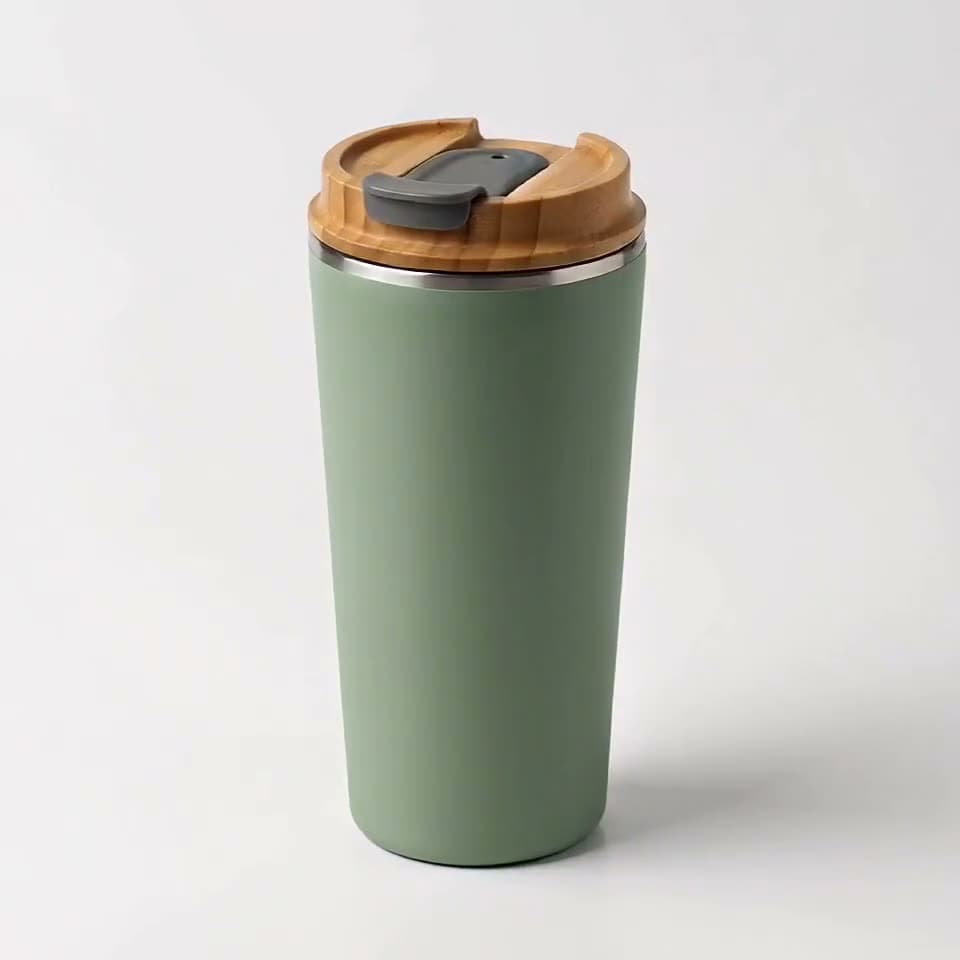

Each sample was generated in one take on this site with the model shown on it; nothing was edited.
For more pixels, the Video Upscaler uses Topaz Video AI to take a clip to Full HD from 20 credits, or to 4K. If you need 4:5 still images rather than video, Product Shoot exports Instagram 1:1 and 4:5 sizes from a product photo.
Sources
The facts in this post were checked against the pages below on Nov 12, 2026. Prices and limits may change.
- Phoca: 4:5 aspect ratio (independent source)
- 1440px.com: 4:5 aspect ratio (independent source)
- calculateaspectratio.com: 4:5 calculator (independent source)
- Krumzi: 4:5 aspect ratio calculator (independent source)
- XO3D: Instagram feed video size (independent source)
- Marpipe ad glossary: 4:5 aspect ratio (independent source)
- xconvert: best video format for Instagram (independent source)
- Meta Ads Guide: video ads (official source)
- Meta Ads Guide: Facebook Feed video, Engagement (official source)
- Biddyco: Meta ad specs (independent source)
- Apogee: Meta ads specs (independent source)
- Vimeo Help Center: ratios for Instagram posts (independent source)
- Sprout Social: social media video specs (independent source)
- Influencer Marketing Hub: Instagram image sizes (independent source)
- Neal Schaffer: Instagram post size (independent source)
- Kapwing: Instagram's new grid layout (independent source)
- Oktopost: Instagram grid size guide (independent source)
- Imagen: 4:5 photo crop (independent source)
- Apple Support: crop, rotate and straighten photos and videos on iPhone (official source)
- How-To Geek: crop and change aspect ratio of videos on iPhone (independent source)
This post was drafted with AI assistance. Facts were checked against the sources above, and model, credit and price details were checked automatically against the site's current price list.
Frequently asked questions
What is 4:5 aspect ratio in pixels?
The most common 4:5 size is 1080 x 1350 pixels, used for Instagram and Facebook feed posts. Meta's Ads Guide recommends 1440 x 1800 for 4:5 feed video ads. Any size works as long as the height is 1.25 times the width.
Is 4:5 portrait or landscape?
4:5 is portrait, because the height is larger than the width. Its landscape version is 5:4, which is the same shape turned on its side, such as 1350 x 1080.
Should I use 4:5 or 9:16 for Instagram?
Use 4:5 for feed posts and carousels, and 9:16 for Reels and Stories that fill the screen. At the same 1080 px width, a 4:5 frame is about 70% as tall as a 9:16 one.
What is the 4:5 aspect ratio on Facebook?
On Facebook, 4:5 is the portrait size for feed posts and feed video ads. Meta's Ads Guide lists 1440 x 1800 as the recommended 4:5 feed video resolution, and 1080 x 1350 still meets the minimums.
What size is 4:5 aspect ratio in inches?
4:5 matches 8 x 10 inch and 16 x 20 inch prints, which are about 20.3 x 25.4 cm and 40.6 x 50.8 cm. For an 8 x 10 at 300 DPI, prepare an image of 2400 x 3000 pixels.
Does Instagram crop 4:5 posts on the profile grid?
Yes, slightly. The profile grid shows thumbnails at 3:4, so a 1080 x 1350 post loses about 34 px from each side in the thumbnail. The full 4:5 post still appears in the feed.
How do I convert a 16:9 video to 4:5?
Open the clip in a video editor, set the project or canvas to 4:5, and reposition the subject inside the narrower frame. Expect to lose most of the width: a 4:5 crop of a 16:9 frame keeps only about 45% of it.
Can AI video generators make 4:5 video directly?
On Klakix, no: the video models offer shapes like 16:9, 9:16, 1:1, 4:3 and 3:4, but not 4:5. You generate a 3:4 or 1:1 clip and export it from a 4:5 project in the Video Editor, which is free.
Try what you just read
Signing up is free. Video and image tools unlock after your first credit pack, and credits are refunded if a generation fails.
Open Image to Video