Guide · 13 min read · Nov 11, 2026
TikTok video size and aspect ratio: the 2026 guide
The standard TikTok video size is 1080 x 1920 pixels at a 9:16 vertical aspect ratio. According to TikTok's Help Center, as cited in October 2026, TikTok Studio web uploads accept MP4 or WebM at 720 x 1280 or higher, up to 30 minutes and under 10 GB. The API and ads have their own limits.
This guide gives you the numbers to check before you export: pixel size, aspect ratio, file size and length limits for each way of posting, frame rate and codec, where to keep text, and ad specs. It also flags the widely copied figures that have no official source behind them.
Everything here was checked on November 11, 2026 against TikTok's ads help pages, the TikTok for Developers documentation, and TikTok Help Center pages as quoted by third parties. Limits change, so treat them as current on that date. The same 9:16 frame applies if you're making AI ad videos with a presenter for TikTok.
What is the TikTok video size? (1080 x 1920, 9:16)
A TikTok video should be 1080 pixels wide and 1920 pixels tall, which is a 9:16 vertical aspect ratio. That's the consensus across sizing guides such as Descript, and Sked Social calls it the standard full HD size for 9:16. TikTok itself publishes minimums rather than a recommended size: 540 x 960 for vertical ads, and 720 x 1280 or higher for TikTok Studio uploads according to its Help Center as cited by outfeed.ai.
TikTok video size in pixels by aspect ratio
| Shape | Ratio | Full HD size (width x height) | Minimum TikTok lists |
|---|---|---|---|
| Vertical (recommended) | 9:16 | 1080 x 1920 | 540 x 960 for ads; 720 x 1280 for TikTok Studio (reported) |
| Square | 1:1 | 1080 x 1080 | 640 x 640 for ads |
| Horizontal | 16:9 | 1920 x 1080 | 960 x 540 for ads |
| Any shape via the API | Any | Not specified | 360 px per side minimum, 4096 px per side maximum |
Sources: TikTok Ads Manager, Auction In-Feed Ads (updated June 2026); TikTok for Developers, Media Transfer Guide; TikTok Help Center via outfeed.ai (checked October 7, 2026). Full HD sizes are the industry standard, not a TikTok figure. Checked November 11, 2026; may change.
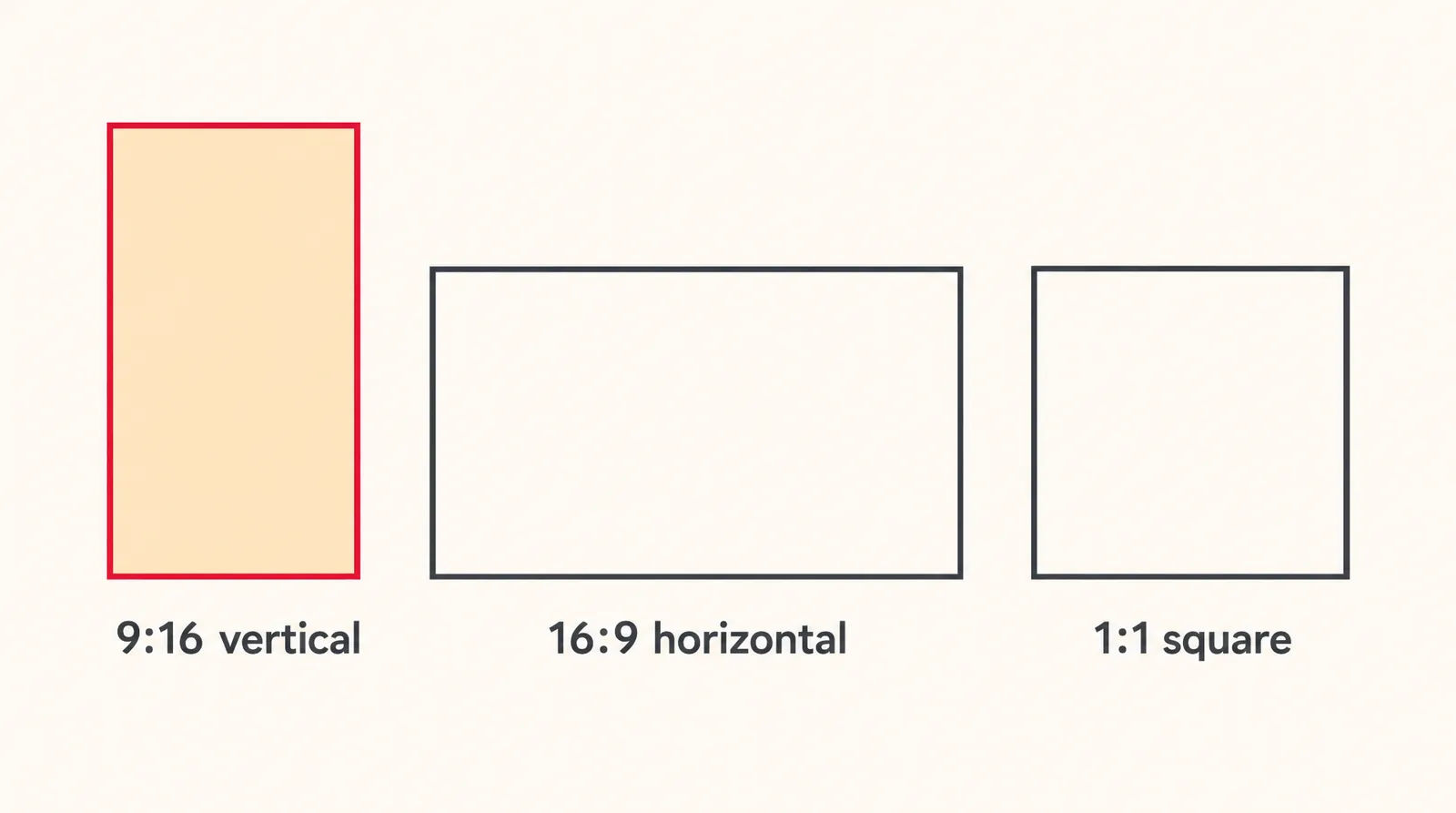
TikTok accepts square and horizontal videos, but geometry works against them: a 16:9 frame fills only a strip of a 9:16 phone screen. If you want the whole screen, shoot or generate vertically. Our 1080x1920 guide covers this frame size across other platforms.
TikTok video size limit and length by upload method
The TikTok video size limit depends on how you upload: under 10 GB in TikTok Studio on the web (as reported from the Help Center), 4 GB through the Content Posting API, and 500 MB or less for standard ads. That's why numbers online disagree: most pages quote one figure without saying which upload method it belongs to.
TikTok file size and length limits by upload method
| Upload method | Max file size | Max length | Formats | Status |
|---|---|---|---|---|
| Phone app | Not officially published | Varies by account | Not officially published | 72 MB / 287.6 MB figures circulate; not confirmed by an official source |
| TikTok Studio (web browser) | Under 10 GB | Up to 30 minutes | MP4, WebM | Help Center, as cited by third parties (October 2026) |
| Content Posting API | 4 GB | 10 minutes; all creators can post 3 minutes, some 5 or 10 | MP4 (recommended), WebM, MOV | Official developer docs |
| Non-Spark In-Feed ads | 500 MB or less | Up to 10 minutes | .mp4, .mov, .mpeg, .3gp, .avi | Official ads help (June 2026) |
Sources: TikTok Help Center via outfeed.ai and Renderforest; TikTok for Developers Media Transfer Guide; TikTok Ads Manager Auction In-Feed Ads. Checked November 11, 2026; may change.
The TikTok for Developers guide is the only official source on account tiers: every creator can post 3-minute videos, while some accounts get 5 or 10 minutes. TikTok Studio reportedly allows up to 30 minutes, per Renderforest and outfeed.ai. Claims that any account can upload 60 minutes, such as Roboneo's, aren't confirmed by an official source.
TikTok video resolution, frame rate and file format
TikTok's official media transfer guide for the Content Posting API lists frame rates from 23 to 60 FPS and picture sizes from 360 to 4096 pixels per side. These are the only frame rate and codec figures TikTok documents, so they're a sensible target for any upload method. Here's what the documentation lists:
- Frame rate: minimum 23 FPS, maximum 60 FPS.
- Codec: H.264 is recommended; H.265, VP8 and VP9 are also supported.
- Container: MP4 is recommended; WebM and MOV also work through the API.
- Resolution range: 360 to 4096 pixels for both width and height.
- Ad bitrate: at least 516 kbps for standard auction ads, and at least 2,500 kbps for reservation ads.
A practical export is 1080 x 1920, H.264, MP4, at 30 fps, which sits comfortably inside every documented range. Some guides, like Postiz, say TikTok downsizes anything above 1080 x 1920, but that's not confirmed by an official source.
TikTok safe zone: where to put text and captions
The TikTok safe zone is the part of the frame that the caption, buttons and other on-screen elements don't cover, and TikTok doesn't publish a single pixel size for it. Its ads help page says the safe zone depends on the video's shape, the caption length and any extra formats, and it offers downloadable overlay files instead of numbers.
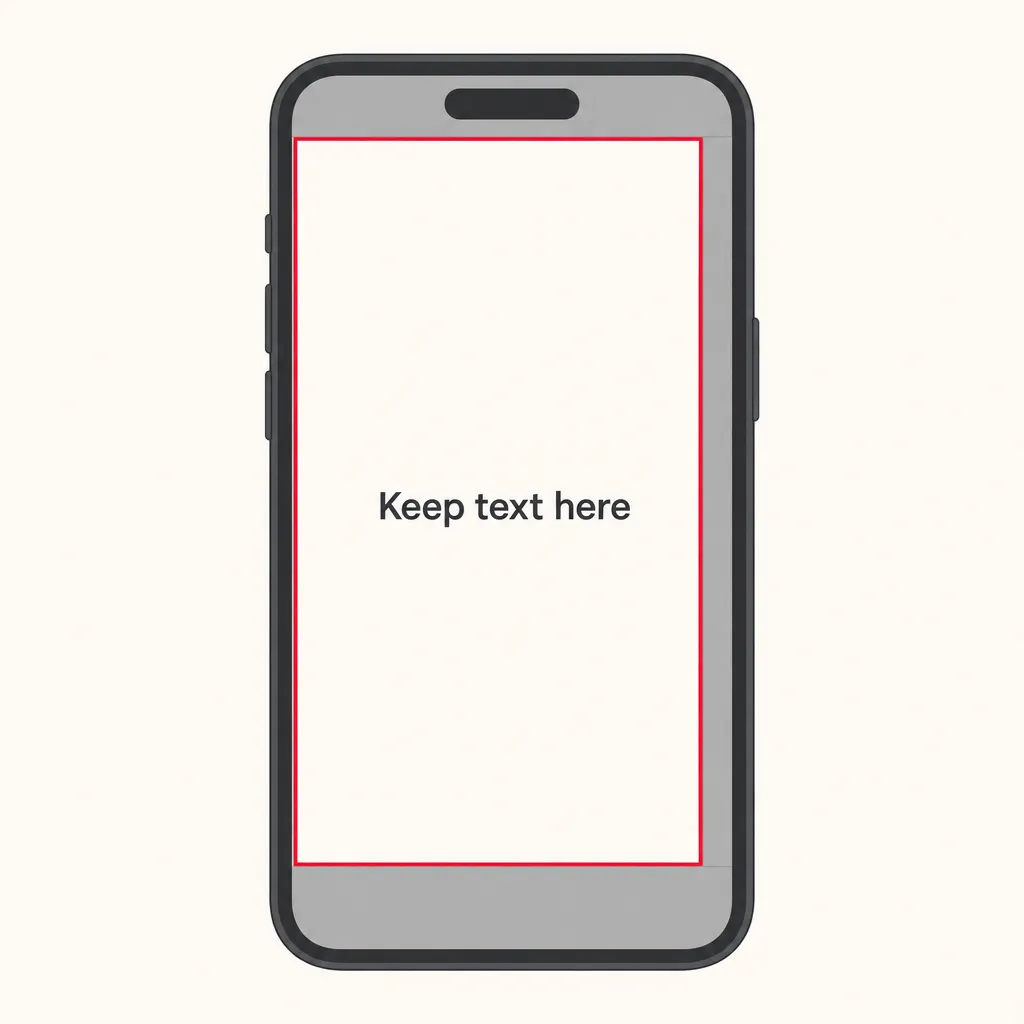
Those estimates agree that the bottom is the most crowded area, and most of them also flag the right edge. Keep headlines, prices and faces near the center, and test with TikTok's overlay. TikTok also notes that its ad preview isn't device-specific, so the live post may look slightly different.
How to change a video to TikTok size
To change a video to TikTok size, place it in a 9:16 project at 1080 x 1920, reframe the subject, and export an MP4. The steps are the same in CapCut, Premiere Pro or DaVinci Resolve; only the menu names differ.
- Create a 9:16 project: Set your editor's canvas, sequence or timeline to 1080 x 1920 pixels before you add any footage.
- Reframe the clip: Scale a horizontal clip up until it fills the height, then slide it so the subject stays in the middle of the frame.
- Check text against the safe zone: Lay TikTok's overlay file over the edit and move any text or logos out of the covered areas.
- Trim to length: Cut the video to the length your account allows, since a desktop upload sends the whole file.
- Export an MP4: Export as MP4 with H.264 at 30 fps, which falls inside TikTok's 23 to 60 FPS range.
- Upload the file: On a computer, click Upload at the top, then Select video to upload or Select file, and choose your video.
To reduce TikTok video file size, export at 1080 x 1920 instead of 4K, use H.264, keep 30 fps, and lower the bitrate a little. A file under 500 MB fits even the strictest documented limit, the one for standard ads.
On Klakix, the Video Editor (beta, sign-in required) runs in the browser with a 9:16 project size, and editing and MP4 export are free. For long horizontal recordings like podcasts, Viral Clips costs 15 credits and cuts vertical 9:16 clips with face tracking and word-by-word captions.
How to make TikTok-size videos with AI
You can skip resizing by generating video at 9:16 from the start: every model in Klakix's Text to Video tool offers a 9:16 aspect ratio. Klakix is not affiliated with TikTok. Credit costs as of November 11, 2026:
- MiniMax H3 Max Turbo: 5, 10 or 15 seconds, 13 to 120 credits; a 5-second 768p clip is 20 credits.
- Seedance 2.0 Mini: 48 credits for 5 seconds at 720p, about $3.20 on the Mini pack ($5 for 75 credits, our math, plus tax).
- Kling 4.0: a single shot up to 30 seconds with sound, 720p or Full HD, 48 to 705 credits.
- Google Veo 3.1 Lite: 4, 6 or 8 seconds at 720p or 1080p, 20 to 64 credits.
- UGC Ads: a presenter video at 9:16 costs 100 credits with HeyGen Avatar IV (about $6.67 on Mini, or $3.63 on the Studio pack) or 250 with OmniHuman 1.5.
- Upscaling: Topaz Video AI takes a clip to Full HD for 20 credits, with optional 60 fps.
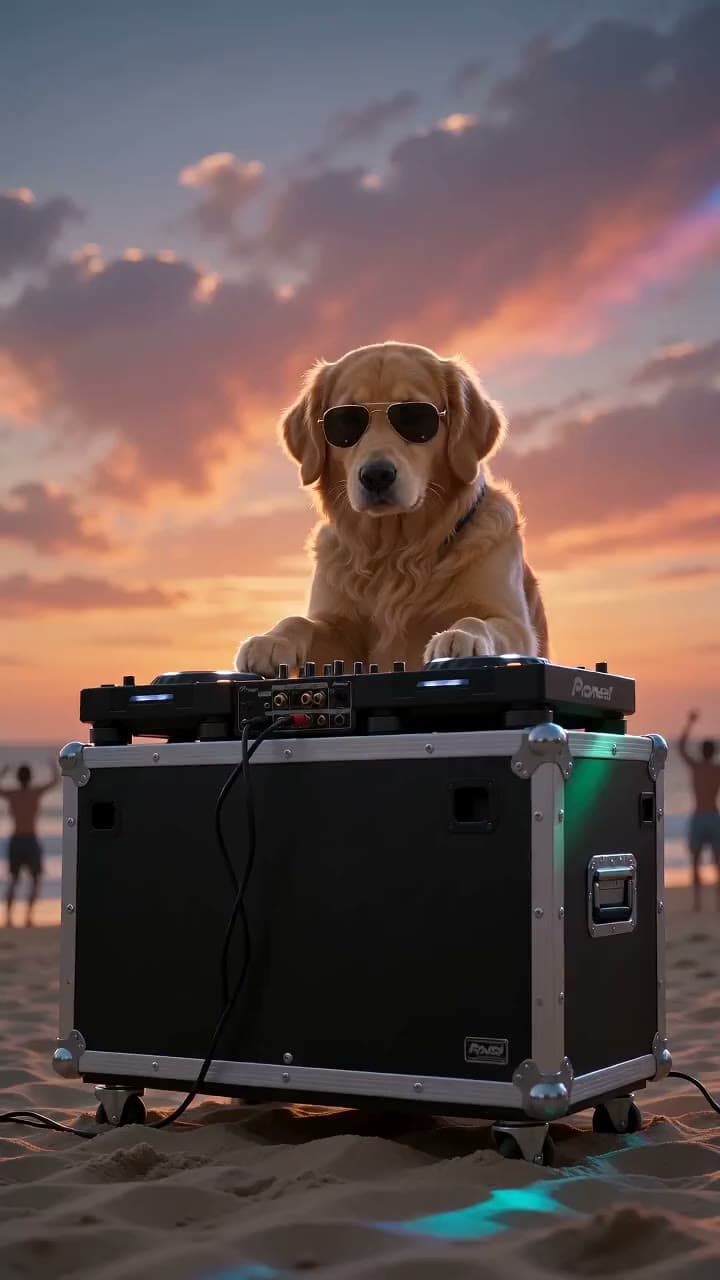

Each sample was generated in one take on this site with the model shown on it; nothing was edited.
Know the limits before you start. The video models don't generate 4:5 video (the Video Editor can export a 4:5 project), each tool makes one clip at a time, and music, voiceover and text are added in the editor. There's no free video: the 20 free credits after email verification work only for voiceovers, and credits for a failed generation are refunded automatically. See current pricing and the upscaler for details.
TikTok video ad specs
TikTok Ads Manager recommends a 9:16 vertical video of at least 540 x 960 pixels, 500 MB or less, for standard video ads; 16:9 and 1:1 are also accepted. Specs differ between standard (Non-Spark) ads, Spark Ads that promote an existing post, and reservation ads.
TikTok In-Feed ad video specs
| Spec | Non-Spark auction ads | Spark Ads (Pull) | Reservation ads (Reach & Frequency) |
|---|---|---|---|
| Dimensions | 9:16 at 540 x 960 or more; 16:9 at 960 x 540 or more; 1:1 at 640 x 640 or more | Uses your existing post | Same as Non-Spark |
| Formats | .mp4, .mov, .mpeg, .3gp, .avi | .mp4 or .mov | Not listed |
| Duration | Up to 10 minutes | No restrictions | 5 to 60 seconds (9 to 15 recommended) |
| File size | 500 MB or less | Not listed | 500 MB or less |
| Bitrate | 516 kbps or more | Not listed | 2,500 kbps or more |
| Sound | Not specified | Not specified | Required |
| Captions | White, fixed font; no clickable links, @ or hashtags | Up to 4 lines including emojis | Not listed |
Sources: TikTok Ads Manager, Auction In-Feed Ads (updated June 2026); TikTok Reservation In-Feed Ads (search snippet, undated). Checked November 11, 2026; may change.
If your ad shows an AI-generated presenter, disclose it as an AI creation where platform rules or local law require it. This is general information, not legal advice.
Common TikTok video size mistakes
- Trusting the 72 MB Android / 287.6 MB iPhone limits. Pages like Shopify repeat them, but filesize.org admits TikTok doesn't publish a single official limit.
- Treating 540 x 960 as the organic minimum. That's the ad minimum; TikTok Studio reportedly asks for 720 x 1280 or higher.
- Assuming web uploads stop at 500 MB or 1 GB. The Help Center reportedly allows under 10 GB in TikTok Studio.
- Expecting 60 minutes on every account. Officially, all creators get 3 minutes and some get 5 or 10.
- Posting 16:9 into a vertical feed. It works, but most of the screen goes unused.
- Placing text at the bottom or right edge. That's where the caption and buttons sit.
- Exporting 4K at 60 fps by default. You get a much bigger file, and there's no official confirmation that TikTok keeps the extra resolution.
Sources
The facts in this post were checked against the pages below on Nov 11, 2026. Prices and limits may change.
- TikTok Ads Manager: Auction In-Feed Ads (official source)
- TikTok Ads Manager: Reservation In-Feed Ads (Reach & Frequency) (official source)
- TikTok for Developers: Content Posting API Media Transfer Guide (official source)
- outfeed.ai: How to post on TikTok from a computer (independent source)
- Renderforest: TikTok video specs and dimensions (independent source)
- Descript: TikTok video size (independent source)
- Sked Social: TikTok video size guide (independent source)
- Shopify: TikTok video size (independent source)
- filesize.org: TikTok limits (independent source)
- Roboneo: How long can TikTok videos be (independent source)
- Postiz: TikTok video size ratio (independent source)
- Ignite Social Media: Safe zones for TikTok and Instagram Reels (independent source)
- revid.ai: TikTok safe zone (independent source)
- admanage.ai: TikTok ad specs (independent source)
This post was drafted with AI assistance. Facts were checked against the sources above, and model, credit and price details were checked automatically against the site's current price list.
Frequently asked questions
What is the TikTok video size in pixels?
The standard TikTok video size is 1080 pixels wide by 1920 pixels tall, a 9:16 vertical ratio. TikTok itself lists minimums rather than a recommended size, such as 540 x 960 for vertical ads and a reported 720 x 1280 for TikTok Studio uploads.
What is the TikTok video cover or thumbnail size?
TikTok doesn't publish an official cover size that we could find. You can choose a cover when you post through TikTok Studio on the web. Designing it at the same 1080 x 1920, 9:16 frame as your video is the simplest choice.
What is the TikTok video length limit?
It depends on your account and how you upload. TikTok's developer docs say all creators can post 3-minute videos and some can post 5 or 10 minutes. TikTok Studio on the web reportedly allows up to 30 minutes.
Can I upload a 16:9 video to TikTok?
Yes. TikTok accepts horizontal video, and its ad specs list 16:9 at 960 x 540 or larger. It won't fill a vertical phone screen, though, so reframe it to 9:16 if you want the full screen.
Should TikTok videos be 30 or 60 fps?
Either works, since TikTok's developer docs list 23 to 60 FPS as the supported range. 30 fps keeps files smaller and suits most talking and product videos. Choose 60 fps for fast motion like sports or gaming.
Can you upload 4K video to TikTok?
The API accepts up to 4096 pixels per side, so a 2160 x 3840 vertical file fits within that range. Whether TikTok plays it back in 4K isn't confirmed by an official source. A 1080 x 1920 export is usually enough and much smaller.
How do I make a video TikTok size in CapCut or Premiere Pro?
Set the project or sequence to 9:16 at 1080 x 1920, then scale and position your clip so the subject stays centered. Export as an H.264 MP4 at 30 fps. Menu names vary by app and version, but those settings are the same everywhere.
Is there a free TikTok video size converter?
Most video editors with a 9:16 project setting can convert a video for free. Klakix's Video Editor, currently in beta, has a 9:16 project size and free editing and MP4 export after you sign in. Avoid cracked editing apps, which can carry malware.
How do I reduce TikTok video file size?
Export at 1080 x 1920 instead of 4K, use the H.264 codec, keep the frame rate at 30 fps and lower the bitrate slightly. Trimming dead air also helps. Staying under 500 MB keeps you within the strictest documented limit, the one for standard ads.
Try what you just read
Signing up is free. Video and image tools unlock after your first credit pack, and credits are refunded if a generation fails.
Open UGC Ads