Comparison · 14 min read · Nov 14, 2026
Best image to video AI: how to compare the models
There's no single best image to video AI. On Artificial Analysis's with-audio image-to-video leaderboard (checked November 14, 2026), Seedance 2.5 leads at Elo 1161, but its rank range of 1-2 overlaps with Utopai X and Seedance 2.0. Pick by your photo, clip length and price per clip, then test two or three models yourself.
The short answer: on the independent Artificial Analysis image-to-video leaderboard, Seedance 2.5 sits at #1 with an Elo of 1161 in the with-audio view, just 10 points ahead of #2. That gap is small enough that the top three overlap statistically, so the best image to video AI for you depends on your photo, how long the clip needs to run and what you'll pay per clip.
Below: the current leaderboard, what free plans include, plan prices and a 15-minute test you can run on your own photo, on Klakix Image to Video or anywhere else. Everything was checked on November 14, 2026 against the Artificial Analysis leaderboard, Google's Flow help center, Runway's pricing page and recent roundups. Klakix is not affiliated with Artificial Analysis, Google, Runway or Krea.
What is the best image to video AI model right now?
Seedance 2.5 from ByteDance is the top-ranked image to video AI model on Artificial Analysis's with-audio leaderboard as of November 14, 2026, at Elo 1161. The board ranks models by pairwise human preference votes on animating a source image, so it measures what viewers prefer, not spec sheets. Here's the top of the board plus where the better-known names land.
Image to video leaderboard, with audio (November 14, 2026)
| Rank | Model | Elo | Rank range | Released | API price per min | Per 5 s (our math) |
|---|---|---|---|---|---|---|
| #1 | Seedance 2.5 (ByteDance) | 1161 | 1-2 | Jul 2026 | $34.12 | about $2.84 |
| #2 | Utopai X | 1151 | 1-3 | Sep 2026 | No API available | n/a |
| #3 | Seedance 2.0 | 1141 | 2-4 | Mar 2026 | $22.45 | about $1.87 |
| #4 | MiniMax H3 (768p) | 1134 | 3-6 | Jul 2026 | $4.80 | about $0.40 |
| #5 | SkyReels V4 | 1125 | 4-9 | not listed | $21.00 | about $1.75 |
| #9 | MiniMax H3 Max | 1116 | 5-12 | Aug 2026 | $9.60 | about $0.80 |
| #11 | Wan 3.0 | 1109 | 8-13 | Aug 2026 | $12.00 | about $1.00 |
| #14 | Gemini Omni Flash 1.2 | 1085 | not read | Nov 2026 | $6.26 | about $0.52 |
| #16 | FLUX 3 Max | 1068 | not read | Oct 2026 | $8.70 | about $0.73 |
| #23 | Kling 3.0 1080p (Pro) | 1000 (anchor) | not read | not read | not read | n/a |
| #27 | Veo 3.1 | 955 | not read | not read | $24.00 | about $2.00 |
| #29 | Veo 3.1 Lite | 931 | not read | Mar 2026 | $4.80 | about $0.40 |
Source: Artificial Analysis AA-Video-I2V v2.1, With Audio view, fetched November 14, 2026. Price per minute is the leaderboard's API price estimate, not what app subscribers pay. Per-5-second figures are our math (price per minute divided by 12).
Kling 4.0 didn't appear in the rows we could read, so we don't state a rank for it. Utopai X is listed with no API, and how consumers can reach it is unclear.
How to read image to video AI rankings (and why lists disagree)
Image to video AI rankings disagree because they measure different things, change every month and are often published by the vendors being ranked. Keep these four points in mind when you read any "best" list.
- Rank ranges matter more than rank: Seedance 2.5 has a range of 1-2 and Utopai X a range of 1-3, so the vote data can't firmly separate them.
- Audio changes the winner: according to the leaderboard's no-audio view, a Gemini Omni Flash version leads there (snapshots showed Elo 1366 and 1373; version not confirmed), while Gemini Omni Flash 1.2 is #14 with audio.
- The board moves fast: the page notes 10 models added in the last 30 days, including Pika H3 Flex, Gemini Omni Flash 1.2 and SkyReels V4.
- Vendor lists rank themselves first: the top roundups from Krea, Higgsfield, Renderforest and fal each put their own product or platform at #1. Krea at least states that it makes no quality ranking.
Six things to compare before you pick a model
The six things that actually separate image to video models are motion quality, clip length, resolution, audio, frame control and which photos they accept. Price per clip gets its own section below.
- Motion and face preservation: does the subject move naturally, and does the face still look like the same person in the last frame? This is mostly what leaderboard votes capture.
- Clip length: 5 to 10 seconds is normal, according to Krea's October 2026 roundup. Kling 4.0, Seedance 2.5 and Wan 3.0 reach 30 seconds in a single shot.
- Resolution: most models generate at 720p or 1080p, and 4K usually comes from an upscaler such as the Topaz video upscaler.
- Audio: some models generate synced sound, dialogue or ambience with the picture; others give you silent video to score later.
- Start and end frames: setting both makes the clip land where you want. Krea reports Kling 4.0 takes up to 10 keyframes.
- Input restrictions: many models refuse certain photos. On Klakix, no Seedance image-to-video model accepts photos with human faces, photos of celebrities and politicians are blocked, and photos of people require consent.
Is there a free image to video AI? What free actually gets you
Yes, but every free image to video AI comes with a cap: the most generous official option we found is Google Flow's 50 credits a day, which works out to about 5 Veo 3.1 Lite clips (our math at 10 credits per clip). Here's what the main free tiers include.
Free image to video options compared
| Platform | Free allowance | What it buys | Catches |
|---|---|---|---|
| Google Flow | 50 credits a day, all users (official) | About 5 Veo 3.1 Lite clips (4, 6 or 8 s, 720p), or about 3 five-second Omni Flash 1.2 clips at 720p (3 credits per second) | Daily credits don't roll over; non-subscribers may be blocked from video roughly 2 PM to 5 PM UTC |
| Runway | 125 credits, one time (official) | A selection of models to test concepts | Not monthly; "No watermarks" is listed on the paid Standard plan |
| Kling | Daily free credits, amount not published | Per Krea's roundup; not confirmed by an official source | No commercial use, per the same roundup |
| HeyGen | 3 videos a month | Per Krea's roundup; not confirmed by an official source | Watermarked |
| Klakix | 20 credits after email verification | Voiceover only | No free video; video unlocks after the first credit purchase |
Sources: Google Flow help center and Runway pricing page (official); Krea roundup of October 29, 2026 for Kling and HeyGen. Checked November 14, 2026; may change. Google notes that limits are subject to change at any time.
One Flow detail is easy to miss: a single request can create 2 videos, and credits are charged per generation, so check your output count before you generate.
How much does image to video AI cost per clip? (November 2026)
For the models in the leaderboard table above, a 5-second clip works out to about $0.40 to $2.84 at API rates (our math from per-minute estimates), and the app plans below start at about $8 to $10 a month. Every vendor uses its own credit unit, so the table converts to cost per 5 seconds only where the vendor publishes enough to do the math.
Image to video plan prices
| Plan | Price | Credits | What it buys | Source |
|---|---|---|---|---|
| Runway Standard | $15/mo, or $12/mo billed annually | 625 a month | 52 s of Gen-4.5; about $1.44 per 5 s (our math: $15 divided by 52 s, times 5) | Runway (official) |
| Runway Pro | $35/mo, or $28/mo billed annually | 2,250 a month | 187 s of Gen-4.5; about $0.94 per 5 s (our math) | Runway (official) |
| Kling Standard | $10/mo list | 660 | Clips up to 30 s with Kling 4.0 | Krea roundup |
| Adobe Firefly Standard | $9.99/mo | 2,000 | Not broken down in the roundup | Krea roundup |
| Pika Starter | $10/mo, or $8/mo yearly | 900 | No monthly free credits | Krea roundup |
| Luma Plus | $30/mo | 10,000 | No standing free plan listed | Krea roundup |
| Google AI Plus | Not in our sources | +200 Flow credits a month | On top of the daily 50 | Google (official) |
| Klakix Mini pack | $5 one time, plus tax | 75, never expire | A 20-credit MiniMax H3 Max Turbo clip is about $1.33 | Klakix |
| Klakix Studio pack | $69 one time, plus tax | 1,900, never expire | A 147-credit Seedance 2.5 clip is about $5.34 | Klakix |
Checked November 14, 2026; may change. Krea figures come from its October 29, 2026 roundup and weren't verified on the vendors' own pages.
How to test image to video AI models on your own photo
The fastest way to find the best image to video AI for your project is to run the same photo and prompt through two or three models and score the results. It takes about 15 minutes and tells you more about your project than a ranking, because no leaderboard vote was cast on your photo.
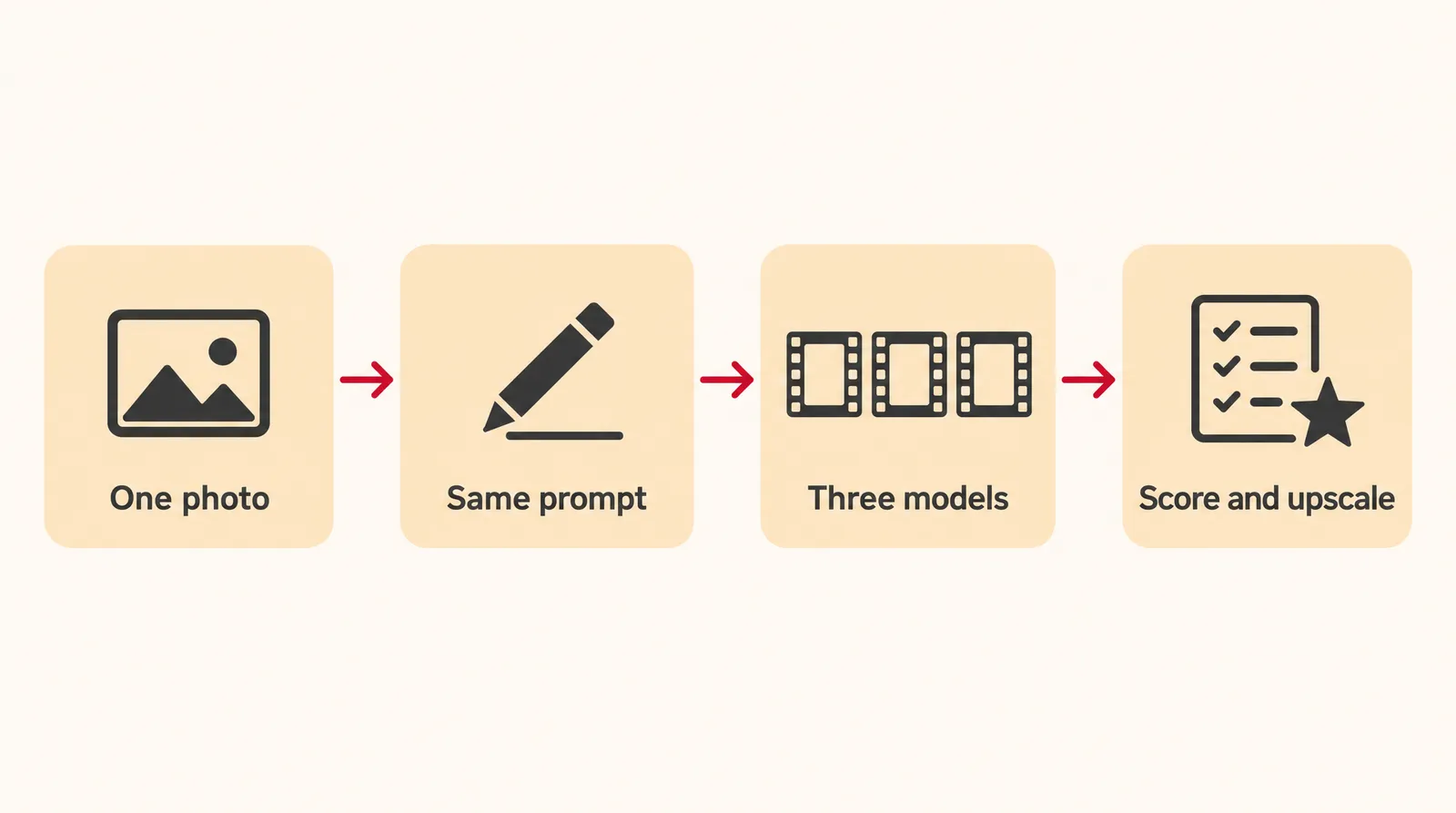
- Pick one test photo: Choose the photo you actually want to animate, sharp and well lit. If a Seedance model is on your list, use a photo without human faces.
- Write one motion prompt: Combine subject action, camera move and mood, for example: "The baker lifts the bread from the oven, steam rises, slow push-in, warm morning light." Each part gives the model one clear thing to do.
- Choose two or three different models: Mix strengths: one budget model, one that generates sound and one that handles longer clips.
- Match every setting: Use the same length, aspect ratio and resolution for each run so the differences come from the model, not the settings.
- Score each clip from 1 to 5: Rate motion realism, face and detail consistency, prompt adherence, artifacts on hands and edges, and sound if there is any.
- Refine and upscale the winner: Rerun only the best model with a tightened prompt, then upscale the final clip to 1080p or 4K if you need it.
On Klakix you can run this test in one place: the Image to Video tool offers several models side by side, paid with pay-as-you-go USD credits. Here's a practical four-model set for a photo without faces, at the catalog's default settings.
A four-model test set on Klakix
| Model | Default settings | Credits | About on the Mini pack |
|---|---|---|---|
| MiniMax H3 Max Turbo | 768p, 5 s | 20 | $1.33 |
| Google Veo 3.1 Lite | 720p, 8 s, sound optional | 40 | $2.67 |
| Google Gemini Omni Flash | 720p, 5 s, synced sound | 50 | $3.33 |
| Kling 4.0 | 720p, 5 s, stereo sound | 79 | $5.27 |
Klakix catalog, checked November 14, 2026. Dollar figures are our math at the Mini pack rate ($5 for 75 credits, about $0.067 per credit, plus tax).
All four runs together cost 189 credits, about $6.86 at the Studio pack rate ($69 for 1,900 credits). If a generation fails, its credits are refunded automatically. Add a Seedance model only when your photo has no human faces, since Klakix's Seedance image-to-video models don't accept them.
Which image to video AI model fits which job?
The right image to video model depends on what's in your photo and how long the clip must run.
- Product shots without people: Seedance 2.0 or 2.5, both in the top 3 with audio, or Kling 4.0 Reference, which takes up to 10 photos and 5 videos to keep product and place consistent. Clean up the source photo first with AI product photography.
- Old family photos and portraits: MiniMax H3 Max, which Klakix describes as best at keeping faces and details intact; it's #9 with audio on the leaderboard. Our guide to animating a photo covers prompts for portraits.
- Long single shots: Wan 3.0, Kling 4.0 and Seedance 2.5 reach 30 seconds in one shot.
- Fast, cheap social clips: MiniMax H3 Max Turbo at 20 credits or Seedance 2.0 Mini at 48 credits for 5 seconds at default settings.
- No photo yet: generate a first frame with the AI image generator, or describe the whole scene with text to video.
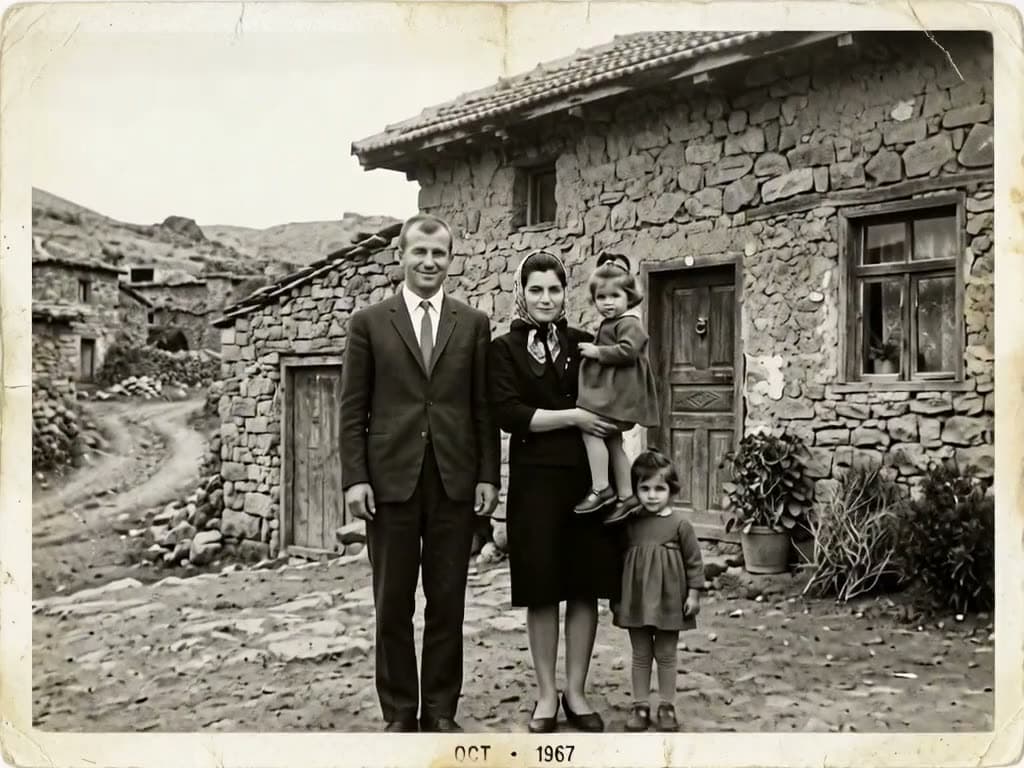

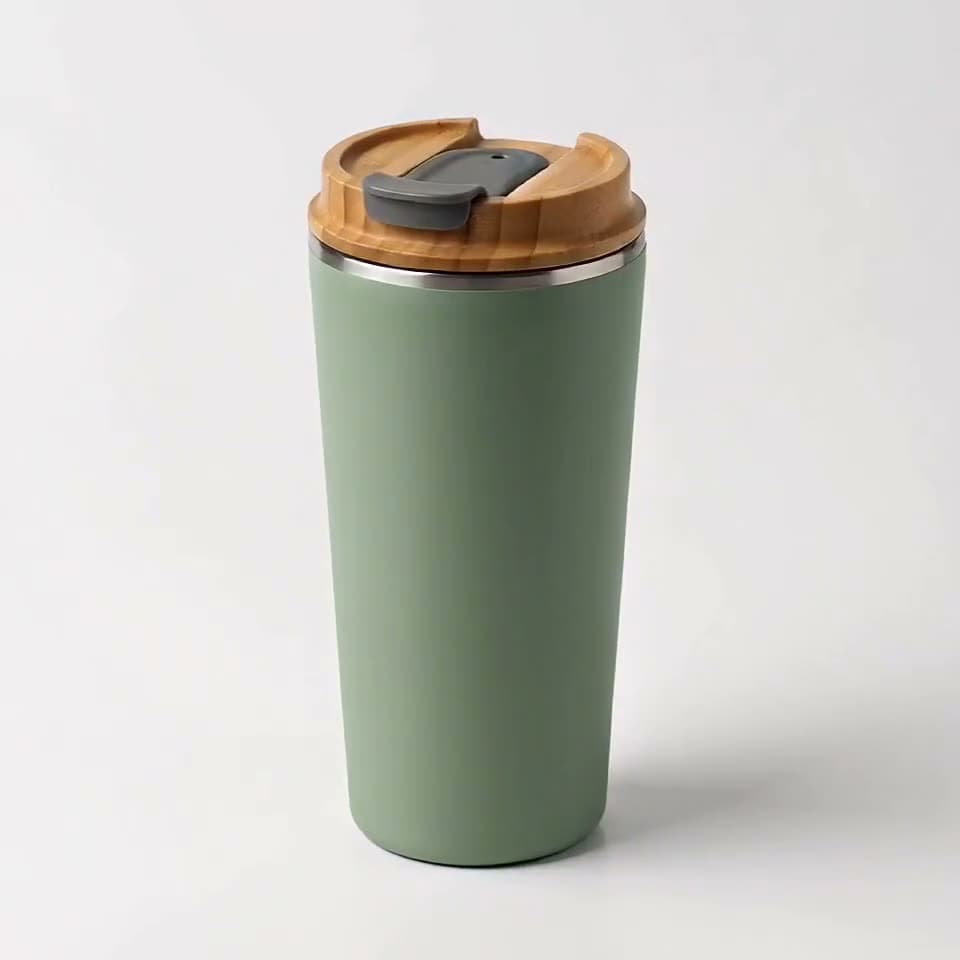
Each sample was generated in one take on this site with the model shown on it; nothing was edited.
Name one camera move, such as a slow push-in or an orbit, in every motion prompt; it shapes how natural the clip feels.
Sources
The facts in this post were checked against the pages below on Nov 14, 2026. Prices and limits may change.
- Artificial Analysis: Image to Video leaderboard (independent source)
- Artificial Analysis: Image to Video leaderboard (including non-current models) (independent source)
- Google Labs Help: Google Flow credits and limits (official source)
- Runway pricing (official source)
- fal.ai: 10 Best AI Image-to-Video Generators in 2026 (independent source)
- Krea: 10 Best Image to Video AI Tools in 2026, Prices Checked (independent source)
- DataCamp: Best Free AI Image-to-Video Generators (independent source)
This post was drafted with AI assistance. Facts were checked against the sources above, and model, credit and price details were checked automatically against the site's current price list.
Frequently asked questions
What is the best image to video AI generator for free?
Google Flow is the most generous official free option we found: everyone gets 50 credits a day, which is about 5 Veo 3.1 Lite clips at 720p. Unused credits don't roll over, and non-subscribers may be blocked from video during peak hours. Runway gives 125 credits once, not every month.
Is there a free unlimited image to video AI without a watermark?
Not from any major provider we could find. Free tiers come with daily or one-time credit caps, and many add watermarks or restrict commercial use. Treat sites and cracked apps promising unlimited free generation with suspicion.
Which image to video AI is best for old family photos?
Pick a model that keeps faces stable, since face drift is a common failure with portraits. On Klakix, MiniMax H3 Max is the model recommended for old photos, at 40 credits for a 5-second 768p clip. Avoid models that refuse faces, such as the Seedance image-to-video models.
Do I need an app for image to video AI?
Not necessarily. Klakix, for example, works in your phone's browser with nothing to install. Whatever tool you use, get it only from the official site and skip cracked apps or APKs.
How long can an image to video AI clip be?
Most clips run 5 to 10 seconds. Kling 4.0, Seedance 2.5 and Wan 3.0 can generate a single shot up to 30 seconds, while Veo 3.1 Lite tops out at 8 seconds.
Can I use image to video AI videos commercially?
It depends on the platform and plan, so check each one's terms of service. Krea's roundup reports that Kling's free credits don't allow commercial use. Klakix allows commercial use under its terms and adds no visible watermark. This is general information, not legal advice.
Why does image to video AI refuse my photo, and is there an unrestricted one?
Mainstream tools block photos with certain faces, real or famous people, or content that fails moderation, mainly to prevent deepfakes made without consent. On Klakix, Seedance image-to-video models don't accept faces, celebrities and politicians are blocked, and photos of people need consent. Use a model that accepts portraits, such as MiniMax H3 Max, with a photo you have permission to use.
Kling vs Veo vs Seedance: which is best for image to video?
On the with-audio leaderboard checked November 14, 2026, Seedance 2.5 is #1 at Elo 1161, Kling 3.0 1080p Pro is #23 at 1000 and Veo 3.1 is #27 at 955; Kling 4.0's rank wasn't visible. Seedance suits photos without faces, Kling 4.0 handles 30-second shots with stereo sound, and Veo 3.1 Lite makes cheap clips up to 8 seconds with dialogue. A side-by-side test on your photo settles it.
What does Reddit say is the best image to video AI?
Forum opinions shift as fast as the leaderboard, which added 10 models in a single month. Instead of trusting one thread, run your own photo and prompt through two or three models and compare the results.
Try what you just read
Signing up is free. Video and image tools unlock after your first credit pack, and credits are refunded if a generation fails.
Open Image to Video