Guide · 15 min read · Nov 15, 2026
What is an explainer video? Types, length, cost and examples
An explainer video is a short video, usually 30 seconds to 2 minutes, that shows what a product, service or idea does and why it matters. A 60 to 90 second homepage explainer runs about 150 to 225 spoken words. In Wyzowl's 2026 survey, 96% of people said they've watched one to learn about a product.
This guide covers the definition, the main types and styles, a length table with word counts you can write to, what studios and AI tools charge, and a script template you can copy. If you'd rather build one right away, the section on the Motif animated video maker shows the steps and the credit cost.
Stats come from Wyzowl's 2026 survey and studio guides; several sources sell explainer production, and their prices are labeled that way. Everything was checked on November 15, 2026.
What is an explainer video?
An explainer video is a short video that shows what a product, service or idea does, who it's for and why it matters, usually in 30 seconds to 2 minutes. Companies put them on homepages, in ads, in onboarding emails and in help centers. According to Wyzowl's 2026 video marketing survey, 96% of people have watched an explainer to learn about a product or service, and explainers are the second most common video marketers make (68%), just behind social media videos (69%).
The format exists because it does one job well. In the same survey, 63% of people said a short video is how they'd most like to learn about a product, against 12% for text articles and 7% for infographics. Among marketers, 93% said video helped people understand their product, and just over half (57%) said it cut support questions.
Types of explainer videos, by the job they do
The easiest way to pick a type is to ask where the video will play and whether the viewer chose to watch it. Wyzowl's length guide splits viewers into "chance" viewers, who meet the video in an ad or demo, and "opt-in" viewers, who sought out a tutorial or webinar and will watch longer. The lengths below follow Yum Yum Videos' length guide.
Explainer video types by job
| Type | Job | Typical length | Where it plays |
|---|---|---|---|
| Homepage or product explainer | Says what you do and why, in one pass | 30 to 90 sec | Website hero, landing page |
| SaaS or B2B explainer | Shows how software solves one problem, with simplified screens | 60 to 90 sec | Homepage, sign-up page, sales emails |
| Complex product explainer | Explains healthcare, finance or technical products | 90 to 120 sec | Product pages, sales decks |
| How-it-works, onboarding or training | Teaches a process step by step to viewers who opted in | 2 to 3 min | Help center, welcome emails, internal training |
| Social ad cut-down | One idea, one call to action | Under 30 sec | Paid social, pre-roll ads |
Sources: Yum Yum Videos length guide (about Sept 2026), Moonb explainer types, Wyzowl explainer length page (updated Feb 19, 2026).
Explainer video styles: animated, live action, screencast and whiteboard
Style is how the video looks, separate from the job it does, and any type above can use any style. Blue Carrot groups styles into 2D (traditional, cutout, whiteboard, motion graphics, screencast) and 3D (CG, motion capture, stop motion). The table keeps the ones small teams actually choose between, with best-fit uses from Moonb.
Explainer video styles compared
| Style | Best for | Effort (our view) |
|---|---|---|
| 2D animation and motion graphics | Software, SaaS, abstract services | Script, design and animation; template tools shorten this |
| 3D animation | Physical products, hardware, medical devices | Highest: modeling, lighting, rendering |
| Whiteboard | Teaching a process, internal training | Moderate: drawings plus a voiceover |
| Screencast | Showing real software on screen | Low: record, trim, add narration |
| Live action | People, places, hands-on services | Filming, lighting, on-camera talent, editing |
Sources: Moonb (best-fit uses), Blue Carrot (style list). The effort column is our editorial estimate.
For more on the most common animated style, see our guide to motion graphics.
How long should an explainer video be?
Most explainer videos should run 30 seconds to 2 minutes, with the exact length set by placement: about 30 seconds for ads, 60 to 90 seconds for a homepage and 2 to 3 minutes for detailed content people chose to watch. At around 150 spoken words a minute, that's roughly 75 to 450 words of script.
Explainer length, script word count and placement
| Length | Script words (about) | Good fit |
|---|---|---|
| 30 sec | 75 | Paid social, pre-roll ads, simple products |
| 60 sec | 150 | Simple products, paid campaigns, homepage |
| 90 sec | 225 | Homepage, SaaS and B2B explainers |
| 2 min | 300 | Complex products: healthcare, finance, technical |
| 2 to 3 min | 300 to 450 | Multi-feature, investor, sales or training content |
Placement: Yum Yum Videos (about Sept 2026). Pace of 150 words a minute: Moonb. Word counts are our math (length x 150 words per minute).
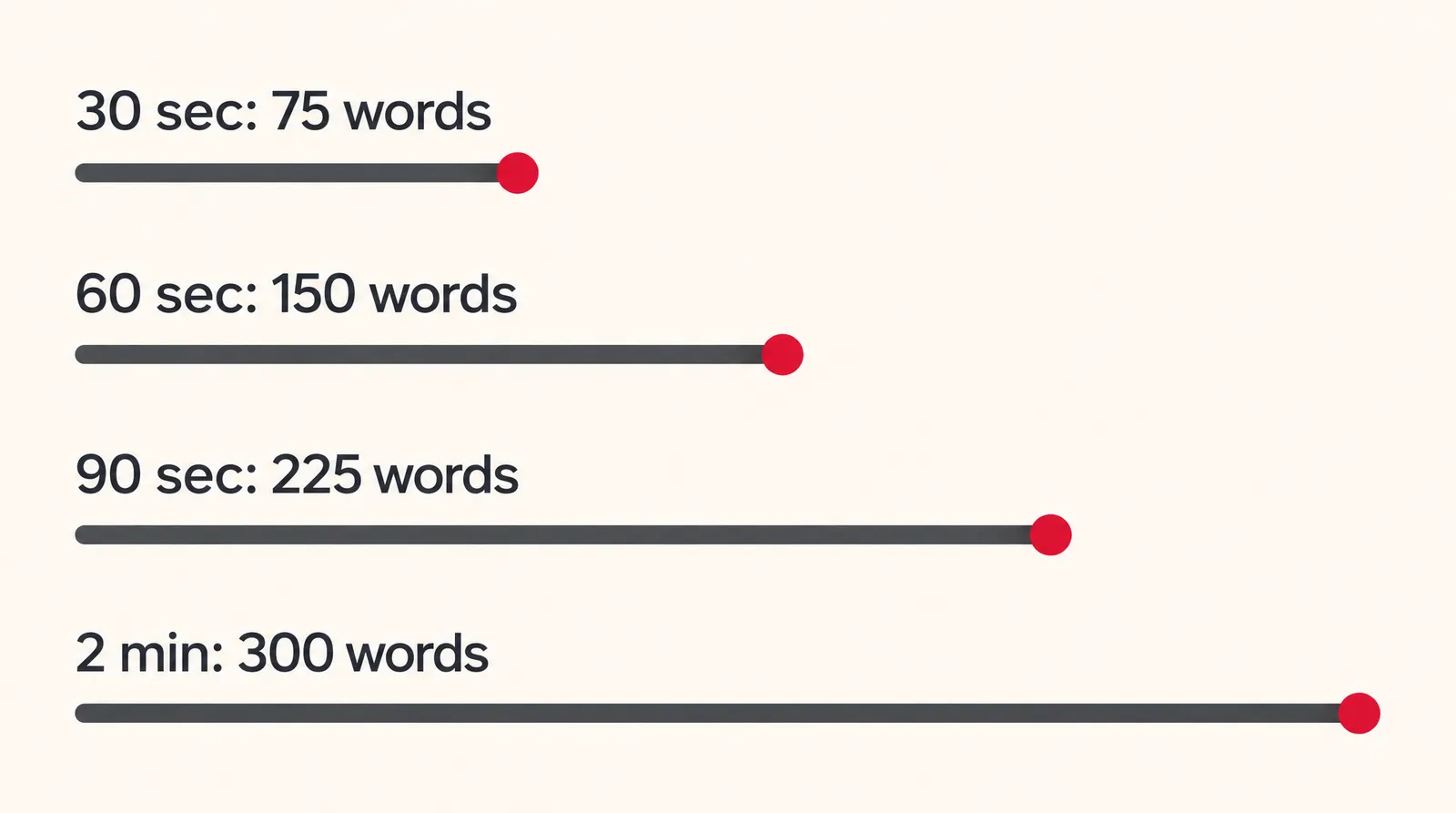
The research doesn't agree on one number. In Wyzowl's consumer survey, 50% picked 1 minute as ideal, 33% picked 1 to 2 minutes and 17% picked under a minute. Wyzowl also reports that a 2016 Wistia study of 564,710 videos found engagement held steady up to 2 minutes and dropped after; that's from Wyzowl's summary, not the original study. Marketers sit in between: 71% in Wyzowl's 2026 survey say 30 seconds to 2 minutes works best.
How to write an explainer video script
A working explainer script has five parts in a fixed order: hook, problem, solution, how it works and call to action. The table gives word counts for 60-second and 90-second scripts at about 150 words a minute; our guide on how to write a video script covers shorter formats.
Explainer script template with word counts
| Part | 60 sec | 90 sec | What to say |
|---|---|---|---|
| Hook | 15 | 20 | One line that names the viewer's situation |
| Problem | 25 | 35 | The cost or annoyance, in their words |
| Solution | 25 | 40 | What your product is, plus one benefit |
| How it works | 65 | 100 | Three steps, each with one concrete detail |
| Call to action | 20 | 30 | One next step and where to take it |
| Total | 150 | 225 |
Our template. Totals use Moonb's figure of about 150 spoken words a minute.
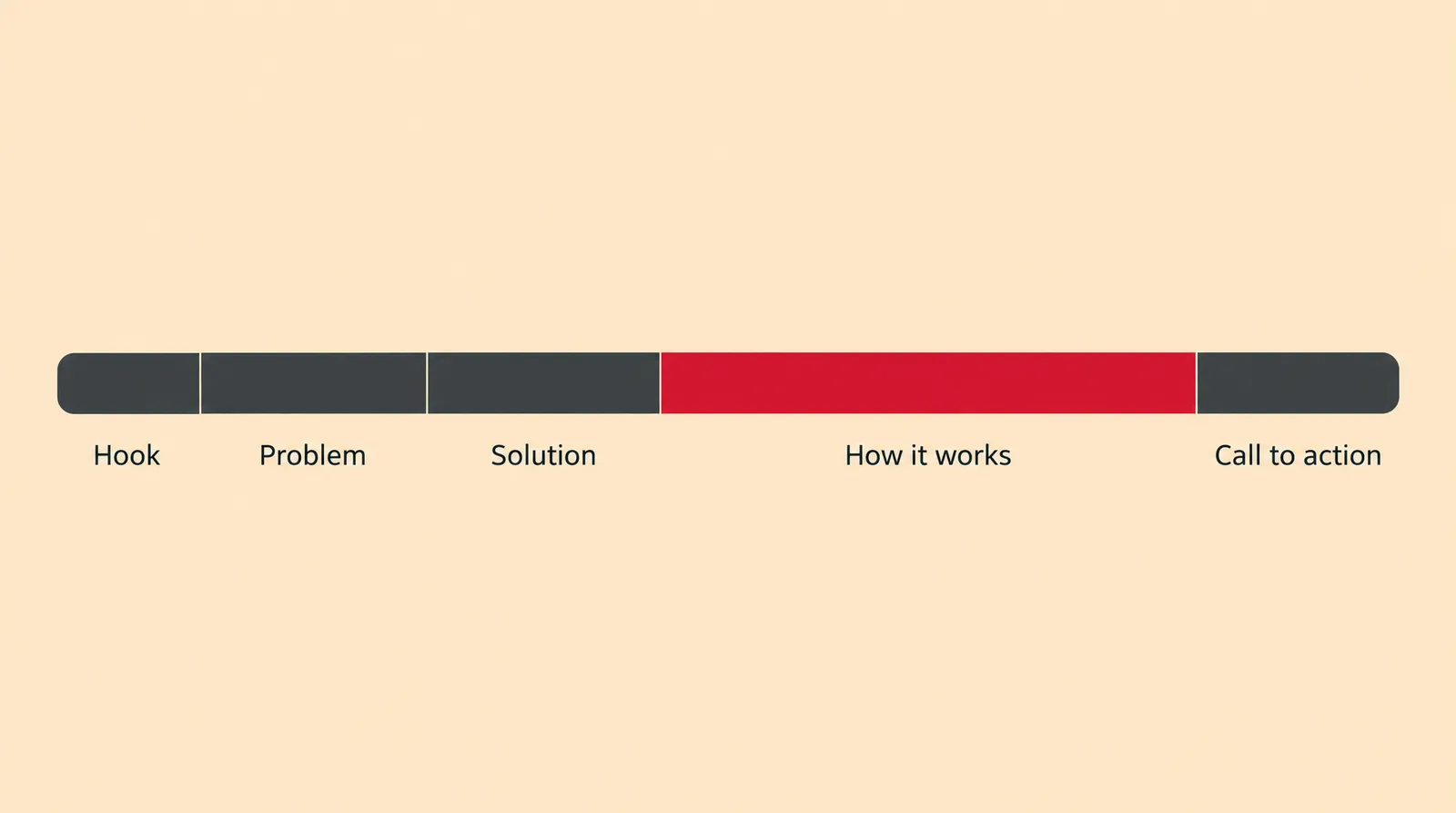
Here's a filled-in 60-second example for a made-up invoicing app called YourApp:
- Hook: "Still chasing clients for payment a month after the job is done?"
- Problem: "Late invoices mean late rent, awkward follow-up emails and evenings spent matching deposits to a spreadsheet."
- Solution: "YourApp sends the invoice the moment you mark a job finished, then follows up for you."
- How it works: "Step one, add a client and your rate. Step two, tap Finish when the work is done, and the invoice goes out with a payment link. Step three, YourApp sends a polite reminder after 7 and 14 days, and the money lands in your account."
- Call to action: "Send your next invoice with YourApp. Start at yourapp.example."
Why it works: each part does one job, the steps carry numbers a viewer can hold onto, and there's only one call to action. Read it aloud with a timer before you produce anything; if it runs long, trim the problem section first.
How much does an explainer video cost?
A custom 60-second animated explainer from a studio costs roughly $2,800 to $27,000 in one recent survey, while an animated explainer from Klakix Motif costs 139 to 217 credits (about $8.09 for the 45-second default on the Standard pack). The table compares the routes (checked November 15, 2026; prices may change).
Explainer video cost by route
| Route | Price | Turnaround |
|---|---|---|
| Studio, custom 60-sec animation (Yum Yum survey, 61 quotes) | $2,800 to $27,000, median $9,680 | 4 to 8 weeks (Vidico) or 6 to 8 weeks (Yum Yum) |
| Studio, per minute (IdeaRocket) | $4,000 to $25,000 per minute | Not stated |
| Studio, entry price (Wyzowl) | From £2,000 ($2,700) | Not stated |
| Older survey, Q4 2022 (Wyzowl, 116 quotes) | $600 to $250,000, median $5,400 | Not stated |
| In house | Your team's time plus software | Varies; no reliable price data |
| AI animated video (Klakix Motif) | 139 to 217 credits; 159 credits for 45 sec vertical, about $8.09 on the Standard pack | One generation per video |
Sources: Yum Yum Videos (about Sept 2026), Biteable (about Oct 2026), IdeaRocket, Wyzowl. Studio figures come from companies that sell this service. Klakix math: 159 credits x ($14 / 275 credits), plus tax. Checked November 15, 2026; may change.
The studio figures come from Yum Yum Videos' pricing survey (61 usable quotes from 76 replies), IdeaRocket, Biteable's roundup and Wyzowl's own pricing page, all companies that sell or compare this service.
Cost is a real barrier: in Wyzowl's 2026 survey, 24% of businesses that skip video say it's too expensive. You don't need an agency, though: 59% of marketers make video fully in house and only 10% rely only on outside vendors.
How to make an explainer video with AI
To make an explainer video with AI, you give a tool a topic or script and it produces the visuals, voiceover and timing. This is now common: 63% of marketers in Wyzowl's 2026 survey say they've used AI to create or edit marketing videos, up from 51% a year earlier. Approaches differ; Synthesia's explainer maker, for example, builds the video around an AI avatar presenter from a prompt, document or URL.
On Klakix, the tool for animated explainers is Motif. You type a topic, pick one of 46 templates and one of 14 visual styles, and Motif writes the script and draws a 30, 45, 60 or 90 second video in code, with voiceover, captions and motion graphics. Because it's drawn in code, text and numbers come out exactly right, which matters for prices, dates and step numbers.
- Choose the length and format: Pick 30, 45, 60 or 90 seconds, then 16:9 for a website, 9:16 for Reels, TikTok and Shorts, or 1:1 for feeds.
- Enter your topic or script: Type a topic, or paste your own script of up to 3,000 characters if you wrote one with the template above.
- Pick a template and a style: Choose one of the 46 templates and a visual style such as Corporate, Tech, Notebook or Playful.
- Generate the video: The default 45-second vertical video costs 159 credits; the range is 139 to 217. If a generation fails, the credits are refunded automatically.
- Check names and numbers: Watch the result once with your notes in hand and confirm every price, date and product name before you publish.
- Add extras in the Video Editor: Join it with other clips, add a music track or trim it in the Video Editor (beta), where MP4 export is free.
If you want a person on screen, Talking Photo and UGC Ads turn a consented portrait into a presenter reading a short script (up to 200 characters on Talking Photo, 320 on UGC Ads); celebrities and people who haven't consented can't be used, and AI-generated people should be disclosed where platform rules or local law require it. For narration over a screen recording, AI voiceover with Voice v4 costs 2 credits per 200 characters. Viral Clips (15 credits) cuts a long webinar or demo into vertical clips with captions.
Explainer video examples you can copy
These three prompts are written for Motif, but they also work as a brief for any tool or freelancer. Each names the audience, gives exact numbers and ends with one action.
- SaaS feature (60 sec, 16:9): "Explain how YourApp turns a shared support inbox into assigned tickets. Audience: support leads at companies with 5 to 20 agents. Three steps: connect the inbox, set assignment rules, track replies on one board. Setup takes 10 minutes. End with: Start your trial at yourapp.example."
- Local service (45 sec, 9:16): "A friendly explainer for a family-run plumbing company: what happens after you book a same-day repair, from the phone call to the cleanup. Call-out fee: $79, free estimate. End with: Call 555-0142 before noon for same-day service."
- Onboarding tip (30 sec, 1:1): "A quick tip for new users of a budgeting app: how to set a monthly grocery limit in three taps, and what the alert looks like at 80% of the limit. Calm, clear tone. End with: Set yours today."
Why they work: the audience line tells the tool what to leave out, the numbers give viewers something to remember, and a single closing action makes the video's job obvious.
Sources
The facts in this post were checked against the pages below on Nov 15, 2026. Prices and limits may change.
- Wyzowl: Video Marketing Statistics 2026 (independent source)
- Wyzowl: How long should an explainer video be? (independent source)
- Yum Yum Videos: Explainer video length (independent source)
- Moonb: Explainer video types (independent source)
- Blue Carrot: Types of explainer videos (independent source)
- Wyzowl: Explainer video cost survey (independent source)
- Yum Yum Videos: How much does an explainer video cost? (independent source)
- IdeaRocket: How much does an explainer video cost? (independent source)
- Biteable: Explainer video cost (independent source)
- Wyzowl: Explainer videos (pricing page) (official source)
- Synthesia: Explainer video maker (official source)
This post was drafted with AI assistance. Facts were checked against the sources above, and model, credit and price details were checked automatically against the site's current price list.
Frequently asked questions
What is an explainer video?
It's a short video that shows what a product, service or idea does and why it matters to a specific viewer. Most run between 30 seconds and 2 minutes and live on homepages, in ads or in help centers. It can be animated, filmed live or recorded from a screen.
How long should an explainer video be?
Match the length to where it plays: around 30 seconds for ads, 60 to 90 seconds for a homepage and 2 to 3 minutes for detailed content viewers chose to watch. Consumers in Wyzowl's survey leaned toward 1 minute. When in doubt, write the shorter version first.
How many words is a 60-second explainer video script?
About 150 words, based on a speaking pace of roughly 150 words a minute. A 90-second script is about 225 words and a 30-second one about 75. Read it aloud with a timer, since pace varies by voice.
How much does an explainer video cost?
Studio quotes for a custom 60-second animation mostly fall in the thousands of dollars, with a median near $9,680 in Yum Yum Videos' survey. An AI route like Motif on Klakix costs credits instead, roughly $7 to $11 per video on the Standard pack before tax. Prices were checked November 15, 2026 and may change.
What is an AI explainer video?
It's an explainer where software generates the script, visuals, voiceover or presenter from your prompt. Some tools build around an avatar presenter, while others, like Motif, produce animated motion graphics. You still need to check every claim, name and number before publishing.
Is there a free explainer video maker?
Klakix doesn't offer free video generation: the 20 free signup credits work only for voiceovers, and video tools unlock after a first credit purchase. If another tool advertises a free plan, check its export length, resolution and watermark rules before you build a project on it. Skip cracked apps, which are unsafe and break the license.
What is a SaaS explainer video?
It's an explainer for a software product, usually 60 to 90 seconds, that shows the problem the software solves and the few steps it takes to solve it. Moonb lists 2D animation or motion graphics as the usual fit for software, often with simplified screens instead of the full interface.
Explainer video vs. product demo: what's the difference?
An explainer answers why someone should care and gives the big picture in a minute or two. A product demo walks through the real interface feature by feature and often runs 2 to 3 minutes. Many companies put the explainer on the homepage and the demo after sign-up.
Can I use an AI explainer video commercially?
On Klakix, commercial use is allowed under the terms of service and outputs carry no visible watermark; other tools set their own terms. If the video shows an AI-generated person, disclose it as AI where platform rules or local law require it. This is general information, not legal advice.
Try what you just read
Signing up is free. Video and image tools unlock after your first credit pack, and credits are refunded if a generation fails.
Open Motif Video