Guide · 13 min read · Nov 14, 2026
AI photo restoration: how to restore old photos, then bring them to life
AI photo restoration removes scratches, fading and blur from scanned old photos in seconds. Free tiers are capped, though: Pixelbin allows 3 free restorations a month. A human restorer averages $78 on Thumbtack. On small or damaged scans the AI can redraw faces, so scan at high resolution and compare the result with the original.
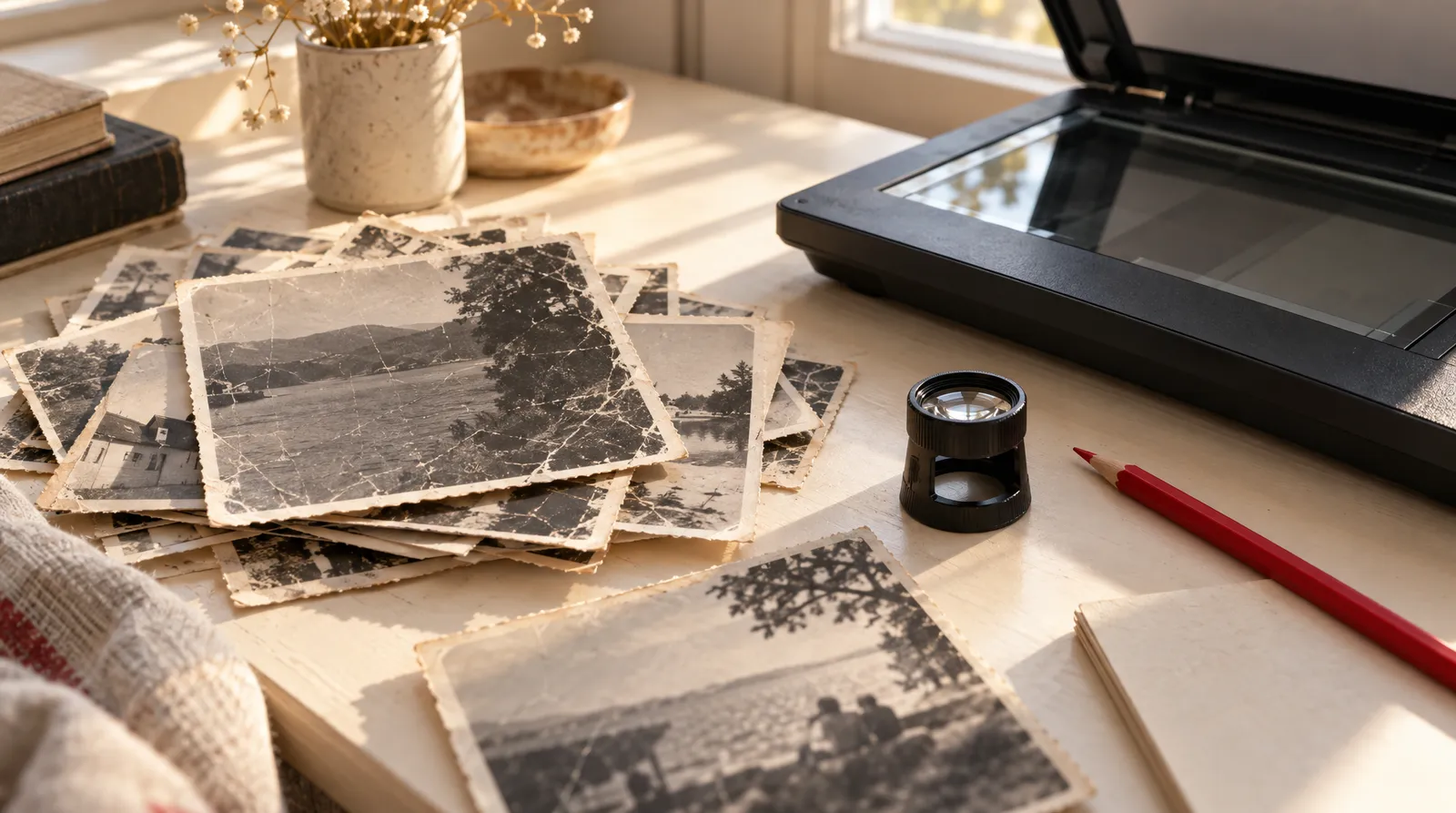
This guide covers restoring a faded, scratched or torn family photo with AI. You'll get the order of steps that keeps faces true to the original, a list of free tools with their real limits, and what a human restorer charges. Once the photo is fixed, the last section shows how to turn it into a short moving clip in Image to Video.
Prices and limits below were checked on November 14, 2026. They change often, so confirm them before you pay.
What AI photo restoration does, and what it invents
AI photo restoration uses trained models to remove scratches, fading, grain and blur from a scanned print and to sharpen faces. The Adobe help center describes Photoshop's Photo Restoration Neural Filter as "powered by Artificial Intelligence, to fix your old family photos or restore prints." Topaz Labs says its browser tool repairs "fading, grain, damage" and recovers faces with no download.
The catch is that the model fills in what it can't see. Face restoration models are trained to produce plausible faces. So when the scan is small, compressed or damaged across the features, the model "stops restoring and starts re-drawing," according to a developer write-up on face drift. How-To Geek found the same problem in AI "restored" family photos: changed faces and poses, "like someone hired a bunch of lookalikes," plus extended frames and swapped background details such as a poster on the wall.
How to restore an old photo with AI, step by step
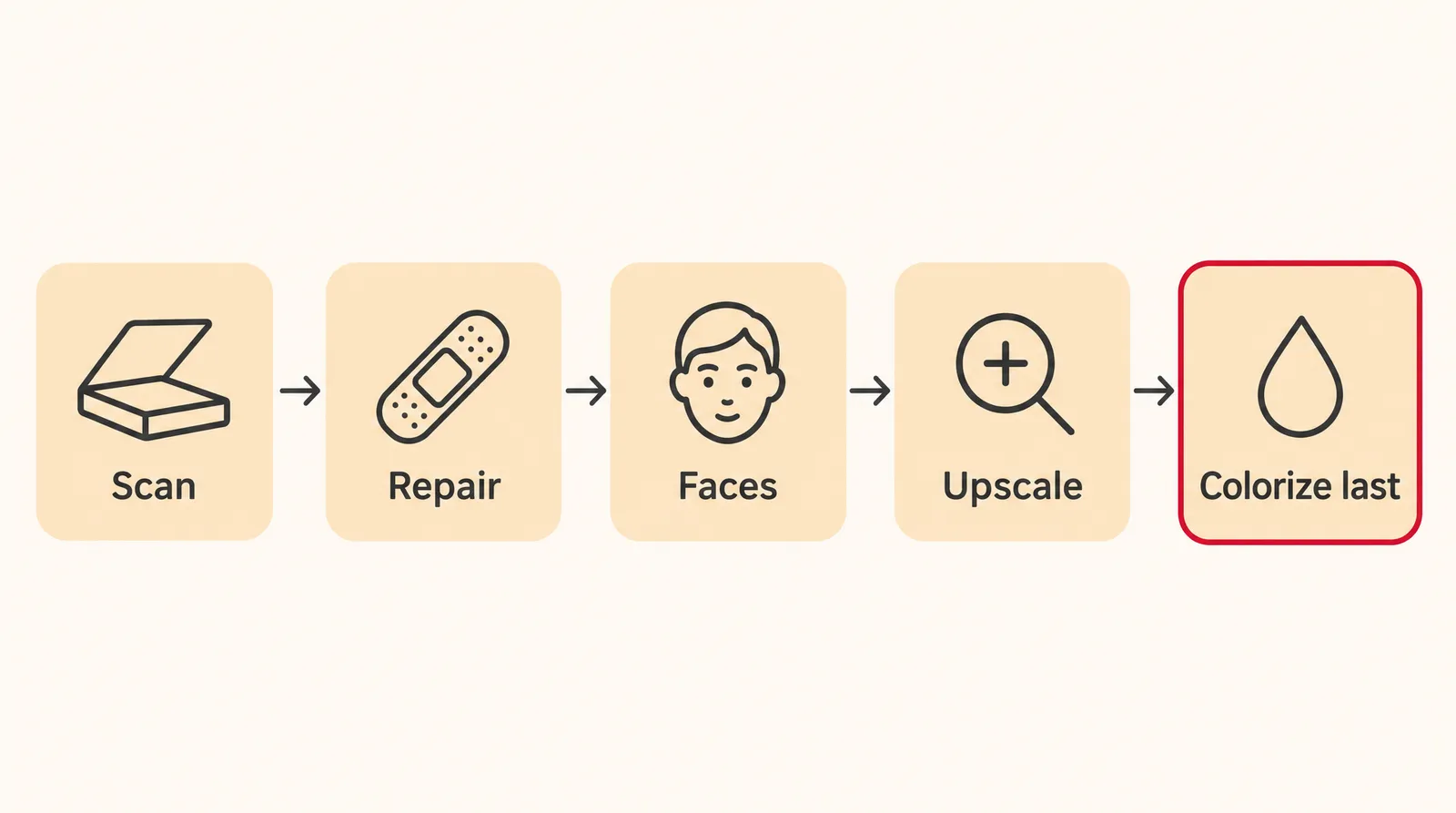
The safest way to restore an old photo with AI is to make one fix per pass, in a fixed order, and never touch the original file. The order below comes from a developer workflow on face drift. The scanning advice comes from Topaz Labs and ScanCafe.
- Scan at the highest resolution available: Scan or photograph the print at the highest resolution your scanner or camera offers, as Topaz Labs advises. ScanCafe recommends uploading files of at least 500KB, ideally 1MB or more. Save this scan as your master copy and never overwrite it.
- Repair the damage first: Fix scratches, tears and fading in their own pass. In Photoshop, that's the Scratch Reduction setting in the Photo Restoration filter.
- Enhance faces in a separate pass: Apply face enhancement only after the damage is fixed, and favor fidelity over strength. Start with a low setting and raise it in small steps.
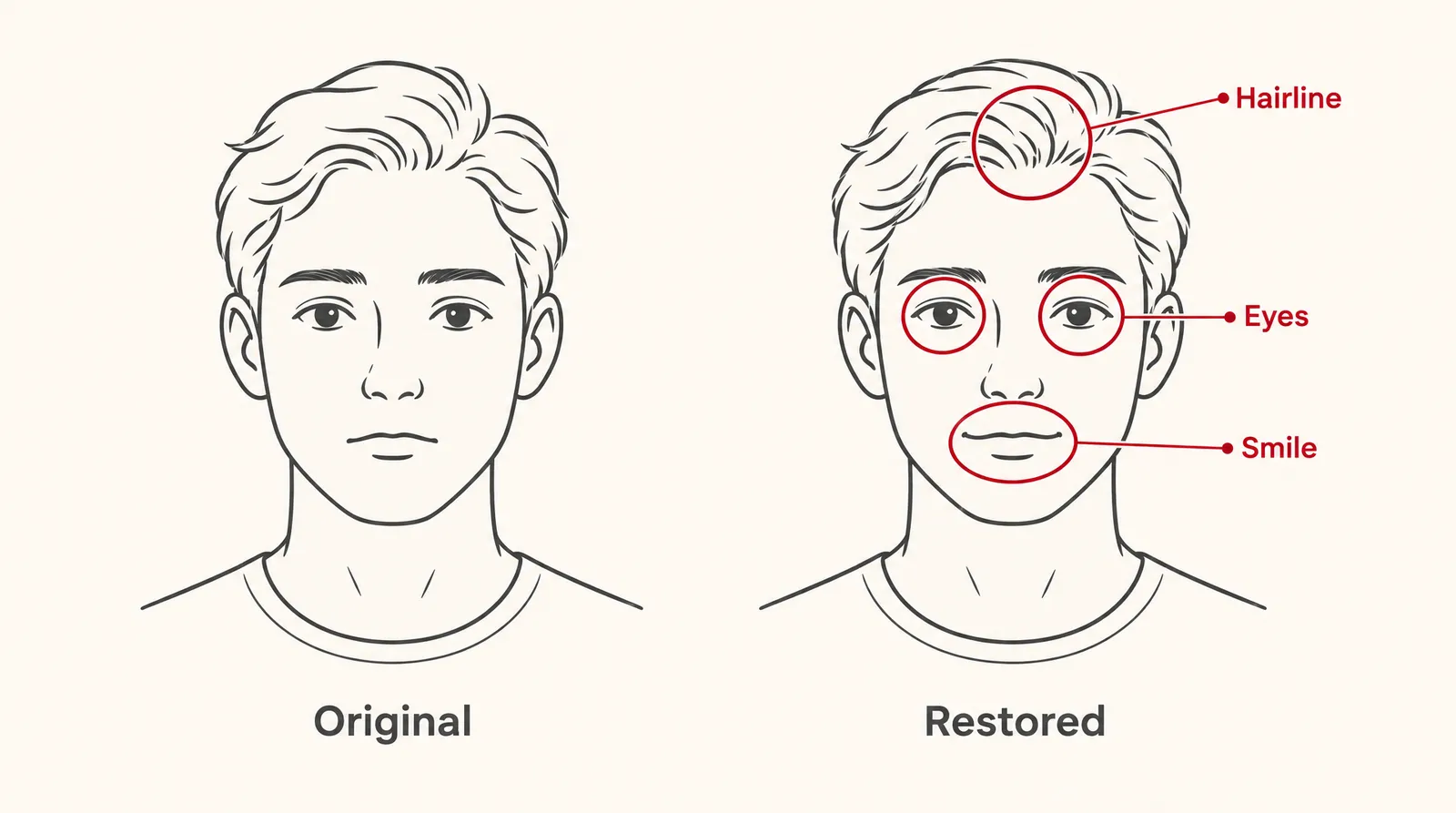
- Compare faces at 100% zoom: Put the result next to the original scan and check the eyes, smile and hairline. If any of them changed, re-run with less strength.
- Upscale as its own pass: Enlarge the image only after the repair and the faces look right.
- Colorize last, as a copy: Colorization is "a guess about the past, not a record of it," so add color at the very end. Save it as a new file and keep the black-and-white version as the archival master.
Best AI photo restoration tools compared
No single tool is the best for everyone. The right pick depends on whether you already pay for Photoshop, how many photos you have, and whether you need free downloads without a watermark. The table shows what each company or an independent source states. Anything we couldn't confirm is marked "not found."
AI photo restoration tools at a glance
| Tool | Where it runs | Free use | Paid price | Notes |
|---|---|---|---|---|
| Photoshop Photo Restoration (Neural Filter) | Photoshop, Filter > Neural Filters | Not covered here | Not covered here | Labeled beta; settings include Enhancement, Enhance Face, Scratch Reduction |
| Topaz Labs photo restoration | Browser, no download | Not found | Not found | Repairs fading, grain and damage; recovers faces |
| MyHeritage Reimagine | MyHeritage account | Limited number of photos and album pages | $49.99/year (7-day trial) or $7.99/month | Complete plan price reported as $199 or $299/year (conflicting) |
| Pixelbin | Browser | 3 restorations a month | Not researched | No watermark; png, jpg, jpeg, webp up to 10MB |
| BeautyPlus | Browser | Free download, per the company | Not researched | No watermark, no sign-up, per the company |
Sources: Adobe, CreativePro, Topaz Labs, MyHeritage help center, Family Tree Magazine, Imagen, Pixelbin, BeautyPlus. Checked November 14, 2026; may change.
Photoshop's Photo Restoration filter
In Photoshop, open Filter > Neural Filters. According to CreativePro, Photo Restoration sits at the bottom of the list, is still labeled beta, and downloads the first time you use it. In that walkthrough it sharpened the features but "was unable successfully remove all the tears." It also couldn't rescue a second, badly damaged image.
One user on an Adobe community thread reported defaults of 50 for Photo Enhancement and 60 for Enhance Face, and said lowering Enhance Face avoided an error. A lower Enhance Face setting also fits the fidelity-first approach. The Adobe help page we relied on is about 3.5 years old, so the filter's current beta status is not confirmed by an official source.
MyHeritage Reimagine
According to the MyHeritage help center, Reimagine lets you scan a limited number of album pages and improve a limited number of photos for free. Unlimited use costs $49.99 a year with a 7-day free trial, or $7.99 a month with no trial. The broader MyHeritage Complete plan also includes unlimited repairing, colorizing and animating, but its price is reported inconsistently. Family Tree Magazine cites $299 a year with a first-year discount, while an Imagen roundup says about $199 a year.
Is AI photo restoration free without a watermark?
Yes, a few tools let you restore and download a photo without a watermark, but most cap how often you can do it. Pixelbin is free "for the first three times, every month," downloads without a watermark and accepts png, jpg, jpeg or webp files up to 10MB. BeautyPlus says its restoration download has no watermark and needs no sign-up or premium plan.
With a whole shoebox of prints, free caps run out quickly, so start with the photos that matter most. Skip cracked or pirated restoration apps, since they put your files and your device at risk.
How much does it cost to restore a photo professionally?
A professional photo restoration costs $78 on average, according to Thumbtack. Most jobs land between $55 and $100, and the full range runs from $25 to $494. AI tools cost far less per photo, but they need your time and a careful eye.
Photo restoration cost: AI vs. a human restorer
| Option | Cost | Note |
|---|---|---|
| Free web tool (Pixelbin) | $0 for 3 restorations a month | Official pricing page |
| MyHeritage Reimagine | $7.99/month or $49.99/year | Official help center |
| Human restorer via Thumbtack | $78 average; usually $55 to $100 | Full range $25 to $494 |
| MemoryCherish | From $38 per photo | Seller's own pricing |
| Local studios | $50 to $500 | MemoryCherish's claim, not independent |
| ScanCafe Extreme tier | $96.79 and up | Official pricing page |
Sources: Thumbtack, MemoryCherish, ScanCafe, Pixelbin, MyHeritage. Checked November 14, 2026; may change.
The MemoryCherish figures come from the company's own cost page. Pay a human when damage runs across a face, when pieces of the print are missing, or when the photo is a one-of-a-kind heirloom. Those are the cases where AI is most likely to redraw instead of repair, and where a changed face costs you the most.
How to check that a restored face still looks like your relative
Open the original scan and the restored version side by side at 100% zoom, and compare the eyes, the smile and the hairline. Those are the three features the developer workflow flags, because small shifts there make a familiar face look like a stranger. Then scan the rest of the frame.
- Eyes: shape, spacing and gaze direction should match the original.
- Smile: the corners of the mouth, the teeth and any asymmetry should stay the same.
- Hairline: the part and the outline of the hair shouldn't move.
- Frame and background: nothing new at the edges, and nothing swapped on the walls.
- Clothes: collars, buttons and fabric patterns should match the scan.
If anything drifted, go back a step and re-run with lower face strength, or start from a sharper scan. Before you print or share the photo, ask a relative who knew the person whether it still looks like them.
How to bring a restored photo to life with AI
Once the photo is restored and checked, an image to video model can turn it into a 5 to 15 second clip. Klakix doesn't restore photos, and its image generator works from text only. Do the repair in one of the tools above first, then upload the finished file to Image to Video.
- MiniMax H3 Max: Klakix's pick for keeping faces and details intact, recommended for old photos. Lengths are 5, 10 or 15 seconds at 480p, 768p or 1080p, for 25 to 240 credits. The default (768p, 5 seconds) is 40 credits, about $2.67 on the Mini pack (75 credits for $5).
- MiniMax H3 Max Turbo: faster and cheaper. The default (768p, 5 seconds) is 20 credits, about $1.33 on the Mini pack.
- Seedance models: they don't accept photos with human faces, so they don't fit portraits.
Keep the prompt short and the motion small so the face stays close to the restored photo. For example: "The woman blinks slowly and gives a small smile, turning her head slightly toward the camera. The background stays still." Small movements give the model less reason to redraw features. Our step-by-step guide to animating a photo has more prompt patterns.
Video needs a credit purchase, because the 20 free credits you get after verifying your email work only for voiceovers. Failed generations are refunded automatically. You can sharpen the finished clip with the Video Upscaler, which takes video, not photos. To put music or a narration from AI Voiceover under the clip, use the Video Editor. Credit packs are listed on the pricing page.
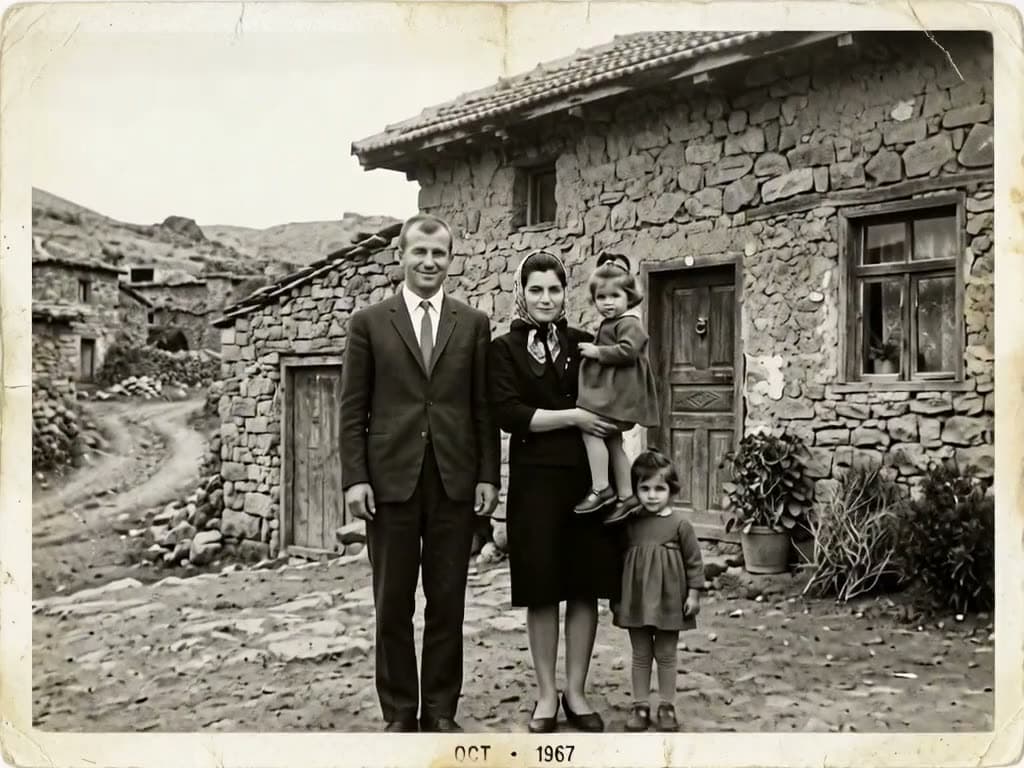

Each sample was generated in one take on this site with the model shown on it; nothing was edited.
Sources
The facts in this post were checked against the pages below on Nov 14, 2026. Prices and limits may change.
- Adobe Help Center: Neural Filters list and FAQ (official source)
- CreativePro: Using the Photo Restoration Neural Filter in Photoshop (independent source)
- Adobe Community: Photo Restoration Neural Filter thread (independent source)
- Topaz Labs: Photo restoration (official source)
- MyHeritage Help Center: How much does Reimagine cost? (official source)
- Family Tree Magazine: MyHeritage photo tools (news)
- Imagen: Photo restoration software roundup (independent source)
- MyHeritage Blog: Limited time only, improve your photos for free (official source)
- Pixelbin: Old photo restoration (official source)
- BeautyPlus: Photo restoration (official source)
- Thumbtack: Photo restoration cost (independent source)
- MemoryCherish: Photo restoration cost (official source)
- ScanCafe: Photo restoration prices (official source)
- How-To Geek: AI photo restoration is erasing your family's real history (news)
- dev.to: AI photo restoration keeps changing faces (independent source)
This post was drafted with AI assistance. Facts were checked against the sources above, and model, credit and price details were checked automatically against the site's current price list.
Frequently asked questions
What is the best AI photo restoration software?
It depends on what you already use and how many photos you have. Photoshop's Photo Restoration filter suits people who already pay for Photoshop. MyHeritage Reimagine fits large family archives at $7.99 a month, and free web tools like Pixelbin work for a few photos a month.
Is there free AI photo restoration online without a watermark?
Yes. Pixelbin gives three free restorations a month with watermark-free downloads, and BeautyPlus says its download has no watermark and needs no sign-up. Expect caps on most free tiers rather than unlimited use.
How much does it cost to restore a photo?
A human restorer averages $78 on Thumbtack, with most jobs between $55 and $100. Heavily damaged photos can cost more, such as ScanCafe's Extreme tier at $96.79 and up. AI tools range from free capped tiers to subscriptions like $49.99 a year.
How does AI photo restoration work?
A trained model analyzes the scan and removes scratches, fading, grain and blur, then sharpens faces. Where detail is missing, it fills the gap with what a plausible face or texture would look like. That's why the quality of your scan matters so much.
Why does AI change faces when restoring old photos?
Face restoration models are trained to produce believable faces, not to remember a specific person. When the scan is small, compressed or damaged over the features, the model starts drawing a new face instead of repairing the old one. A sharper scan and lower face strength reduce the drift.
Can AI colorize black and white photos accurately?
Not in the sense of recovering the real colors. Colorization is an educated guess, so skin tones, clothing and backgrounds may differ from what was actually there. Colorize as the last step and keep the black-and-white version as your master.
Is MyHeritage photo restoration free?
Only for a limited number of photos and album pages. Unlimited use of Reimagine costs $49.99 a year with a 7-day trial, or $7.99 a month with no trial. The broader Complete plan is reported at different prices, so check MyHeritage directly.
Is there an AI photo restoration prompt that works?
If you use a general image model, ask for the smallest possible change. A pattern like "Remove scratches and fading only. Keep every face, pose, outfit and background exactly as in the original. Don't extend the frame or add people." targets the changes reviewers have caught. Still compare the result at full zoom.
Can I animate an old photo after restoring it?
Yes, with an image to video model, as long as it's your own family photo and you have consent where it's needed. On Klakix, MiniMax H3 Max is recommended for old photos and costs 40 credits for a default 5-second clip. Klakix doesn't do the restoration itself, so restore the photo first.
Try what you just read
Signing up is free. Video and image tools unlock after your first credit pack, and credits are refunded if a generation fails.
Open Image to Video