Guide · 14 min read · Nov 8, 2026
What is a faceless video? Formats, ideas and how to make one
A faceless video is a video where the creator never appears on camera; voiceover, B-roll, animation, screen recordings or on-screen text carry the story. Faceless channels can earn on YouTube with 1,000 subscribers plus 4,000 watch hours or 10 million Shorts views, but templated, mass-produced uploads aren't monetizable.
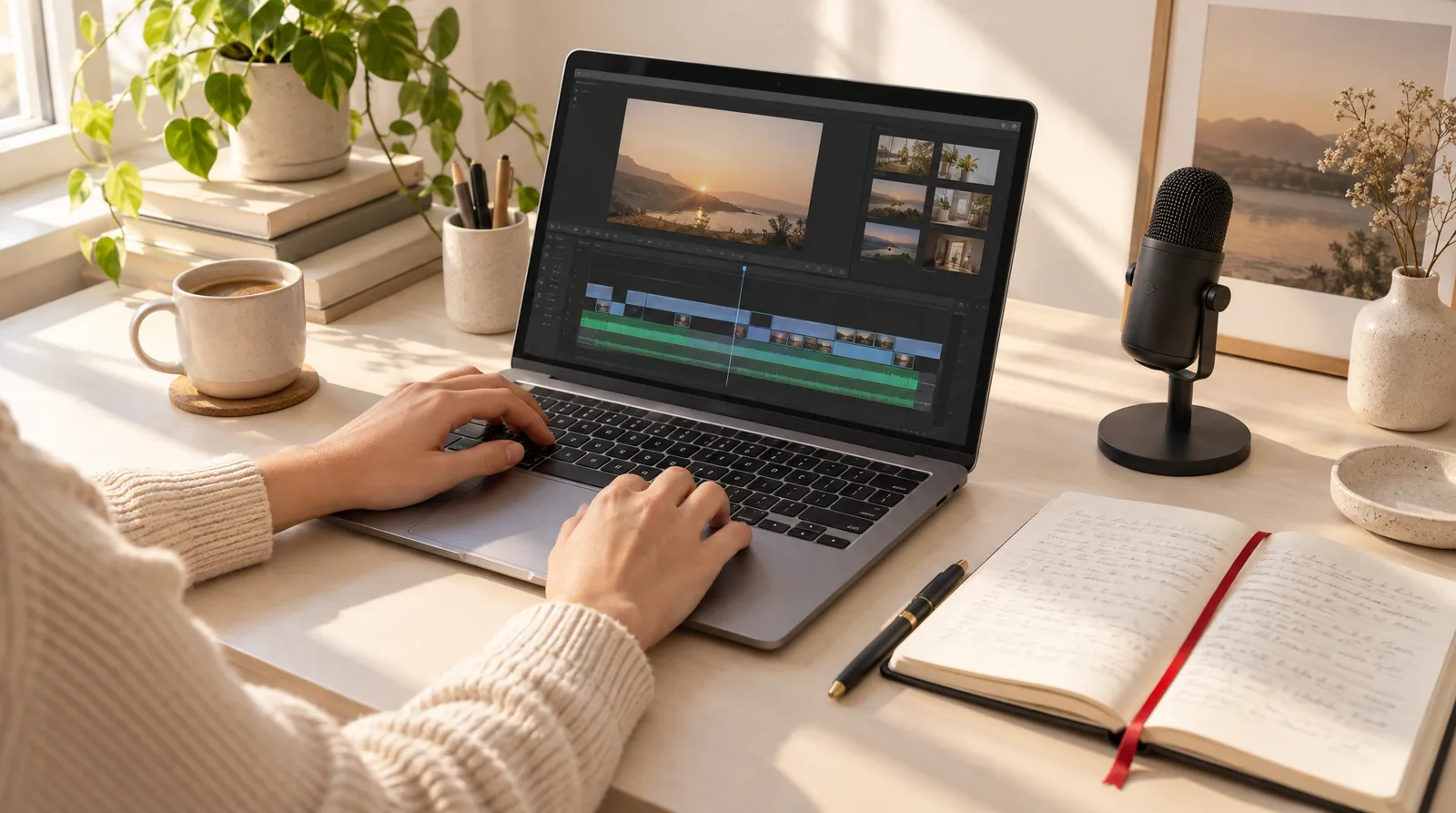
Policy details below were checked on November 8, 2026 against YouTube's help center and TikTok's Creator Academy; they may change. If you want the shortest path to a finished clip, our animated video maker turns a topic into a 30 to 90 second video with voiceover and captions.
One quick note: searches like "faceless video free trial" or "how to cancel faceless video subscription" are often about a separate product called Faceless.video. Klakix is not affiliated with Faceless.video, and this page covers the video format, not that app.
What is a faceless video?
A faceless video is any video where the creator doesn't appear on camera. Canva calls it "a video with no direct human subject" that tells its story through voiceover, kinetic typography, animation or computer-generated subjects. Adobe lists stock footage, animations, screen recordings, text overlays and illustrations, usually paired with a voiceover or music. A faceless account is simply a channel or profile that publishes this kind of content.
Epidemic Sound splits faceless YouTube videos into two types: traditional and automated. Traditional videos are filmed first-person, like cooking, DIY or a software walkthrough where you only see hands or a screen. Automated videos are built from a script, a voiceover and generated or stock visuals.
- Privacy: you can publish without tying your face to the channel.
- Camera shyness: your voice or your writing carries the video instead of your presence.
- Product focus: the viewer watches the product, the screen or the recipe, not a host.
- Easier batching: script, voice and visuals can be produced separately and reused as a workflow.
Faceless video formats compared
Seven faceless formats cover most of what you'll see on YouTube, TikTok and Reels, and they differ mainly in effort and YouTube monetization risk.
Faceless video formats: what you need and where the risk is
| Format | What you need | Effort | YouTube monetization risk |
|---|---|---|---|
| Voiceover with B-roll | Script, voice, stock or AI clips | Medium | Low with an original script; high if you only read text you didn't write |
| Animated explainer | Script, motion graphics or a template tool | Medium | Low when each video has a distinct topic and angle |
| Screen recording | Screen recorder, microphone | Low to medium | Low |
| Hands-only or POV | Camera, a real activity like cooking or DIY | Medium to high | Low |
| Text on screen only | Captions over a background clip | Low | High: scrolling text with minimal narrative is listed as not monetizable |
| Podcast or long-video clips | Your own long video, a clipping tool | Low | Low for your own content; high for clips compiled from other sites |
| Story narration | Script, voice, gameplay or B-roll | Low | High if it only reads posts or articles someone else wrote |
Sources: Adobe, Epidemic Sound and Kapwing (formats); YouTube monetization policies (risk). Checked November 8, 2026; may change.
Faceless video ideas by niche
The best faceless video ideas come from niches where the information matters more than the presenter. Pick one you can add your own experience or opinion to, since that's what keeps a channel from looking mass-produced.
- Explainers and facts: one question per video, like how a credit score is calculated or why a recipe fails at altitude.
- How-tos and software tutorials: a screen recording of one specific task, start to finish.
- Product demos: hands-only unboxing, setup or before-and-after shots for a small business.
- History: one event, person or place per video, told with maps, illustrations or animation.
- Cooking POV: overhead or first-person shots of a single recipe.
- Finance basics: budgeting terms and simple math shown as on-screen numbers.
- Podcast clips: your own long episodes cut into short vertical moments, a use case Kapwing also lists.
A 45-second faceless video script you can copy
This pattern works because the hook promises a payoff in one line, three points fit comfortably in 45 seconds, and the ending gives viewers a single action. At roughly 2.5 words per second, about 110 words fills 45 seconds (our estimate).
- Hook (0 to 5 sec): "You've been doing [task] the slow way. Here's the fix in three steps."
- Point 1 (5 to 17 sec): "First, [action]. It matters because [one-sentence reason]."
- Point 2 (17 to 29 sec): "Next, [action]. Most people skip this, and that's why [problem]."
- Point 3 (29 to 40 sec): "Finally, [action]. Do this once and [result]."
- Call to action (40 to 45 sec): "Follow for part two, where I cover [next topic]."
A B-roll prompt pattern for faceless visuals
For AI B-roll, describe one subject, one action, one camera move and one light source, and keep faces out of frame: "Close-up of hands kneading bread dough on a floured wooden counter, slow push-in, warm window light, no faces visible, vertical 9:16." A single action per clip keeps the motion clean, and the "no faces" line keeps every shot consistent with a faceless channel. Our guide to B-roll has more patterns.
How to make faceless videos with AI in 6 steps
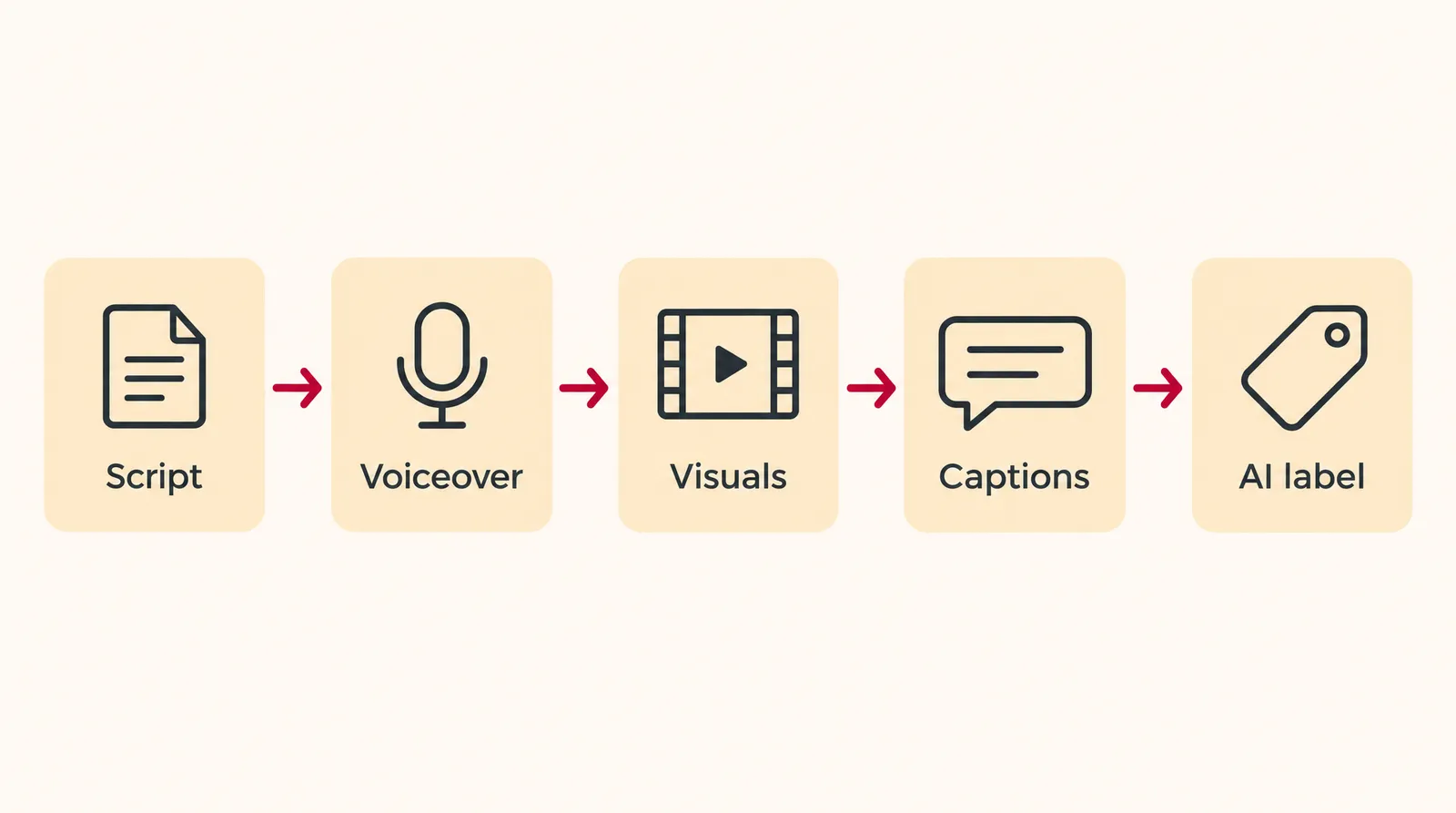
To make a faceless video with AI, you write an original script, turn it into a voiceover, add visuals and captions, and set the AI label before you publish.
- Pick a niche and one angle: Choose one topic per video and a point of view you can actually add, such as a mistake you made or a comparison you ran yourself. YouTube's policy allows recurring formats when each video has a distinct storyline, focus or concept.
- Write an original script: Use the hook, three points and call-to-action pattern above. AI can help with the outline, but the facts, opinions and examples should be yours.
- Generate the voiceover: Paste the script into an AI voiceover tool, pick a voice and listen through once for mispronounced names before you export.
- Create or gather the visuals: Generate B-roll clips, record your screen or film hands-only shots. Use 9:16 for Shorts, TikTok and Reels and 16:9 for long-form YouTube.
- Assemble, caption and add music: Lay the clips under the voiceover in an editor, trim them to the script, add captions and keep the music below the voice.
- Set the AI label and publish: In YouTube Studio, answer the AI use question under Attributes; on TikTok, turn on the AI-generated content setting when the video shows realistic AI people or scenes.
How to make a faceless video on Klakix
On Klakix, the fastest faceless route is Motif, which turns a topic into a finished 30, 45, 60 or 90 second video with voiceover, captions and motion graphics. You type a topic (the field takes up to 3,000 characters, so you can paste your own notes and angle), pick one of 46 templates and choose 16:9, 9:16 or 1:1. The default 45-second vertical video costs 159 credits, about $8.09 on the Standard pack by our math (159 x $14 / 275), plus tax at checkout. Because Motif draws text and numbers in code, figures on screen come out exactly as written.
If you'd rather build each piece yourself, combine three tools. Generate your script as speech in AI voiceover: Voice v4 costs 2 credits per 200 characters, so a 45-second script of roughly 650 characters is about 8 credits by our math. Create B-roll in Text to Video, where MiniMax H3 Max Turbo costs 20 credits for a 5-second 768p clip. Then join everything in the Video Editor, where editing and MP4 export are free and automatic captions cost credits per minute of speech.



Each sample was generated in one take on this site with the model shown on it; nothing was edited.
Viral Clips cuts your own long video into vertical captioned clips for 15 credits, and Music Composer makes a 30-second background track for 18 credits. Klakix doesn't clone voices or build slideshows automatically, and failed generations are refunded in credits.
Can faceless YouTube channels make money?
Yes, a faceless YouTube channel can make money once it joins the YouTube Partner Program and its videos aren't generic, repetitive or reused. According to the YouTube Help Center, you qualify with 1,000 subscribers plus either 4,000 qualified watch hours in the last 12 months or 10 million qualified Shorts views in the last 90 days. Watch hours from Shorts viewed in the Shorts Feed don't count toward the 4,000.
The YouTube Blog adds that fan funding features open at 500 subscribers with 3,000 long-form watch hours or 3 million Shorts views. That post uses "and" between the watch-hour and Shorts thresholds for ad revenue, while the help center uses "or", so treat the help center as the rule.
What YouTube won't monetize
The current YouTube monetization policies page lists these as not monetizable (checked November 8, 2026; may change):
- "Image slideshows, templated storylines, or scrolling text with minimal or no narrative, commentary, or educational value."
- "AI-generated content made with generic or unoriginal templates giving the impression of mass production" without your own insight or perspective.
- "Content that exclusively features readings of other materials you did not originally create, like text from websites or news feeds."
- "Short videos you compiled from other social media websites." This applies even if you have the original creator's permission, and the policy looks at your channel as a whole.
What YouTube still allows
- The same intro and outro on every video, as long as the bulk of each video is different.
- A series with recurring characters where each video has a distinct storyline, focus or concept.
- Using AI to visualize a unique character and narrative you invented.
- Automated tools or templates, as long as the final product still shows your creative vision.
Do you have to label AI faceless videos?
You have to label a faceless video on YouTube when AI creates a realistic scene that didn't happen, alters real footage, makes a real person appear to say or do something, or makes music that's the main focus, according to YouTube's AI disclosure help page. Scripts, captions and clearly animated content don't need a label.
YouTube AI label: when a faceless video needs one
| What the AI did | Label needed on YouTube? |
|---|---|
| Generated a realistic scene that didn't actually occur | Yes |
| Altered footage of a real event or place | Yes |
| Made a real person appear to say or do something they didn't | Yes (and never do this without consent) |
| Created music that's the main focus of the video | Yes |
| Wrote or improved the outline, script, title, thumbnail or infographic | No |
| Created captions | No |
| Sharpened, upscaled or repaired video | No |
| Made clearly unrealistic or animated content | No |
Source: YouTube Help, "Disclosing use of altered or synthetic content." Checked November 8, 2026; may change.
To disclose, upload in YouTube Studio and, in the Attributes section under "AI use," select Yes. YouTube says disclosure alone "won't limit a video's audience or impact its eligibility to earn money," and it may add labels automatically to content carrying C2PA metadata. The disclosure tool first arrived in Creator Studio on March 18, 2024.
TikTok's Creator Academy asks you to disclose AI or significantly edited content that shows realistic-looking people or scenes; turn on the AI-generated content setting under More options before posting. A third-party blog says TikTok began requiring AI labels on AI-generated ads on July 21, 2026; this is not confirmed by an official source. This is general information, not legal advice.
Can you make faceless videos for free?
You can make a basic faceless video for free, but free plans usually come with limits such as watermarks. On a Kapwing Free account, for example, all exports carry a watermark, faceless videos included.
On Klakix, verifying your email gives you 20 free credits that work only for voiceovers, enough to test Voice v4 on a short script. Video, image and Motif tools unlock after your first credit purchase, and there's no free video trial; current packs are on the pricing page. Skip "free APK" or cracked versions of paid apps, since they're a common route to malware and stolen accounts.
Common mistakes with faceless videos
- Reading text you didn't write: narrating Reddit posts or articles isn't monetizable, even with permission.
- Same template, new title: uploads that differ only by the topic word look mass-produced. Change the structure, examples and visuals per video.
- Scrolling text with no narration: text-only videos with minimal narrative are on YouTube's not-monetizable list.
- Compiling other people's clips: short videos gathered from other social sites count as reused content.
- Skipping the label on realistic scenes: a photoreal AI scene that never happened needs the YouTube label and, on TikTok, the AI-generated content setting.
- Forgetting about AI music: if an AI-composed song is the main focus of the video, YouTube wants it labeled.
- Wrong size: vertical platforms need 9:16; see our guide to YouTube Shorts length and size.
Sources
The facts in this post were checked against the pages below on Nov 8, 2026. Prices and limits may change.
- Canva: AI faceless video generator (independent source)
- Adobe Firefly: What is a faceless video? (independent source)
- Epidemic Sound: Faceless YouTube channels (independent source)
- Kapwing: Faceless video maker (independent source)
- YouTube Help: YouTube channel monetization policies (official source)
- YouTube Help: YouTube Partner Program overview and eligibility (official source)
- YouTube Blog: YouTube Partner Program explained (official source)
- YouTube Help: Disclosing use of altered or synthetic content (official source)
- YouTube Blog: How we're helping creators disclose altered or synthetic content (official source)
- TikTok Creator Academy: AI-generated content label (official source)
- Common Thread Co.: TikTok AI ad disclosure rules (independent source)
- Search Engine Journal: YouTube targets mass-produced content in monetization update (news)
This post was drafted with AI assistance. Facts were checked against the sources above, and model, credit and price details were checked automatically against the site's current price list.
Frequently asked questions
What is a faceless account?
A faceless account is a YouTube, TikTok or Instagram profile where the creator never shows their face. The videos rely on voiceover, screen recordings, hands-only shots, animation or on-screen text instead. Many run under a brand name rather than a personal one.
Is there a free faceless video AI generator?
Some tools have free plans, but they often add a watermark or limit exports, so check the export terms first. On Klakix, the 20 free credits cover voiceovers only; video needs a credit purchase.
What is the best AI faceless video generator?
It depends on the format you want. For motion-graphic explainers with voiceover and captions, a template tool like Motif gets you a finished video from a topic. For realistic B-roll you'll want a text-to-video model plus a separate voiceover and editor, so compare by format and cost per video.
What is a cash cow faceless channel?
"Cash cow" is a nickname creators use for faceless YouTube channels in niches that advertisers pay well for. There's no official definition, and the income claims you see online aren't verified. The same monetization rules apply to these channels as to any other.
Does YouTube demonetize AI faceless videos?
Not for being AI-made or faceless. YouTube withholds monetization from templated, mass-produced or reused content, however it was made, and explicitly allows AI used to visualize a character and story you invented.
Do faceless videos need a voiceover?
No, but long videos usually need narration or commentary. YouTube lists scrolling text with minimal narrative as not monetizable, so captions alone work best for very short tips. You can record your own voice or use an AI voiceover.
How do you make faceless videos for YouTube Shorts and TikTok?
Set the project to vertical 9:16, open with a one-line hook and keep one idea per clip. Write the script, add a voiceover, generate or film hands-only B-roll, then add captions so the point still lands on mute.
Is Faceless Video an app?
Some searches for "faceless video" refer to a separate product called Faceless.video. This guide covers the video format in general, not that product. For its pricing, trial or cancellation steps, check its own website.
Try what you just read
Signing up is free. Video and image tools unlock after your first credit pack, and credits are refunded if a generation fails.
Open Motif Video