Guide · 13 min read · Nov 16, 2026
What is lip sync? Meaning, the TV setting and how AI lip sync works
Lip sync, short for lip synchronization, means matching a person's mouth movements to spoken or sung audio. The term covers three things: performers miming to a recording, the TV setting that shifts sound to match the picture (LG's range is about 300 ms), and AI that redraws a mouth so it matches new speech.
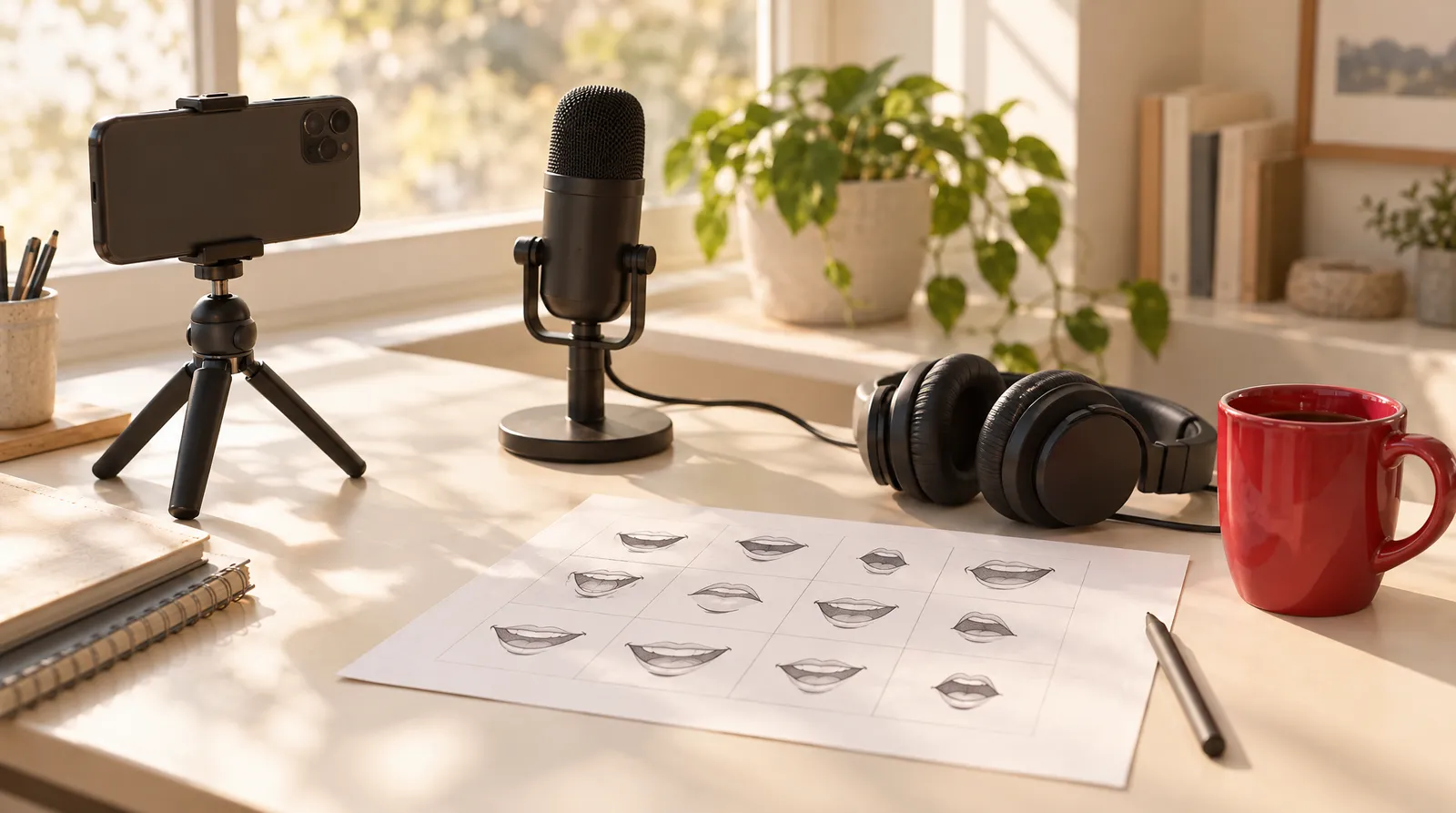
People who search "what is lip sync" usually mean one of three different things: a singer or TikTok creator miming to a track, a setting on a TV or receiver that fixes audio delay, or AI that makes a face speak new words. This guide sorts out all three, then explains in plain English how AI lip sync works, where it still fails, and whether lip syncing is illegal.
Facts were checked on November 16, 2026 against Wikipedia, the Cambridge Dictionary, LG's support pages, TikTok's official AI content policy, news reports and a technical write-up from the team behind the Wav2Lip model. If you just want to make a portrait speak, skip to the Talking Photo section.
What is lip sync? The short answer
Lip sync is short for lip synchronization, which Wikipedia describes as matching a speaking or singing person's lip movements with the vocals. It's pronounced like "sink", and you'll also see it spelled lip-sync or lip synch. In everyday speech it often means pretending: the Cambridge Dictionary defines it as performers pretending to sing while just moving their lips.
The three meanings of lip sync
| Meaning | What it is | Where you see it |
|---|---|---|
| Performance | Miming to a recording instead of singing or speaking live | Music videos, concerts, drag shows, Lip Sync Battle, TikTok |
| TV and audio setting | A delay control that lines up sound with the picture | TVs, soundbars and AV receivers, often called lip sync, AV sync or audio delay |
| AI and animation | Making a mouth match speech, frame by frame | Animated characters, dubbed films, talking photos, AI video |
Sources: Wikipedia (Lip sync), Cambridge Dictionary, LG support. Checked November 16, 2026.
Lip syncing in music and performance: playback, concerts and TikTok
In music, lip syncing means a performer mouths the words while a recording plays. It's standard in music videos, because the picture and the song are recorded separately, and common on TV and in some live shows. When a singer habitually does this over a pre-recorded track, Wikipedia calls it "singing over playback": the playback is the recording, and the lip sync is the miming on top of it.
- Famous cases: Milli Vanilli lip synced to vocals recorded by other singers, the textbook case of misattributed vocals. Michael Jackson lip synced "Billie Jean" on Motown 25 in 1983.
- Practical reasons: performers on Macy's Thanksgiving Day Parade floats lip sync because bands and sound systems can't fit on the floats.
- As a competition: Lip Sync Battle grew out of Jimmy Fallon's Late Night sketches into its own series on Spike, and RuPaul's Drag Race uses lip syncs as a recurring elimination challenge.
- On social apps: Dubsmash and TikTok let users record themselves miming to existing songs and audio clips. TikTok acquired and shut down Musical.ly in 2017.
What does the lip sync setting on a TV do?
The lip sync setting on a TV, soundbar or receiver delays or advances the sound so voices match mouths on screen. Audio and video travel as separate signals, so if the picture is processed more slowly, the sound arrives early. PopSci notes the problem is most common when audio goes from the TV to a soundbar over HDMI ARC or optical, and Wikipedia lists "lip sync error" as another name for audio-to-video sync error.
- On an LG TV, open Settings > Sound > Additional Settings > AV Sync Adjustment, according to LG's help page.
- Adjust Audio Delay within its range of about 300 ms: minus makes the sound play sooner, plus delays it.
- Choose Bypass if you want the sound sent with no added delay.
- If voices come before lips, start with a delay equal to the gap. iTechGuides gives the example of an 80 ms video chain and a 30 ms soundbar, so start near 50 ms.
Other brands, including Vizio TVs and Yamaha receivers, label the control differently, so look in the sound or audio menu for lip sync, AV sync or audio delay. We didn't verify each brand's exact menu path, so check your manual.
How does AI lip sync work?
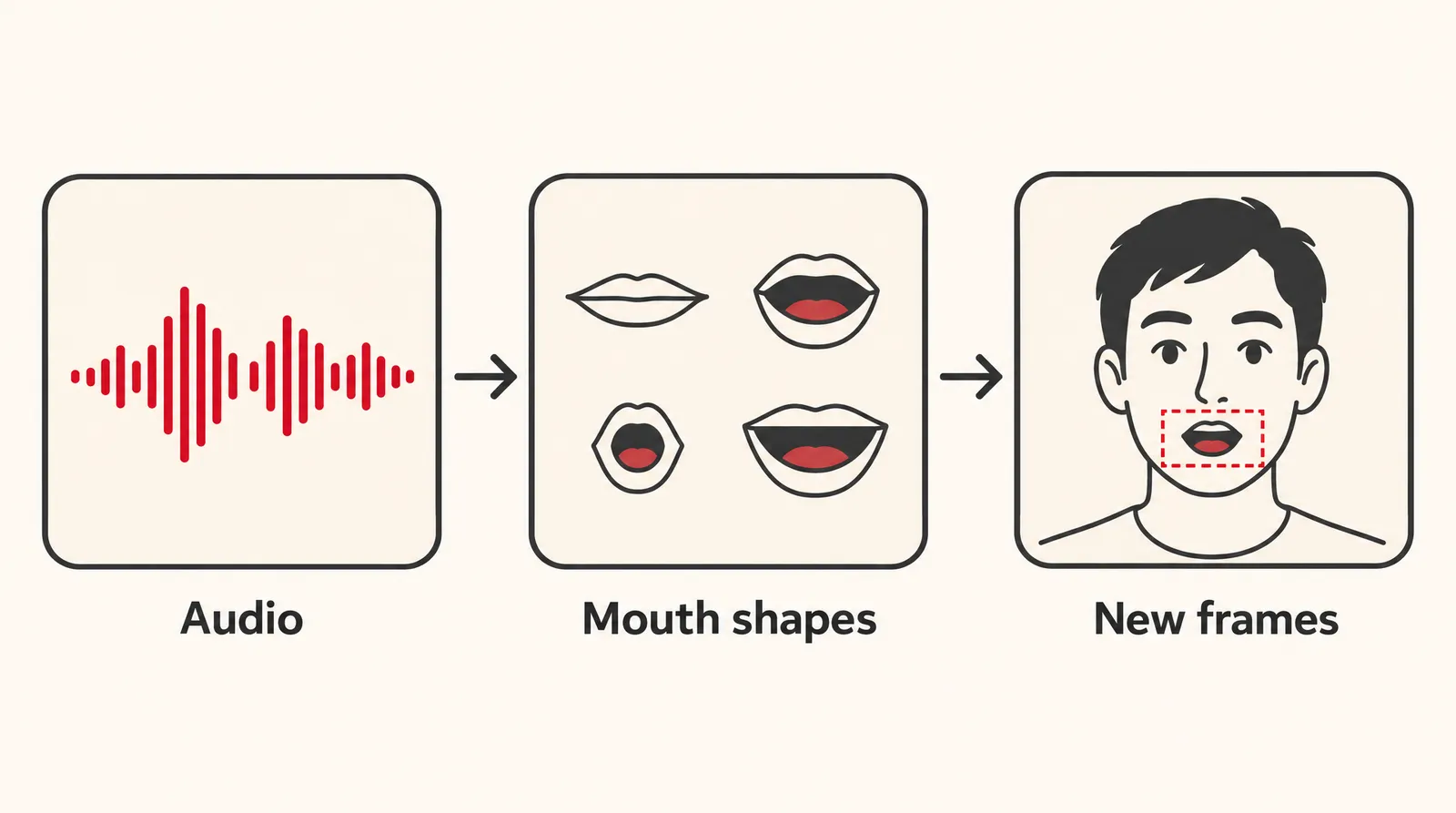
AI lip sync works by turning speech into mouth shapes and redrawing only the mouth area of a face. A phoneme is the smallest unit of sound ("cat" has three: /k/, /æ/, /t/), and a viseme is the mouth shape that goes with it. Several phonemes look the same on the lips, so there are fewer visemes than phonemes, as Convai explains.
- Listen: an audio encoder turns the speech into numbers, one set per chunk of about 200 milliseconds, that roughly capture the phonemes.
- Look: a visual encoder reads the person's identity, head pose and surroundings while the mouth area is hidden.
- Redraw: a generator combines both and paints a new mouth into every frame.
That breakdown comes from sync. labs, the company from the team behind Wav2Lip. Before 2020, realistic AI lip sync had to be trained on one specific person and fell apart on new faces. The 2020 Wav2Lip paper used a pretrained "lip sync expert" as a judge and was the first approach that worked on arbitrary real-world video; it also read raw audio instead of processed phonemes, which helped it handle noisy sound better.
Why the effort? People are very good at spotting a mismatched mouth, and a drift of just a few frames feels wrong. It's linked to the McGurk effect, where seeing the wrong mouth shape can make you hear the wrong syllable.
Talking photo vs video lip sync: what's the difference?
A talking photo starts from a still portrait and generates the whole face motion, while video lip sync (dubbing) replaces the mouth in footage that already exists. Dubbing is harder: the head is already moving, the angle changes, and cross-language dubbing is the toughest case of all, according to sync. labs. Film studios have long done elaborate lip syncing in post-production for dubbed films, animated characters and video games.
On Klakix, the Talking Photo tool does the first job: upload a portrait, type up to 200 characters, and the photo says it with lip sync. It doesn't re-sync a video you already filmed, doesn't clone your voice and doesn't swap faces.
Talking Photo models on Klakix
| Model | Credits per clip | Output | Best for |
|---|---|---|---|
| MiniMax H3 Max Lip Sync | 77-242 (default 768p: 122) | Standard, 768p or 1080p | More natural facial movement, high-resolution option |
| HeyGen Avatar IV | 95 | 9:16 or 16:9 | Fast, natural expressions |
| OmniHuman 1.5 | 242 | 720p or 1080p | Most realistic face and body movement for promos |
Source: Klakix catalog. Script limit is 200 characters for all three. Checked November 16, 2026; may change.
Our math on the Studio pack ($69 for 1,900 credits, about 3.6 cents per credit): a HeyGen clip at 95 credits comes to about $3.45, and a default MiniMax clip at 122 credits to about $4.43. The Mini pack's 75 credits won't cover even one talking photo. Talking Photo unlocks after your first purchase on the pricing page, because the 20 free signup credits work only for voiceover.
Two related options: UGC Ads puts a presenter next to your product with a script up to 320 characters (100 credits with HeyGen Avatar IV, 250 with OmniHuman 1.5). If you want speech generated inside a brand-new scene, Text to Video models such as Google Veo 3.1 Lite generate dialogue with the picture, and Kling 3.0's built-in speech is English or Chinese only.
How to lip sync a photo with AI
- Pick the right portrait: Use a front-facing photo with the mouth fully visible and no hand, mic or hair in front of it. It must be a photo you have rights to and consent for; celebrities and politicians aren't allowed.
- Choose a model: Open Talking Photo and pick HeyGen Avatar IV for speed, MiniMax H3 Max Lip Sync for resolution, or OmniHuman 1.5 for the most realistic movement.
- Write a short script: Type up to 200 characters in calm, conversational sentences, for example: "Hi, I'm Dana. Our spring menu starts Friday, and the first coffee is on us." Calm speech suits the models better than shouting or laughing.
- Generate the clip: Check the credit cost shown before you start, then generate.
- Review the mouth: Watch at full size and look at the teeth, the corners of the mouth and whether lips drift from the words. If it looks off, try a more frontal photo.
- Label it when you post: On TikTok, label realistic AI-generated content as required by its policy, and follow the rules of any other platform you post to.
For moving a photo without speech, such as a smile or a head turn, see our guide on how to animate a photo.
Where AI lip sync still fails
AI lip sync still struggles with anything that differs from a calm, front-facing speaker. According to sync. labs, these are the known weak spots:
- Teeth: they often come out too clean and too uniform.
- Side profiles and three-quarter views: training data is mostly frontal faces.
- Something covering the mouth: a mic, a hand or hair breaks the mouth area the model needs.
- Strong emotion: yelling, crying and laughing, because models learn mostly from calm speech.
- Cross-language dubbing: the hardest case, since the original mouth motion fights the new words.
- Speed: most models still need a few seconds of compute per second of video, and real-time 30 fps lip sync is not solved.
Is lip syncing illegal or bad?
Lip syncing itself is rarely the legal issue: in the US example that usually gets cited, the law is about disclosure, not a ban. A genuine ban does exist in mainland China, where news reports say lip syncing at live concerts is illegal; Shanghai authorities investigated the band Mayday in 2023 to 2024 and later cleared it. Vietnam's Decree 144 dropped lip syncing from its list of fineable offenses for live shows, reported around 2020; its current status isn't verified.
For AI lip sync, the rules are about consent and labels. TikTok requires creators to label AI-generated content showing realistic scenes or people, and its AI content page says disclosure is required for realistic images, audio and video. The creator labeling tool launched on September 19, 2023. Never make a real person appear to say something without their consent. This is general information, not legal advice.
Sources
The facts in this post were checked against the pages below on Nov 16, 2026. Prices and limits may change.
- Wikipedia: Lip sync (independent source)
- Cambridge Dictionary: lip-synch (independent source)
- PopSci: How to fix audio delay between your TV and soundbar (independent source)
- LG support: AV Sync Adjustment (official source)
- iTechGuides: How to fix lip sync delay on TVs, soundbars and streaming (independent source)
- Wikipedia: Audio synchronizer (independent source)
- sync. labs: How AI lip sync actually works (independent source)
- Wav2Lip paper (arXiv 2008.10010) (independent source)
- arXiv 2509.12831: lip sync research survey (independent source)
- VMEG: What is lip sync (independent source)
- South China Morning Post: Mayday lip-synching controversy (news)
- Taipei Times: Mayday cleared (news)
- Saigoneer: Vietnam lifts ban on lip syncing (news)
- A Journal of Musical Things: The history of lip syncing, part 1 (news)
- TikTok: Supporting responsible, transparent AI-generated content (official source)
- TikTok: AI-generated content (official source)
- Cinerads: TikTok AI content policy (independent source)
This post was drafted with AI assistance. Facts were checked against the sources above, and model, credit and price details were checked automatically against the site's current price list.
Frequently asked questions
What is lip syncing in simple terms?
Lip syncing means moving your mouth so it matches audio, usually a song or speech that was recorded separately. Performers do it on stage and in music videos, TVs have a setting to keep sound and picture matched, and AI can redraw a face's mouth to fit new words.
What is the difference between lip sync and playback?
Playback is the pre-recorded track that plays through the speakers. Lip sync is the performer miming the words on top of it. When a singer does this regularly at concerts or on TV, it's called singing over playback.
What is lip sync on TikTok?
On TikTok, a lip sync video is one where you mime the words of a song, movie line or audio clip while it plays. The format grew out of Musical.ly, which TikTok acquired and shut down in 2017. If you use AI to make a realistic face talk, TikTok requires you to label it.
What is Lip Sync Battle?
Lip Sync Battle is a competition show where contestants mime and perform to songs. It started as a recurring sketch on Jimmy Fallon's Late Night and became its own series on Spike.
Is it lip sync or lipsing?
The correct spelling is lip sync, also written lip-sync or lip synch. It's short for lip synchronization and rhymes with sink. Lipsing is a common misspelling.
Is lip sync free?
Miming to a sound in a social app and using the lip sync setting on your TV cost nothing. AI lip sync tools usually charge per clip. On Klakix, a talking photo costs 77 to 242 credits depending on the model and quality, and unlocks after your first credit purchase, since the 20 free signup credits cover voiceover only.
How do you lip sync an animation?
Animators break the dialogue into sounds and assign each one a mouth shape, called a viseme, often drawn on a mouth chart. Because several sounds share the same shape, a small set of mouth drawings covers most speech. The shapes are then timed to the audio track frame by frame.
Is lip syncing bad or cheating?
It depends on the setting. Lip syncing is normal in music videos, parades and comedy formats, but it upsets fans when a live vocal is implied and the singer is miming, as in the Milli Vanilli case. Being upfront about it is what matters most.
Try what you just read
Signing up is free. Video and image tools unlock after your first credit pack, and credits are refunded if a generation fails.
Open Talking Photo