Guide · 12 min read · Nov 5, 2026
Close-up shot: types, examples and framing tips
A close-up shot (CU) frames a subject so tightly it fills most of the screen. With a person, that usually means the head, from the neck or shoulders to the top of the hair. Adobe suggests an 85 to 135mm lens. An extreme close-up goes tighter, isolating one detail such as the eyes or mouth.

This guide covers what a close up shot is, the types from medium close-up to extreme close-up, how it compares with every other shot size in one table, famous examples, and how to get one on a camera, an iPhone, in a script, or with AI video. If you want the full ladder of framings, see our shot types guide; for moving into a close-up, see camera movements and angles.
Facts were checked on November 4, 2026 against Adobe's cinematography guide, StudioBinder, iFilmThings, Apple's iPhone User Guide and the other sources linked below. Where sources disagree, we say so.
What is a close-up shot?
A close-up shot is a framing where the subject fills most of the screen, and with a person it usually shows the head, from the neck or shoulders to the top of the hair, according to iFilmThings. On a shot list it's written as CU. StudioBinder puts it as the full face and head, with a little room to spare above and below.
Adobe's guide says the standard close-up shows the head and shoulders and is often used for dialogue, reactions and emotional expression. Backstage sums up the purpose as conveying information: it's the filmmaker saying "this is important." According to iFilmThings, citing Merriam-Webster, the word dates to 1912.
Types of close-up shots, from medium close-up to extreme close-up
There are about six common close-up types, running from the medium close-up (chest up) to the insert (an object). Adobe lists four: extreme, choker, standard and insert. iFilmThings adds the medium close-up and the Italian shot, and notes that labels shift between books, countries and crews.
Close-up types from loosest to tightest
| Type | Shot list label | What's in frame | Rough camera distance |
|---|---|---|---|
| Medium close-up | MCU | Chest up (some sources say waist up) | 3 to 5 feet |
| Close-up | CU | Whole head, with or without shoulders | 1 to 3 feet |
| Choker (big close-up) | BCU | Just above the eyebrows to just below the mouth | Not specified |
| Extreme close-up | ECU | One detail, such as an eye or the mouth | Under about 1 foot |
| Italian shot | No standard label | Eyes only | Not specified |
| Insert | INSERT | An object or small action | Not specified |
Sources: iFilmThings (updated Nov 1, 2026), Adobe, StudioBinder; checked November 4, 2026. Distances are a rule of thumb iFilmThings reports from a 2026 study of 5,205 films; we didn't see the study itself.
The medium close-up is where sources disagree. NFI says it usually runs from the waist up, while iFilmThings and FilmDaft say chest up. Since iFilmThings defines a medium shot as waist up, chest up is the safer reading, but check what your crew means.
Close-up shot vs medium, wide, extreme close-up and detail shots
A close-up shows a face or subject large in the frame, while every other shot size either shows more of the scene or isolates a smaller detail. The table puts the common comparisons side by side.
Close-up compared with other shot sizes
| Comparison | Close-up shows | The other shot shows | Pick the other when |
|---|---|---|---|
| CU vs extreme close-up | Whole head with a little room | One area, like the eyes or mouth | One detail should carry the moment |
| CU vs medium close-up | Head, maybe shoulders | Chest up | You want the face plus some posture |
| CU vs medium (mid) shot | Head and shoulders | Waist or chest up (Adobe) | Gestures and hands matter |
| CU vs wide or long shot | Face fills the screen | Much more of the subject and setting | The audience needs to see where they are |
| CU vs insert or detail shot | A person's face | A prop or small action | Viewers must read or notice an object |
| CU vs tight shot | A defined head framing | No fixed size in our sources | Ask the crew what they mean |
| CU vs macro | Close framing below 1:1 magnification | 1:1 reproduction or greater | You're photographing tiny subjects |
| CU vs eye level shot | A shot size | A camera angle | Not either/or: combine them |
Sources: StudioBinder, Adobe, iFilmThings, Photo Review; checked November 4, 2026.

For the opposite end of the scale, our wide shot guide explains when to pull back. A common pattern is to establish with a wide shot, then cut to a close-up for the reaction.
Close-up shot examples in movies
Close-ups have been in film since around 1900, and some of the most cited examples come from both silent cinema and recent dramas. These are the ones the sources we checked point to.
- Grandma's Reading Glass (1900): usually credited to G.A. Smith, it cuts between a boy and close-ups of what he sees through a magnifying glass.
- As Seen Through a Telescope (1900): one of the early onscreen close-ups listed by Backstage.
- The Big Swallow (1901): Backstage calls it the first extreme close-up; it's at least one of the earliest.
- The Lonedale Operator (1911): a D.W. Griffith film from the same early period.
- The Passion of Joan of Arc (1928): a silent film iFilmThings uses as a close-up example.
- Once Upon a Time in the West: its tight framing of Charles Bronson's eyes is the textbook Italian shot.
- Black Swan (2010), Son of Saul (2015) and Hereditary (2018): modern examples iFilmThings cites for close framing.
How to film a close-up shot
To film a close-up, use a short telephoto lens, frame from the shoulders up, and keep the eyes sharp. Adobe and Epidemic Sound both point to the 85 to 135mm range.
- Pick an 85 to 135mm lens: Adobe recommends this range to avoid the facial distortion you get from a wide lens up close.
- Set your distance: As a rule of thumb reported by iFilmThings, 1 to 3 feet from the face gives a close-up; closer than about 1 foot becomes an extreme close-up.
- Frame from the shoulders up: End the frame at the top of the head or crop slightly into it, and place the subject off-center using the rule of thirds.
- Focus on the eyes: At close range depth of field is shallow, so set focus on the nearest eye and check it before rolling.
- Use soft light: A diffused source flatters skin and texture, which every close-up magnifies.
- Plan the edit: Decide which wider shot the close-up cuts from and save it for the moments that matter; IndieFilmHustle warns that too many close-ups confuse viewers and too few can feel distant.
How to take a close-up shot with an iPhone (and close-up vs macro)
On supported iPhones, you take a close-up by moving the camera near the subject, and the Camera app switches to the Ultra Wide camera for macro automatically, focusing as close as 2 centimeters, per Apple's User Guide. It works for photos, Live Photos, slow motion and time-lapse.
- Open Camera and choose Photo or Video.
- Move slowly toward the subject until it's a few centimeters away.
- Look for the Macro control, a yellow flower icon, and tap it to turn macro on or off (MacRumors).
- If the image looks blurry, back off slightly until it snaps into focus.
- For a face, skip macro: step back and, if your iPhone has a telephoto option, use it for a flattering head-and-shoulders framing.
Macro first came to the iPhone 13 Pro and Pro Max in late 2021, according to How-To Geek. Apple's Settings text in the iPhone 16 Pro era said macro photos are always saved at 12 MP (TidBITS); that's not confirmed for current models.
How to write a close-up shot in a script
In a screenplay, you write a close-up as a shot heading in caps: CLOSE ON, CLOSE -, CLOSER ON, CLOSEUP - or CU -, followed by the subject, per Screenplay How To. For an object, No Film School suggests INSERT or CLOSE ON plus a short description.
Sample: CLOSE ON DANA'S HANDS as she folds the receipt twice and tucks it into her sleeve. Then: INSERT - THE RECEIPT, a phone number scrawled across the total. Both lines tell the reader what to notice without dictating lenses.
Use them sparingly. StudioBinder advises writers to write, not direct, because shot directions hurt readability, and SimplyScripts notes ECU is usually left out and left to the director. On a shot list or storyboard, CU and ECU are standard.
How to get a close-up shot in AI video and images
To get a close-up from an AI model, put the shot size first in your prompt, then the subject, one detail, the lens or light, and the motion. Naming the framing up front tells the model how much of the scene to show before it fills in everything else. This is guidance, not a guarantee: no model hits an exact framing every time, so expect to regenerate.
- Close-up: "Close-up of a ceramic mug on a wooden table, steam rising, 100mm lens look, soft window light from the left, slow push-in."
- Extreme close-up: "Extreme close-up of a watch dial, the second hand ticking, shallow depth of field, warm side light, static camera."
- Insert: "Insert shot of a hand sliding a key across a marble counter, overhead light, camera locked off."
On Klakix, the Text to Video tool runs Seedance 2.0 at 95 credits by default (720p, 5 sec), about $4.84 at the Standard pack rate (our math: 95 × $14/275), or Google Veo 3.1 Lite at 40 credits (720p, 8 sec), about $2.67 on the Mini pack (40 × $5/75). For a still, Image Generation with Nano Banana 2 costs 8 credits at 1K. Prices checked November 4, 2026; they may change.
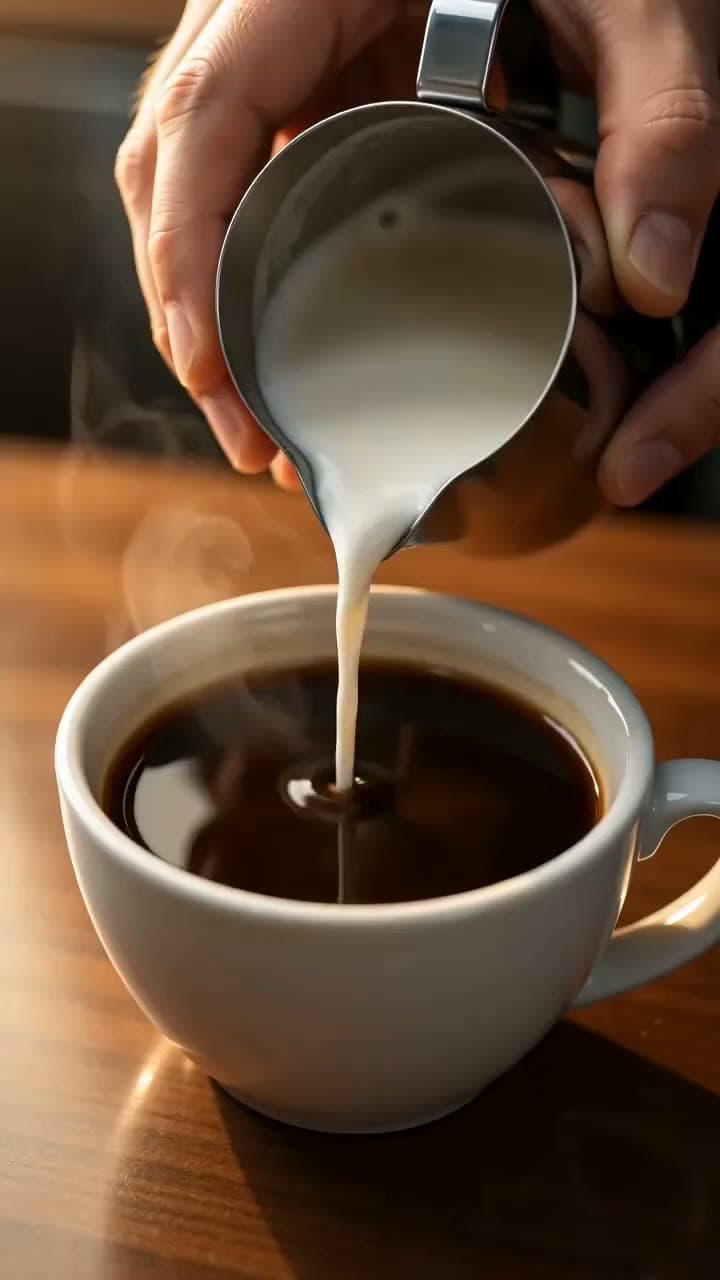

Each sample was generated in one take on this site with the model shown on it; nothing was edited.
A few limits to know. Each generation is one clip, so a wide-to-close sequence means separate generations joined in the Video Editor (beta) or your own editor; for a single move into a close-up, describe a push-in (see camera movements). Don't generate real or famous people, the Seedance image-to-video models don't accept photos with human faces, and the 20 free signup credits work only for voiceover.
Sources
The facts in this post were checked against the pages below on Nov 4, 2026. Prices and limits may change.
- iFilmThings: Close-up shot (independent source)
- Adobe: Close-up shot guide (official source)
- StudioBinder: Close-up shot (independent source)
- Backstage: Close-up shot explained (independent source)
- NFI: Close-up shot (independent source)
- IndieFilmHustle: Close-up shot (independent source)
- MasterClass: What is a close-up shot (independent source)
- FilmDaft: What is a close-up shot (independent source)
- Epidemic Sound: Close-up shots (independent source)
- Apple iPhone User Guide: Take macro photos and videos (official source)
- MacRumors: iPhone macro photography (news)
- How-To Geek: Macro photography on iPhone (news)
- TidBITS Talk: iPhone 16 Pro macro resolution (independent source)
- Photo Review: Close-up and macro photography (independent source)
- Michigan Tech: Close-up definitions (independent source)
- Screenplay How To: Shot headings (independent source)
- No Film School: Special formatting in screenplays (independent source)
- StudioBinder: How to write shots in a script (independent source)
- SimplyScripts: Screenwriting glossary (independent source)
This post was drafted with AI assistance. Facts were checked against the sources above, and model, credit and price details were checked automatically against the site's current price list.
Frequently asked questions
What is a close up shot in film?
It's a shot size that frames the subject so tightly it fills most of the screen. With a person, it usually shows the head, from the neck or shoulders to the top of the hair. Shot lists abbreviate it as CU.
What is a close-up shot used for?
Close-ups show emotion, reactions and dialogue in detail, and they tell the audience that something matters. Directors also use them to point at a key object. Using too many can confuse viewers, according to IndieFilmHustle.
What's the difference between a close-up and an extreme close-up?
A close-up shows the whole head with a little room above and below. An extreme close-up isolates one area, such as the eyes or the mouth. A shot of just an eye is an extreme close-up.
Close up shot vs medium shot: what's the difference?
A medium shot typically shows a person from the waist or chest up, so hands and posture are visible. A close-up crops to the head and shoulders and focuses on the face. Sources disagree on the medium close-up, but most place it at chest up.
Is a close-up a camera angle?
No, it's a shot size. Angle describes where the camera sits relative to the subject, such as eye level, low or high. You can shoot a close-up from any angle.
What is close-up photography called, and is it macro?
It's usually just called close-up photography. Macro is a stricter term for images reproduced at life size or larger on the sensor, a 1:1 ratio. Many lenses and phone modes labeled macro don't reach that.
How do you take a close up shot with an iPhone?
On supported models, move the camera close to the subject and the Camera app switches to macro on the Ultra Wide lens, focusing as near as 2 centimeters. A yellow flower icon lets you toggle it. For faces, step back and use a telephoto option instead if your model has one.
What lens is best for close-up shots?
Adobe and Epidemic Sound both recommend something between 85 and 135mm. That range lets you fill the frame with a face without the distortion a wide lens causes up close. Focus on the eyes and use soft light.
Try what you just read
Signing up is free. Video and image tools unlock after your first credit pack, and credits are refunded if a generation fails.
Open Text to Video