Guide · 13 min read · Nov 5, 2026
Shot types in film: a visual guide to every camera shot
Shot types in film describe a camera shot along four axes: size (how much of the subject you see), angle (where the camera looks from), framing (who is in the frame) and movement. Adobe notes there are dozens of shot types, but most editors work with about 10 to 15 main categories.

This guide covers camera shots in film and video, not video game or golf shots. It includes a shot size table, an abbreviation list and a way to write shot types into an AI video prompt.
Definitions were checked on November 3, 2026, and where sources disagree, we say so. For how the camera moves during a shot, see our guide to camera movements and angles.
What are shot types in film?
A shot type is the label for how a single shot is composed, and a shot itself is a series of frames that runs for an uninterrupted period of time. Most confusion comes from mixing four different questions into one list.
The four ways to describe a shot
| Axis | Question it answers | Examples |
|---|---|---|
| Size | How much of the subject do you see? | Extreme close-up, medium shot, wide shot |
| Angle | Where does the camera look from? | Eye level, high angle, low angle, Dutch angle |
| Framing | Who or what is in the frame? | Single, two shot, over-the-shoulder, POV |
| Movement | How does the camera move? | Pan, tilt, dolly, tracking |
Our grouping, based on Adobe, StudioBinder and Wikipedia. Checked November 3, 2026.
One shot can carry a label from every axis at once: a low angle medium two shot with a slow push-in is a single shot. According to MasterClass, shot size is the size of the frame relative to the figures in it, and lens focal length plus camera-to-subject distance decide what's visible.
Shot sizes from extreme close-up to extreme wide shot
Shot sizes run from the extreme close-up, which shows a face or less, to the extreme wide shot, where the person may not be visible at all. B&H Explora sorts them into three groups: Long, Medium and Close. The table below uses a person as the reference, since that's how crop points are usually defined.
Shot sizes and where they crop a person
| Shot size | Abbreviation | Where it crops a person | What it shows best |
|---|---|---|---|
| Extreme wide / extreme long shot | EWS, ELS | Person is tiny or not visible at all | Epic views and panoramas |
| Wide / long / full shot | WS, LS, FS | Head to toe | The whole body in its setting |
| Medium long / medium full shot (3/4 shot) | MLS, MFS, MWS | Knees up | Body language plus some surroundings |
| Cowboy shot | CS | Between the knees and the waist | Face and hip level in one frame |
| Medium shot | MS | About waist up | Gestures and conversation |
| Medium close-up | MCU | Chest up (some sources say waist up) | Expression with a little body |
| Close-up | CU | Face down to the shoulder line | Emotion and reaction |
| Extreme close-up | ECU | Frame stops at the chin and forehead | A single detail |
Sources: Wikipedia, B&H Explora, StudioBinder, Backstage, MasterClass. Checked November 3, 2026. Crop points are common conventions, not a fixed standard.

Close-up and extreme close-up definitions come from Wikipedia's shot article, which also lists the extreme long shot for epic views and panoramas. StudioBinder's shot size guide puts the medium wide shot at roughly the knees up and the medium close-up at roughly the chest up. Some guides, like StudioBinder's main hub, split full shot and wide shot into two sizes; others treat them as one. For more on the widest end, read our wide shot guide.
The cowboy shot has a disputed origin. Backstage says French critics coined the name "plan américain" for a framing Western directors such as Howard Hawks used to get holster and face in one frame, while NFI says John Ford pioneered it. Neither claim settles who came first.
Shot types vs camera angles: what's the difference?
A shot type usually means size (how much you see), while a camera angle is the height and direction the camera looks at a subject from. Wikipedia adds that an angle is the specific spot where the camera is placed, and one scene can be shot from several angles at once. So a close-up can be low angle, high angle or eye level.
- Eye level: the camera sits at the subject's eyeline. StudioBinder notes true eye level is less standard than people think, since directors often place the camera at shoulder level.
- High angle: the camera looks down, which can make the subject seem smaller, weaker or more vulnerable. See our high angle shot guide.
- Low angle: per Adobe, any shot that looks up at a character counts, whether the camera is inches below the eyeline or down by the feet. StudioBinder says it's often paired with a high angle on the other character to show power. More in our low angle shot guide.
- Dutch angle: the camera is rotated so the horizon tilts, mainly to create unease, and it's strongly linked to German Expressionist cinema (Wikipedia). Our Dutch angle guide has examples.
- Overhead, POV, reverse and profile: Adobe also lists these as angles.
Framing shots: single, two shot, over-the-shoulder and POV
Framing shots describe who is in the frame, not how big they are. NFI names the single shot, two shot and three shot by the number of people, and StudioBinder files over-the-shoulder (OTS) and point-of-view (POV) under framing too. An OTS shows one character past the back of another's shoulder, and a POV shows what a character sees.
Backstage's list of 9 shots groups the tracking or dolly shot, the two shot and the OTS "by field size," which is why so many people think they're sizes. A tracking shot is a camera movement, and the two shot and OTS are framing. A two shot can be a wide shot or a medium shot depending on how close you are.
Shots by purpose: establishing, master, insert, cutaway and reaction
Purpose shots are named for the job they do in the edit, not their size or angle. Adobe's purpose group includes master, establishing, insert, cutaway, reaction and push-in or push-out shots.
- Establishing shot: sets up the scene's context and location, such as a skyline or a building exterior (Backstage).
- Master shot: a single shot from one position that covers the scene's action from start to finish (MasterClass).
- Cutaway: cuts to something outside the main action.
- Cut-in: per B&H, like a cutaway, but a close-up of something visible in the main scene.
- Insert and reaction shots: Adobe lists both in this group; a reaction shot shows how a character responds.
Shot types list with abbreviations
Shot lists and storyboards use short abbreviations, and the table below collects the common ones in one place. If you plan shots on paper first, our guide on what a storyboard is shows where these go.
Common shot abbreviations
| Abbreviation | Full name | Axis |
|---|---|---|
| ECU | Extreme close-up | Size |
| CU | Close-up | Size |
| MCU | Medium close-up | Size |
| MS | Medium shot | Size |
| CS | Cowboy shot | Size |
| MLS / MFS / MWS | Medium long / medium full / medium wide shot | Size |
| FS | Full shot | Size |
| WS / LS | Wide shot / long shot | Size |
| EWS / ELS | Extreme wide / extreme long shot | Size |
| OTS | Over-the-shoulder | Framing |
| POV | Point of view | Framing (Adobe also lists it as an angle) |
Sources: StudioBinder, B&H Explora, Adobe. Checked November 3, 2026.
How to use shot types in AI video prompts
You can write shot types straight into an AI video prompt, using the pattern [shot size] + [angle] + [subject and action] + [camera move]. On Klakix, Text to Video generates one shot per clip, so each line of a shot list becomes its own generation. No source measures how closely each model follows size or angle words, so treat this as a pattern to try, not a guarantee.
- Extreme close-up, eye level: coffee pours from a tiny copper pot into a thimble-sized cup, slow push-in, soft window light.
- Extreme wide shot, high angle drone view: white limestone terraces at sunset, a small figure walking along the edge, slow forward glide.
- Medium shot, low angle: a baker in a flour-dusted apron lifts a tray of bread toward the camera, static camera.
- POV: a goalkeeper's view as the ball flies toward the net, quick dive to the right.
These work because the framing comes first and the movement comes last, so size, subject and camera move don't blur into one long description. Keep one size and one move per prompt; asking for a wide shot that becomes a close-up is really two shots.
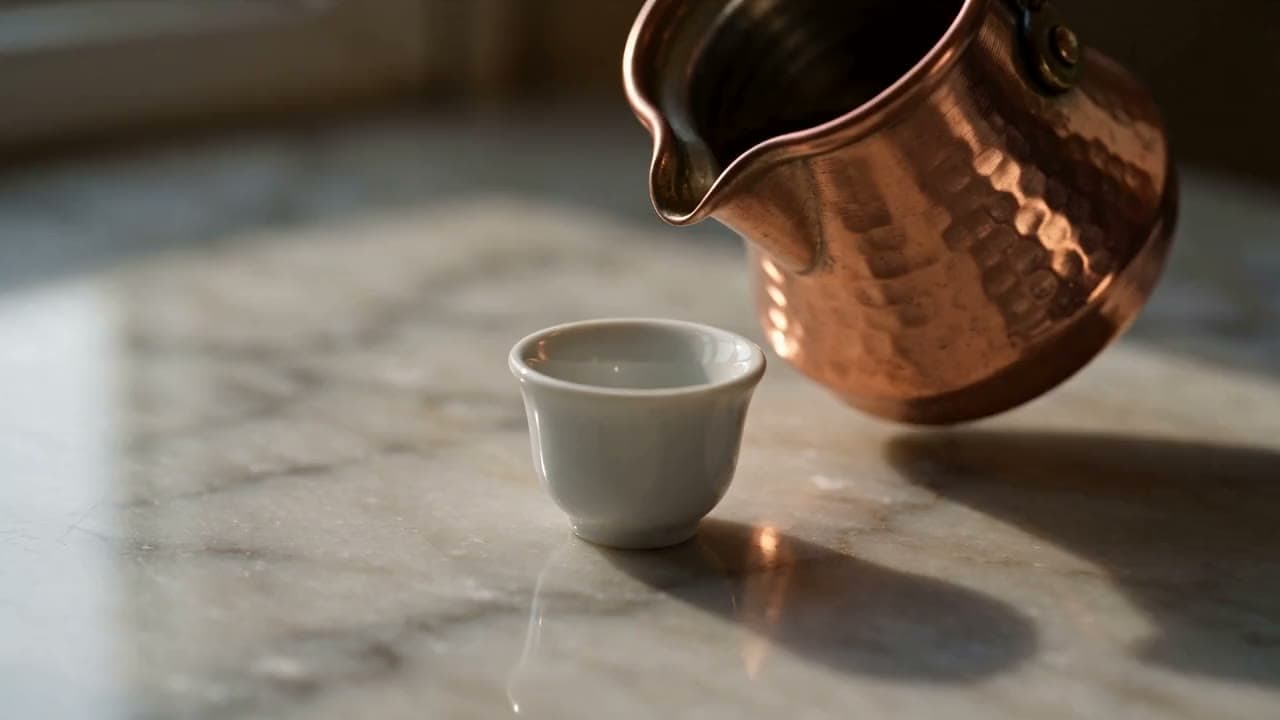
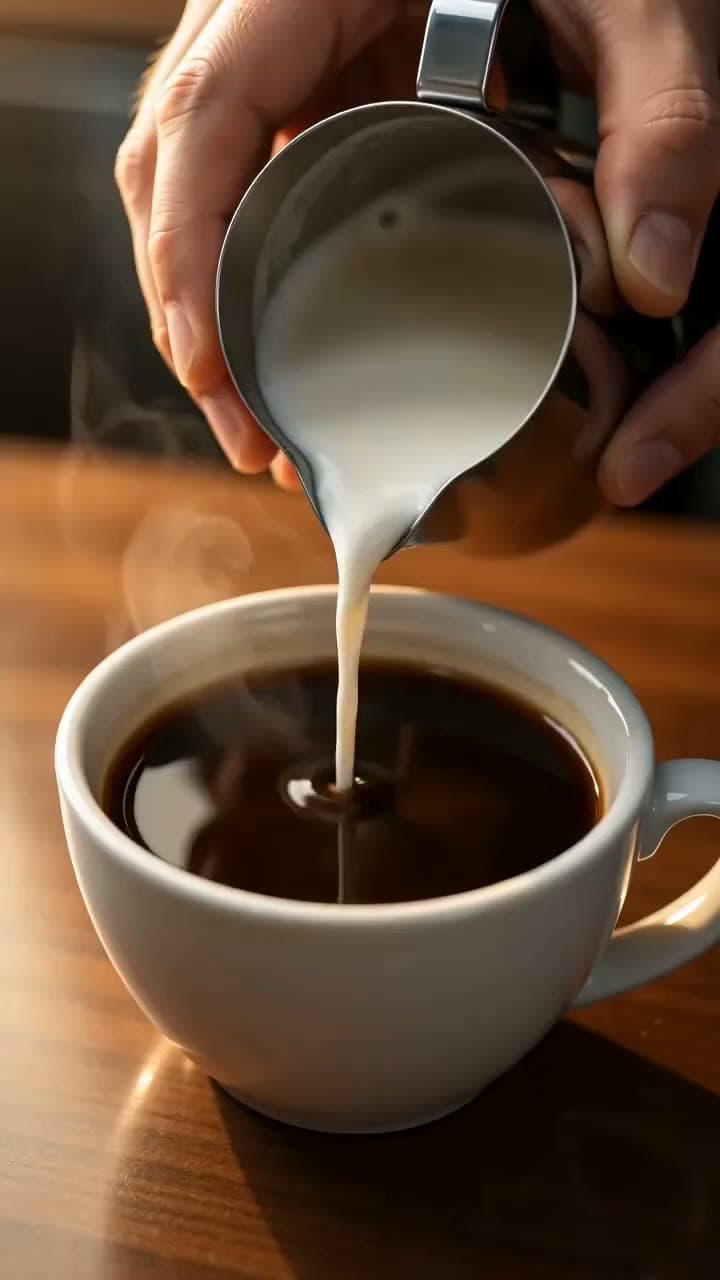
Each sample was generated in one take on this site with the model shown on it; nothing was edited.
- Write the shot list: Write one line per shot with its size, angle, subject and camera move, for example "MS, low angle, baker lifts tray, static."
- Open Text to Video: Go to Text to Video and pick a model. MiniMax H3 Max Turbo costs 20 credits at its default (5 seconds, 768p), and Seedance 2.0 Mini costs 48 credits at its default (5 seconds, 720p).
- Set the format: Choose 16:9 for widescreen or 9:16 for vertical; Kling 4.0 also offers 21:9. Vertical 4:5 video isn't available.
- Paste one prompt: Paste a single shot's prompt, starting with the shot size and angle, and generate it.
- Review and adjust: If the framing is off, change the size word or add a crop point such as "waist up," then generate again.
- Assemble in an editor: Cut the clips together in the Video Editor (beta), where you can also add captions, or download them for another editor.
Here's our math on cost. The Mini pack is $5 for 75 credits, about 6.7 cents a credit, so a 48-credit Seedance 2.0 Mini clip is about $3.20 and a 20-credit MiniMax H3 Max Turbo clip is about $1.33. A five-shot list at Seedance 2.0 Mini defaults is 240 credits, which fits in the Standard pack (275 credits, $14, checked November 3, 2026; may change). There's no free video, the 20 free signup credits work only for voiceovers, and credits for a failed generation are refunded automatically.

If you want to plan the camera move precisely, 3D Scene (beta) builds a simple blockout from your description and lets you give each shot one of 16 camera moves; the camera work is free, while the blockout and final video cost credits. To animate a test frame instead, make it with the AI image generator and bring it to Image to Video.
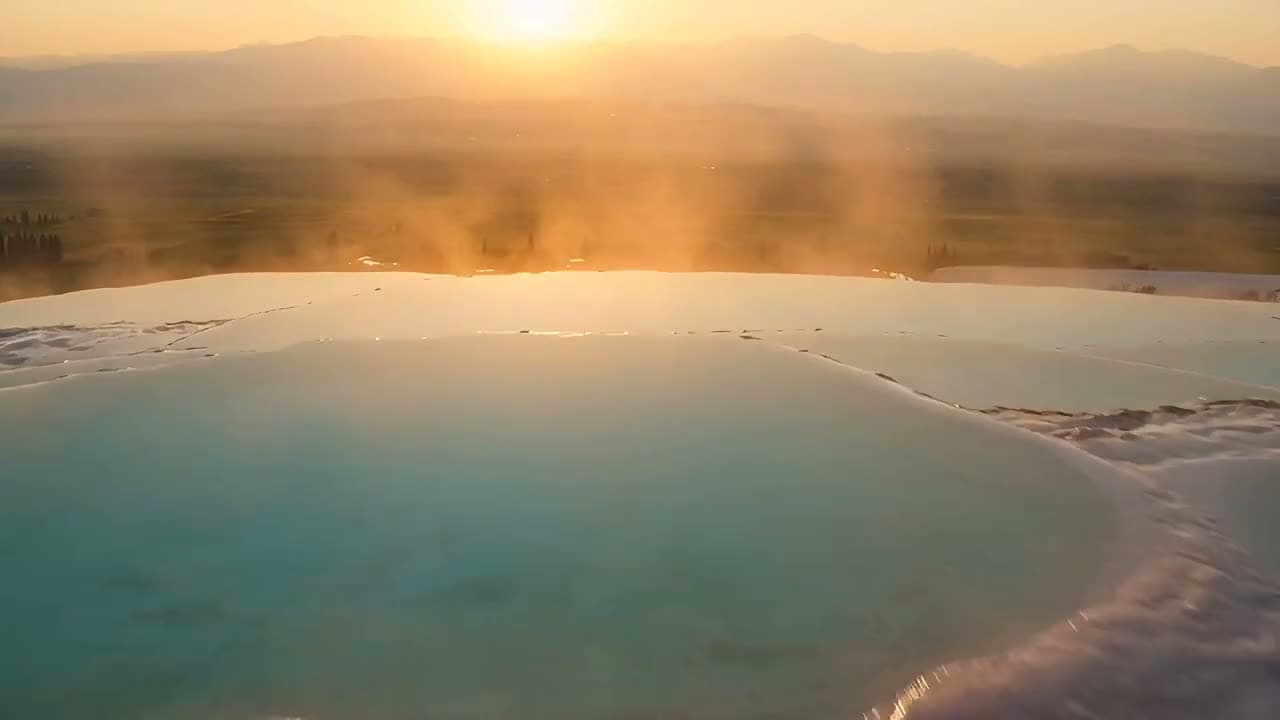
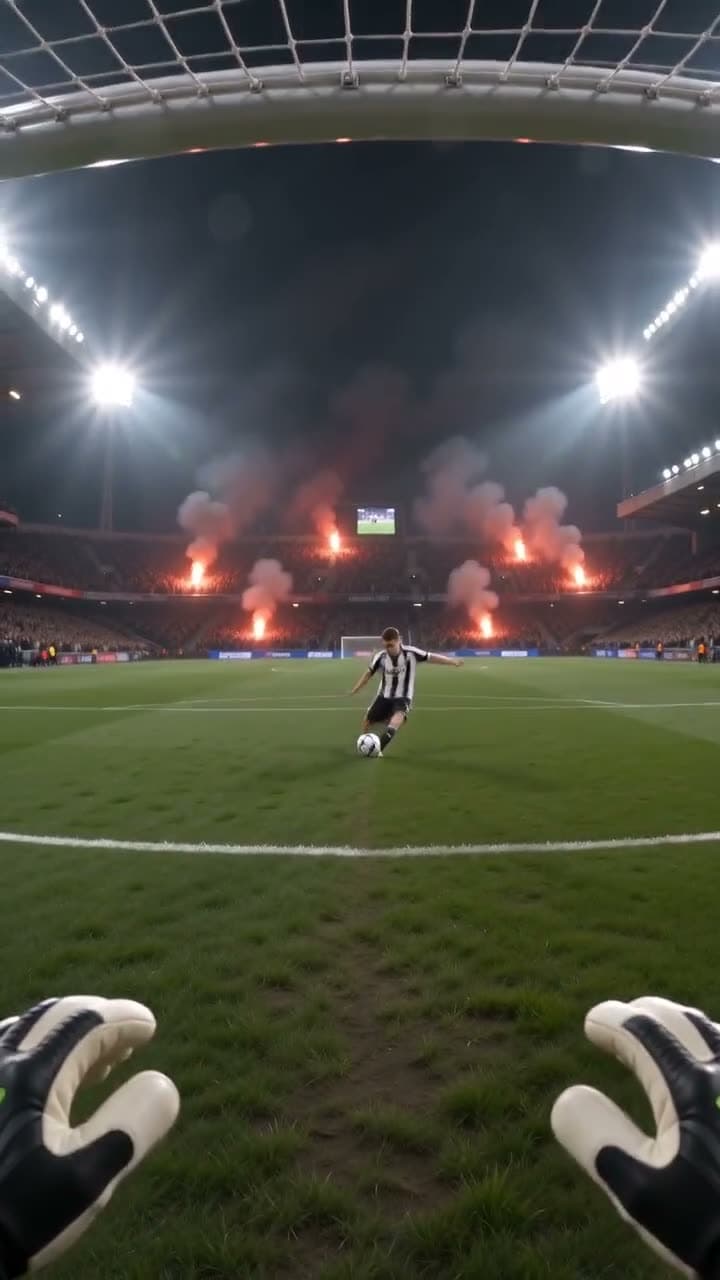
Each sample was generated in one take on this site with the model shown on it; nothing was edited.
Sources
The facts in this post were checked against the pages below on Nov 3, 2026. Prices and limits may change.
- MasterClass: Shot sizes explained (independent source)
- B&H Explora: Filmmaking 101 camera shot types (independent source)
- StudioBinder: Types of camera shot sizes (independent source)
- StudioBinder: Types of camera shots and angles (independent source)
- NFI: Types of film shots (independent source)
- NFI: Cowboy shot (independent source)
- Backstage: Cowboy shot examples and definition (independent source)
- Vicinity Studio: Camera angles, shots and their purpose (independent source)
- Wikipedia: Camera angle (independent source)
- StudioBinder: Types of camera shot angles (independent source)
- Zhiyun: Types of camera shot angles (independent source)
- Adobe: Camera shots and angles (independent source)
- Wikipedia: Dutch angle (independent source)
- Backstage: What is a Dutch angle (independent source)
- Backstage: Camera shots actors should know (independent source)
- Backstage: Establishing shot examples (independent source)
- MasterClass: What is an establishing shot (independent source)
- Swarmify: What you need to know about establishing shots (independent source)
- Soundstripe: Master shot (independent source)
This post was drafted with AI assistance. Facts were checked against the sources above, and model, credit and price details were checked automatically against the site's current price list.
Frequently asked questions
What is the difference between a shot type and a camera angle?
A shot type usually refers to size, meaning how much of the subject fills the frame. A camera angle is the height and direction the camera looks from, such as high, low or eye level. The two combine freely, so a close-up can be shot from a low angle or a high one.
What are the 5 basic shot types?
There's no official list of five. A practical simplification is extreme wide, wide, medium, close-up and extreme close-up. B&H Explora goes even simpler and groups everything into Long, Medium and Close.
What do ECU, MCU and OTS stand for?
ECU is extreme close-up, MCU is medium close-up and OTS is over-the-shoulder. ECU and MCU describe size, while OTS describes framing. Other common ones are CU, MS, CS, FS, WS and EWS.
What is a cowboy shot?
A cowboy shot frames a person from roughly between the knees and the waist up, tighter than a medium full shot and wider than a medium shot. In Westerns it caught the face and the holster in one frame, and who used it first is disputed.
Why is it called a Dutch angle?
The most common explanation is that Dutch is a corruption of Deutsch, the German word for German, because the tilted shot is linked to German Expressionist cinema. That explanation is common but not proven.
What is the difference between an establishing shot and a master shot?
An establishing shot only sets up where and when a scene happens. A master shot records the whole scene from one position, start to finish, and serves as the backbone for the other coverage. A master can work as an establishing shot in its first seconds, but the two aren't the same.
Are shot types in photography the same as in film?
Mostly yes for size and angle, since terms like close-up, medium shot and low angle describe a still frame the same way. Movement terms don't apply to a photo, and purpose shots like cutaways belong to editing. Framing terms such as two shot still work for group portraits.
Can I use shot types in an AI video prompt?
Yes, you can start a prompt with a shot size and angle, then add the subject, action and camera move. Results vary by model and no source measures how closely each one follows these words, so expect to adjust and regenerate. Generate each shot as its own clip and edit them together afterward.
Try what you just read
Signing up is free. Video and image tools unlock after your first credit pack, and credits are refunded if a generation fails.
Open Text to Video