Guide · 14 min read · Nov 15, 2026
Drone shot guide: reveals, orbits, fly-throughs and how to make one with AI
A drone shot is a repeatable flight path paired with a camera move, filmed from the air to create a specific feeling. Drone U lists 14 standard moves, from the beginner orbit to the advanced fly-through, and says most cinematic moves happen between 2 and 8 mph. You can fly one yourself, under FAA rules, or generate one with AI.
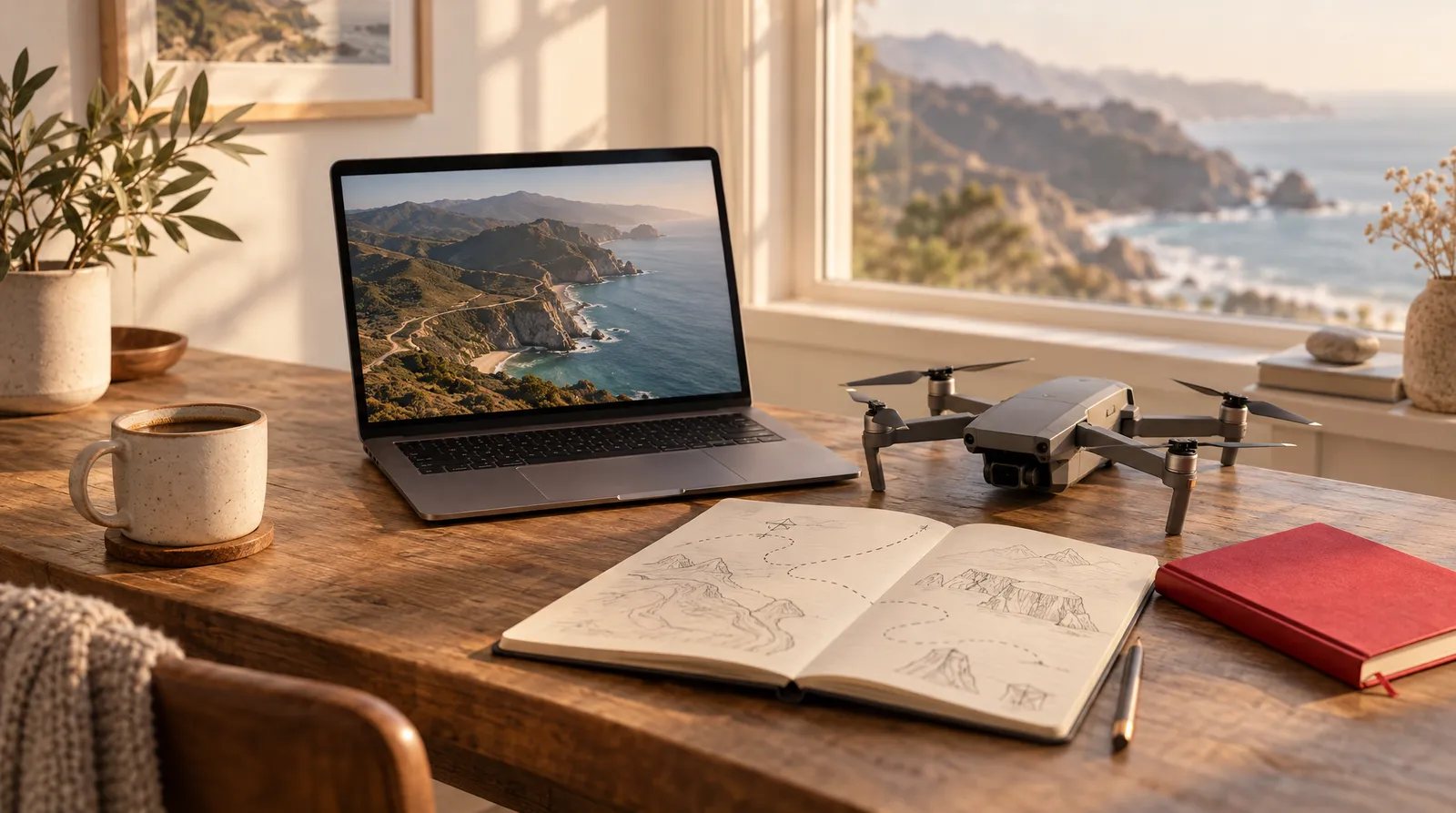
This guide covers the drone shot moves people actually use, what each one does on screen, and a copyable AI prompt phrase for each. It also explains where AI falls short and when a real drone needs FAA paperwork. If you want the wider vocabulary first, start with our camera movements guide.
Sources were checked on November 15, 2026. Klakix is not affiliated with Kling or any drone maker.
What is a drone shot?
A drone shot is, in Drone U's definition, "a repeatable flight-and-camera movement that creates a specific emotional effect." Each one pairs a flight path (forward, backward, circling, climbing) with a gimbal move (tilt, pan or hold). That pairing is why an orbit feels heroic and a pull-back feels like an ending.
An aerial shot is broader: Filmmakers Academy calls it "any shot filmed from the air," and StudioBinder notes it can come from a drone, helicopter or crane and often sets the scene, much like an establishing shot. So every drone shot is an aerial shot, but not the other way around. An FPV (first-person view) shot is a drone shot flown through goggles or a monitor instead of by line of sight, which lets the pilot thread tight gaps or dive at a subject, as JOUAV explains.
Types of drone shots: 9 moves worth knowing
Nine moves cover most drone shot needs: the orbit, helix, three kinds of reveal, fly-over, top-down, pedestal rise and follow. Drone U lists 14 shots that "cover almost every job"; the table below keeps the ones beginners and AI users reach for most, and adds a prompt phrase you can paste into a video model.
Common drone shot types, what they do and how to prompt them
| Shot | What the drone does | Best for | Difficulty (Drone U) | AI prompt phrase |
|---|---|---|---|---|
| Orbit | Circles the subject at a fixed radius | Hero reveals, property tours | Beginner | slow drone orbit around [subject], camera locked on it |
| Helix | Orbits while climbing or descending | Tall structures | Intermediate | drone spirals slowly upward around [tower] |
| Fly-through reveal | Descends through a gap to reveal what's beyond | Depth, dramatic entries | Advanced | drone flies through a gap in [trees] to reveal [lake] |
| Pull-back reveal | Flies backward away from the subject | Endings, context, scale | Beginner | drone pulls back and rises from [subject], revealing [the wider scene] |
| Tilt-down reveal | Flies forward while the camera tilts down | Big landscape reveals | Intermediate | drone flies forward as the camera tilts down to reveal [valley] |
| Fly-over | Skims a foreground object, then rises | Openings, transitions | Intermediate | drone skims low over [ridge], then rises |
| Top-down | Hovers overhead, camera at 90 degrees | Patterns, geometry | Beginner | top-down drone shot, camera pointing straight down at [scene] |
| Pedestal rise | Climbs straight up, camera level | Simple height reveals (our note) | Beginner | drone rises straight up, camera level, from [street] to rooftop height |
| Follow | Trails a moving subject | Cars, bikes, boats (our note) | Intermediate | drone follows behind [subject] at a steady distance |
Source: Drone U, 14 Types of Shots in Drone Cinematography (2026). Prompt phrases and "our note" uses are Klakix's. Checked November 15, 2026.
StudioBinder describes the classic reveal as the drone flying toward an object, "dramatically revealing what lies behind it," and points to the opening of The Birdcage. Videomaker notes the full 360-degree orbit is hard to fly by hand. A follow shot is a close cousin of the tracking shot on the ground.
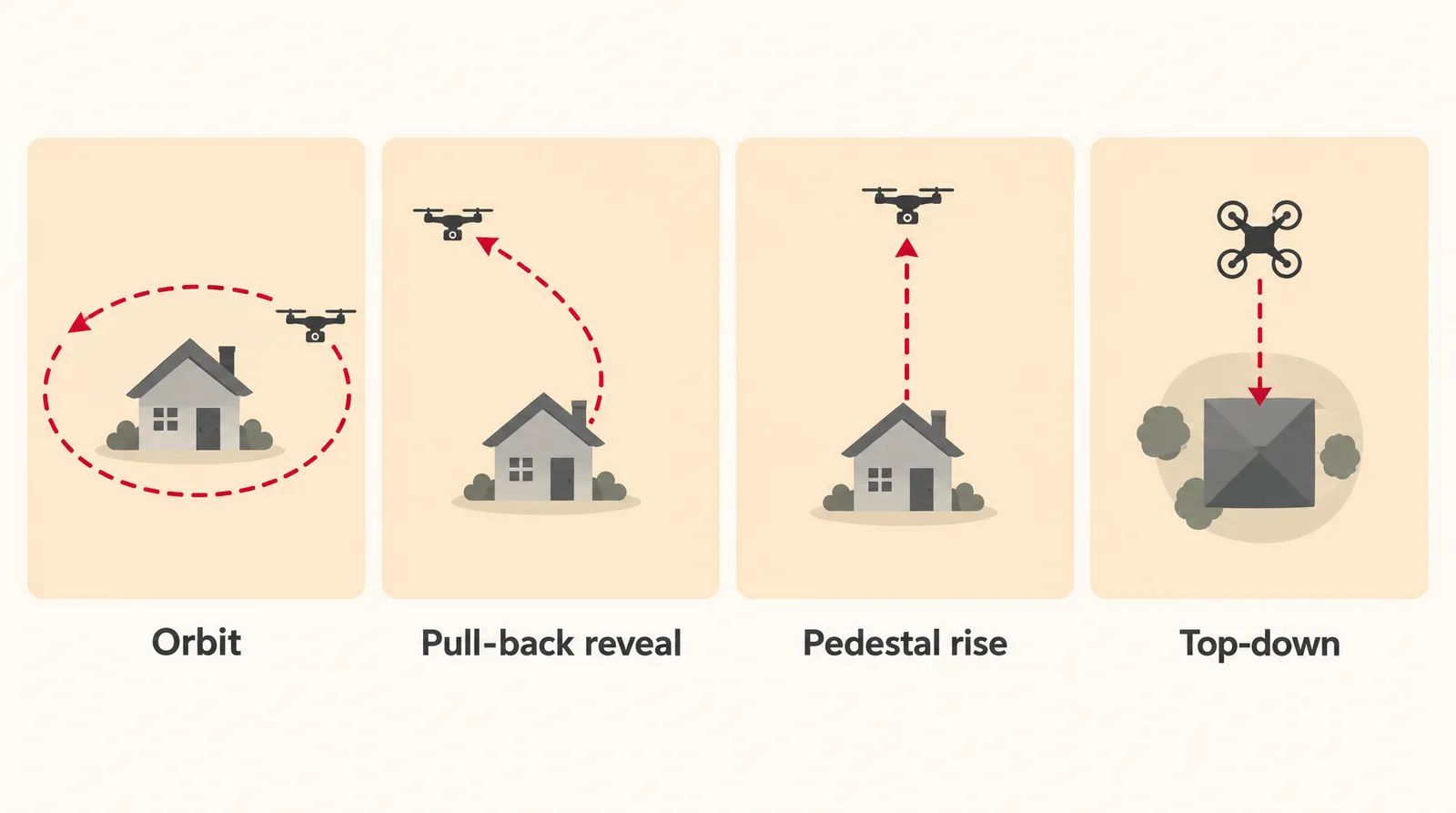
How to plan a reveal, orbit or fly-through
The best drone shots are slow and do one thing. That advice from Drone U applies equally to a real flight and to an AI prompt.
- Speed: Drone U says most cinematic moves happen between 2 and 8 mph. In a prompt, that translates to words like "slow" and "smooth."
- One move: "Commit to one move. Do not orbit while climbing while yawing." Combined moves tend to look chaotic.
- Helix timing: aim for a full circle every 8 to 12 seconds; Drone U says two circles is usually plenty, so a helix runs about 16 to 24 seconds (our math from Drone U's numbers).
- Parallax orbit: keep the foreground object 10 to 20 feet from the drone so the layers slide past each other.
- Automation: most modern drones can automate several moves with Point of Interest, Waypoints and ActiveTrack, but Drone U's view is that "manual control still produces the best footage."
How to make a drone shot with AI (no drone needed)
To make a drone shot with AI, you describe the place, the light and one named drone move, and a text-to-video model generates the clip. Kling's official guide gives the same recipe: name the landscape and light, ask for the move by name, keep it "high, smooth and slow," and add depth cues like a foreground ridge or layered hills.
- Pick a model by length: Open Text to Video. For a first test, Google Veo 3.1 Lite costs 40 credits at its default 720p, 8 seconds; MiniMax H3 Max Turbo costs 20 credits for 5 seconds at 768p. For a long fly-through, Wan 3.0 and Kling 4.0 go up to 30 seconds in one shot.
- Describe the place and light: Start the prompt with the landscape and time of day, such as "terraced green hills at sunrise, low mist in the valleys."
- Name one drone move: Add a single move from the table, for example "slow pull-back reveal," and words like "smooth and steady." Don't stack an orbit, a climb and a tilt in one prompt.
- Add a depth cue: Mention something in the foreground and something far away, like "pine trees in the foreground, mountains on the horizon," so the motion reads as height and distance.
- Choose the aspect ratio: Pick 16:9 for YouTube and websites, or 9:16 for Reels, TikTok and Shorts.
- Set the length and generate: Choose the duration, generate, and review the clip. If a generation fails, its credits are refunded automatically.
Copyable drone shot prompts
- Pull-back reveal: Aerial drone shot, slow pull-back reveal: starts close on a red lighthouse on a rocky point, flies backward and rises to show the whole coastline, late afternoon golden light, calm sea, smooth and steady.
- Orbit: Slow drone orbit around a lone farmhouse in a wheat field at a fixed distance, camera locked on the house, sunset light, long shadows, high and smooth.
- Top-down: Top-down drone shot, camera pointing straight down at a beach with turquoise water and white foam lines, slow forward drift, bright midday sun.
- Fly-through: FPV-style fly-through: the drone flies low through a gap between two pine trees, then the forest opens onto a misty lake at sunrise, one continuous forward move.
- Pedestal rise: Drone rises straight up with the camera level from a small-town main street at dusk, shop lights turning on, revealing rooftops and hills behind.
Each prompt works because it names one move, sets the light and gives the model a foreground and background to move between. Swap the subject and keep the structure.
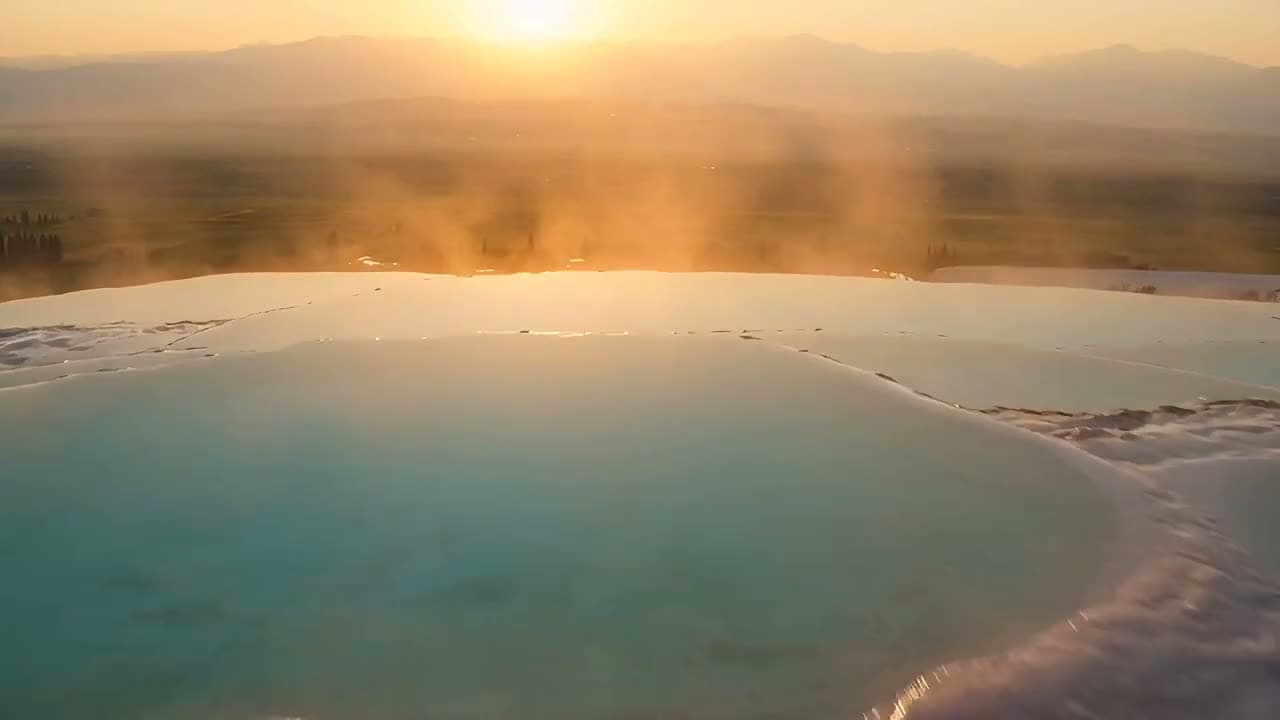
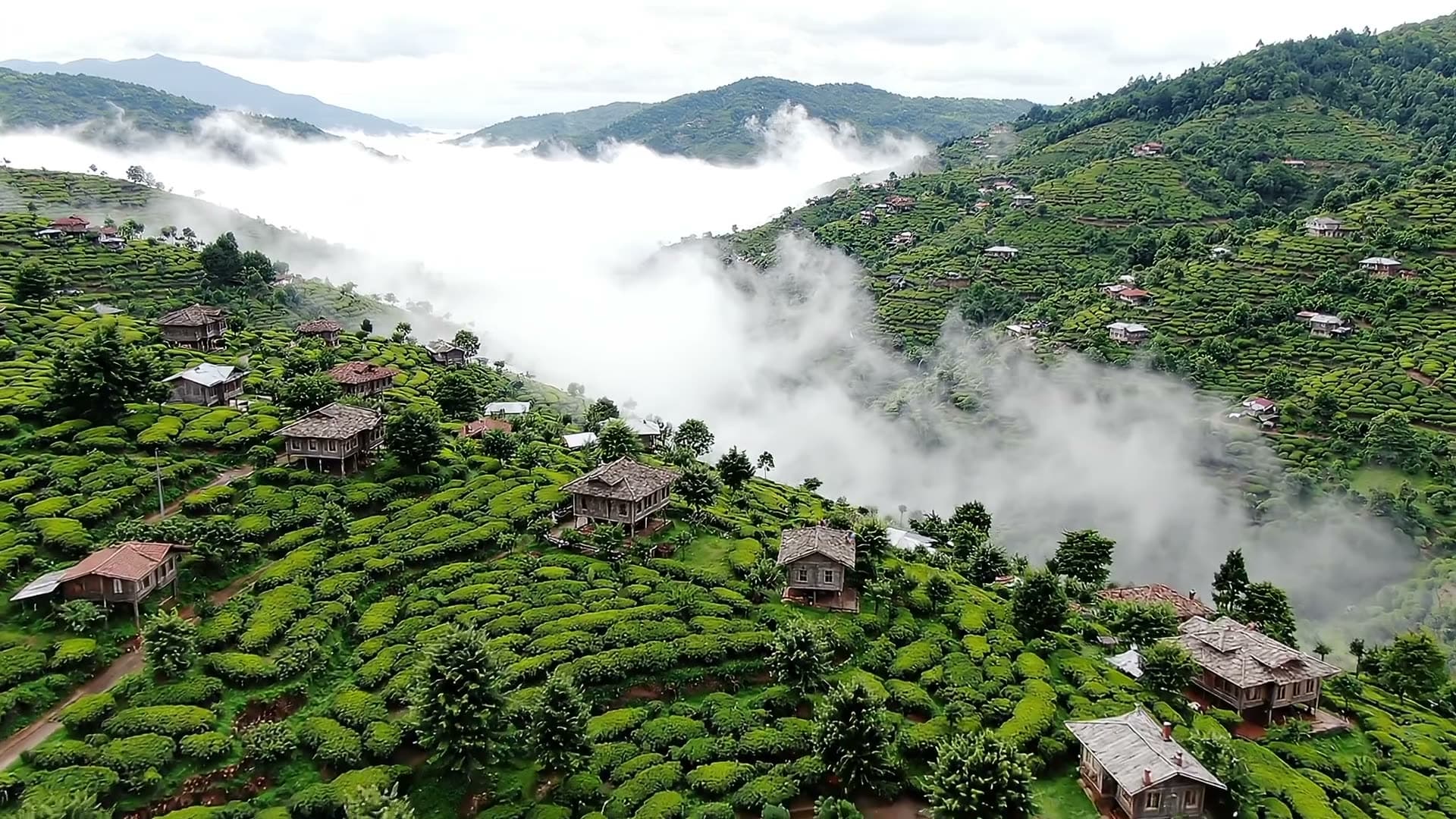
Each sample was generated in one take on this site with the model shown on it; nothing was edited.
To start from your own aerial or landscape photo, use Image to Video and describe the move, such as "the camera rises and pulls back." The Seedance models there don't accept photos with human faces, so use a landscape still or pick another model. According to press reports, Gadgets To Use shows a free Meta AI photo method and Digit describes Gemini "360-degree pull-away" prompts; their free limits aren't confirmed by an official source.
What AI drone shots can't do
AI drone shots can't reliably show a specific real place, and they come out one short clip at a time. Know these limits before you promise a client an aerial of their building.
- One clip at a time: each generation is a single shot. Joining shots, adding music or a voiceover happens in the Klakix Video Editor, not in the generator.
- Length: single shots run up to 30 seconds on Wan 3.0, Kling 4.0 and Seedance 2.5 (25 seconds in Full HD on Seedance 2.5). Seedance 2.5 Video Extend can continue a clip from its last frame for up to 30 more seconds.
- Changes after the fact: Kling 4.0 Video Edit can change the weather, lighting or camera move of a clip you upload.
- Resolution: the Video Upscaler (Topaz Video AI) takes a clip to 1080p or 4K.
- No free video: the 20 free credits after email verification work only for voiceovers.
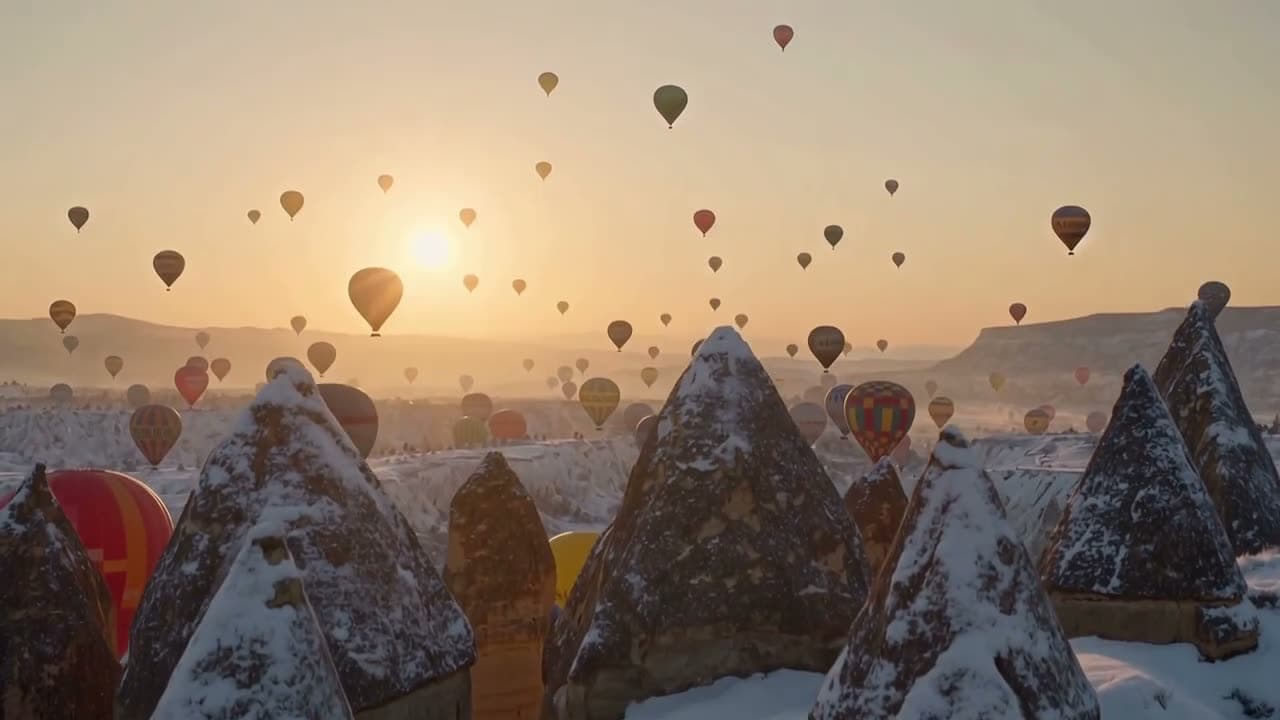
Each sample was generated in one take on this site with the model shown on it; nothing was edited.
Real drone, stock footage or AI: which should you use?
Use a real drone when the exact location matters, stock footage when a generic clip will do, and AI when you need a specific mood or move cheaply and fast. AI aerials can also work as B-roll between real footage.
Drone shot options compared
| Option | Typical cost | Paperwork | Shows your real location? | Main limits |
|---|---|---|---|---|
| Real drone | About $750 to $2,000 for a capable camera drone (real estate estimate) | TRUST for fun, Part 107 for anything commercial | Yes | Airspace rules, weather, piloting skill |
| Stock footage | Varies by site (not researched) | Check each clip's license | Only if someone filmed that place | You can't choose the move or the light |
| AI text to video | 20 credits for a 5-second 768p clip on MiniMax H3 Max Turbo, about $1.33 on the Mini pack | No flight, so drone rules don't apply | No, a style of place only | One short shot per generation |
| AI image to video | 20 credits for 5 seconds at 768p on MiniMax H3 Max Turbo | Use a photo you have rights to | Only what's in your photo | Areas outside the photo are invented |
Sources: Drone Launch Academy (drone cost), Kling topic page, Klakix credit catalog. Dollar figures are our math on the Mini pack (75 credits for $5, plus tax). Checked November 15, 2026; may change.
Do you need a license to shoot drone footage in the US?
Yes, in most cases: flying for fun requires passing TRUST, and any commercial flight requires a Part 107 Remote Pilot Certificate. The FAA's recreational flyers page covers people who fly "just for fun" and notes extra steps for international flyers. TRUST is the FAA's free online safety test, which Pilot Institute says takes about 15 minutes.
The recreational basics, as listed on Drone U's TRUST site, which mirrors FAA rules:
- Fly at or below 400 feet in Class G (uncontrolled) airspace.
- Fly in controlled airspace (Class B, C, D or E) only with prior authorization through LAANC or DroneZone, so "under 400 feet" doesn't mean "anywhere."
- Keep the drone within visual line of sight, or use a visual observer standing with you.
For commercial work, getting Part 107 involves an aeronautical knowledge test and a TSA background check, according to Virtuance. The FAA's commercial operators page says the Operations Over People rule took effect April 21, 2021, letting Part 107 pilots fly at night and over people and moving vehicles without a waiver if they meet its requirements.
The FAA page bodies didn't load during our research, so the details above come from independent schools that mirror FAA rules; check the FAA site before you fly. This is general information, not legal advice.
Sources
The facts in this post were checked against the pages below on Nov 15, 2026. Prices and limits may change.
- Drone U: 14 Types of Shots in Drone Cinematography (independent source)
- Filmmakers Academy: Aerial shot glossary (independent source)
- StudioBinder: Aerial shot (independent source)
- JOUAV: What is an FPV drone (independent source)
- Videomaker: 8 must-have drone shots (independent source)
- Kling: AI drone video topic page (official source)
- Gadgets To Use: Create a drone shot video from a photo using AI (news)
- Digit: Viral drone shots with Google Gemini (news)
- FAA: Recreational flyers (official source)
- Pilot Institute: Drones (independent source)
- Drone U TRUST site (independent source)
- Virtuance: Real estate drone laws and FAA compliance (independent source)
- FAA: Commercial operators (official source)
- The Drone Girl: Drone license for real estate (independent source)
This post was drafted with AI assistance. Facts were checked against the sources above, and model, credit and price details were checked automatically against the site's current price list.
Frequently asked questions
What is a drone shot?
A drone shot is a camera shot filmed from a drone that pairs a flight path with a camera move, like an orbit or a pull-back. Each move creates a specific feeling, such as scale, tension or a dramatic reveal.
What is an aerial shot in film, and is it the same as a drone shot?
An aerial shot is any shot filmed from the air, whether from a drone, a helicopter or a crane. A drone shot is one kind of aerial shot. Films often use aerials to establish where a scene takes place.
What is an FPV drone shot?
FPV stands for first-person view. The pilot flies through goggles or a monitor instead of watching the drone directly, which makes it possible to dive at subjects and fly through tight gaps. In AI prompts, "FPV-style fly-through" asks for that low, fast, immersive look.
How do you make a drone shot video with AI?
Open a text-to-video tool, describe the landscape and light, then name one drone move such as a slow orbit or pull-back reveal. Add a foreground and background for depth and keep the move smooth and slow. In Klakix, a test clip on Veo 3.1 Lite costs 40 credits for 8 seconds at 720p.
Can I make a drone shot for free with AI?
Press reports describe free routes on Meta AI and Gemini, but their limits aren't confirmed by official sources. Klakix has no free video; its 20 sign-up credits only work for voiceovers. After a first credit purchase, MiniMax H3 Max Turbo costs 20 credits for a 5-second 768p clip, or 13 credits at 480p.
Do I need a license for drone shots for real estate?
Yes, according to drone schools such as The Drone Girl. Footage that supports a property sale counts as commercial use, even for your own listing, so the pilot needs an FAA Part 107 Remote Pilot Certificate. That involves a knowledge test and a TSA background check.
How high can I fly a drone for fun in the US?
Recreational flyers can go up to 400 feet in uncontrolled Class G airspace and must pass the free TRUST test first. Controlled airspace needs authorization through LAANC or DroneZone, and the drone must stay within visual line of sight.
How do I make a drone shot from a photo?
Upload an aerial or landscape photo to an image-to-video tool and describe the move, such as rising and pulling back. The model animates your photo but invents anything outside the frame. On Klakix, Seedance models don't accept photos with human faces.
How long should a drone shot be?
There's no fixed rule; a drone shot should last as long as one clean move takes. Following Drone U's advice of one circle every 8 to 12 seconds and no more than two circles, a helix lands around 16 to 24 seconds. On Klakix, Wan 3.0, Kling 4.0 and Seedance 2.5 go up to 30 seconds in a single shot.
Try what you just read
Signing up is free. Video and image tools unlock after your first credit pack, and credits are refunded if a generation fails.
Open Text to Video