Guide · 13 min read · Nov 17, 2026
Video aspect ratios explained: 16:9, 9:16, 1:1 and 4:5
Video aspect ratio is the shape of the frame, written as width:height. Use 9:16 (1080 x 1920) for Reels, TikTok and YouTube Shorts, 16:9 (1920 x 1080) for regular YouTube videos, and 4:5 (1080 x 1350) for Facebook and LinkedIn feed ads. Instagram accepts reels anywhere from 1.91:1 to 9:16.
This guide gives you a platform-by-platform cheat sheet, the one-line math for checking any file's ratio, and a way to change a ratio without stretching or squashing the picture. It also separates what each platform accepts from what it recommends, which most spec lists skip.
Every spec below was checked on November 17, 2026. The Instagram Reels, Meta and LinkedIn figures come from their official help and ad spec pages, while the Instagram feed and Reels ad sizes come from third-party guides; TikTok and YouTube figures come from independent guides because we couldn't open the official pages, and they're labeled that way. If you make video with AI, the last sections show how to pick the right shape before you generate in Image to Video, so you don't have to crop later.
What is video aspect ratio?
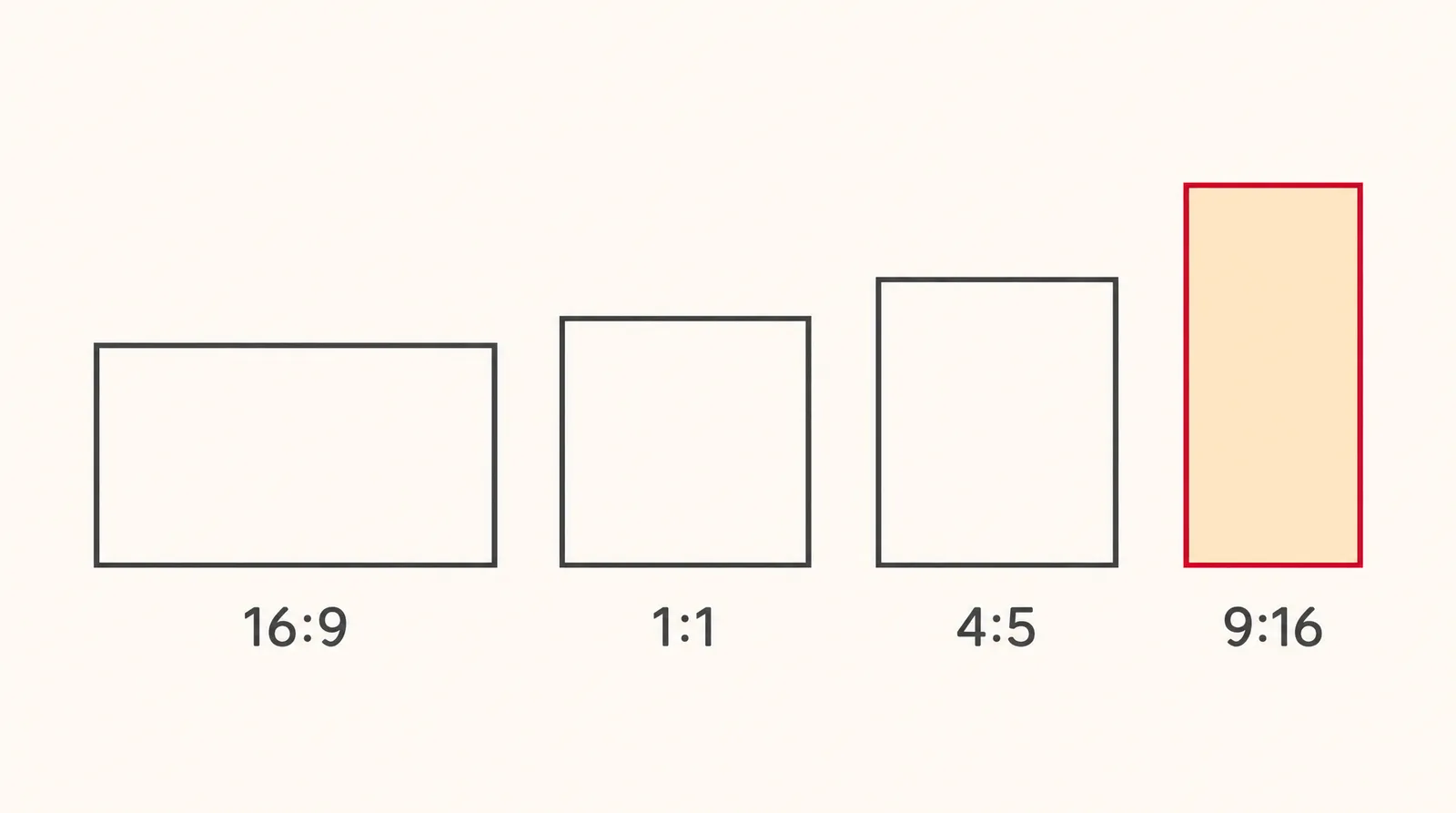
Video aspect ratio is the proportion between a frame's width and its height, written as width:height. In 16:9 the frame is 16 units wide for every 9 units tall, so it's landscape; in 9:16 it's 9 units wide and 16 tall, so it's vertical. The first number is always the width.
Aspect ratio is the shape, not the size. As Swarmify puts it, 16:9 is the shape while 1920x1080 is the resolution, and 3840x2160 (4K) is also 16:9. So "16:9" doesn't mean 1080p; it means any frame with that proportion.
- 16:9 (landscape): 1.78:1 as a decimal, 1920 x 1080 is the common size, per BlazingCDN. It was first proposed in 1984 by an SMPTE working group, and HD broadcast made it perhaps the most common video aspect ratio in use, according to Wikipedia.
- 9:16 (vertical): 0.5625:1, usually 1080 x 1920. The full-screen phone shape for Reels, TikTok and Shorts.
- 1:1 (square): 1.0, usually 1080 x 1080.
- 4:5 (tall feed): 0.8, usually 1080 x 1350, per Digital Samba. It takes more feed space than square without going full screen.
Video aspect ratio cheat sheet by platform (November 2026)
The short answer: 9:16 for short vertical video, 16:9 for YouTube, and 4:5 for feed ads on Facebook and LinkedIn. The table adds the accepted range, because a platform can take a file that isn't its recommended shape.
Video aspect ratio by platform: recommended vs accepted
| Platform | Recommended ratio | Typical size | Accepted range or notes |
|---|---|---|---|
| Instagram Reels | 9:16 | 1080 x 1920; 1440 x 2560 listed for Reels ads | 1.91:1 to 9:16; minimum 720 px and 30 fps (official) |
| Instagram feed | 4:5 (third-party guides) | 1080 x 1350 | Profile grid shows a 3:4 tile (third-party) |
| Facebook Feed video ads | 4:5 (official) | 1440 x 1800 | Shown as 1:1 with black bars on desktop |
| TikTok | 9:16 | 1080 x 1920; 720 x 1280 minimum | Ads list 9:16, 1:1 or 16:9; 4:5 and 3:4 not listed |
| YouTube (regular) | 16:9 | 1920 x 1080; 2560 x 1440 for small-text screen recordings | Independent guides only |
| YouTube Shorts | 9:16 | 1080 x 1920; 720 x 1280 minimum | 1:1 also qualifies per independent guides |
| LinkedIn video ads | 4:5 (official recommended) | Up to 1080 x 1350 | 9:16 to 16:9, 5% tolerance; 3 sec to 30 min, up to 500 MB |
Sources: Instagram Help Center, Meta Business Help and Ads Guide, LinkedIn video ad specs and Help (official); Socialbee, Flowgent, Sprout Social, Sked Social, Descript, Recast, Spotlight FX and Learning Revolution (independent). Checked November 17, 2026; may change.
Here's where each figure comes from. The Instagram Help Center gives the Reels range and minimums, Meta Business Help recommends 4:5 for Facebook Feed video ads, and the Meta Ads Guide lists 1440 x 1800. LinkedIn's numbers are on its video ad specs page; the Instagram feed 4:5 comes from Socialbee, the 3:4 grid from Flowgent and the Reels ad size from Sprout Social.
TikTok sizes come from Sked Social and Descript, not TikTok itself. YouTube figures come from Learning Revolution, Recast and Spotlight FX; they're not confirmed by an official YouTube source. For platform detail, see our guides to Instagram reel size and TikTok video size.
9:16 vs 4:5 vs 1:1: which aspect ratio should you pick?
Pick 9:16 when the video will play full screen on a phone, and 4:5 when it will sit in a scrolling feed. 1:1 is the fallback that most feeds and TikTok ads accept, but it uses less screen height than either. Where the video lands matters more than which ratio is "best."
- 9:16: Reels, TikTok and Shorts. It also fits LinkedIn ads, which accept 9:16 at the narrow end.
- 4:5: Facebook Feed and LinkedIn feed ads, where both platforms officially recommend it. On desktop Facebook, Meta says 4:5 Feed video is shown as 1:1 with black bars on the sides.
- 1:1: listed for TikTok ads and accepted for LinkedIn video ads, and independent guides say square also qualifies as a Short.
- 16:9: regular YouTube videos and anything watched on a laptop or TV.
4:5 doesn't behave the same everywhere. Sked Social reports that TikTok doesn't list 4:5 or 3:4 at all, so a 4:5 feed cut is a poor choice for TikTok. More on that shape in our 4:5 aspect ratio guide.
How to check a video's aspect ratio
To check a video's aspect ratio, divide its width in pixels by its height and compare the result with the table below. LinkedIn's Help page uses exactly this method. Its example: a 1920 x 360 file gives 1920 / 360 = 5.333, far above the 16:9 maximum of 1.777, so it's rejected for ads.
Width divided by height: decimal values for common ratios
| Ratio | Width ÷ height | Example size |
|---|---|---|
| 21:9 | about 2.33 | our math |
| 1.91:1 | 1.91 | widest Instagram accepts for reels |
| 16:9 | 1.78 | 1920 x 1080 |
| 4:3 | 1.33 | our math |
| 1:1 | 1.0 | 1080 x 1080 |
| 4:5 | 0.8 | 1080 x 1350 |
| 3:4 | 0.75 | 1080 x 1440 (our math) |
| 9:16 | 0.5625 | 1080 x 1920 |
Sources: LinkedIn Help and LinkedIn video ad specs, BlazingCDN, Digital Samba; rows marked "our math" are simple division. Checked November 17, 2026.
Width always comes first. Some guides write the Shorts size as 1920 x 1080, but for vertical video it's 1080 x 1920; if your result is above 1, the file is landscape, and below 1 it's vertical.
How to change video aspect ratio without stretching it
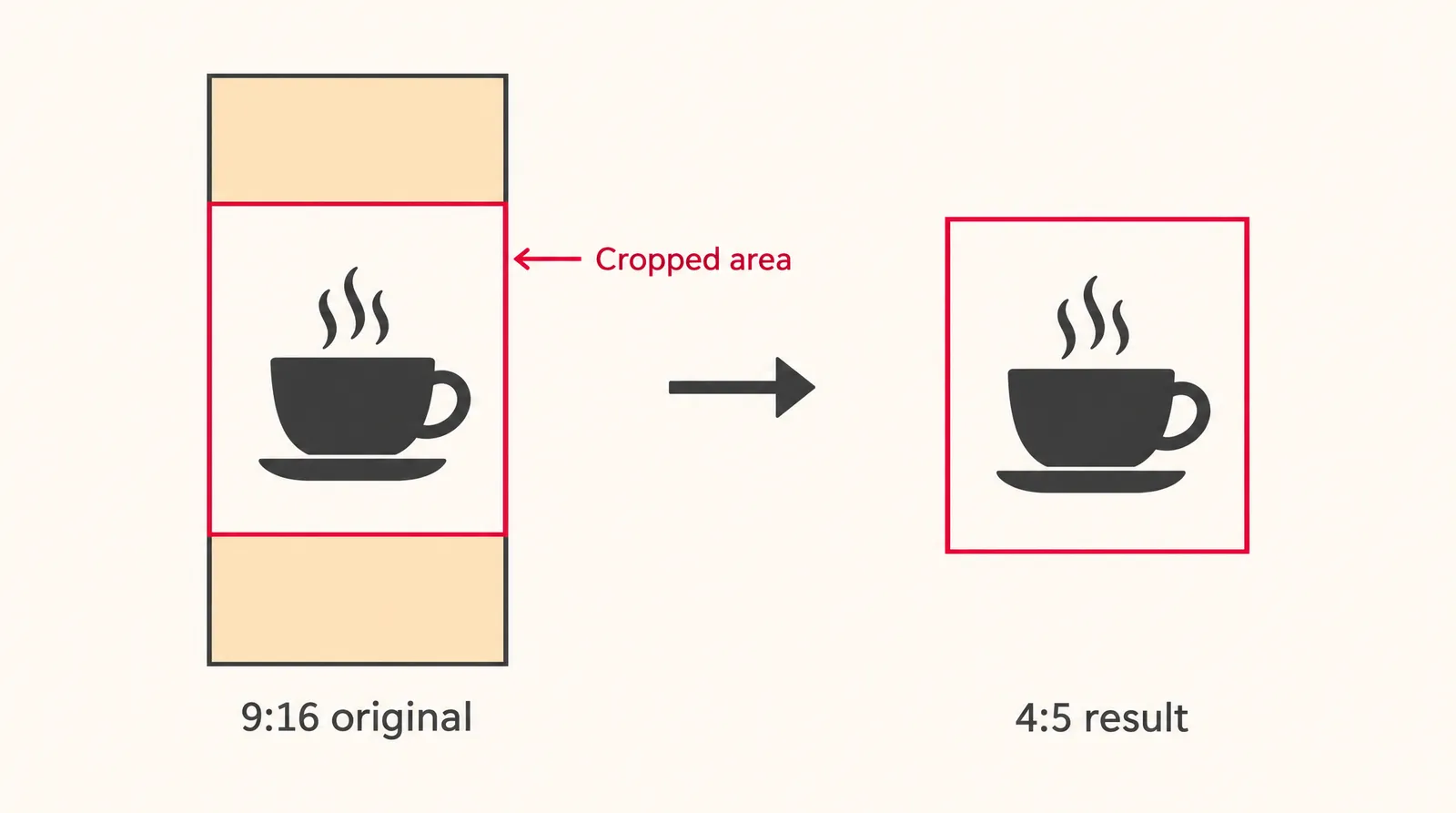
You change a video's aspect ratio without distortion by cropping or padding, never by stretching. Every "aspect ratio changer" or "converter" does one of these three things, so it helps to know the trade-off before you click.
- Crop: fills the new frame by cutting off edges. No bars, but you lose part of the picture. Going from 1080 x 1920 to 1080 x 1350 removes 570 pixels of height, about 30% (our math).
- Pad: keeps the whole picture and adds bars or a blurred background. Nothing is lost, but the subject gets smaller.
- Stretch: forces the picture into the new shape. People and logos look wider or thinner, which viewers notice right away. Avoid it.
- Open the editor: Sign in and open the Video Editor in your computer or phone browser.
- Set the project size: Start a new project and choose 4:5 as the project size. The editor also offers 9:16, 16:9, 1:1, 3:4, 4:3 and 21:9.
- Import your clip: Add your video to the timeline. Imported files stay in your browser instead of being uploaded.
- Reframe the shot: Scale the clip up to fill the frame (crop) or down to leave space around it (pad), then move it so the subject sits near the center.
- Check the edges: Play it back and make sure no faces, products or text are cut off at the top, bottom or sides.
- Export: Export as MP4. Editing and export are free and don't use credits.
Klakix adds no visible watermark to outputs, so the export is clean. If your crop leaves the video soft because you zoomed in, the Video Upscaler can take it to Full HD or 4K for 20 to 60 credits.
Choose the aspect ratio before you generate an AI video
The cleanest way to get the right video aspect ratio is to pick it before you generate, because the model then composes the shot for that shape instead of you cropping it later. In Klakix Text to Video, the ratio is a setting next to length and quality; in Image to Video, only some models (such as the Reference models, Wan 3.0, Veo 3.1 Lite and Gemini Omni Flash) list a ratio choice.
Aspect ratios offered by Klakix video models
| Model | Ratios | Example cost |
|---|---|---|
| Seedance 2.5, 2.0, 2.0 Mini | 16:9, 9:16, 1:1, 4:3, 3:4, 21:9 | 2.0 Mini: 48 credits (720p, 5 sec) |
| MiniMax H3 Max, H3 Max Turbo | 16:9, 9:16, 1:1, 4:3, 3:4, 21:9 | Turbo: 20 credits (768p, 5 sec) |
| Wan 3.0 | 16:9, 9:16, 1:1, 4:3, 3:4 | 100 credits (720p, 10 sec) |
| Kling 4.0 | 16:9, 9:16, 1:1, 21:9 | 79 credits (720p, 5 sec) |
| Kling 3.0 | 16:9, 9:16, 1:1 | 63 credits (720p, 5 sec) |
| Veo 3.1 Lite, Gemini Omni Flash | 16:9, 9:16 | Veo: 40 credits (720p, 8 sec) |
Source: Klakix model catalog, text to video defaults. Checked November 17, 2026; may change.
None of the video models generate 4:5. For a 4:5 feed version, generate 3:4 where the model offers it and crop lightly in the editor: 1080 x 1440 to 1080 x 1350 trims only about 6% of the height (our math). In Image to Video, the Reference models and Wan 3.0 also offer an "auto" ratio option.
On the Mini pack (75 credits for $5, about 6.7 cents per credit), a 48-credit Seedance 2.0 Mini clip is about $3.20 and a 20-credit MiniMax H3 Max Turbo clip is about $1.33. There's no free trial for video, the 20 signup credits work only for voiceovers, and failed generations are refunded automatically.

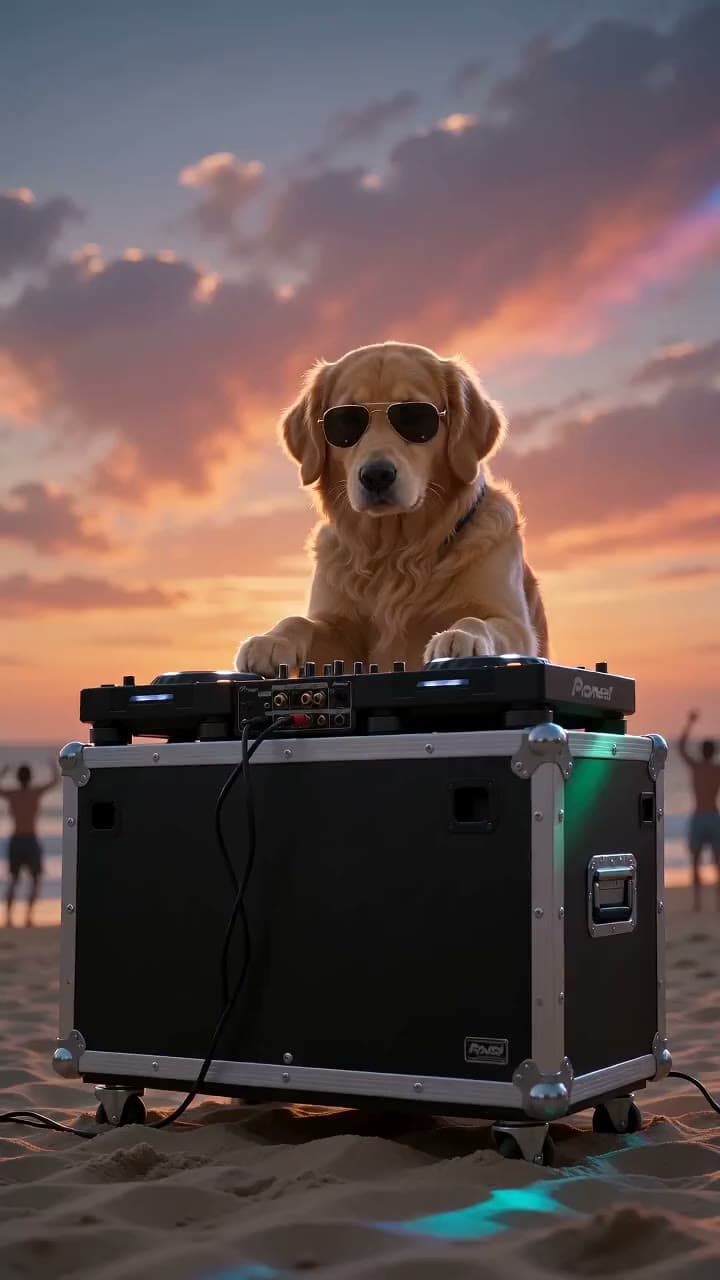
Each sample was generated in one take on this site with the model shown on it; nothing was edited.
Two more ways to get the shape right without manual cropping: Viral Clips cuts a long video into 9:16, 1:1 or 16:9 clips with face tracking for 15 credits, and Product Shoot outputs product images in Instagram 1:1 and 4:5 and in 9:16.
Common video aspect ratio mistakes
Most aspect ratio problems come from reusing one export everywhere. These are the ones to watch for.
- Posting 16:9 as a reel: Instagram accepts it, but it plays as a thin strip on a phone. Make a 9:16 version instead.
- Text near the edges: captions placed at the very top or bottom of a 9:16 frame get cut when you crop to 4:5 or 1:1. Keep important text in the middle.
- Stretching to fit: it distorts faces and logos. Crop or pad instead.
- Assuming 4:5 looks the same on desktop: Meta shows 4:5 Feed video as 1:1 with black bars on desktop.
- Mixing up width and height: 1920 x 1080 is landscape. Vertical is 1080 x 1920.
- Confusing ratio with quality: a 720p and a 4K file can both be 16:9. Resolution is a separate choice.
For Shorts length and size together, see how long YouTube Shorts can be; for landscape pixel sizes, see the 16:9 aspect ratio guide.
Sources
The facts in this post were checked against the pages below on Nov 17, 2026. Prices and limits may change.
- Meta Ads Guide: Facebook Feed video (official source)
- LinkedIn video ads specs (official source)
- LinkedIn Help: video ad aspect ratio (official source)
- Swarmify: aspect ratio vs resolution (independent source)
- BlazingCDN: 16:9, 9:16 and 1:1 explained (independent source)
- Wikipedia: 16:9 aspect ratio (independent source)
- Digital Samba: video aspect ratio (independent source)
- Socialbee: Instagram aspect ratio and image size (independent source)
- Flowgent: Instagram post size (independent source)
- Sprout Social: social media video specs (independent source)
- Sked Social: TikTok video size guide (independent source)
- Descript: TikTok video size (independent source)
- Learning Revolution: YouTube video dimensions (independent source)
- Recast: YouTube Shorts dimensions (independent source)
- Spotlight FX: YouTube Shorts aspect ratio (independent source)
This post was drafted with AI assistance. Facts were checked against the sources above, and model, credit and price details were checked automatically against the site's current price list.
Frequently asked questions
What is video aspect ratio?
Video aspect ratio is the proportion of a frame's width to its height, written as width:height. 16:9 is landscape, 9:16 is vertical and 1:1 is square. It describes the shape of the picture, not its resolution or quality.
What is the best video aspect ratio for Instagram?
Use 9:16 at 1080 x 1920 for Reels, since it fills the phone screen. Instagram accepts reels anywhere from 1.91:1 to 9:16, so other shapes still upload. For feed posts, third-party guides recommend 4:5 at 1080 x 1350.
What is the YouTube video aspect ratio?
Independent guides list 16:9 at 1920 x 1080 for regular YouTube videos and 9:16 at 1080 x 1920 for Shorts. They also say square 1:1 videos qualify as Shorts. We couldn't confirm these on an official YouTube page, so check YouTube Help before a big upload.
What is TikTok's video aspect ratio?
9:16 is the recommended shape, with 1080 x 1920 as the usual export and 720 x 1280 as a minimum for organic posts, according to Descript. For ads, 9:16, 1:1 and 16:9 are listed, and Sked Social reports that 4:5 and 3:4 aren't.
What is the LinkedIn video aspect ratio?
LinkedIn recommends 4:5 for video ads, up to 1080 x 1350. Its ad specs accept anything from 9:16 to 16:9 with a 5% tolerance, and files from 3 seconds to 30 minutes and up to 500 MB.
How do I check a video's aspect ratio?
Divide the width in pixels by the height. A result of 1.78 is 16:9, 1.0 is square, 0.8 is 4:5 and 0.5625 is 9:16. You can find the pixel dimensions in your file's info panel or your editor's clip properties.
Is there a free video aspect ratio changer with no watermark?
The Klakix Video Editor lets you set a new project size, reframe a clip and export MP4 without spending credits, and Klakix adds no visible watermark. You need to sign in to use it. Generating new AI video does cost credits.
What aspect ratio should I use if I post one video everywhere?
No single ratio is ideal on every platform. A practical approach is to make a 9:16 master with the subject and text in the center, then crop 4:5 and 1:1 versions from it. That keeps the full-screen version for Reels, TikTok and Shorts and a feed version for Facebook and LinkedIn.
Try what you just read
Signing up is free. Video and image tools unlock after your first credit pack, and credits are refunded if a generation fails.
Open Image to Video