Guide · 13 min read · Nov 17, 2026
How to make Reels that people watch to the end
To make a Reel, tap + in Instagram, choose Reel, record or upload clips, trim them, add audio and text, then share. Instagram allows up to 20 minutes, but only Reels of 3 minutes or less are recommended to new audiences. Shoot 9:16 vertical, skip watermarks and hook viewers in the first 3 seconds.
This guide covers how to make Reels on Instagram and Facebook, then the part most tutorials skip: the official rules that decide whether Instagram shows your Reel to people who don't follow you yet. You'll also get copyable hooks, a 20-second script and a faceless workflow using Text to Video.
Limits and rules below were checked on November 17, 2026 against Instagram's and Facebook's official help pages; news and third-party claims are labeled. Klakix is not affiliated with Instagram, Facebook or Meta.
How to make a Reel on Instagram, step by step
To make a Reel on Instagram, tap the + button, choose Reel, record or upload your clips, edit them and share. According to Later's walkthrough, there are three ways in: the camera icon on the Reels tab, the + button followed by Reel, or swiping left to the Stories camera and picking Reel. Button names shift a little between app versions, so look for the same words if your screen looks different.
- Open the Reel camera: Tap + in the Instagram app and choose Reel.
- Record or pick your clips: Hold the record button for one clip, or record several in a row while the progress bar at the top tracks your total time. To use photos and videos you already have, tap the gallery preview and select them in order.
- Trim and order the clips: Open the clip editor, cut the slow start of each clip and drag the clips into order. Lead with your strongest shot.
- Add audio and text: Pick a track or record a voiceover, then add short on-screen text. Keep the text small enough that it doesn't cover most of the frame.
- Write a searchable caption: Describe the topic in plain words people would type into search, such as 'easy weeknight pasta' or 'small closet storage', and pick a cover frame.
- Share the Reel: Tap Share. Make sure your account is public if you want Instagram to recommend the Reel to non-followers.
The Instagram Help Center says you can record one or multiple clips that add up to 20 minutes. Search on Instagram matches text, so the caption in step 5 does real work: it's how your Reel shows up when someone types that topic.
How to make Reels on Facebook from your gallery
On Facebook, any video you post from your gallery becomes a Reel. The Facebook Business Help Center says the Videos tab was renamed the Reels tab in June 2025 and that all videos posted to Facebook are now shared as Reels. Facebook's Android help page adds that this covers every video except Stories and Live.
Start a new post or Reel in the Facebook app, pick a video from your camera roll, trim it and share. A 9:16 vertical file also fits Instagram's recommendation guidance, so one export can serve both apps.
How long can Reels be on Instagram and Facebook?
Instagram Reels can be up to 20 minutes long and Facebook Reels can be any length, but only Instagram Reels of 3 minutes or less are recommended to people who don't follow you. That second number is the one to plan around. The Instagram for Creators FAQ says Instagram recommends videos to unconnected audiences that are 3 minutes or less.
Reels length limits on Instagram and Facebook
| Platform | How long you can post | Limit for reaching new viewers | Official source |
|---|---|---|---|
| Instagram Reels | Up to 20 minutes, in one or several clips | 3 minutes or less | Instagram Help Center, Instagram for Creators |
| Facebook Reels | Any length or orientation; all videos post as Reels since June 2025 | None stated on the help page | Facebook Business Help Center |
| Old Facebook help page | 60 seconds, with 15, 30 or 60 second options | Outdated, conflicts with the newer page | Facebook Business Help Center (legacy) |
Sources: Instagram Help Center, Instagram for Creators FAQ, Facebook Business Help Center. Checked November 17, 2026; may change.
To make a Reel longer on Instagram, keep recording or keep adding clips from your gallery until the progress bar reaches the length you want. If growth is the goal, stop at 3 minutes.
How to make Reels people watch to the end
People watch a Reel to the end when the first 3 seconds promise something specific and the rest delivers it without dead air. Instagram's recommendation tips for creators say to pull the viewer in within the first 3 seconds and keep them interested the whole time. According to Instagram head Adam Mosseri, as reported by Buffer, watch time, likes and sends are the three signals that matter most.
ZoomSphere reports that sends weigh slightly more for reaching non-followers, and that in October 2026 Mosseri said Instagram focuses a lot more on content people send to a friend than on comments. A Reel worth sending is usually useful or surprising. Stick to one idea per Reel: three tips make three Reels.
Hook lines you can copy
- Result first: 'This $12 shelf fixed my tiny closet.' Showing the payoff up front gives people a reason to stay for the how.
- Mistake call-out: 'Stop rinsing your pasta. Here's why.' A direct correction opens a question the viewer wants answered.
- Number promise: '3 settings I change on every new phone.' A count tells viewers exactly what they're signing up for.
- Before and after: open on the finished room, then cut to the mess. The contrast is the hook, no words needed.
A 20-second Reel script template
- 0 to 3 seconds: the hook, shown on screen and spoken in the same words.
- 3 to 8 seconds: the problem or setup, in one shot.
- 8 to 16 seconds: the answer in two or three quick steps, one cut per step.
- 16 to 20 seconds: the payoff shot, framed so it flows back into the first frame for a clean loop.
The loop matters because a Reel that ends where it began invites a replay. Hootsuite suggests looping and keeping Reels under 90 seconds; that's third-party advice, not a platform rule. For more structures, see our video script guide.
What size should a Reel be? Format settings for recommendations
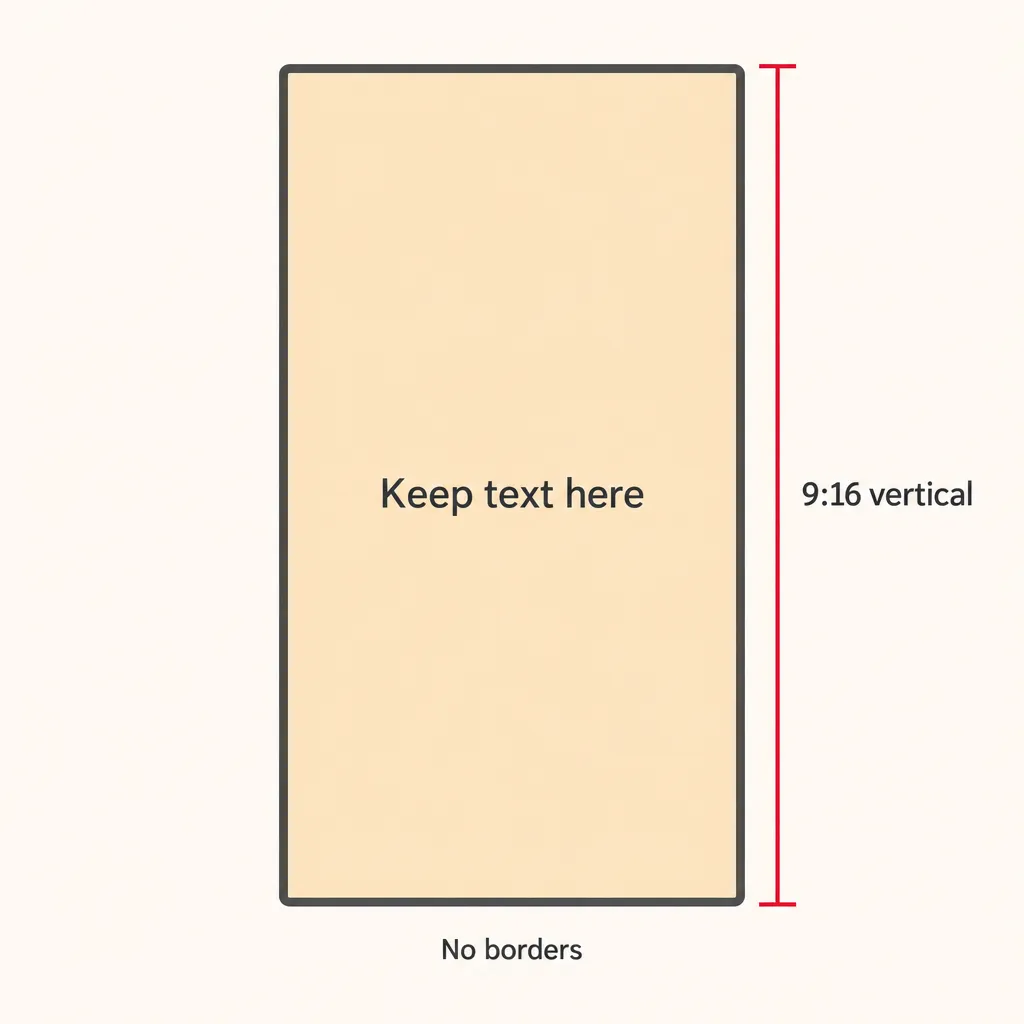
A Reel should be a high-resolution 9:16 vertical video with no borders, according to Instagram's creator guidance, which also asks that text not cover the majority of the screen. Our Instagram Reel size guide covers exact pixel dimensions.
- Aspect ratio: 9:16 vertical, filling the frame. Letterboxed or bordered video works against recommendations.
- Quality: no blurry or low-quality footage and no third-party watermarks.
- Text: short labels kept to a small part of the frame.
- Account: public. Only public accounts are recommended, and Creator and Business accounts are public automatically.
- Facebook export settings: an independent summary recommends 1080p, 24 to 60 fps and stereo AAC audio at 44.1 or 48 kHz. This is not confirmed by an official source.
How to make Reels from photos or an existing video
To make a Reel from photos or videos you already have, tap the gallery in the Reel camera, select them in order and edit them into something new, because Instagram treats plain reposts as unoriginal. Its About original content page says simply stitching together clips or adding a watermark doesn't qualify as materially edited content. For someone else's Reel, it suggests resharing or posting to Stories instead of re-uploading.
Instagram's guidance counts content you filmed yourself, or content that hasn't been posted on Instagram before, as original. News reports say the rules now cover photos and carousels too, that borders, speed changes or descriptive captions alone don't count, and that accounts repeatedly posting unoriginal content can lose recommendations until they post original work consistently for 30 days.
In practice, add something new: your own commentary, your own footage or a new story built from your own clips. For your own long videos, such as a podcast or webinar, Viral Clips picks the strongest moments and cuts vertical clips with face tracking and word-by-word captions for 15 credits. To turn still photos into motion, see how to animate a photo.
How to make faceless or AI Reels
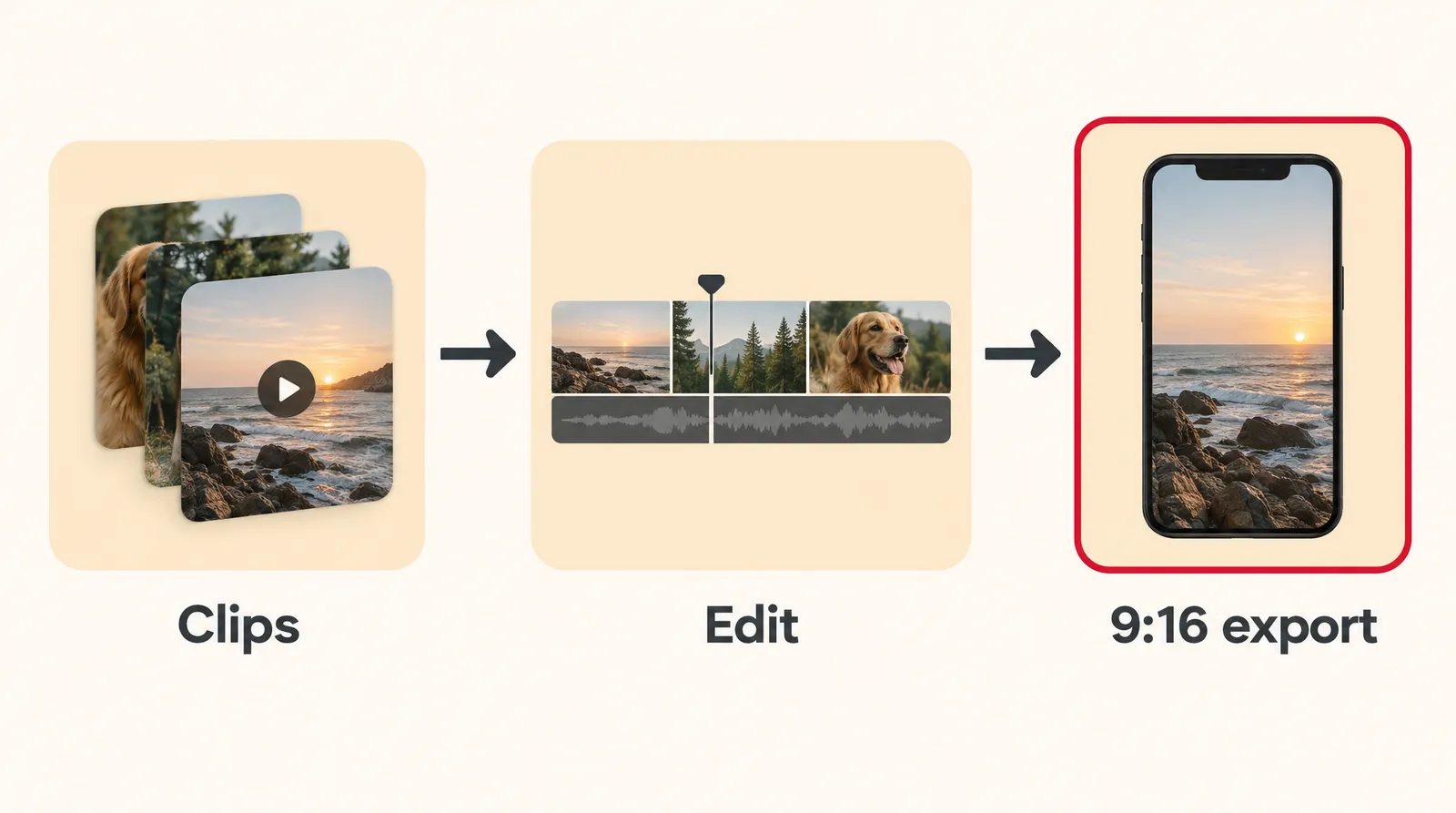
You can make a faceless Reel by generating short 9:16 clips with an AI video tool, adding a voiceover and captions, and joining everything in an editor. Here's the workflow on Klakix; our faceless video guide has format ideas.
- Generate 2 to 4 clips in Text to Video at 9:16. MiniMax H3 Max Turbo costs 20 credits for 5 seconds at 768p; Seedance 2.0 Mini costs 48 credits for 5 seconds at 720p and can include sound. Each generation makes one clip.
- Or animate your own photos in Image to Video. MiniMax H3 Max is the pick for keeping faces and details; the Seedance models don't accept photos with human faces.
- Record a voiceover in Voiceover. Voice v4 costs 2 credits per 200 characters, and tags like [excited] change the delivery.
- Join it in the Video Editor: add the clips and voiceover, music and automatic captions (captions cost credits per minute of speech), then export a 9:16 MP4. Editing and export are free.
Our math for a 20-second Reel: four MiniMax H3 Max Turbo clips cost 80 credits, about $4.07 on the Standard pack (275 credits for $14), plus a few credits for voice and captions. Outputs carry no visible watermark, and failed generations are refunded automatically. There's no free video: the 20 credits you get after verifying your email work only for voiceovers. See pricing.

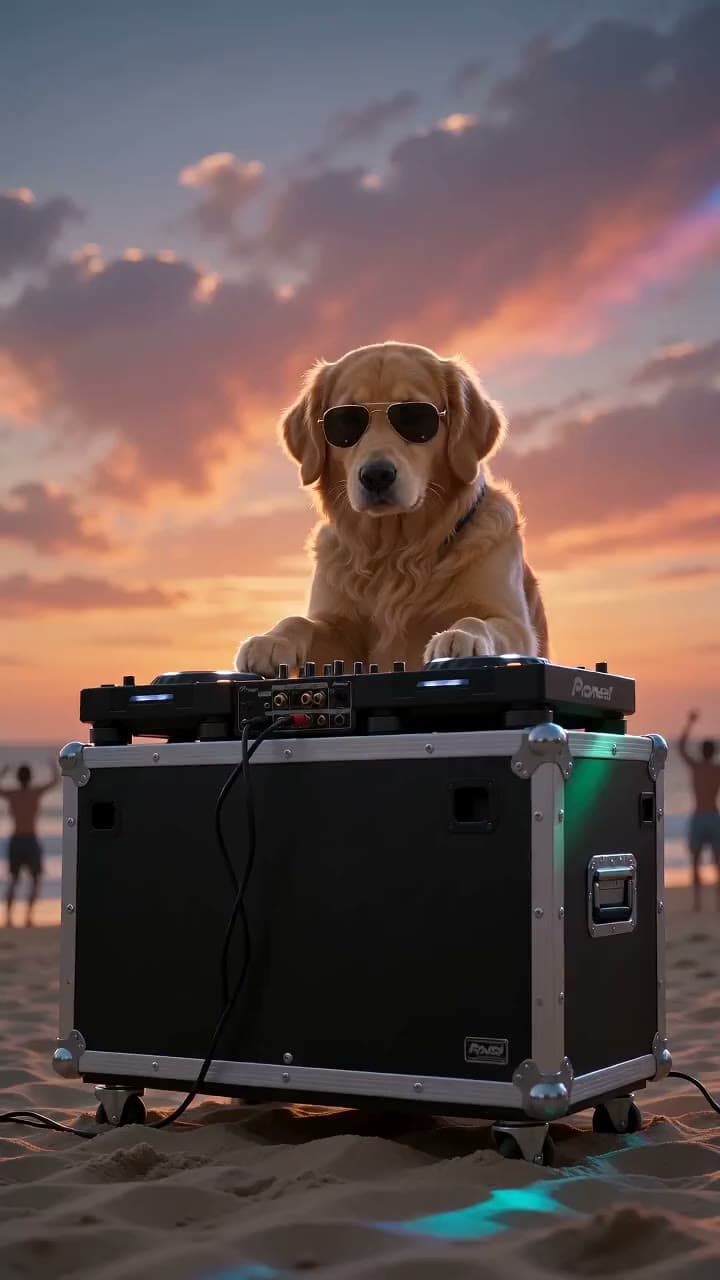
Each sample was generated in one take on this site with the model shown on it; nothing was edited.
For explainer Reels, Motif takes a topic and builds a 30 to 90 second video with voiceover, captions and motion graphics; the default 45-second 9:16 video costs 159 credits. If AI-generated people appear in a Reel you run as an ad, disclose them as AI where platform rules or local law require it.
What is the best app to make Reels for free?
The best free app to make Reels is usually the one already on your phone: Instagram's built-in Reel editor costs nothing and covers recording, trimming, music and text. For a fuller timeline, Instagram's own Edits app is listed on the App Store as Edits: Video Editor by Instagram, Inc., free with in-app purchases.
- Instagram's Reel camera: free, fast, fine for most Reels shot on a phone.
- Edits: Social Media Today reported that it launched on the App Store and Google Play with a multi-track timeline, a Projects tab and trending audio search. Neowin reports a free macOS version for Apple M1 or later with unlimited automatic captions in multiple languages. Check current availability on your device.
- Klakix: not free for video. Paid credits generate the footage itself; the Video Editor and MP4 export are free once you have clips.
- Cracked editor apps: skip them, since modded apps that unlock paid features are a common source of malware.
Common mistakes that cut Reels watch time
- A slow open: a logo, a greeting or an empty wide shot burns the 3 seconds you have.
- Another app's watermark: Instagram says not to post Reels that contain watermarks, so export clean files.
- Running long without a reason: past 3 minutes, Instagram won't recommend the Reel to new audiences.
- Re-uploading a viral clip with a border: a frame around someone else's video isn't an edit by Instagram's definition.
- Horizontal footage with black bars: fill the 9:16 frame instead.
- A caption with no words: search matches text, so a row of emojis gives Instagram nothing to match.
- Several ideas in one Reel: split them and post each one on its own.
Sources
The facts in this post were checked against the pages below on Nov 17, 2026. Prices and limits may change.
- Instagram Help Center: Reels length (official source)
- Instagram for Creators FAQ (official source)
- Instagram for Creators: recommendations eligibility tips (official source)
- Instagram Help Center: About original content (official source)
- Facebook Business Help Center: Reels tab and video changes (official source)
- Facebook Help Center (Android): videos posted as Reels (official source)
- Facebook Business Help Center: older Reels page (60 seconds) (official source)
- App Store: Edits: Video Editor (official source)
- Later: How to create Instagram Reels (independent source)
- Buffer: Instagram algorithm (independent source)
- ZoomSphere: Instagram algorithm 2026 (independent source)
- Hootsuite: Instagram algorithm (independent source)
- quso.ai: How to create Reels on Facebook (independent source)
- Social Samosa: Instagram original content policy (news)
- Social Media Today: Instagram launches Edits (news)
- Neowin: Instagram's desktop video editing app (news)
This post was drafted with AI assistance. Facts were checked against the sources above, and model, credit and price details were checked automatically against the site's current price list.
Frequently asked questions
How do you make Reels on iPhone?
Open the Instagram app, tap +, choose Reel and record or pick clips from your Photos library. Android follows a similar path, though menus vary by app version. If you want a multi-track timeline, Instagram's free Edits app is listed on the App Store.
How do you make Reels longer on Instagram?
Record or add more clips; the help center allows up to 20 minutes in total. If you want new viewers, stay at 3 minutes or less, because longer Reels aren't recommended to new audiences.
How do you make Reels on Instagram with photos and videos?
In the Reel camera, tap the gallery preview and select photos and videos in the order you want, then trim and arrange them. Add a voiceover or your own text so the result is a new edit rather than a repost of old content.
Can you make Reels for free?
Yes. Instagram's Reel editor, Facebook's editor and the Edits app are free to use, though Edits lists in-app purchases. AI video generators usually charge; on Klakix, video generation needs purchased credits, while the Video Editor and MP4 export are free.
What is the best AI to make Reels?
It depends on the job. Text-to-video models create new footage from a description, clip makers cut a long video into vertical clips, and explainer tools build a voiced, captioned video from a topic. Compare the cost of a 5-second clip, 9:16 support and whether sound is included.
How do you make faceless Reels?
Use footage that doesn't need you on camera, such as hands-only shots, screen recordings, B-roll or AI-generated clips, and let a voiceover carry the message. Add captions so the point lands in the first few seconds.
What size should a Reel be?
Use a high-resolution 9:16 vertical video that fills the frame with no borders. Keep on-screen text to a small part of the screen, which is what Instagram's recommendation guidance asks for.
Do watermarks hurt Reels reach?
Yes, according to Instagram. Its creator FAQ says a third-party watermark may be affecting reach, and its recommendation tips say not to post Reels with watermarks. Export a clean file from whichever editor you use.
Try what you just read
Signing up is free. Video and image tools unlock after your first credit pack, and credits are refunded if a generation fails.
Open Text to Video