Guide · 12 min read · Nov 16, 2026
What is previs? Previsualization for small teams
Previs, short for previsualization, is a rough moving version of a scene made before filming, so you can plan camera placement, movement, staging and timing without paying for a shoot. Vicon calls it "a storyboard that moves." The idea dates to Disney's Leica reels of the 1930s, and free tools like Blender make it possible on almost no budget.
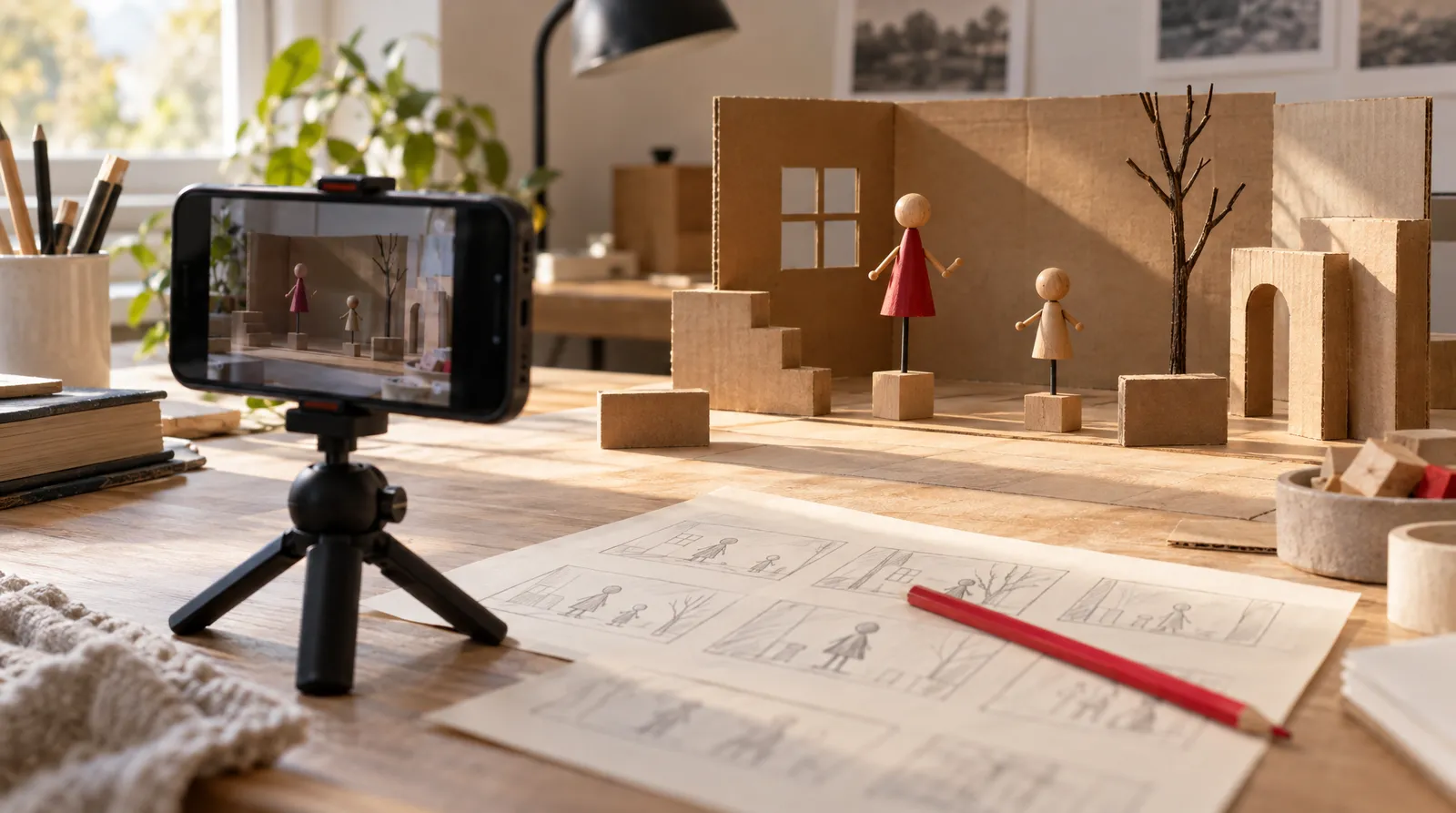
Previs is how directors test a scene before anyone rents a camera. Below you'll find one table that separates previs from storyboards, animatics, techvis and postvis, a six-step workflow for a team of one to five without a 3D artist, and current tool prices.
Sources were checked November 16, 2026. If you want to try AI camera-move blockouts, Klakix's 3D Scene to video tool is one option, covered in the workflow section.
What is previs in film and animation?
Previs in film is a rough, moving version of a scene, made before physical production to plan how it will be shot. Wikipedia defines previsualization as "the process of visualizing scenes, sequences, or environments before their physical production," and it's also called previz. It lets a director, cinematographer or VFX supervisor test lighting, camera placement, movement, staging and editing "without incurring actual production costs."
Teams usually save previs for the hard scenes: stunts, effects shots such as chroma key, and complex choreography or camera work. It can include music, sound effects and dialogue, so you judge timing as well as framing. Vicon describes it as simple 3D models, virtual cameras and animation: "a storyboard that moves."
Previs started in film and spread to animation, video game design, theater, concerts, live performance and still photography. The role changes by medium: according to Vicon, film previs "is usually discarded once the scene is shot," while game previs is built in-engine and can carry into production. It also doesn't have to be 3D; StudioBinder notes previs can be done with illustrations, photos or words.
Previs vs storyboard, animatic, techvis and postvis
The difference is the question each step answers: a storyboard shows what each shot looks like, an animatic shows how the sequence plays in time, and previs shows how the camera and actors move through space, in mstudio.ai's framing. Techvis and postvis sit on either side of the shoot. For the earlier steps in more detail, see our guides to the storyboard and the animatic.
The planning ladder: storyboard to postvis
| Step | What it is | What it answers | When |
|---|---|---|---|
| Storyboard | Still drawings for each shot | What each shot looks like | Before the shoot |
| Animatic | Storyboard panels played at real durations, with a soundtrack and very limited motion | How the sequence plays in time | Before the shoot |
| Previs | A rough moving version of the scene, usually 3D, with a virtual camera | How camera and actors move through space | Before the shoot |
| Techvis | The previs turned into crew measurements: camera height, distances, dolly track length | How to capture it technically | After previs, before the shoot |
| Postvis | Real footage combined with temporary effects | Whether the cut works before final VFX | After the shoot |
Sources: ScreenWeaver (Oct 2026), mstudio.ai (Oct 2026), Wikipedia, Autodesk, Runway (about Aug 2026). Checked November 16, 2026.
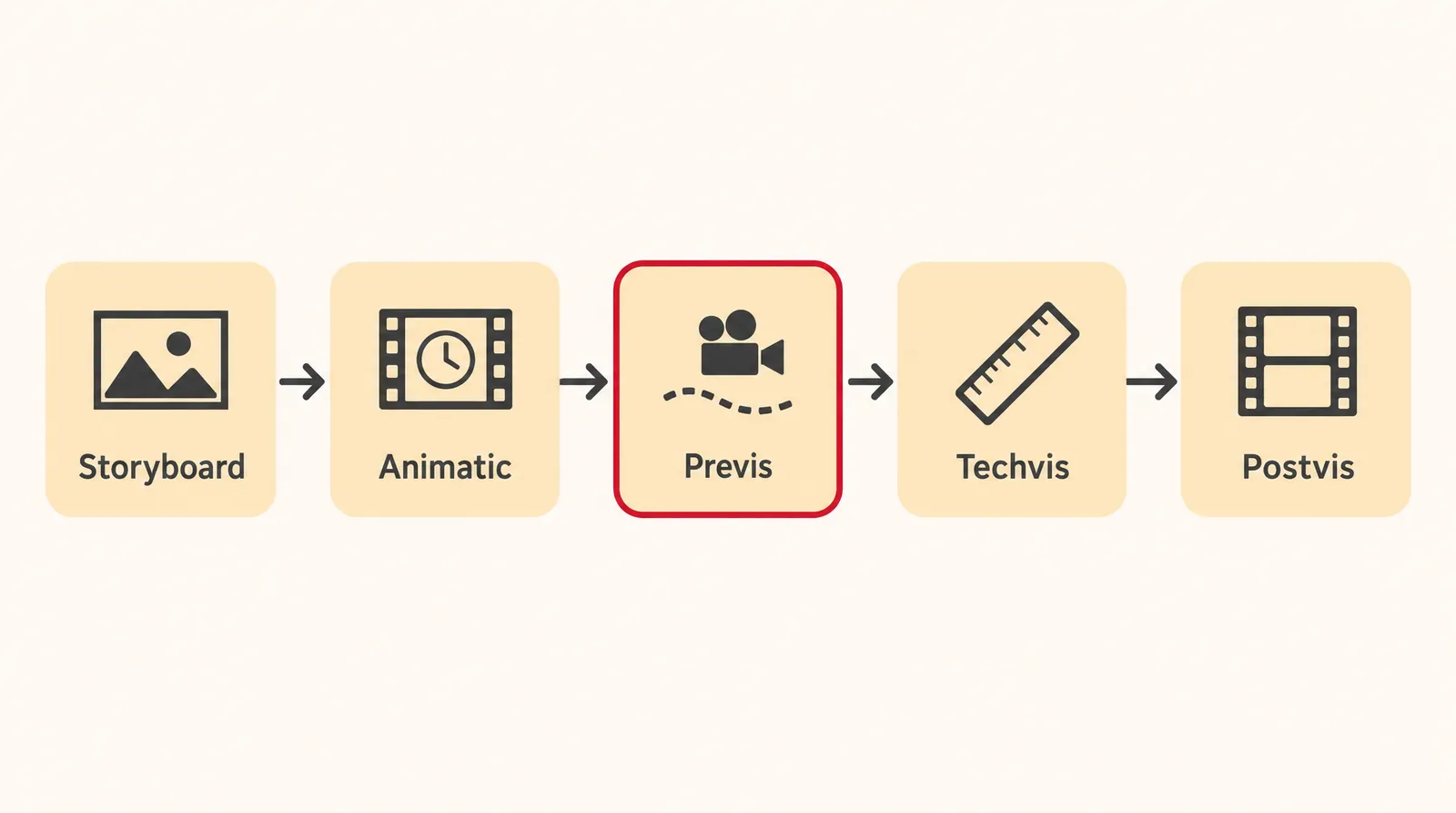
Runway gives the usual order on a complex shot as previs, then techvis, then the shoot, then postvis. Autodesk describes the handoff the same way: techvis artists use the previs to plan how to capture the scene. Vicon also lists pitchvis and stuntvis as their own types.
Layout isn't in the table because we found no sourced definition to compare it with.
How to do previs as a small team
You can do previs without a 3D artist by working up from words to timed, moving drafts, with each step cheap enough to throw away. The low-budget approach is old: for Return of the Jedi, ILM's Dennis Muren shot video in a miniature set with toy figures on rods to plan the speeder bike chase, according to Wikipedia.
- Pick the hard beats: Break the script into beats and choose the one or two scenes that are hard to shoot: a stunt, an effect or a long camera move. Our video script guide helps if you're starting from a blank page.
- Write a shot list: List every shot with its size, angle and camera move, using standard names from our shot types guide so everyone reads them the same way.
- Make rough frames: Sketch or generate one frame per shot. Stick figures and phone photos count.
- Block the scene with camera moves: Build a rough version you can move a camera through: toy figures filmed with a phone, a Blender scene or an AI blockout. Place the actors first; blocking in film covers how.
- Cut a timed animatic with a scratch voice: Put frames and clips on a timeline at real durations and lay a temporary voice track under them so you can hear the pacing.
- Review and lock: Watch it with the person who will shoot it, fix what fails, and lock the shot list. Then work out camera heights and distances separately, because rough previs doesn't give you techvis numbers.
Doing the same steps on Klakix
Klakix has a tool for steps 3 to 5, paid with pay-as-you-go credits in US dollars. Klakix is not affiliated with Ghostwheel, Epic Games, Cinematography Database or any other tool maker named on this page.
- Blockouts: 3D Scene (beta) builds a simple 3D blockout from your description or one of four ready-made blockouts. You give each shot one of 16 camera moves, then Seedance 2.5 Reference turns the blockout video into a realistic clip with the same move. Camera work is free; the blockout and final video cost credits, and the cost shows before you generate.
- Frames: Image Generation with Nano Banana 2 costs 8 credits per 1K image, about 53 cents on the Mini pack ($5 for 75 credits). Muse Image costs 2 credits for quick drafts.
- Scratch track: Voiceover with Voice v4 Turbo costs 1 credit per 200 characters. The 20 free credits you get after verifying your email work only for voiceovers.
- Animatic: the Video Editor (beta) joins, trims and reorders clips and adds a voiceover track. Editing and MP4 export are free.
For scale, Seedance 2.5 Reference costs 116 credits at its default of 720p, 5 seconds, 16:9, and failed generations are refunded automatically. If you need names for the moves you're assigning, our camera movements guide explains each one.
Free previs software and what paid tools cost (November 2026)
Free previs software does exist: Blender is free and open source, Unreal Engine is free to use for previs, and Previs Pro has a free edition, according to CozyClay's software roundup and press coverage. The table shows what each option costs as of November 16, 2026.
Previs software prices
| Tool | Price | What to know |
|---|---|---|
| Blender | Free, open source (GPL) | You build and animate scenes yourself |
| Unreal Engine | Free to use for previs | Not open source; multi-gigabyte install; commercial license terms not confirmed by an official source here |
| Previs Pro 3 | Free edition; paid from $39.99/month | iPad only; yearly and lifetime prices differ between sources |
| Cine Tracer | $89.99 one-time on Steam | Early Access cinematography simulator built in Unreal Engine 4; includes Cine Tracer 2 |
| Autodesk Maya | Free 30-day trial | Used by big previs studios, per Wikipedia |
| Klakix 3D Scene | Pay-as-you-go credits | Beta; AI blockout with 16 camera moves, runs in the browser |
Sources: CozyClay (Sep 2026), Guideflow (about Aug 2026), Digital Production (Sep 22, 2025), Apple App Store, Steam, Wikipedia. Checked November 16, 2026; prices may change.
Previs Pro's paid tiers are the least settled numbers. Digital Production reported $179.99 a year and $399.99 lifetime in September 2025, while the US App Store listing shows $119.99 yearly and $359.99 lifetime, Both agree on $39.99 a month, so check the App Store before you buy.
A third-party roundup from Guideflow says Unreal Engine is free for companies under $1M in annual gross revenue; that's not confirmed by an official source, so read Epic's license before a paid job. Skip unofficial "free download" copies of paid apps and stick to official stores and free editions.
Previs Pro vs Cine Tracer
Previs Pro vs Cine Tracer comes down to device and payment model. Previs Pro runs only on iPad, with a free edition and subscription or lifetime tiers. Cine Tracer is a one-time $89.99 Steam purchase, built in Unreal Engine 4 by Matt Workman and still listed as Early Access.
What previs can't do
Previs can't replace the shoot or become the final shot on live-action work; it's a planning draft you throw away. Vicon says film previs is usually discarded once the scene is shot, and Runway calls AI previs output "disposable" like any previs.
- No crew measurements: camera height, distances and dolly track length are techvis work. An AI clip shows the feel of a move, not lens data you can hand to a grip.
- No faces in reference photos: Klakix's Seedance reference modes don't accept photos with human faces, and photos of celebrities or other well-known people aren't allowed. Use fictional characters or simple stand-ins.
- One clip at a time: each generation is a single clip; joining clips and adding a voice track happen in the Video Editor.
- No free video: on Klakix, video and image tools unlock after the first credit purchase.
A short history of previsualization
Previsualization is close to a century old, far older than CGI or AI. The term is attributed to photographer Minor White, and Ansel Adams described visualization as "the ability to anticipate a finished image before making the exposure."
- 1930s: Disney first used the term storyboard sometime after 1928, and by the 1930s storyboarding live-action films was common. Disney's Leica reel, storyboards filmed and edited to the soundtrack, is described as the predecessor of computer previs.
- 1970s: cheap video gear such as Sony's U-Matic led ad agencies to use animatics regularly for TV commercials.
- Return of the Jedi: toy figures on rods stood in for the speeder bike chase.
- 1982: for One From the Heart, artists drew more than 1,800 storyboard frames and cut them to a radio-style voice recording.
- 1988: Lynda Weinman used Swivel 3D to previsualize Star Trek V (1989), often called the first 3D previs for a major film, though Wikipedia flags that claim as needing a citation.
- 1993: Jurassic Park's previs ran on Lightwave 3D on an Amiga with a Video Toaster.
- 2009: the nonprofit Previsualization Society was announced on September 30 in Los Angeles.
How to become a previs artist
There's no single documented path to becoming a previs artist, and we found no sourced salary data. Big previs studios use Lightwave 3D, Autodesk Maya, MotionBuilder and Softimage XSI, according to Wikipedia, so skill in a 3D package plus solid camera language is the practical base. A short reel of planned sequences built in free Blender or Unreal is a low-cost way to show both.
The Previsualization Society was formed through a collaboration of the ASC, the Art Directors Guild and the Visual Effects Society, which makes it a sensible place to follow the field.
Sources
The facts in this post were checked against the pages below on Nov 16, 2026. Prices and limits may change.
- Wikipedia: Previsualization (independent source)
- Vicon: What is previsualization (previs) in film and games (independent source)
- StudioBinder: What is previs (independent source)
- mstudio.ai: Previs vs storyboard vs animatic (independent source)
- Runway: What is AI previs? (independent source)
- Autodesk: Previsualization software (official source)
- ScreenWeaver: Previs vs storyboard vs animatic (independent source)
- CozyClay: Previs software (independent source)
- Digital Production: Previs Pro 3 adds animatics, AI lighting and a free tier (news)
- Apple App Store: Previs Pro (official source)
- Guideflow: Previsualization software (independent source)
- Steam: Cine Tracer (official source)
- fxguide: The Previsualization Society is announced (news)
- Variety: Previsualization Society kicks off (news)
This post was drafted with AI assistance. Facts were checked against the sources above, and model, credit and price details were checked automatically against the site's current price list.
Frequently asked questions
What is previs in film?
Previs in film is a rough moving version of a scene made before the shoot to plan camera placement, movement, staging, lighting and timing. It's usually reserved for stunts, effects shots and complex camera work, and it's usually discarded once the scene is filmed.
What is previs in animation?
Animation uses previs to plan shots and camera work too. In games, Vicon notes, previs is built in-engine and can carry into production instead of being discarded.
What is the difference between previs and a storyboard?
A storyboard is still drawings of each shot, while previs is a moving draft with a virtual camera that shows how camera and actors move through space. An animatic, storyboard panels timed to sound, sits between them.
Is there free previs software?
Yes. Blender is free and open source, Unreal Engine is free to use for previs, and Previs Pro 3 has a free edition for students and independent creators. Autodesk Maya offers a 30-day free trial.
How much does Previs Pro cost?
Previs Pro has a free edition, and paid plans start at $39.99 a month. Yearly and lifetime prices differ between the App Store listing and 2025 press coverage, so check the App Store for the current number.
Previs Pro vs Cine Tracer: which should I pick?
Pick by device and payment model. Previs Pro is an iPad app with a free edition and paid tiers, while Cine Tracer is a one-time $89.99 Steam purchase listed as Early Access when checked in November 2026.
Can you do previs with AI?
You can use AI to make rough frames, scratch voice tracks and camera-move blockouts quickly. The output is a disposable reference for framing and pacing, not final footage, and it won't give you exact camera heights or distances.
How do you do previs without 3D skills?
Start with a shot list, make rough frames from sketches, phone photos or generated images, and film a blockout with toy figures or an AI tool. Then cut everything to real durations with a temporary voice track and review it before you lock the plan.
Try what you just read
Signing up is free. Video and image tools unlock after your first credit pack, and credits are refunded if a generation fails.
Open Text to Video