Guide · 12 min read · Nov 12, 2026
POV shot: how to film from a character's point of view
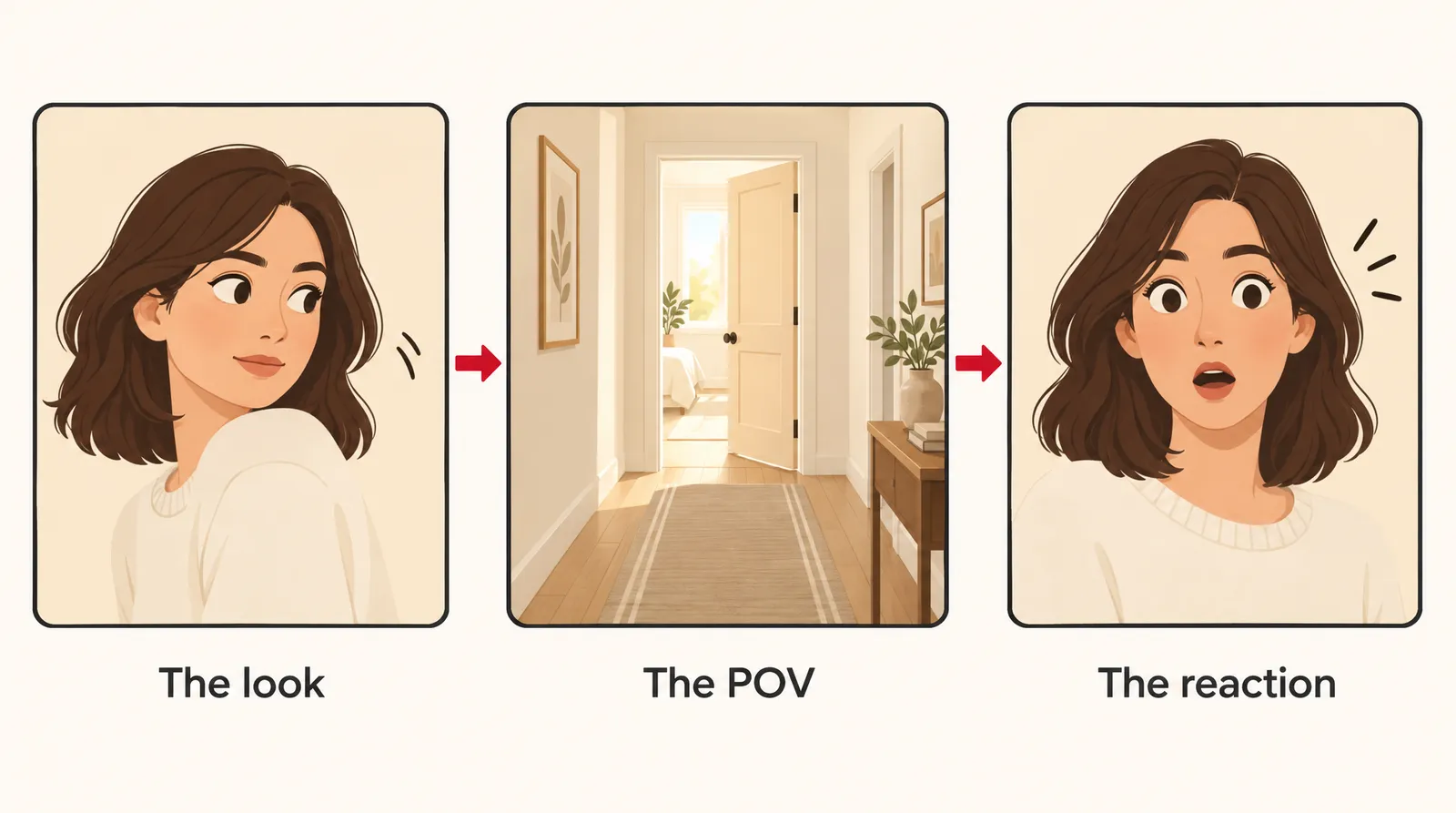
A POV shot (point-of-view shot) shows what a character sees, with the camera placed at their eye height so the viewer looks through their eyes. It usually sits in the middle of a three-shot pattern: the character looks, you cut to the POV, then you show their reaction. You can film one with a phone or generate one with AI.
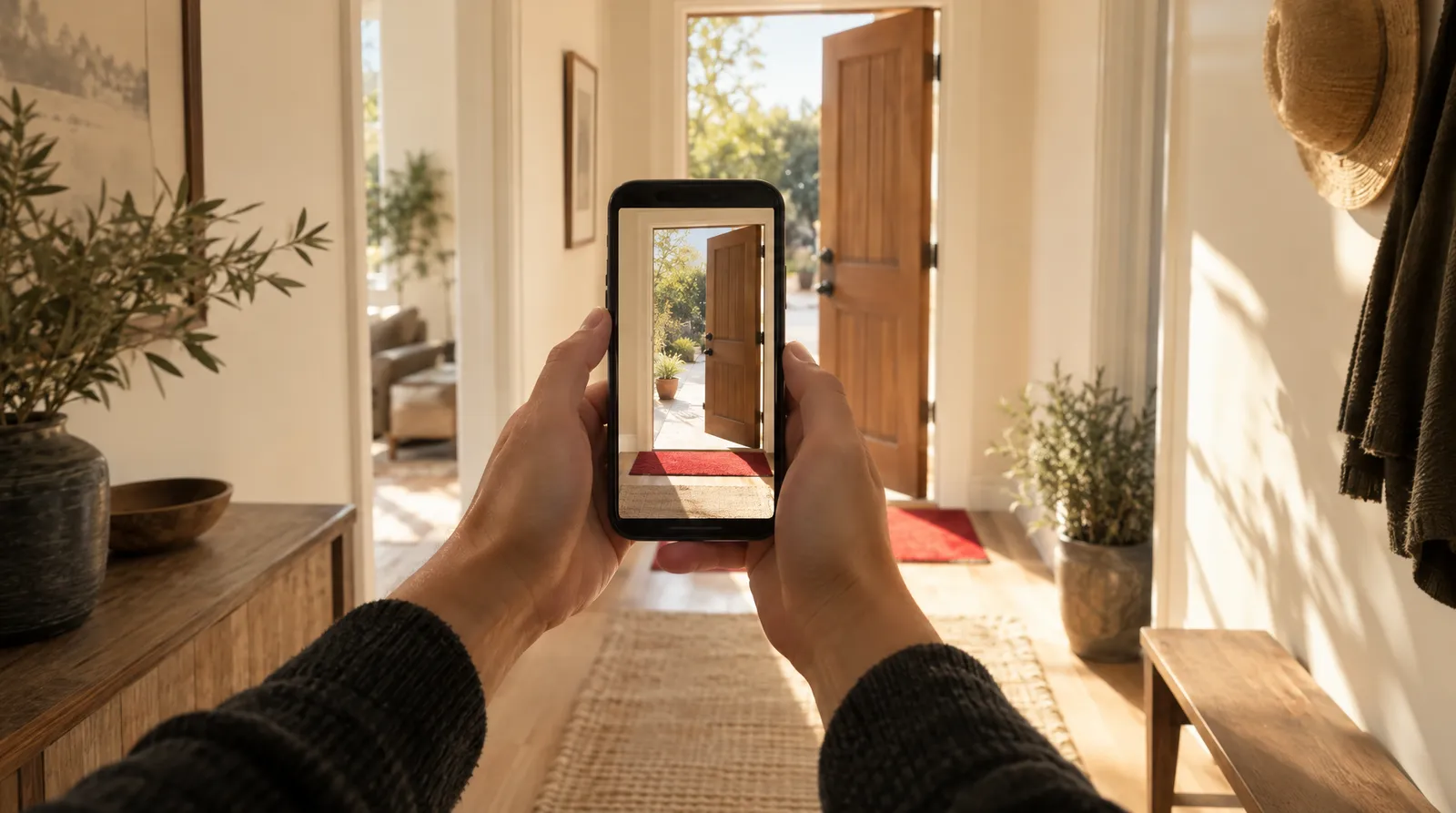
This guide covers the POV shot from four angles: what it means, how it differs from look-alike shots, how to film one on a phone or iPhone, and how to write one into a script. It ends with a prompt pattern for making a POV clip with AI video. If you want the bigger picture first, our guide to camera movements and angles puts the POV next to every other shot.
Definitions and film examples come from Wikipedia, Soundstripe, StudioBinder and screenwriting guides; iPhone details come from Apple's support site and news reports. Everything was checked on November 12, 2026, and phone features may change.
What is a POV shot?
A POV shot is a shot where the camera shows what a specific character is seeing, from their perspective. According to Wikipedia, it's also called a first-person shot or subjective camera. The character is usually unseen, because the camera stands in for their eyes.
A POV rarely works alone. Soundstripe describes it as the middle of three shots, and Wikipedia adds that editing, sound and acting are what tell the audience they're looking through someone's eyes:
- The look: the character turns or stares at something.
- The POV: you cut to what they see, framed from where their eyes are.
- The reaction: you cut back to their face. Soundstripe says you can drop this in fast sequences, but rarely the look.
A shaky camera doesn't make a shot a POV. Soundstripe's test is simple: could a human physically see this frame from where that character's eyes are? If not, it's just handheld footage.
POV shot vs subjective shot, eyeline match and over-the-shoulder
A POV shot is defined by whose eyes the frame belongs to, while the shots it gets confused with are defined by camera placement or editing. The table lines them up.
POV shot compared with similar shots
| Shot | Whose view is it? | Is the character in frame? | Typical use |
|---|---|---|---|
| POV shot | One character's, from their eye position | No | Show what a character notices, in short bursts |
| Subjective camera | A character's, often for long stretches or a whole film | No | Full immersion |
| Over-the-shoulder | Behind a character | Partly: shoulder and head | Conversations |
| Insert shot | Nobody's (Soundstripe); often a POV (StudioBinder) | No | Close-up of a detail |
| Eyeline match | An editing link: shot two shows what they look at from a believable angle | Yes, in the first shot | Connect a look to its object |
| Objective shot | Outside every character | Yes | Neutral coverage |
Sources: Soundstripe (updated Aug 28, 2026), Sirui, StudioBinder, Filmmakers Academy, Wikipedia. Checked November 12, 2026.
POV vs subjective shot: Sirui says a subjective camera fully replaces the character, sometimes for a whole film, while a classic POV appears in short bursts inside an otherwise objective scene. Soundstripe puts it this way: every POV shot is subjective, but not every subjective shot is a POV.
POV vs eyeline match: Filmmakers Academy notes that the second shot of an eyeline match doesn't have to be a true POV. A SCREEN-L academic list post adds that a POV is mainly a cinematography effect, an eyeline match is an editing device, and a long unbroken POV is not an eyeline match.
POV vs over-the-shoulder and insert: an over-the-shoulder shot keeps the character's shoulder in frame, so it isn't a strict POV. An insert is a detail close-up; StudioBinder says most inserts are in fact POV shots, though not all.
What is a POV shot used for? Famous film examples
A POV shot is used to put the audience inside a character's head: to share what they notice, build suspense, or make the viewer complicit. These films show the range, per Wikipedia and StudioBinder:
- Napoléon (1927): Wikipedia says it is considered the first POV example, with the camera padded in sponge and strapped to a breastplate. PremiumBeat says the first use is very hard to pinpoint.
- Lady in the Lake (1947): shot entirely from the main character's subjective view.
- Rear Window (1954): uses POV to cast the audience as a voyeur.
- Halloween (1978): StudioBinder cites it as the classic killer POV. Wikipedia lists the same horror trope in Friday the 13th and The Silence of the Lambs.
- Hardcore Henry (2015): made entirely of POV shots in a first-person-shooter style.
- Nickel Boys (2024): filmed in first person.
How to film a POV shot
To film a POV shot, put the camera exactly where the character's eyes would be and move it the way a body moves. These steps follow Soundstripe's method.
- Shoot the look: Film the character turning toward the thing they notice, so the audience knows whose eyes come next.
- Measure eye height: Set the lens at the character's real eye height. About 6 inches too high reads as a taller person.
- Pick a moderate wide lens: Use a moderately wide focal length instead of a tight telephoto, which doesn't feel like human vision.
- Add slight body movement: Let the camera breathe and sway a little. Full stabilization makes the shot glide like a drone, not a person.
- Direct the eyelines: Ask other actors to look at the lens or just past it when they address the character.
- Shoot the reaction in the same setup: Film the character's reaction right after, with the same lighting, so the three shots cut together cleanly.
How to take POV shots with your phone or iPhone
The easiest way to take POV shots with a phone is to hold or mount it at your own eye height and use a stabilized wide mode that still lets some walking motion through. On an iPhone, that mode is Action mode.
- Turn on Action mode: Apple's support page says it gives improved stabilization in Video mode on supported models. Tap the Camera Controls button, then Action.
- Know the specs: according to news reports, Action mode arrived with the iPhone 14 series and records up to 2.8K at 60 fps (9to5Mac). Stuff.tv reports it switches to the ultrawide lens by default and can be set to 1080p HD or 2.8K.
- Mind the glide: strong stabilization can erase the body motion that sells a POV, so walk naturally and don't over-smooth in editing.
- Try a cap clip: No Film School describes clipping a tripod mount (it reported $4 to $10 in 2018) to a baseball cap bill. The catch: you can't see the screen while recording.
- Show your hands: reaching for a door handle or a cup at the bottom of the frame tells viewers instantly whose eyes they're in.
- Pick the right ratio: for TikTok or Reels, shoot vertical; see our TikTok video size guide.
How to write a POV shot in a screenplay
To write a POV shot in a screenplay, put the character's name and POV on their own line, then describe what they see. ScreenplayHowTo shows the CHARACTER'S POV heading and a dashed version, and Christine Conradt adds "ON [SOMETHING]" as another option. Here's our own example:
Maya stops at the top of the stairs. MAYA'S POV The hallway light flickers. At the far end, the door she locked an hour ago stands open. BACK TO SCENE Maya grips the railing.
It works because it follows the look, POV, reaction pattern on the page. Use it sparingly: Screenplay.com's Dr. Format advises avoiding camera directions in spec scripts and says a POV can be used, but you can usually avoid it. For short-form scripts, our video script template is a simpler format.
Is a TikTok "POV" video a real POV shot?
A TikTok "POV" video is often not a POV shot in the film sense. Dictionary.com defines the label as a video meant to be watched as if you were present or in a specific situation, and Sendible dates its rise to roughly 2019, with captions like "POV: you're the last person to leave the office".
How to make a POV shot with AI video
You can make a POV-style clip with AI by describing the camera position in the prompt, since there's no physical camera to place. On Klakix, use Text to Video and start the prompt with the viewpoint before the action:
Prompt pattern: POV, first-person view at eye height, your hands visible at the bottom of the frame, [action], [setting], slight natural head movement, [light]. Example: POV, first-person view at eye height, your hands holding a paper coffee cup as you walk into a small bakery, the baker looks up and nods at you, slight natural head movement, warm morning window light.
The pattern names the eye position, uses hands as the visual cue and asks for body-like motion, the same signals a crew uses on set. We can't promise every generation lands a true first-person frame, so treat the first try as a draft. Seedance 2.0 Mini starts from 48 credits at default settings (720p, 5 sec), about $3.20 on the Mini pack ($5 for 75 credits). For one unbroken take up to 30 seconds, Seedance 2.5, Wan 3.0 and Kling 4.0 go that long; see pricing for packs.
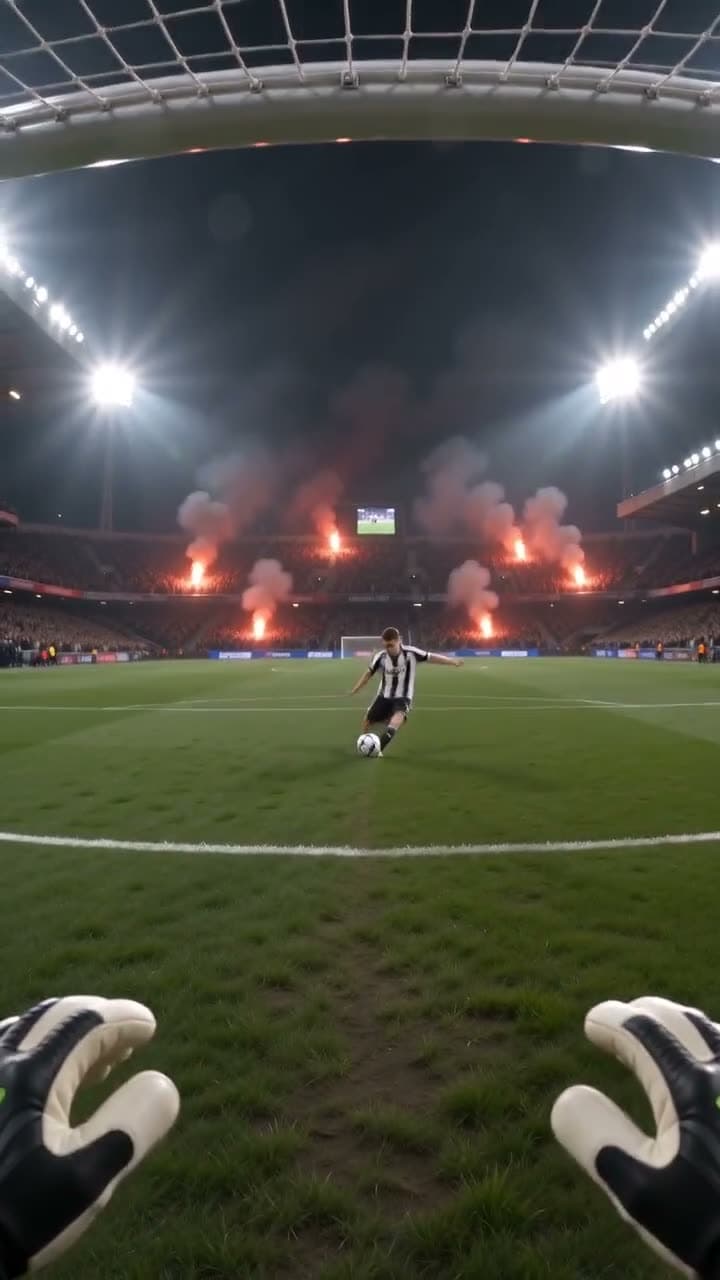
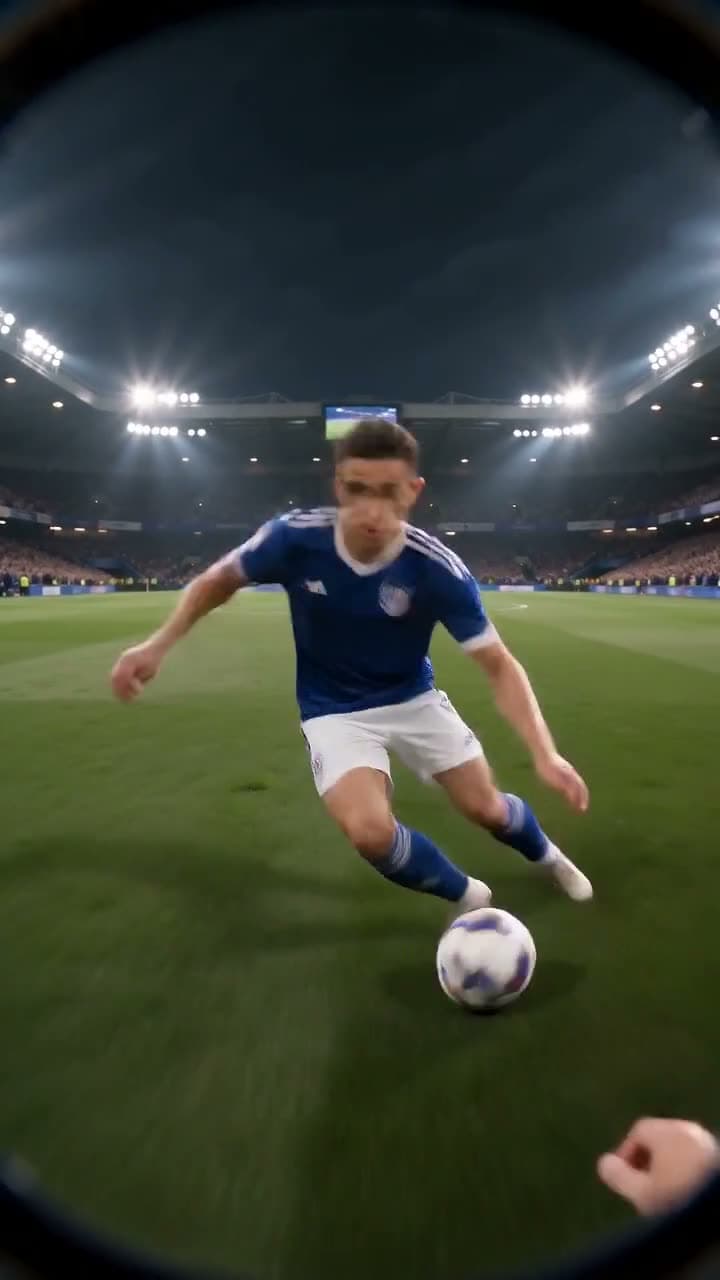
Each sample was generated in one take on this site with the model shown on it; nothing was edited.
Sources
The facts in this post were checked against the pages below on Nov 12, 2026. Prices and limits may change.
- Wikipedia: Point-of-view shot (independent source)
- Soundstripe: Point of view shot (independent source)
- Sirui: What is a POV shot (independent source)
- Filmmakers Academy: Eyeline match (independent source)
- SCREEN-L list post on POV and eyeline match (independent source)
- StudioBinder: POV shot (independent source)
- StudioBinder: Point of view shot camera movement and angles (independent source)
- PremiumBeat: The power of POV shots (independent source)
- Apple Support: Action mode on iPhone (official source)
- 9to5Mac: iPhone 14 Action mode first impressions (news)
- Stuff.tv: How to use iPhone Action mode (news)
- No Film School: DIY head mount POV shots (independent source)
- ScreenplayHowTo: Shot headings and shot types (independent source)
- Christine Conradt: Using POV in a screenplay (independent source)
- Screenplay.com: Ask Dr. Format (independent source)
- Dictionary.com: TikTok slang words (independent source)
- Yahoo/Parade: POV is more than just point of view (news)
- Sendible: What does POV mean in social media marketing (independent source)
This post was drafted with AI assistance. Facts were checked against the sources above, and model, credit and price details were checked automatically against the site's current price list.
Frequently asked questions
What is a POV shot in film?
It's a shot that shows what a specific character sees, framed from where their eyes would be. The character is usually off screen, and the shot is typically sandwiched between a shot of them looking and a shot of their reaction.
What is a POV shot called?
It's also called a point-of-view shot, a first-person shot or subjective camera. Some filmmakers reserve subjective camera for longer stretches where the camera fully replaces the character, sometimes for an entire film.
Why is a POV shot used in film?
Directors use it to make the audience share a character's experience: what they notice, what scares them, or what they're hiding. Horror films use it to show a threat through a killer's eyes, which makes the viewer feel uneasy and involved.
POV shot vs subjective shot: what's the difference?
A POV shot is usually a short burst inside a scene filmed objectively. A subjective shot can run much longer and fully replace the character's eyes. One common rule of thumb is that every POV is subjective, but not every subjective shot is a POV.
POV shot vs eyeline match: what's the difference?
An eyeline match is an editing technique that cuts from a character looking to the thing they look at, and that second shot doesn't need to be from their exact eye position. A POV is about camera placement, and a long uninterrupted POV isn't an eyeline match at all.
How do you take POV shots with an iPhone?
Hold or mount the phone at your eye height and turn on Action mode on supported models for steadier footage. Keep some natural walking motion and let your hands enter the bottom of the frame so viewers know whose eyes they're in.
What is a POV shot in photography?
In photography the idea is the same: the photo is framed from the photographer's or subject's eye position so the viewer feels they're standing there. Hands, feet or held objects at the edge of the frame are a common way to signal it.
Can you make a POV shot with AI?
Yes, text-to-video models can produce POV-style clips if the prompt states the first-person view, eye height and visible hands. Results vary between generations, so expect to try a few prompts and pick the one that reads most clearly as first person.
Try what you just read
Signing up is free. Video and image tools unlock after your first credit pack, and credits are refunded if a generation fails.
Open Text to Video